Establishing secure connection…Loading editor…Preparing document…

Utility Easement

This template is fully customizable. Edit the text, fill out the fields, and send it for signature. Give it a try!
Utility Easement

What a Utility Easement Is and why it matters

A Utility Easement is a legal grant that gives a utility provider or other grantee the right to access, install, operate, and maintain infrastructure on or across private property. Easements commonly cover rights-of-way for electric lines, water and sewer mains, gas pipelines, telecommunications conduits, and related facilities. They define the area, permitted uses, duration, maintenance obligations, and any limitations on property owner activity within the easement corridor. Utility easements are typically recorded in the county land records to provide notice to subsequent owners and affect title and land use.

Why a clear Utility Easement benefits property owners and utilities

A professionally drafted easement reduces disputes, clarifies ongoing maintenance and access rules, preserves operational reliability for utilities, and protects property marketability by putting future buyers on notice. Clear terms allocate liability, inspection rights, and restoration responsibilities to avoid costly misunderstandings.

Why a clear Utility Easement benefits property owners and utilities

Common parties who prepare, sign, or review an easement

Each party has distinct responsibilities: utilities manage operations, owners protect property rights, and counsel ensures recordable, enforceable language.

  • Utility companies and municipal agencies that require long-term access to infrastructure for construction, maintenance, or upgrades.
  • Private property owners or developers granting the easement to enable site servicing, subdivisions, or public improvements.
  • Title companies, surveyors, and real estate attorneys who verify legal descriptions and clear title for recording.

Who typically signs

Utility Company

A designated corporate officer or authorized agent signs on behalf of the utility. Counsel typically reviews technical access rights and indemnity language to ensure operational needs and regulatory compliance are met.

Private Landowner

The property owner or an authorized representative (trustee, corporate officer) must have authority to grant the easement; title verification and consistent legal names are essential to avoid challenges at recording.

Core elements to include in a professional Utility Easement

A complete easement enumerates the rights granted, exact location, duration, and responsibilities so both parties understand use, access, and liability.

Grant Language

Clear statement of rights granted to the grantee, including scope, permitted activities, and any exclusive or non-exclusive status.
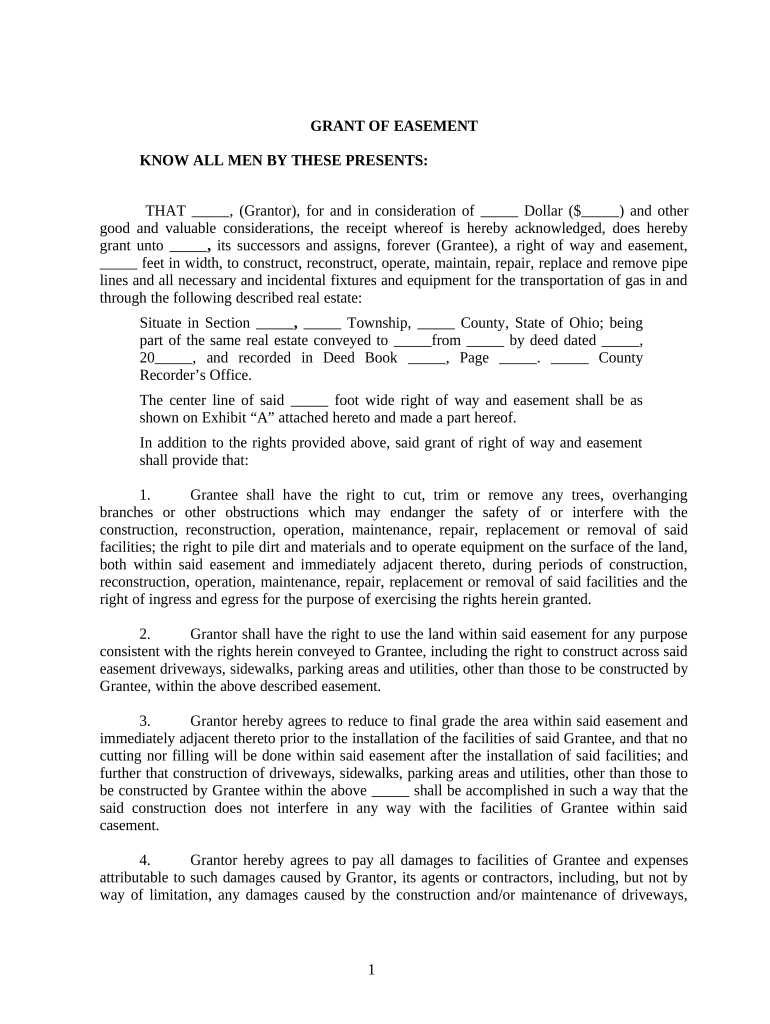
Legal Description

Precise metes-and-bounds or recorded parcel reference and exhibit map so the easement area is unambiguous for title and surveying.

Dimensions & Limits

Width, alignment, depth, and setbacks for the easement corridor plus permitted encroachments or obstructions.

Term and Renewal

Duration (perpetual or fixed term), renewal conditions, and procedures for termination or abandonment.

Maintenance & Repair

Allocation of maintenance duties, restoration standards after work, and access scheduling to minimize property disruption.

Liability & Indemnity

Insurance requirements, indemnification clauses, and limits on grantee liability for damage to the servient estate.

Step-by-step: preparing, executing, and recording an easement

Follow these steps to create an enforceable and recordable Utility Easement.

  • 01
    Draft Agreement: Prepare terms and attach a survey exhibit.
  • 02
    Confirm Authority: Verify signatory authority and title status.
  • 03
    Sign and Notarize: All parties sign before a notary as required.
  • 04
    Record Document: File the executed easement with the county recorder.

Configuring an online easement workflow

Set up a repeatable digital workflow for drafting, signing, and archiving easements in your document system.

Field Placement Place signature, date, and initial fields where required.
Signer Order Define who signs first and routing sequence.
Authentication Choose email, SMS code, or stronger ID verification.
Template Save Save a template for repeat easements to reduce errors.
Archive Location Configure secure storage and retention settings.

Technical considerations for digital completion and storage

Choose tools that capture an audit trail, preserve a tamper-evident final PDF, and align with your organization’s record-retention policies.

  • File Formats: PDF and DOCX accepted for editing and recording.
  • Integrations: Connect with Salesforce, NetSuite, Box, or Google Workspace.
  • Security & Compliance: Use platforms complying with ESIGN, UETA, and AES/HIPAA controls.

How electronic signing fits into the easement process

A digital signing flow streamlines execution while retaining legal records and audit details.

  • Upload Document: Upload the signed draft and exhibit map.
  • Place Fields: Add signature, date, and notarization placeholders.
  • Send to Signers: Route by email or secure link for signature.
  • Finalize and Archive: Generate signed PDF and store with metadata.

Potential legal and commercial risks of an incorrect easement

Recording Rejection: Rejected by county recorder
Survey Discrepancy: Boundary uncertainty and re-survey costs
Boundary Disputes: Neighbor litigation and quiet-title risk
Insurance Gaps: Title or liability coverage denied
Operational Interference: Access disputes delaying maintenance
Invalid Grant: Improper signatory voids the easement

Common drafting and execution mistakes to avoid

  • Using informal or vague legal descriptions rather than exact recorded parcel language; this often leads to recording rejection or disputes over the easement footprint.
  • Failing to attach a stamped survey or exhibit map showing the easement corridor and coordinates; absence of a map makes enforcement and construction planning difficult.
  • Permitting unsigned or improperly authorized representatives to sign without written evidence of authority, creating risk that title insurers will refuse coverage.
  • Delaying recording after execution; an unrecorded easement provides poor notice to subsequent purchasers and can undermine priority against later encumbrances.

Practical tips for accurate, enforceable utility easements

Follow these principles to reduce friction and preserve value for both grantor and grantee.

Obtain a current survey and attach an exhibit
Commission a recent, boundary-stamped survey that shows the precise easement corridor, benchmarks, and distances. Attaching this as an exhibit eliminates ambiguity and expedites title review and permitting.
Verify signatory authority and title
Confirm the recorded owner(s) on title and obtain corporate resolutions or trustee documents when entities are involved. Title exceptions or encumbrances should be cleared prior to execution.
Define maintenance, restoration, and access windows
Specify who performs maintenance, standards for restoration after work, notice periods, and reasonable access hours to reduce disputes and operational impacts on the property owner.
Record promptly and share the recorded copy
Record the fully executed easement with the county recorder immediately and provide recorded instruments to title companies, lenders, and all parties to ensure proper notice.

Supporting documents and output formats for a complete filing package

Assemble a consistent packet to simplify recording and downstream title work.

Supporting Documents

Include the recorded deed, current survey, corporate resolutions, and any required municipal approvals or permits as attachments.

File Formats

Prepare final executed documents as PDF/A for long-term preservation and as native DOCX for internal edits when needed.

Recording Acknowledgement

Obtain a stamped recording receipt from the county recorder and attach a copy to transaction files.

Amendment Clause

Include language specifying how future amendments are executed, witnessed, and recorded to avoid informal changes.

Representative eSignature pricing and capability snapshot (signNow listed first)

Compare baseline pricing and common capabilities across major eSignature vendors to evaluate cost and feature fit for easement workflows.

signNow DocuSign Adobe Sign PandaDoc HelloSign
Starting Price $8/user/mo $15/user/mo $14/user/mo $19/user/mo $15/user/mo
Free Trial 7-day free trial, no credit card Trial varies by plan Trial varies by plan Trial varies by plan Trial varies by plan
Bulk Send Yes (Business Premium) Varies by plan Varies by plan Varies by plan Varies by plan
Audit Trail Yes Yes Yes Yes Yes
HIPAA Compliant Yes Yes Yes No No
Envelope Cap No envelope cap 100 envelopes/user/year limit Varies by plan Varies by plan Varies by plan

Timing considerations and expected processing steps

Key calendar triggers and expected timeframes help plan execution, recording, and downstream approvals.

Survey Delivery:

Allow 7–21 days depending on survey complexity.

Attorney Review:

Plan 3–10 business days for negotiation and counsel review.

Notarization:

Complete signatures before a notary on agreed date.

County Recording:

Recording often processed within 1–10 business days; county backlogs vary.

Title Clearance:

Allow additional 3–7 business days for title company review after recording.

Milestone timeline: from draft to recorded easement

A typical five-stage milestone sequence showing principal actions and expected outcomes.

01

Draft & Survey

Prepare draft and attach a current survey.

02

Internal Review

Legal and operations review for scope and liability.

03

Execution & Notarization

Signatures witnessed and notarized as required.

04

Recording

File with county recorder and obtain receipt.

Frequently asked questions about Utility Easements

Answers to common legal, execution, and recording questions for Utility Easements.


Need help? Contact support

be ready to get more
Join over 28 million airSlate SignNow users