Establishing secure connection…Loading editor…Preparing document…

Virginia Custodial Form

This template is fully customizable. Edit the text, fill out the fields, and send it for signature. Give it a try!
Virginia Custodial Form

What the Virginia Custodial Form Is and when it’s used

The Virginia Custodial Form documents the transfer or management of assets placed into a custodial account for a minor under state custodial statutes (commonly UGMA or UTMA) or for other custodial arrangements. It names the custodian, identifies the minor beneficiary, specifies funding and investment instructions, and records signer authority. Financial institutions and trustees use it to open accounts, accept gifts, and preserve a clear legal record. Electronic execution is generally permitted under the ESIGN Act (15 U.S.C. ch. 96) and state UETA rules, subject to any enumerated exceptions.

Why a clear Virginia Custodial Form matters

A well-prepared Custodial Form creates a definitive record of who controls assets for a minor, reduces disputes, and supports correct tax and reporting treatment while documenting donor intent under state law.

Why a clear Virginia Custodial Form matters

Who typically completes or receives this form

Typical participants include account custodians, donors, financial institutions, and legal advisors involved in transferring assets to a minor.

  • Parents or relatives making gifts to a minor and naming a custodian to manage funds until majority.
  • Financial institutions and brokerages that open custodial accounts and require KYC, SSN/TIN, and funding instructions.
  • Attorneys or trustees advising on tax consequences, termination provisions, or when a trust may be preferable.

Step-by-step: completing the Virginia Custodial Form

Follow these core steps to prepare, verify, sign, and submit the form so the account can be opened and funded without administrative holds.

  • 01
    Gather documents: Collect IDs, SSNs, and funding instructions before starting.
  • 02
    Complete form: Enter names, DOB, SSN, and account designation accurately.
  • 03
    Verify identity: Provide ID copies or complete KBA; notarize if required.
  • 04
    Submit form: Deliver to the financial institution and confirm receipt.

Required information and critical data points

Custodian Name: Full legal name
Minor Name: Full legal name
Minor DOB: MM/DD/YYYY
SSN/TIN: Nine-digit number
Funding Details: Account or transfer instructions
Signatures: Signed and dated blocks

Core components to include in a professional form

A complete Virginia Custodial Form should combine identity, funding, authority, and termination language so the custodian and receiving institution can act without additional interpretation.

Custodian Identification

Full identification section that lists the custodian’s legal name, address, date of birth, and contact details; essential for KYC checks and to avoid mismatches during account opening.
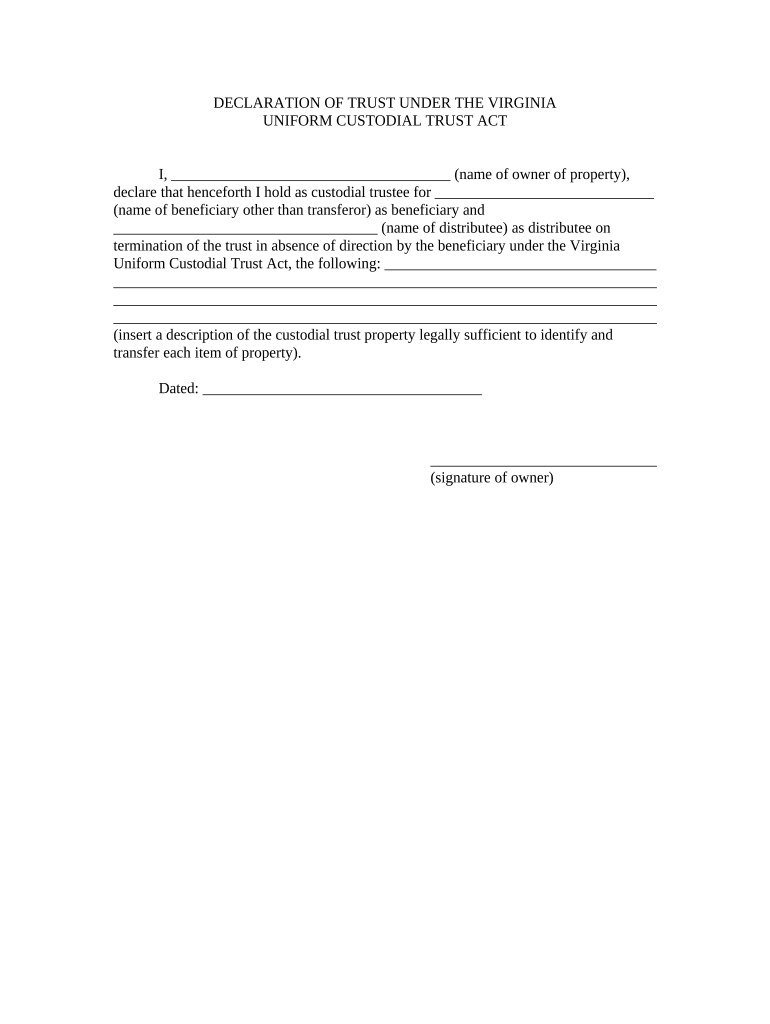
Beneficiary Details

Dedicated fields for the minor’s full legal name, date of birth, Social Security number or TIN, and relationship to the custodian, which feed directly into tax reporting and account records.

Funding Instructions

Clear instructions for initial funding and future contributions including account numbers, transfer types, and any restrictions on types of assets that the custodian may hold or liquidate.

Custodial Authority

Plain-language statement of custodian powers and limits, including investment authority, withdrawal permissions, and requirements for consent when necessary to protect the minor’s interest.

Termination Clause

Specify when custody ends and how assets transfer (age, date, or event); include successor custodian provisions to avoid confusion at termination.

Acknowledgements

Donor and custodian acknowledgements about gift intent, tax consequences, and any legal notices that must be confirmed before submission.

How to configure an online workflow for this form

Map fields and verification steps in your eSignature platform so signers can complete the form securely and institutions receive a consistent record.

Field Recommended setting
Signature Required signature field with date
SSN Masked input and optional redaction export
ID Upload Require front/back ID upload
Conditional Guardian Show successor custodian fields if applicable

Digital signing and technical considerations

Choose a platform that supports PDF/Docx, secure identity checks, and produces an audit trail compatible with institutional requirements.

  • File formats: PDF and DOCX supported
  • Integrations: Salesforce, NetSuite, Google Workspace
  • Authentication: Email, SMS, or advanced KBA

Typical online submission flow for the Custodial Form

A standard eSubmission flow reduces friction and preserves evidence of intent, attribution, and delivery throughout the account opening process.

  • Upload document: Add a PDF or DOCX version to the platform
  • Place fields: Insert signature, date, and ID upload placeholders
  • Signers authenticate: Use email, SMS, or KBA as required
  • Complete and archive: Signed copy plus audit trail is stored securely

Timing considerations and reporting triggers

Key timing items affect account establishment, tax reporting, and when custodial control ends; act promptly to avoid reporting delays.

Account opening:

Submit completed form when first funding the account.

Gift tax reporting:

If a gift exceeds IRS thresholds, report on Form 709 the calendar year of the gift.

Annual statements:

Financial institutions send regular account statements according to their schedule.

Age of majority:

Custodian control typically ends at state-defined majority age; verify your state statute.

Identity retention:

Keep identity verification records per institution and regulatory policy.

Key milestones from preparation to account activation

These sequential stages describe the path from form preparation to active custodial account status.

01

Prepare Form

Populate all identity, beneficiary, and funding fields accurately.

02

Verify Identity

Complete KYC checks and ID uploads or notarization as required.

03

Execute Signatures

Donor and custodian sign; obtain notarization if institution requires it.

04

Submit to Institution

Deliver form and funding instructions; confirm account activation.

Practical tips to avoid delays and disputes

Follow these practices to reduce administrative friction and preserve the legal effectiveness of the custodial transfer.

Verify all names and TINs
Confirm the custodian’s and minor’s names match government ID and Social Security records exactly; mismatches can trigger backup withholding and account holds.
Choose custodial statute deliberately
Select UGMA or UTMA based on permitted assets and state rules; UTMA may allow more asset classes but varies by state.
Use strong identity checks
Require photo ID uploads, KBA, or notarization for high-value transfers to reduce fraud and comply with KYC obligations.
Keep provable records
Retain signed copies, audit trails, and funding receipts in a secure system for tax, compliance, and future beneficiary needs.

Common mistakes people make preparing this form

  • Entering nicknames or initials instead of full legal names leads to account rejections or mismatched tax reporting.
  • Omitting the minor’s SSN or entering it incorrectly can trigger 24% backup withholding on income distributions.
  • Failing to indicate UGMA versus UTMA results in confusion over permissible assets and potential institutional refusal.
  • Skipping identity verification or notarization when required causes processing delays and possible funding holds.

Penalties and enforcement risks to be aware of

Backup withholding: 24% rate
Incorrect returns: $60–$330 per form
Intentional disregard: $660+ per form
Fraud risk: Potential criminal exposure
Account freeze: Institutional holds possible
Civil disputes: Custody or beneficiary claims

How a custodial form compares to a small trust

Choosing between a custodial account and a trust changes control, costs, and formality; compare core attributes below.

Criteria Custodial Form Small Trust
Typical use minor gift long-term planning
Control custodian control trustee control
Costs low higher
Formalities simple paperwork legal drafting

Real-world examples of using e-signatures for custodial paperwork

Two brief examples illustrate how organizations use digital workflows to collect custodial authorizations and maintain compliance.

Optica Ventures — account setup

A small investment firm digitized custodial onboarding to cut processing time and reduce phone follow-ups.

  • They used an audit trail for provenance.
  • The interface is simple and easy-to-use for our team; more importantly, it is just as easy for our customers.

Martin Properties — remote signing

A family office used remote signing to collect donor and custodian signatures across states.

  • The solution preserved identity records and timestamps.
  • I can process and execute all of these documents online with 100% compliance and built-in security. Whether on mobile or working offline, I can get forms back to their necessary parties efficiently.

Comparing eSignature vendor pricing and basic capabilities

For digital completion and secure storage of Virginia Custodial Forms, vendors differ on price, bulk send, and compliance features; signNow appears first for direct comparison.

signNow DocuSign Adobe Sign PandaDoc HelloSign
Starting Price $8/user/mo $15/user/mo $14/user/mo $19/user/mo $15/user/mo
Free Trial 7-day free trial, no credit card Varies by vendor Varies by vendor Varies by vendor Varies by vendor
Bulk Send Yes Yes Yes Yes No
Audit Trail Yes Yes Yes Yes Yes
HIPAA Compliant Yes Yes Yes No No

Frequently asked questions about the Virginia Custodial Form

Answers to frequent issues when completing, signing, and submitting a custodial form, including e-sign rules and common fixes.


Need help? Contact support

be ready to get more
Join over 28 million airSlate SignNow users