Establishing secure connection… Loading editor… Preparing document…
Navigation

Fill and Sign the Stalking Form

Fill and Sign the Stalking Form

How it works

Open the document and fill out all its fields.
Apply your legally-binding eSignature.
Save and invite other recipients to sign it.

Rate template

4.6
62 votes
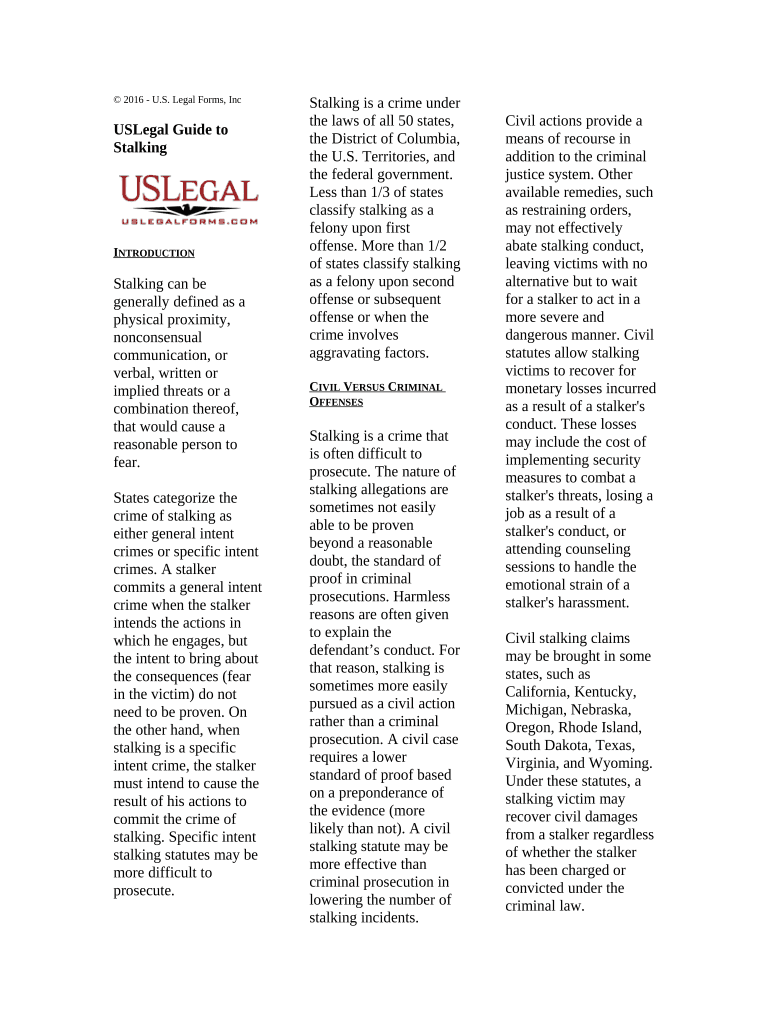
© 2016 - U.S. Legal Forms, Inc USLegal Guide to Stalking I NTRODUCTION Stalking can be generally defined as a physical proximity, nonconsensual communication, or verbal, written or implied threats or a combination thereof, that would cause a reasonable person to fear. States categorize the crime of stalking as either general intent crimes or specific intent crimes. A stalker commits a general intent crime when the stalker intends the actions in which he engages, but the intent to bring about the consequences (fear in the victim) do not need to be proven. On the other hand, when stalking is a specific intent crime, the stalker must intend to cause the result of his actions to commit the crime of stalking. Specific intent stalking statutes may be more difficult to prosecute. Stalking is a crime under the laws of all 50 states, the District of Columbia, the U.S. Territories, and the federal government. Less than 1/3 of states classify stalking as a felony upon first offense. More than 1/2 of states classify stalking as a felony upon second offense or subsequent offense or when the crime involves aggravating factors. C IVIL V ERSUS C RIMINAL O FFENSES Stalking is a crime that is often difficult to prosecute. The nature of stalking allegations are sometimes not easily able to be proven beyond a reasonable doubt, the standard of proof in criminal prosecutions. Harmless reasons are often given to explain the defendant’s conduct. For that reason, stalking is sometimes more easily pursued as a civil action rather than a criminal prosecution. A civil case requires a lower standard of proof based on a preponderance of the evidence (more likely than not). A civil stalking statute may be more effective than criminal prosecution in lowering the number of stalking incidents. Civil actions provide a means of recourse in addition to the criminal justice system. Other available remedies, such as restraining orders, may not effectively abate stalking conduct, leaving victims with no alternative but to wait for a stalker to act in a more severe and dangerous manner. Civil statutes allow stalking victims to recover for monetary losses incurred as a result of a stalker's conduct. These losses may include the cost of implementing security measures to combat a stalker's threats, losing a job as a result of a stalker's conduct, or attending counseling sessions to handle the emotional strain of a stalker's harassment. Civil stalking claims may be brought in some states, such as California, Kentucky, Michigan, Nebraska, Oregon, Rhode Island, South Dakota, Texas, Virginia, and Wyoming. Under these statutes, a stalking victim may recover civil damages from a stalker regardless of whether the stalker has been charged or convicted under the criminal law. Recoverable damages include expenses incurred by the victim as a result of a stalker's conduct, as well as punitive damages. Some states also allow stalking victims to recover attorney fees and court costs. P ROTECTIVE ORDERS Protective orders are typically used in domestic disputes to ban one party from contact with another or from interfering with an order of the court with respect to child visitation or custody rights. They are also frequently used in cases of spousal abuse to keep the violent party from coming into contact with the victim. A protective order to is a method to help keep a victim of family abuse safe or stalking from further acts of violence or stalking A permanent protective order will usually only be issued after a full hearing before the appropriate court. An Order For Protection is a court order that protects a victim from domestic abuse. Any family or household member may ask the court for an Order For Protection. Specific procedures vary by court, so local court rules need to be consulted. A protection order may address domestic abuse, direct or indirect contact with petitioner, stalking evicting the respondent, housing for the petitioner when the respondent is the sole owner or lessee, temporary custody of minor children, financial support, or counseling. Protective orders may sometimes be granted ex parte, that is without the presence of the party sought to be restrained, but only when there is substantial evidence that the party applying for the order is under an imminent threat of injury or when there is good evidence that an order of the court will be violated. Ex parte refers to a motion or petition by or for one party. An ex parte judicial proceeding is one where the opposing party has not received notice nor is present. This is an exception to the usual rule of court procedure and due process rights that both parties must be present at any argument before a judge. It is in contrast to the rule that an attorney may not notify a judge without previously notifying the opposition. Ex parte hearings, petitions, or motions are usually temporary orders, such as a restraining order or temporary custody, pending a formal hearing or an emergency request for a continuance. Most jurisdictions require at least a good faith effort to notify the opposing lawyer of the time and place of any ex parte hearing. Protective orders are often granted on a temporary basis to preserve the current state of affairs until a hearing can be held to determine a more permanent resolution. They vary in duration according to the facts in each case. Typically, they last for one year with extensions possible under certain particular circumstances. Six states allow imposition of protective orders for up to three years, and three other states limit them to just 90 days. Ohio has enacted a law that sets the duration of a protective order at five years, the longest of any state. Violations of protective orders also vary widely. Although most states impose a maximum one year sentence and a $1,000 fine, eight states require mandatory jail time for violating a protective order. The distance required to be maintained is governed by the language of each specific order, which may include places of work, school, etc. Temporary restraining orders typically expire on the hearing date, but local law should be consulted for specific requirements. Often the restrained person will ask for a mutual stay- away order. A no contact order is a prohibition of direct or indirect physical, verbal, and/or written contact with another individual or group. Such orders are most commonly associated with family or household violence, stalking or sex offenses. No contact orders are primarily governed by state laws, which vary by state. Direct contact includes phone calls, letters, going within sight of the protected person, his/her residence, place of employment, or school. Non-physical contact includes, but is not limited to, telephone calls, mail, e-mail, fax and written notes. Indirect contact includes messages through a third person at the direction of the respondent. Virtually all states require transmission of protective orders to local law enforcement agencies. Twelve states require transmission within 48 hours. A few states have set up state- wide registries or information systems that keep track of protective orders that are presently in effect. Utilization of technology, such as the internet, and wide area networks, permit easy access to statewide registries. In Iowa, for example, it is required to get certified copies of protective orders into the hands of law enforcement agencies within six hours of issuance. C YBERSTALKING The Internet is commonly used by individuals to harass, annoy, and stalk others. Annoying e-mails are generally reported and handled in the same manner as annoying telephone calls. An individual can be subjected to criminal liability for placing or posting information on the Internet that causes a credible threat to a victim. The first U.S. cyberstalking law went into effect in 1999 in California. Other states include prohibitions against cyberstalking in their harassment or stalking legislation. In Florida, banned cyberstalking in October 2003. Alabama, Arizona, Connecticut, Hawaii, Illinois, New Hampshire, and New York have passed statutes against harassing electronic, computer or e-mail communications in their harassment legislation. Alaska, Florida, Oklahoma, Wyoming, and California, have incorporated electronically communicated statements as conduct constituting stalking in their anti-stalking laws. Texas enacted the Stalking by Electronic Communications Act, 2001. Missouri revised its state harassment statutes to include stalking and harassment by telephone and electronic communications (as well as cyber-bullying) after the Megan Meier suicide case of 2006. A few states have both stalking and harassment statutes that criminalize threatening and unwanted electronic communications. Other states have laws other than harassment or anti-stalking statutes that prohibit misuse of computer communications and e- mail, while statutes in other areas have language that is broad and could be interpreted to include cyberstalking behaviors Cyberstalking is also covered under recent U.S. federal law. For example, the Violence Against Women Act, passed in 2000, made cyberstalking a part of the federal interstate stalking statute. Under 18 U.S.C. 875(c), it is a federal crime, punishable by up to five years in prison and a fine of up to $250,000, to transmit any communication in interstate or foreign commerce containing a threat to injure the person of another. Section 875(c) applies to any communication actually transmitted in interstate or foreign commerce - thus it includes threats transmitted in interstate or foreign commerce via the telephone, e-mail, beepers, or the Internet. 18 U.S.C. 875 applies only to communications of actual threats. Thus, it would not apply in a situation where a cyberstalker engaged in a pattern of conduct intended to harass or annoy another (absent some threat). Also, it is not clear that it would apply to situations where a person harasses or terrorizes another by posting messages on a bulletin board or in a chat room encouraging others to harass or annoy another person. Certain forms of cyberstalking also may be prosecuted under 47 U.S.C. 223. One provision of this statute makes it a federal crime, punishable by up to two years in prison, to use a telephone or telecommunications device to annoy, abuse, harass, or threaten any person at the called number. The statute also requires that the perpetrator not reveal his or her name. See 47 U.S.C. 223(a)(1)(C). Although this statute is broader than 18 U.S.C. 875 -- in that it covers both threats and harassment -- Section 223 applies only to direct communications between the perpetrator and the victim. Thus, it would not apply to a cyberstalking situation where a person harasses or terrorizes another person by posting messages on a bulletin board or in a chat room encouraging others to harass or annoy another person. Moreover, Section 223 is only a misdemeanor, punishable by not more than two years in prison. The Interstate Stalking Act, signed into law by President Clinton in 1996, makes it a crime for any person to travel across state lines with the intent to injure or harass another person and, in the course thereof, places that person or a member of that person's family in a reasonable fear of death or serious bodily injury. See 18 U.S.C. 2261A. Because of the requirement that the stalker physically travel across state lines makes it isn’t often used in cyberstalking cases. R ESOURCES : http://www.abanet.org/d omviol/pdfs/stalkingHar assment_cpo_chart.pdf http://www.ncvc.org/src/ Main.aspx http://www.vaw.umn.ed u/categories/3

Useful advice on preparing your ‘Stalking’ online

Are you fed up with the difficulties of handling paperwork? Look no further than airSlate SignNow, the premier eSignature solution for individuals and organizations. Bid farewell to the tedious tasks of printing and scanning documents. With airSlate SignNow, you can conveniently complete and sign paperwork online. Utilize the powerful tools integrated into this user-friendly and cost-effective platform and transform your method of document management. Whether you need to authorize forms or collect eSignatures, airSlate SignNow manages it all effortlessly, with just a few clicks.

Follow these step-by-step instructions:

  1. Sign in to your account or initiate a free trial with our service.
  2. Select +Create to upload a document from your device, cloud storage, or our template library.
  3. Open your ‘Stalking’ in the editor.
  4. Click Me (Fill Out Now) to finish the document on your end.
  5. Add and assign fillable fields for other participants (if necessary).
  6. Continue with the Send Invite settings to request eSignatures from others.
  7. Download, print your copy, or convert it into a reusable template.

Don’t stress if you need to collaborate with others on your Stalking or send it for notarization—our solution provides you with everything required to accomplish such tasks. Create an account with airSlate SignNow today and enhance your document management to a new level!

Here is a list of the most common customer questions. If you can’t find an answer to your question, please don’t hesitate to reach out to us.

Need help? Contact Support

The best way to complete and sign your stalking form

Save time on document management with airSlate SignNow and get your stalking form eSigned quickly from anywhere with our fully compliant eSignature tool.

How to Sign a PDF Online How to Sign a PDF Online

How to fill out and sign forms online

Previously, working with paperwork required pretty much time and effort. But with airSlate SignNow, document management is quick and simple. Our powerful and user-friendly eSignature solution allows you to effortlessly fill out and eSign your stalking form online from any internet-connected device.

Follow the step-by-step guide to eSign your stalking form template online:

  • 1.Sign up for a free trial with airSlate SignNow or log in to your account with password credentials or SSO authentication.
  • 2.Click Upload or Create and import a file for eSigning from your device, the cloud, or our form library.
  • 3.Click on the document name to open it in the editor and utilize the left-side menu to fill out all the blank fields appropriately.
  • 4.Place the My Signature field where you need to approve your form. Type your name, draw, or upload a picture of your handwritten signature.
  • 5.Click Save and Close to accomplish modifying your completed form.

As soon as your stalking form template is ready, download it to your device, save it to the cloud, or invite other parties to eSign it. With airSlate SignNow, the eSigning process only takes a few clicks. Use our powerful eSignature solution wherever you are to handle your paperwork successfully!

How to Sign a PDF Using Google Chrome How to Sign a PDF Using Google Chrome

How to fill out and sign forms in Google Chrome

Completing and signing paperwork is simple with the airSlate SignNow extension for Google Chrome. Installing it to your browser is a quick and effective way to deal with your forms online. Sign your stalking form template with a legally-binding eSignature in just a couple of clicks without switching between tools and tabs.

Follow the step-by-step guidelines to eSign your stalking form in Google Chrome:

  • 1.Navigate to the Chrome Web Store, find the airSlate SignNow extension for Chrome, and add it to your browser.
  • 2.Right-click on the link to a form you need to approve and choose Open in airSlate SignNow.
  • 3.Log in to your account using your password or Google/Facebook sign-in option. If you don’t have one, you can start a free trial.
  • 4.Utilize the Edit & Sign menu on the left to complete your template, then drag and drop the My Signature option.
  • 5.Add a photo of your handwritten signature, draw it, or simply type in your full name to eSign.
  • 6.Make sure all information is correct and click Save and Close to finish modifying your form.

Now, you can save your stalking form sample to your device or cloud storage, send the copy to other individuals, or invite them to electronically sign your form with an email request or a protected Signing Link. The airSlate SignNow extension for Google Chrome improves your document workflows with minimum effort and time. Start using airSlate SignNow today!

How to Sign a PDF in Gmail How to Sign a PDF in Gmail How to Sign a PDF in Gmail

How to complete and sign paperwork in Gmail

When you receive an email with the stalking form for approval, there’s no need to print and scan a document or save and re-upload it to another tool. There’s a much better solution if you use Gmail. Try the airSlate SignNow add-on to rapidly eSign any documents right from your inbox.

Follow the step-by-step guidelines to eSign your stalking form in Gmail:

  • 1.Navigate to the Google Workplace Marketplace and look for a airSlate SignNow add-on for Gmail.
  • 2.Install the tool with a related button and grant the tool access to your Google account.
  • 3.Open an email containing an attachment that needs signing and utilize the S key on the right sidebar to launch the add-on.
  • 4.Log in to your airSlate SignNow account. Select Send to Sign to forward the file to other people for approval or click Upload to open it in the editor.
  • 5.Place the My Signature option where you need to eSign: type, draw, or upload your signature.

This eSigning process saves time and only takes a few clicks. Use the airSlate SignNow add-on for Gmail to adjust your stalking form with fillable fields, sign documents legally, and invite other people to eSign them al without leaving your inbox. Enhance your signature workflows now!

How to Sign a PDF on a Mobile Device How to Sign a PDF on a Mobile Device How to Sign a PDF on a Mobile Device

How to complete and sign documents in a mobile browser

Need to rapidly submit and sign your stalking form on a mobile phone while working on the go? airSlate SignNow can help without the need to set up additional software applications. Open our airSlate SignNow solution from any browser on your mobile device and add legally-binding electronic signatures on the go, 24/7.

Follow the step-by-step guide to eSign your stalking form in a browser:

  • 1.Open any browser on your device and go to the www.signnow.com
  • 2.Create an account with a free trial or log in with your password credentials or SSO option.
  • 3.Click Upload or Create and pick a file that needs to be completed from a cloud, your device, or our form catalogue with ready-to go templates.
  • 4.Open the form and fill out the blank fields with tools from Edit & Sign menu on the left.
  • 5.Add the My Signature field to the sample, then enter your name, draw, or upload your signature.

In a few simple clicks, your stalking form is completed from wherever you are. As soon as you're done with editing, you can save the document on your device, generate a reusable template for it, email it to other individuals, or invite them eSign it. Make your paperwork on the go quick and effective with airSlate SignNow!

How to Sign a PDF on iPhone How to Sign a PDF on iPhone

How to fill out and sign paperwork on iOS

In today’s business world, tasks must be accomplished rapidly even when you’re away from your computer. With the airSlate SignNow application, you can organize your paperwork and sign your stalking form with a legally-binding eSignature right on your iPhone or iPad. Set it up on your device to conclude contracts and manage documents from just about anywhere 24/7.

Follow the step-by-step guidelines to eSign your stalking form on iOS devices:

  • 1.Open the App Store, find the airSlate SignNow app by airSlate, and set it up on your device.
  • 2.Open the application, tap Create to import a template, and select Myself.
  • 3.Opt for Signature at the bottom toolbar and simply draw your autograph with a finger or stylus to eSign the form.
  • 4.Tap Done -> Save right after signing the sample.
  • 5.Tap Save or take advantage of the Make Template option to re-use this paperwork in the future.

This method is so simple your stalking form is completed and signed within a few taps. The airSlate SignNow application works in the cloud so all the forms on your mobile device remain in your account and are available whenever you need them. Use airSlate SignNow for iOS to improve your document management and eSignature workflows!

How to Sign a PDF on Android How to Sign a PDF on Android

How to fill out and sign paperwork on Android

With airSlate SignNow, it’s simple to sign your stalking form on the go. Install its mobile app for Android OS on your device and start enhancing eSignature workflows right on your smartphone or tablet.

Follow the step-by-step guide to eSign your stalking form on Android:

  • 1.Navigate to Google Play, search for the airSlate SignNow application from airSlate, and install it on your device.
  • 2.Sign in to your account or create it with a free trial, then upload a file with a ➕ button on the bottom of you screen.
  • 3.Tap on the uploaded document and choose Open in Editor from the dropdown menu.
  • 4.Tap on Tools tab -> Signature, then draw or type your name to electronically sign the sample. Fill out empty fields with other tools on the bottom if necessary.
  • 5.Utilize the ✔ button, then tap on the Save option to end up with editing.

With a user-friendly interface and total compliance with primary eSignature standards, the airSlate SignNow application is the perfect tool for signing your stalking form. It even works offline and updates all document adjustments when your internet connection is restored and the tool is synced. Complete and eSign forms, send them for approval, and generate multi-usable templates anytime and from anywhere with airSlate SignNow.

Sign up and try Stalking form
  • Close deals faster
  • Improve productivity
  • Delight customers
  • Increase revenue
  • Save time & money
  • Reduce payment cycles