Establishing secure connection…Loading editor…Preparing document…

Letter Regarding Bankruptcy Filing

This template is fully customizable. Edit the text, fill out the fields, and send it for signature. Give it a try!
Letter Regarding Bankruptcy Filing

What a Letter Regarding Bankruptcy Filing Is and When it's Used

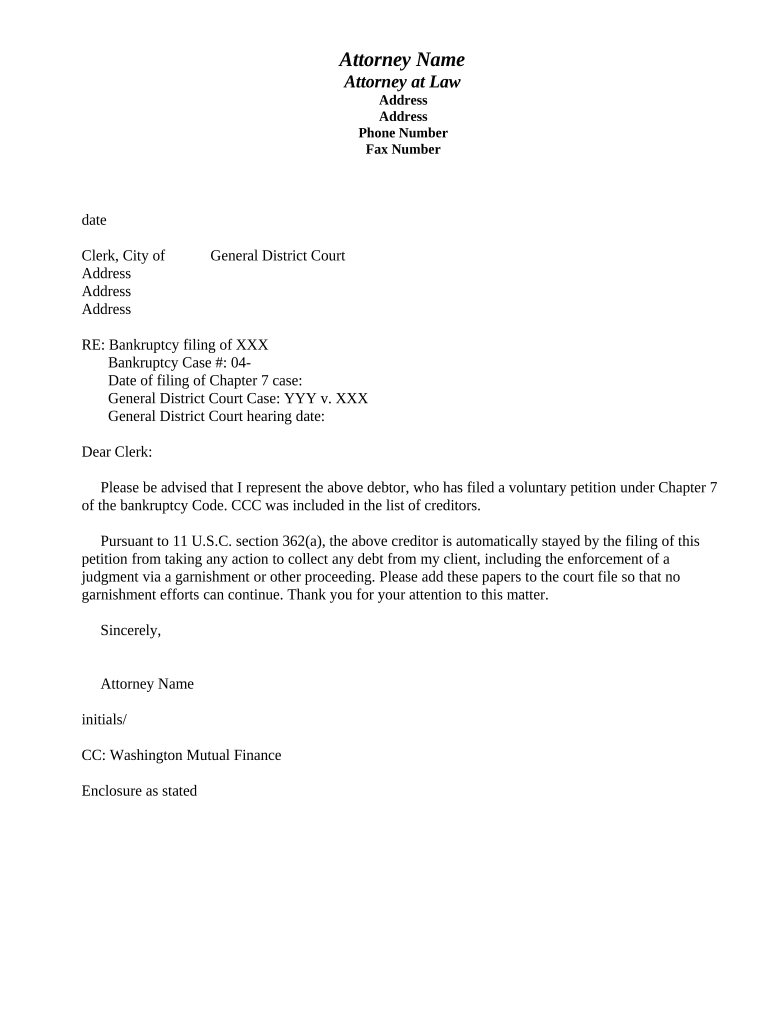
A Letter Regarding Bankruptcy Filing is a formal written notice sent to creditors, counterparties, or stakeholders to inform them that an individual or business has filed for bankruptcy protection. The letter typically identifies the debtor, the bankruptcy case number and court, the chapter under which the filing was made, and any immediate actions requested of the recipient. It clarifies whether automatic stay protections are in effect, provides a court contact or case docket link when available, and describes how future communications and claims should be directed to case counsel or the trustee.

Why a Clear Bankruptcy Filing Letter Matters

A precise letter reduces confusion, preserves rights, and creates a record of notice to affected parties under bankruptcy rules. It supports orderly claims handling and demonstrates good-faith communication to the court, creditors, and service providers.

Why a Clear Bankruptcy Filing Letter Matters

Who Typically Prepares and Receives This Letter

Tailor the distribution and content to the recipient type (creditor, vendor, government agency) and keep a dated delivery record for the case file.

  • Debtor Counsel — prepares and sends certified mail or electronic notices to preserve client protections and meet court procedures.
  • Corporate Legal Departments — notify vendors, lenders, and service providers to pause automated collections and protect contracts.
  • Creditors and Agents — receive the notice to identify claim submission procedures and applicable stay protections.

Essential Parts to Include in the Letter Regarding Bankruptcy Filing

A professional letter should be complete, unambiguous, and documented. Include identifying details, case data, immediate instructions, and contact points to avoid disputes and reduce follow-up.

Debtor ID

Full legal name, DBA (if used), and any prior business names to avoid identity confusion during claims processing.
Case Data

Bankruptcy court name, docket number, chapter (7, 11, 13), and filing date so recipients can verify the filing online or with the clerk.

Automatic Stay

Clear statement whether the automatic stay applies and what actions (collections, repossession) recipients must cease immediately.

Claim Instructions

How to submit a proof of claim, deadline information if known, and whom to contact at debtor counsel or trustee for claim questions.

Contact Details

Name, mailing address, email, and phone for the debtor's attorney, trustee, or designated representative for service of notices.

Attachments

List of enclosed documents such as the petition cover sheet, proof of filing, or creditor matrix to support recipient verification.

Required Facts to Verify Before Sending

Debtor Name: Exact legal name
Case Number: Court docket number
Filing Date: MM/DD/YYYY
Bankruptcy Chapter: Chapter 7/11/13
Recipient Address: Complete mailing address
Contact Info: Attorney or trustee details

Step-by-Step: How to Prepare and Send This Letter

Follow these steps to draft, verify, and distribute the letter so it meets legal notice expectations and preserves records for the bankruptcy case.

  • 01
    Draft Letter: Use clear language and include case data and contact details.
  • 02
    Verify Recipients: Confirm creditor names and addresses against the creditor matrix.
  • 03
    Choose Delivery: Decide on mail, email, or court filing per recipient and case law requirements.
  • 04
    Document Delivery: Keep dated proof of service and file certificates with the case record.

How to Configure an Online Template and Routing Workflow

Set up fields, signers, and delivery options so the letter is routed, signed, and archived consistently.

Field Configuration
Case Number Field Single-line text; required
Filing Date Field Date format MM/DD/YYYY
Signature Field Signer email required; timestamped
Proof of Service Attach PDF and auto-save to archive

Where to Send or File the Letter

Choose the delivery method based on recipient type and legal requirements: court clerk, trustee, creditor agent, or vendor.

  • Court Clerk: File certificates of service or related notices per local rules.
  • Trustee: Deliver case-specific communications and claim intake instructions.
  • Secured Creditors: Send to listed agent or loan servicer to preserve lien notice.
  • Unsecured Creditors: Use creditor matrix addresses or registered agent details.

Digital Signing and eSubmission Considerations

Use platforms that meet ESIGN/UETA requirements and retain an audit trail; verify any local court preferences before relying exclusively on e-delivery.

  • Document Formats: PDF or DOCX preserved as PDF for court submission
  • Authentication: Email or multi-factor depending on sensitivity
  • Integrations: Connect to case management or cloud storage

Typical Timing and Deadlines to Track After a Filing

Court schedules and deadlines vary by case; track administrative dates such as notice issuance, claims bar dates, and hearing notices to ensure compliance.

Notice Issuance:

Mailing of official notice typically occurs within days after filing; exact timing varies by court.

Claims Bar Date:

Set by the court; may be 30–90 days after notice but varies by case and jurisdiction.

Proof of Service Filing:

File certificate of service with the clerk immediately after mail/email distribution.

Hearing Notices:

Motions and hearings often require separate notice timelines under local rules.

Document Retention:

Keep proof of delivery and copies until case closure plus required retention periods.

Common Mistakes to Avoid When Preparing the Letter

  • Using an incorrect debtor name or case number that prevents creditors from locating the case and filing timely claims.
  • Omitting contact or trustee information which forces unnecessary follow-up and can delay claim resolution.
  • Relying on a P.O. box for service when the recipient requires a registered agent or physical address for legal notices.
  • Failing to retain dated delivery proof or certificates of service, undermining the ability to demonstrate notice to the court.

Risks and Consequences of Inaccurate or Late Notice

Missed Claims: Creditors may lose ability to file timely claims
Preservation Risks: Debtor may fail to preserve rights in asset disputes
Court Sanctions: Potential for sanctions for noncompliance
Reputational Harm: Damaged vendor or creditor relationships
Collection Conflicts: Errors can cause contested collection actions
Administrative Delays: Prolonged case administration and expense

How This Letter Differs from Other Bankruptcy Notices

Compare common documents so you choose the correct form of notice for creditors, courts, and case participants.

Document | Primary Purpose | Typical Recipient Letter Regarding Bankruptcy Filing Inform creditors of filing Creditors, vendors
Proof of Claim | Purpose | Recipient file claim amount and basis court and trustee
Notice of Appearance | Purpose | Recipient declare legal representation court and parties
Relief from Stay Motion | Purpose | Recipient request court permission to proceed court and impacted parties
Creditor Matrix | Purpose | Recipient comprehensive creditor list court and mail vendors

eSignature Vendor Comparison for Signing and Distributing the Letter

Compare basic pricing and capabilities across vendors for secure e-signature and distribution. signNow is listed first per vendor-comparison conventions.

signNow DocuSign Adobe Sign PandaDoc HelloSign
Starting Price $8/user/mo $15/user/mo $14/user/mo $19/user/mo $15/user/mo
Free Trial 7-day free trial Varies Varies Varies Varies
Bulk Send Yes Yes Yes Yes Varies
Audit Trail Yes Yes Yes Yes Yes
HIPAA Compliant Yes Yes Yes No No

Real-World Examples of Efficient Notice Workflows

These short examples show how organizations used documented notices and e-signature workflows to reduce friction and recordkeeping gaps.

Optica Ventures — COO

Optica used a standardized notice template to inform partners of a corporate filing.

  • The team centralized contact points for creditors.
  • 'The interface is simple and easy-to-use for our team; more importantly, it is just as easy for our customers.'

Martin Properties — Founder

A real estate firm automated delivery to tenants and lenders to prevent mistaken evictions.

  • Notifications included account IDs and trustee contact.
  • 'I can process and execute all of these documents online with 100% compliance and built-in security.'

Practical Tips for Accurate and Efficient Completion

Follow these best practices to reduce errors, speed responses, and preserve rights during bankruptcy administration.

Use a Verified Creditor List
Cross-check the creditor matrix before sending notices to ensure each recipient receives the correct account and case identifiers to avoid missed claims.
Document Proof of Service
Always retain dated mail receipts, certified-mail returns, or electronic delivery logs and attach the certificate of service to the court record.
Standardize Template Fields
Use a single template with validated fields for case number, court name, and contact details to avoid manual entry mistakes and speed batch sending.
Confirm Authentication
When using e-delivery, choose appropriate signer authentication and retain an audit trail that demonstrates signer attribution and intent.

Representative People Who Sign or Approve These Letters

Creditor Rep

A collections manager or legal representative at a creditor who reviews the notice, verifies account data, and flags the claim for internal processing; often the primary recipient of the notice.

Debtor Counsel

The attorney or firm handling the bankruptcy filing who signs, certifies delivery, and files a certificate of service with the bankruptcy court to record notice to all listed parties.

Frequently Asked Questions About the Letter Regarding Bankruptcy Filing

Answers to common questions about validity, delivery, and recordkeeping for notices sent after a bankruptcy filing.


Need help? Contact support

be ready to get more
Join over 28 million airSlate SignNow users