Establishing secure connection…Loading editor…Preparing document…

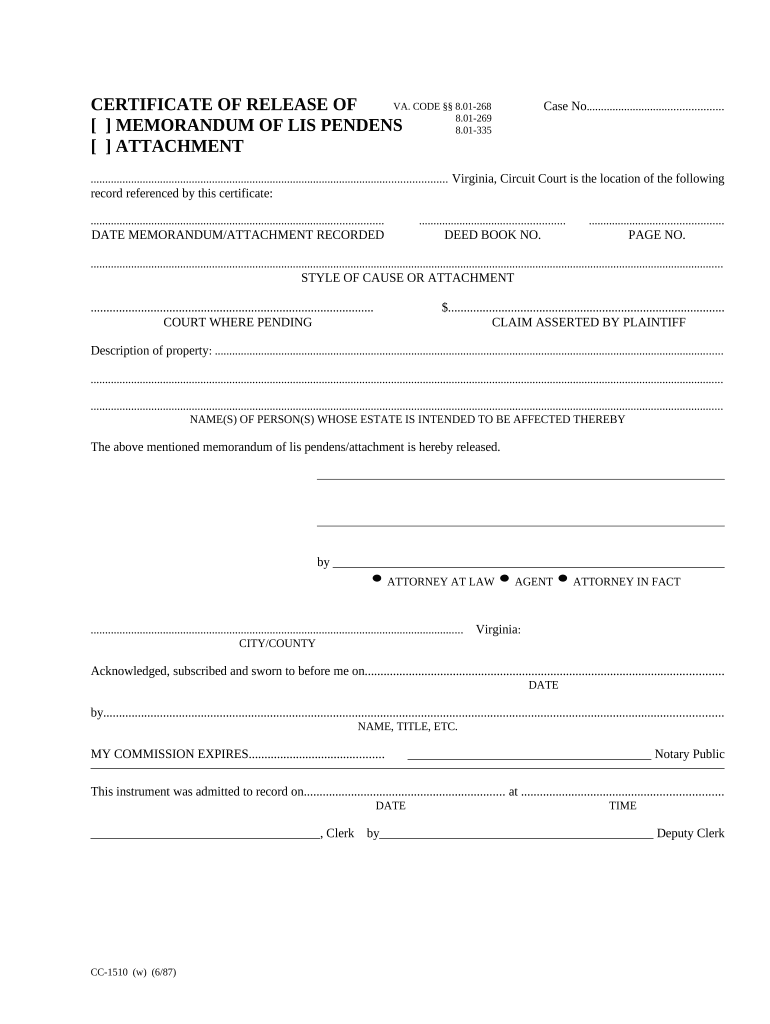
Virginia Certificate

This template is fully customizable. Edit the text, fill out the fields, and send it for signature. Give it a try!
Virginia Certificate

What the Virginia Certificate Is and when it’s used

A Virginia Certificate is a state-recognized document used to record or certify a specific legal fact or corporate filing with Commonwealth authorities — for example, a Certificate of Formation for an LLC, a Certificate of Good Standing, or a notarized affidavit. It establishes an official record with the Virginia State Corporation Commission or other state offices and often serves as primary evidence of entity status, authority, or the truth of stated facts for third parties and regulators.

Why a correctly prepared Virginia Certificate matters

A complete, accurate Virginia Certificate secures legal recognition, limits administrative delays, and reduces exposure to rejections or penalties. It ensures counterparties and government agencies can rely on the stated details without further verification.

Why a correctly prepared Virginia Certificate matters

Who typically prepares and receives a Virginia Certificate

These roles ensure the certificate’s content, signature authority, and filing process meet legal and administrative requirements.

  • Business owners and corporate officers — prepare entity formation and good-standing certificates for banking, contracting, and licensing.
  • Registered agents and company secretaries — file and maintain state records, accept service, and keep certified copies.
  • Legal and compliance teams — review wording, confirm signatory authority, and attach required notarizations or exhibits.

Core elements to include in a professional Virginia Certificate

A well-formed Virginia Certificate contains specific, verifiable elements so it is accepted by state offices and third parties without further clarification.

Entity Name

Exact legal name as registered with the Virginia State Corporation Commission; deviations or abbreviations can cause filing rejection and mismatch with state records.
Document Title

Clear title (for example, 'Certificate of Formation' or 'Certificate of Good Standing') that identifies the filing type and its legal effect under Virginia law.

Effective Date

Date the certificate takes effect; enter in MM/DD/YYYY format when provided and confirm whether retroactive effective dates are permitted by the filing office.

Registered Agent

If applicable, provide the registered agent’s full name and Virginia physical address as required for entity filings and service of process.

Signatory and Authority

Name and title of the person signing, plus a short statement of authority (officer, manager, attorney-in-fact) to confirm the signature is binding.

Notary or Acknowledgement

Notary acknowledgment or remote online notarization record when required; include notary jurisdiction, seal, and retention details to preserve evidentiary weight.

Essential security and compliance facts to track

Encryption: TLS 1.2/1.3 in transit
Data at rest: AES-256 encryption
Audit trail: Timestamps, IPs, actions
Legal compliance: ESIGN and UETA conformity
HIPAA status: BAA required for PHI
Certifications: SOC 2 Type II, ISO 27001

Step-by-step: complete and file a Virginia Certificate

Follow these sequential steps to prepare, sign, notarize (if required), and submit a Virginia Certificate with minimal rework.

  • 01
    Prepare document: Populate all required fields using official entity details.
  • 02
    Verify signer authority: Confirm officer or agent has authority to sign on behalf of the entity.
  • 03
    Notarize if required: Obtain in-person or remote notarization per Virginia rules.
  • 04
    File with state: Submit to the appropriate Virginia office and retain the filing receipt.

Where to submit and how routing typically works

A Virginia Certificate is routed to specific state offices depending on its purpose; use the correct destination to avoid processing delays.

  • State Corporation Commission: File entity formation or good-standing certificates here for business-level recognition.
  • County Clerk or Recorder: Record deeds, real-estate-related certificates, and some acknowledgments at the county level.
  • Agency or Licensing Board: Send occupational or license-related certificates to the relevant state board or agency.
  • Registered agent: Provide copies to the entity’s registered agent for service and recordkeeping.

How to configure a digital workflow for a Virginia Certificate

Set up fields, signer order, and authentication before sending to reduce friction and ensure compliance.

Field Configuration
Signature Required, signatory name and date
Notary Optional; include RON audio/video if used
Signer Authentication Email + SMS code or higher for sensitivity
Retention Enable audit trail and export PDF/A copy

Digital signing and delivery considerations

Ensure the platform can produce a tamper-evident PDF with a complete audit trail and supports any RON steps required by Virginia authorities.

  • Integrations: Salesforce, NetSuite, Google Workspace
  • File formats: PDF, DOCX, HTML supported
  • Authentication: Email link, SMS code, KBA

Typical timelines and processing expectations

Processing times and deadlines differ by filing office and method; plan for state processing and any notarization scheduling.

Preparation time:

Allow 1–3 business days to gather authority and supporting documents.

Notary scheduling:

Book 1–5 business days in advance for in-person notaries.

State processing:

Expedited filings may be same-day; standard processing varies by office.

Effective date:

Document governs as of the effective date stated on the certificate.

Record delivery:

Retain state-stamped copy once filing completes.

Common mistakes to avoid when preparing a Virginia Certificate

  • Mismatched names between certificate and state records leading to rejection or delay.
  • Omitting required notary or incorrect notary wording invalidates acceptance in many offices.
  • Incorrect or missing registered agent address causing service or acceptance issues.
  • Using an unauthorized signer without documented corporate authority creates enforceability risks.

Consequences of an incorrect or incomplete Virginia Certificate

Filing Rejection: Resubmission required
Administrative Delay: Business operations postponed
Civil Liability: Potential counterparty claims
Regulatory Penalty: Fines or sanctions possible
Tax Exposure: Incorrect filings can trigger audits
Notary Invalidity: Improper notarization may void the certificate

Real-world examples of Virginia Certificate use

Practical scenarios illustrate how a Virginia Certificate supports operations across different organizations and filing needs.

Martin Properties

Regional property manager uses certificates for lease notarization

  • Needed mobile signing on site
  • The team processed leases online with audit trails, reducing in-person meetings and accelerating closings while preserving state-required notarization.

Fertility Centers of Illinois

Healthcare provider required secure, compliant certificates with PHI

  • Needed HIPAA BAA and secure storage
  • The organization combined certificate execution with documented access controls and long-term retention to meet healthcare record rules.

eSignature vendor pricing comparison for executing the Virginia Certificate

Compare baseline pricing and capability signals for eSignature vendors. signNow is listed first per verified plan data and feature distinctions.

signNow DocuSign Adobe Sign PandaDoc HelloSign
Starting Price $8/user/mo $15/user/mo $14/user/mo $19/user/mo $15/user/mo
Free Trial 7-day free trial Varies by vendor Varies by vendor Varies by vendor Varies by vendor
Bulk Send Yes Yes Yes Yes No
Audit Trail Yes Yes Yes Yes Yes
HIPAA Compliant Yes Yes Yes No No

Frequently asked questions about Virginia Certificates

Answers to common questions about electronic signing, notarization, authority, and recordkeeping for Virginia Certificates.


Need help? Contact support

be ready to get more
Join over 28 million airSlate SignNow users