Establishing secure connection…Loading editor…Preparing document…

Voir Dire

This template is fully customizable. Edit the text, fill out the fields, and send it for signature. Give it a try!
Voir Dire

What Voir Dire Is and when it’s used

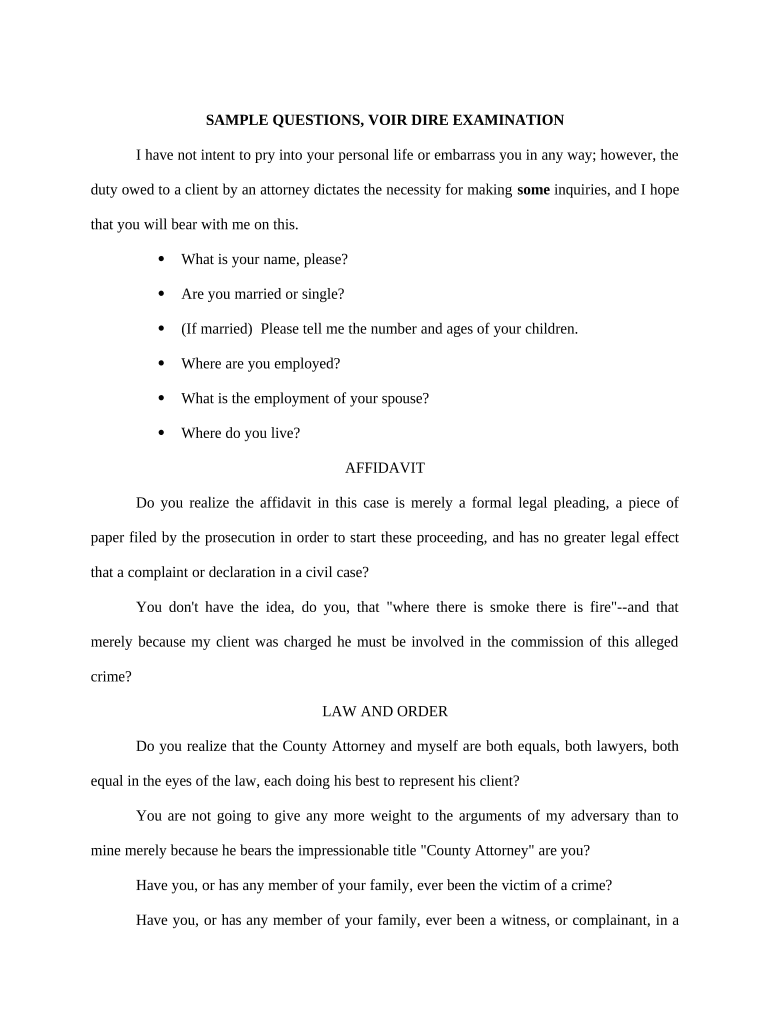
Voir Dire is the process and the written materials used to screen prospective jurors before trial, typically including a juror questionnaire, counsel’s proposed questions, and a record of challenges for cause or peremptory strikes. The written Voir Dire document organizes case caption information, identifying details, prior jury service queries, bias and exposure questions, and a signature block for counsel or parties. Courts use Voir Dire to evaluate impartiality and manage the juror-selection record; formats and timing vary by jurisdiction and by judge’s courtroom procedures.

Why a clear Voir Dire matters for your case

A well-prepared Voir Dire helps counsel efficiently identify potential juror bias, creates a defensible record for challenges, and reduces the risk of appeals based on juror selection. It clarifies the parties’ issues for the court and standardizes juror responses for later review.

Why a clear Voir Dire matters for your case

Who prepares and relies on Voir Dire

Voir Dire is prepared by litigators and used by judges, clerks, and parties to guide oral and written juror questioning.

  • Trial Counsel — Prepares questions and documents juror challenges and responses for the official record.
  • Court Clerk — Maintains submitted written Voir Dire and attaches it to the case file.
  • Parties / Representatives — Review and sign Voir Dire to preserve objection and challenge records.

Accurate Voir Dire supports courtroom fairness, preserves objections for appeal, and helps courts manage juror selection efficiently.

Typical signatories and their responsibilities

Trial Attorney

Trial attorneys sign and certify Voir Dire to confirm they prepared or adopted the questions and that the information recorded accurately reflects counsel’s challenges and objections for the court record.

Party Representative

A named party or authorized representative may sign Voir Dire to acknowledge the accuracy of party-provided responses, to accept service, or to confirm counsel’s authority to act on the party’s behalf during jury selection.

Essential components of a professional Voir Dire

A professional Voir Dire package groups standardized elements so courts and opposing counsel can review juror responses and challenges without ambiguity.

Case Caption

Full court name, case number, party names, and assigned judge so the Voir Dire is indexable and attached correctly to the official case file.
Juror Questionnaire

Clear, numbered questions covering residence, employment, prior jury service, familiarity with parties or counsel, and specific bias topics tied to case issues.

Challenge Log

Designated space to record challenges for cause and peremptory strikes, plus brief reasons and the identity of moving counsel for appeals clarity.

Confidentiality Notes

Instructions for redactions and handling sensitive juror data, including how to submit redacted versions and request in-camera review if needed.

Certificate of Service

A dated certificate listing parties and counsel served with the Voir Dire, method of service, and the person effecting service for recordkeeping.

Signature Block

Signature lines for counsel and the party, with printed name, bar number, firm, address, phone, email, and date to validate the submission.

Step-by-step: preparing and submitting Voir Dire

Follow these ordered tasks to create a usable Voir Dire and preserve the record for trial and appeal.

  • 01
    Draft: Assemble caption, questions, and challenge sections in a single document.
  • 02
    Review: Confirm questions focus on bias related to case issues and avoid improper voir dire topics.
  • 03
    Sign: Sign and date the certificate of service; use electronic signing when court rules allow.
  • 04
    File/Serve: File with the clerk and serve opposing counsel per local rules before jury selection.

Typical eSubmission workflow for Voir Dire

Electronic preparation and submission follow a predictable path from draft to court file when permitted by local rules.

  • Upload: Upload a PDF or DOCX of the Voir Dire to your filing system or e-filing portal.
  • Place Fields: Add signature, date, and checkbox fields where counsel and parties must confirm or initial.
  • Authenticate: Use the court-approved signer authentication method, such as email/SMS or stronger identity checks if required.
  • Submit: File via the court’s e-filing system or present to the clerk with proof of service attached.

Configuring a digital Voir Dire workflow

Set up fields and routing to match the court’s filing and service requirements before sending the document for signature.

Field Configuration
Authentication Email link or SMS code; use stronger authentication if court requires it
Routing Order Set sequential signing for counsel, then clerk or opposing counsel as needed
Notifications Enable copies to parties and the court clerk for the certificate of service
Storage Save final PDF with embedded audit trail in your matter folder

Technical considerations for e-signing and e-filing

Confirm the court accepts electronically signed or electronically filed Voir Dire and identify required formats and authentication.

  • File Formats: PDF or DOCX per local e-filing rules
  • Integrations: Supports common systems like Salesforce and NetSuite for matter tracking
  • Browser Support: Modern browsers and up-to-date PDFs for reliable rendering

Align your e-signature method, storage, and audit trail with court requirements to ensure the submitted Voir Dire is accepted and becomes part of the official docket.

Common preparation mistakes to avoid

  • Overbroad or leading questions that invite objection and waste court time rather than elicit bias-related facts.
  • Failing to redact sensitive juror information before public filing, exposing private data and risking sanctions.
  • Using non‑court‑approved electronic signing methods without confirming local rules, which can lead to clerk rejection.
  • Omitting a certificate of service or misreporting service dates, creating procedural defects removable only by motion.

Risks and consequences of incorrect Voir Dire

Record Defects: May require supplemental hearing or make appellate review more difficult
Sanctions: Court may impose sanctions for intentional omissions or improper disclosures
Contempt: Deliberate courtroom misconduct can lead to contempt proceedings
Mistrial Risk: Severe juror-selection errors may support mistrial motions
Perjury Exposure: False juror statements can lead to criminal inquiry in rare cases
Appeal Issues: Incomplete record weakens grounds for appellate relief

Sample eSignature vendor comparison for court documents

Common capability and pricing dimensions for eSignature vendors. signNow is shown first per comparison conventions; verify court acceptance before selecting a solution.

signNow DocuSign Adobe Sign PandaDoc HelloSign
Starting Price $8/user/mo $15/user/mo $14/user/mo $19/user/mo $15/user/mo
Free Trial 7-day free trial Varies by vendor Varies by vendor Varies by vendor Varies by vendor
Bulk Send Yes Yes Yes Yes No
Audit Trail Yes Yes Yes Yes Yes
HIPAA Compliant Yes Yes Yes No No

Frequently asked questions about Voir Dire

Answers to common procedural and technical questions about preparing, signing, and submitting Voir Dire.


Need help? Contact support

be ready to get more
Join over 28 million airSlate SignNow users