Establishing secure connection…Loading editor…Preparing document…

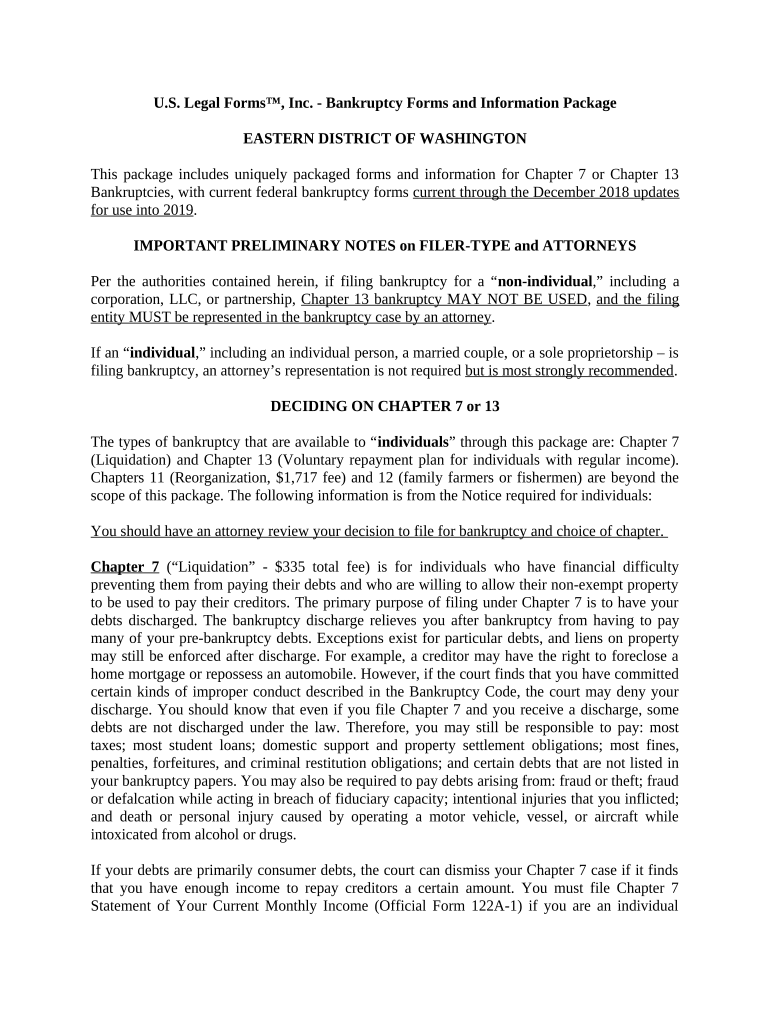
Bankruptcy Forms and Information Package

This template is fully customizable. Edit the text, fill out the fields, and send it for signature. Give it a try!
Bankruptcy Forms and Information Package

What the Bankruptcy Forms and Information Package Is

The Bankruptcy Forms and Information Package bundles the federal and court-specific documents commonly required to begin a consumer or small-business bankruptcy case. It typically includes the Voluntary Petition, Schedules A–J, Statement of Financial Affairs, Means Test, creditor matrix, and supporting attachments such as pay stubs and tax returns. The package organizes respondent information, creditor details, asset descriptions, and declarations under penalty of perjury so that trustees, courts, and creditors can review the estate and determine eligibility, claims, and plan options.

Why a Consolidated Package Matters in Bankruptcy Filings

A single organized package reduces omissions, standardizes required disclosures, and helps meet court formatting and signature requirements. Properly prepared forms shorten trustee review time, clarify creditor notices, and reduce the risk of clerk rejections or requests for additional information under local rules.

Why a Consolidated Package Matters in Bankruptcy Filings

Who Prepares and Relies on These Documents

Typical participants who prepare, review, or receive the package before and after filing.

  • Debtor and family members completing personal financial data and gathering pay stubs and tax returns.
  • Bankruptcy attorneys compiling schedules, the creditor matrix, and means test documentation for court submission.
  • Trustees, court clerks, and listed creditors who review the package to adjudicate claims and plan eligibility.

Step-by-Step: Completing the Package

Follow a logical order: personal data, assets, liabilities, income, schedules, and supporting attachments before signing and filing.

  • 01
    Assemble Documents: Collect tax returns, pay stubs, and bank statements.
  • 02
    Complete Schedules: Fill assets, liabilities, and monthly expenses accurately.
  • 03
    Prepare Creditor Matrix: List creditors with correct mailing addresses.
  • 04
    Sign and Verify: Sign under penalty of perjury; date in MM/DD/YYYY.

Core Components of a Professional Bankruptcy Package

A comprehensive package groups mandatory federal forms with locally required attachments and a clear cover sheet to simplify court intake and trustee review.

Voluntary Petition

The initiating form for most bankruptcies containing basic debtor, trustee, and case-type information required to open the docket.
Schedules A–J

Detailed statements of real and personal property, secured and unsecured debts, income, and monthly expenses used to calculate estate value.

Statement of Affairs

Historical and contextual financial disclosures, transfers, and material events required by the trustee for investigation.

Means Test

Income and expense calculation for Chapters 7 and 13 to determine eligibility and presumption of abuse where applicable.

Creditor Matrix

Formatted list of creditor names and addresses for clerk docketing and notice mailings; accuracy prevents notice defects.

Supporting Exhibits

Pay stubs, recent tax returns, mortgage statements, and any local-court required affidavits or schedules specific to the district.

How the Preparation and Filing Flow Typically Works

A predictable sequence reduces omissions and ensures the court receives all required records in proper order.

  • Prepare: Populate forms and gather attachments.
  • Authenticate: Collect signatures and required notarizations.
  • File: Submit package to the bankruptcy court for docketing.
  • Service: Provide notices to listed creditors and trustees.

Digital Workflow Settings for Online Completion

Configure the digital workflow to match local court rules, signer order, and required authentication methods.

Field Configuration
Authentication Email link, SMS code, or advanced ID verification
Document Format Use PDF/A or PDF for court compatibility
Signature Order Sequential signing for debtor then attorney
Attachments Attach pay stubs, tax returns, and statements

Technical Considerations for eSigning and eSubmission

Confirm the platform supports required formats, audit trails, and any jurisdictional authentication needed.

  • Formats Supported: PDF, DOCX, and PDF/A
  • Integrations: Connectors for Google Workspace and NetSuite
  • Security: TLS 1.2/1.3 and AES-256 encryption

Security and Compliance Considerations

Encryption: AES-256 at rest
In-Transit: TLS 1.2/1.3
Certifications: SOC 2 Type II
Privacy: HIPAA available with BAA
Regulatory: 21 CFR Part 11 support
eSignature Law: ESIGN and UETA compliant

Primary Penalties and Legal Risks to Avoid

Bankruptcy Fraud: Criminal penalties (18 U.S.C. §152)
Perjury: False statements can lead to sanctions
Incomplete Schedules: Case dismissal or conversion risk
Tax Penalties: IRC §6721 penalties for incorrect returns
I-9 Violations: 8 CFR §274a.2 penalties apply to employment forms
Notice Failures: Creditor service errors may void notices

Common Preparation Errors and How They Cause Delays

  • Omitting or mistyping creditor addresses leads to incomplete service and repeated clerk requests for amended creditor matrices.
  • Failing to include recent pay stubs or tax returns can prevent means test completion and delay trustee review.
  • Using inconsistent personal names or SSNs across forms raises identity questions and may require affidavits to reconcile.
  • Submitting unsigned forms or missing notarizations for required attachments causes immediate filing deficiencies and possible dismissal.

Download, Export, and Supporting Documents

Ensure the final package exports in court-acceptable formats and includes all supporting exhibits to avoid intake rejections.

Export Formats

Provide final package as PDF/A and standard PDF for courts and trustees; maintain editable originals for updates.

Supporting Docs

Include recent pay stubs, two years of tax returns, bank statements, and mortgage or auto loan statements as exhibits.

Certificate of Service

Attach a completed certificate showing how and when creditors were served to satisfy local rule requirements.

Local Forms

Add district-specific cover sheets or local trustee questionnaires requested by the bankruptcy court.

eSignature Vendor Comparison for Bankruptcy Packages

Common vendor features relevant to bankruptcy filing workflows: starting price, trial availability, bulk send for mass-notice needs, audit trail, and HIPAA support where healthcare data is involved.

signNow DocuSign Adobe Sign PandaDoc HelloSign
Starting Price $8/user/mo $15/user/mo $14/user/mo $19/user/mo $15/user/mo
Free Trial 7-day free trial Varies Varies Varies Varies
Bulk Send Available on premium plans Varies Varies Varies Varies
Audit Trail Yes Yes Yes Yes Yes
HIPAA Compliant Yes Yes Yes No No

Frequently Asked Questions about the Bankruptcy Forms and Information Package

Answers to common questions about signatures, notarization, filing, and electronic submission of bankruptcy documents.


Need help? Contact support

be ready to get more
Join over 28 million airSlate SignNow users