Scope
Specifies whether guardianship covers personal care, placement, healthcare decisions, financial management, or a combination. Orders may be limited to specific decision areas to minimize restrictions on the ward's liberty.
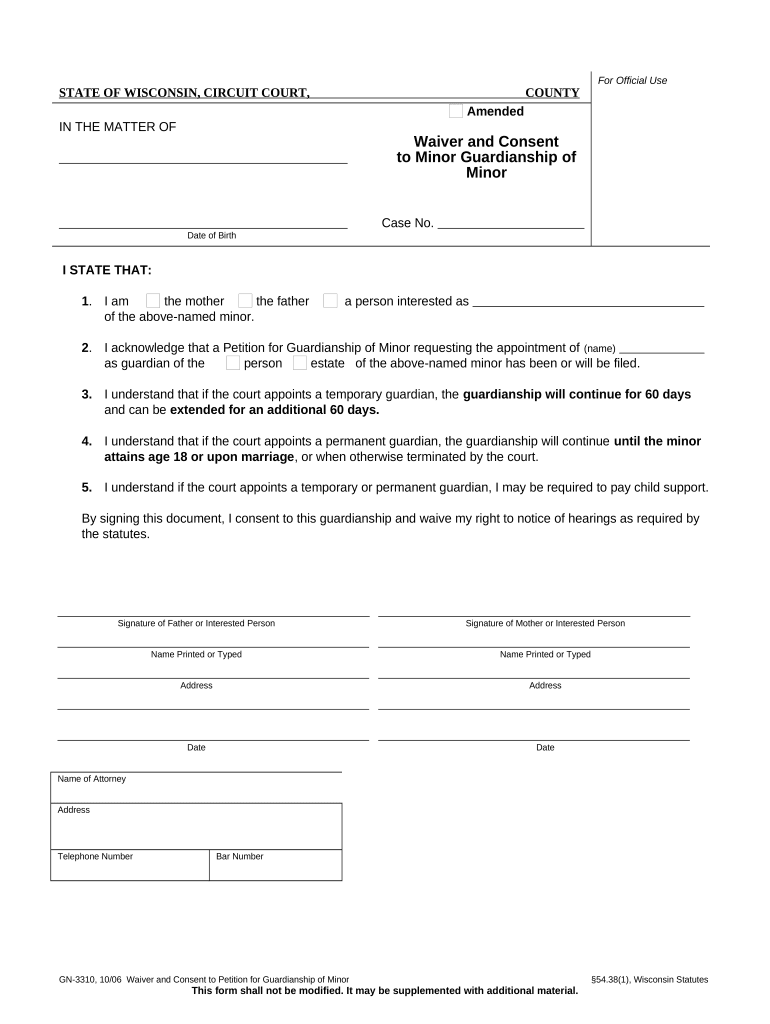
Provides court-ordered protection when a person cannot safely manage personal or financial affairs, ensuring decisions prioritize the ward’s welfare. Guardianship establishes clear legal authority, preserves assets, and creates reporting obligations that enable judicial oversight and accountability.

Typical parties include family members, county social workers, physicians, and private or professional guardians who petition or respond in court.
Adult children often file petitions seeking guardianship when a parent exhibits cognitive decline. They present medical evidence, propose a guardian, and may request limited powers to handle finances or personal care while preserving as much autonomy as possible.
Licensed or court-appointed professional guardians serve clients without family advocates. They manage complex estate matters, coordinate care, and file required reports to the court; their fees and fiduciary obligations are subject to state rules and judicial scrutiny.
Specifies whether guardianship covers personal care, placement, healthcare decisions, financial management, or a combination. Orders may be limited to specific decision areas to minimize restrictions on the ward's liberty.
Lists authority granted to the guardian, such as signing contracts, consenting to treatment, accessing accounts, and filing legal documents; must align with the court’s explicit delegation to avoid overreach.
Mandates periodic accountings and status reports to the court and interested persons, including financial inventories, annual reports, and notices of significant changes affecting the ward.
May require a surety bond to protect the ward’s estate; bond amounts reflect asset value and risk, and bonds can be waived or adjusted by the court.
Court orders can preserve contact rights, specify visitation protocols with supervised arrangements when needed, and identify restrictions when contact would threaten the ward’s health, safety, or recovery plan.
States whether guardianship is temporary, emergency, or permanent, sets scheduled review dates, requires updated medical evaluations, and outlines procedures to modify or terminate the order if the ward regains capacity.
| Field | Configuration |
|---|---|
| Signer Authentication | Email notification plus SMS one-time code verification. |
| Document Routing | Sequential signing with court copy sent to clerk. |
| Retention Policy | Retain signed PDF and full audit trail for court record. |
| Notifications | Email alerts sent to parties and attorney on status changes. |
Ensure your eSignature platform meets authentication, audit trail, and PDF export requirements for submission to Wisconsin courts.
| signNow | DocuSign | Adobe Sign | PandaDoc | HelloSign | |
|---|---|---|---|---|---|
| Starting Price | $8/user/mo | $15/user/mo | $14/user/mo | $19/user/mo | $15/user/mo |
| Free Trial | 7-day trial | Varies by plan | Varies by plan | Varies by plan | Varies by plan |
| Bulk Send | Yes (Business Premium+) | Yes | Yes | Yes | No |
| Audit Trail | Yes | Yes | Yes | Yes | Yes |
| HIPAA Compliant | Yes | Yes | Yes | No | No |
| Envelope Cap | No cap | 100 envelopes/user/year | Varies | Varies | Varies |
File with county probate court; timing depends on urgency.
Clerk sets hearing; typically weeks after filing.
Provide signed evaluations before the hearing.
Guardian files annual reports or accountings as ordered.
Petitioner may file when capacity is restored.