Establishing secure connection…Loading editor…Preparing document…

Wisconsin Personal Representative

This template is fully customizable. Edit the text, fill out the fields, and send it for signature. Give it a try!
Wisconsin Personal Representative

What a Wisconsin Personal Representative Is and When It Applies

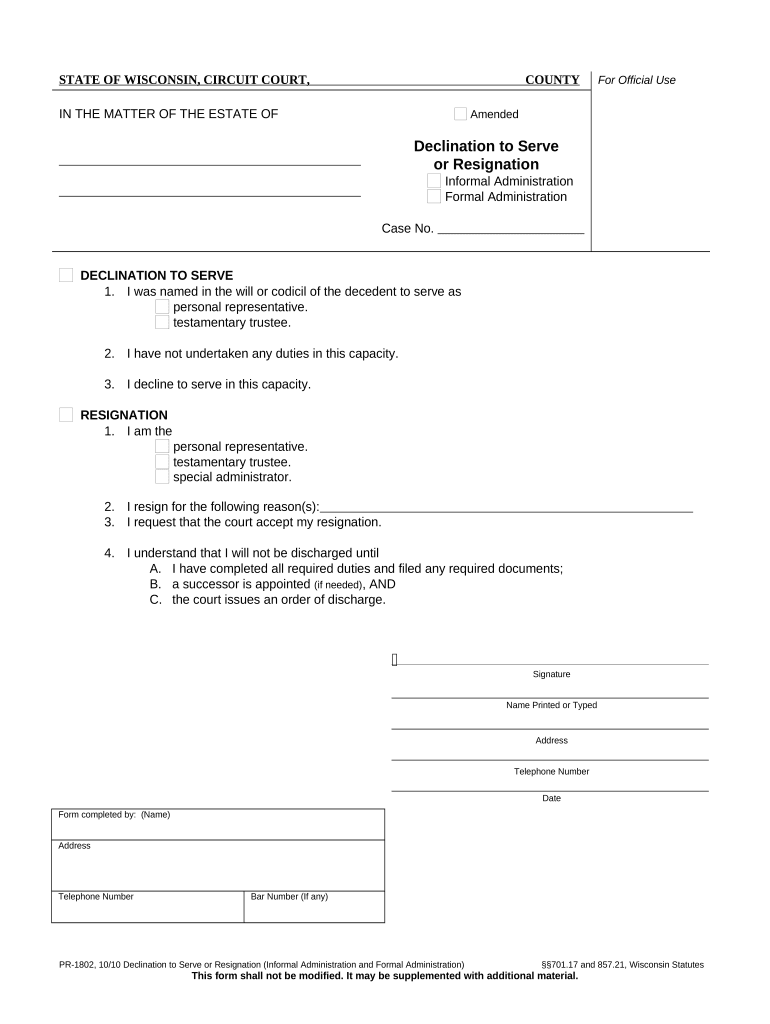
A Wisconsin Personal Representative is the person appointed by a probate court to administer a decedent's estate, pay debts and taxes, manage assets, and distribute property to beneficiaries. The appointment may be under a will (executor) or under state intestacy rules (administrator). Court-issued credentials such as Letters of Administration or Letters Testamentary define the representative's authority and duties during probate administration in Wisconsin.

Why the Personal Representative Role Matters for Estate Administration

Designating or understanding the personal representative centralizes legal authority to manage estate affairs, ensures creditor notice and tax compliance, and provides an accountable signer for transactions involving estate assets, titles, and financial institutions.

Why the Personal Representative Role Matters for Estate Administration

Who Typically Prepares or Uses This Document

The personal representative document and related forms are used by family members, estate attorneys, fiduciaries, and financial institutions involved in probate administration.

  • Named heirs and family members administering small estates
  • Probate or estate attorneys preparing petitions and inventories
  • Banks, title companies, and insurers validating authority to transact

Parties rely on accurate documentation to avoid delays, creditor disputes, and improper transfers; courts and institutions verify authority before releasing assets.

Step-by-Step: Completing Personal Representative Documents

Follow this sequence to prepare and submit the core probate documents needed to establish personal representative authority in Wisconsin.

  • 01
    Gather Documents: Collect death certificate, will (if any), and identity documents.
  • 02
    Draft Petition: Complete the petition for probate or administration accurately.
  • 03
    File with Court: Submit petition and required attachments to county probate court.
  • 04
    Receive Letters: After court approval, obtain Letters Testamentary or Administration.

Where to File, Send, or Submit Related Wisconsin Documents

Personal representative forms are processed by the county probate court where the decedent resided; additional submissions may be required by financial institutions or state agencies.

  • County Probate Court: Primary filing location for petitions and inventories.
  • Clerk of Court: Deliver filings, pay fees, and obtain certified copies.
  • E-filing Portal: Use the county's approved electronic filing system when available.
  • Financial Institutions: Provide certified Letters to banks, insurers, and title companies.

Customizing an Online Workflow for Probate Documents

Set up a digital workflow that mirrors the court filing and asset-notice steps to streamline document collection and signings.

Field Configuration
Authentication Email plus optional SMS code for signer verification
Template Fields Signature, initials, date, and text fields for court-required data
Attachments Attach death certificate and will as required documents
Notifications Automatic alerts to counsel and named beneficiaries

Digital Signing and eSubmission Considerations

Electronic completion can speed collection of signatures and attachments, but confirm court and creditor acceptance before e-filing or remote notarization.

  • File Formats: PDF and DOCX are commonly accepted
  • Integrations: Connectors to cloud storage and case management systems
  • Authentication: Use multi-factor methods for higher assurance

Ensure any platform you use can produce an audit trail, certified copies, and, if needed, support remote or in-person notarization to meet court rules.

Typical eSignature Vendor Pricing and Feature Snapshot

Compare baseline pricing and common features across solutions; signNow is listed first per vendor-comparison standards.

signNow DocuSign Adobe Sign PandaDoc HelloSign
Starting Price $8/user/mo $15/user/mo $14/user/mo $19/user/mo $15/user/mo
Free Trial Yes, 7-day trial Varies Varies Varies Varies
Bulk Send Yes Yes Yes Yes No
Audit Trail Yes Yes Yes Yes Yes
HIPAA Compliant Yes Yes Yes No No

Primary Legal Risks and Consequences of Errors

Court Delay: Missed filings can delay asset access and distributions
Bond Requirement: Court may require a bond if duties aren't properly disclosed
Creditor Claims: Failure to notify creditors can increase personal liability
Personal Liability: Improper distributions may expose a representative to suit
Document Rejection: Incorrect forms or missing notarization can be rejected
Tax Consequences: Late estate tax filings may trigger penalties

Common Pitfalls When Preparing Personal Representative Documents

  • Using an incorrect decedent name or date of death that misroutes filings to the wrong estate.
  • Omitting required attachments such as the death certificate or original will when submitting the petition.
  • Failing to confirm court-specific formatting, local forms, or e-filing rules at the county level.
  • Relying on unsigned or unnotarized signature blocks where the court or third parties require notarization.

Key Components of a Professional Personal Representative Filing Package

A complete submission anticipates court scrutiny and third-party verification; include these elements to reduce follow-up requests and expedite credentialing.

Appointment Authority

A clear statement of the court-issued authority (Letters Testamentary or Administration) describing the scope and limitations of the personal representative's powers, including duties to inventory assets and pay debts.
Scope of Powers

Explicit powers for property management, asset sale, tax filings, and litigation authority so financial institutions and third parties can accept the representative's actions without further court review.

Bond and Security

When applicable, include details about any surety bond required by the court and the bond amount to reassure creditors and the court of fiduciary protection.

Inventory and Accounting

A preliminary inventory listing estate assets and estimated values, and a statement about timing for final accounting to satisfy probate reporting requirements.

Creditor Notice Plan

Description of how and when creditors will be notified, evidence of publication if required, and steps to document claims and responses.

Distribution Plan

A concise plan for distributing remaining assets consistent with the will or intestacy rules, noting any contested items or anticipated court approvals.

Real-world Scenarios Where a Personal Representative Is Required

Two common use cases illustrate how documentation and process differ depending on the estate's complexity and whether a will exists.

Small Estates with Will

A family member named as executor files a short-form petition and provides a certified death certificate.

  • Probate proceeds with limited administration when liabilities are low.
  • The representative secures bank releases using Letters Testamentary and follows a simple distribution consistent with the will, minimizing court hearings.

Intestate or Contested Estates

No valid will exists and multiple heirs claim interests, requiring formal administration.

  • Court issues Letters of Administration after hearing.
  • The personal representative inventories assets, publishes creditor notice, manages creditor claims, and requests court approval for complex distributions.

Who Signs or Certifies These Documents

Personal Representative

An individual appointed by the court—often a spouse, adult child, or named executor—responsible for signing court filings, inventories, bank forms, and distribution documents. They must provide identification and may need to post bond if ordered by the court.

Probate Attorney

An attorney filing petitions on behalf of the proposed representative prepares paperwork, appears at hearings, and signs filings as counsel of record; attorneys help ensure compliance with state statutes and court rules.

Security and Compliance Considerations for Digital Probate Documents

Encryption: TLS 1.2/1.3 and AES-256 at rest
Audit Trail: Comprehensive signing history and timestamps
HIPAA: BAA required when PHI is present
ESIGN / UETA: E-signatures are legally recognized
21 CFR Part 11: Available for regulated records
Access Controls: Role-based access and authentication

Practical Tips for Accurate and Efficient Completion

Use these best practices to reduce rejections, speed court acceptance, and limit personal exposure as a representative.

Verify Names and Dates
Cross-check full legal names and dates against the death certificate and government IDs before filing to prevent clerical rejections and mismatched records.
Attach Certified Documents
Include a certified copy of the death certificate and original will when filing; scanned uncertified copies may not satisfy court or bank requirements.
Record Communications
Keep detailed records of creditor notices, beneficiary communications, and vendor payments to support later accounting and defend against claims.
Confirm Court Preferences
Check local clerk instructions for e-filing, required forms, and any county-specific fee schedules before submitting documents.

Time-Sensitive Actions to Track During Administration

Certain deadlines and prompt filings reduce exposure to claims and penalties; schedule these events early in administration.

Initiate Probate Promptly:

File the petition with the county probate court as soon as practicable to gain authority over estate assets.

Notify Creditors:

Publish and mail creditor notices per court rules; timing varies by state and court.

Inventory Deadline:

Prepare and file an initial inventory within the time the court requires.

Tax Filings:

File estate and final individual returns by applicable IRS deadlines to avoid penalties.

Final Accounting:

Request a final distribution and accounting after liabilities are resolved and timelines expire.

Key Milestones in Personal Representative Appointment

A concise milestone sequence showing the major steps from petition to final distribution.

01

Petition Filed

Submit the probate petition and required attachments to the probate court.

02

Initial Hearing

Court may hold a hearing to appoint the personal representative.

03

Letters Issued

Court issues Letters Testamentary or Administration authorizing action.

04

Asset Administration

Collect assets, pay debts, and manage estate affairs under court oversight.

FAQs: Common Questions About Wisconsin Personal Representatives

Answers to frequently asked questions covering authority, signatures, notarization, and recordkeeping for personal representatives in Wisconsin.


Need help? Contact support

be ready to get more
Join over 28 million airSlate SignNow users