Bill Format PDF for Procurement

Streamline your document management with airSlate SignNow. Enjoy easy eSigning and effective collaboration to boost your procurement process.

Award-winning eSignature solution

What a bill format PDF for procurement is and why it matters

A bill format PDF for procurement is a standardized electronic invoice layout used to request payment for goods or services within a purchasing workflow. It captures supplier details, purchase order references, line-item descriptions, amounts, taxes, and approval fields in a portable, non-editable format that preserves layout. When combined with eSignature and metadata, the PDF becomes a verifiable record for accounts payable, audit, and vendor reconciliation. Organizations use standardized bill PDFs to reduce processing errors, speed approvals, and integrate with procurement, ERP, and finance systems while retaining a clear human-readable invoice.

Why standardized bill PDFs help procurement teams

Standardized bill PDFs streamline invoice intake, reduce manual entry, and provide consistent data for automatic matching against purchase orders, improving accuracy and payment cycles.

Why standardized bill PDFs help procurement teams

Common challenges when adopting bill format PDFs

  • Inconsistent vendor templates create manual rework and data entry delays across AP and procurement teams.
  • Missing PO numbers or mismatched line items delay automated three-way matching and payment approvals.
  • Large volumes of PDFs without structured fields prevent reliable data extraction and increase processing costs.
  • Lack of secure signature and audit trails raises compliance risks and complicates dispute resolution.

Typical user roles and responsibilities

Procurement Manager

Manages supplier onboarding and enforces invoice format standards; ensures bills include PO numbers and correct coding to allow automated matching and reduce exceptions during procurement-to-pay cycles.

Accounts Payable Analyst

Receives and validates bill format PDFs, resolves mismatches, routes invoices for approval, and maintains audit documentation to support month-end close and vendor reconciliation.

Who typically uses bill format PDFs in procurement workflows

Procurement, accounts payable, and vendor management teams rely on consistent bill PDFs to validate spend and accelerate payments.

  • Procurement teams that validate supplier invoices and reconcile against purchase orders.
  • Accounts payable groups handling invoice capture, approval routing, and payment execution.
  • Vendors and suppliers submitting invoices for faster processing and fewer remits.

Adoption spans small purchasing departments to enterprise finance teams that require audit-ready records and integration with ERP systems.

Additional features to support procurement and AP workflows

Complement core capabilities with advanced controls and integrations to improve automation, accuracy, and compliance for bill PDF processes.

Integration Connectors

Prebuilt integrations with ERPs, procurement systems, and cloud storage let invoice PDFs flow into existing finance processes without manual export or rekeying.


Field Validation

Real-time validation rules prevent incomplete or invalid invoices by enforcing required fields and acceptable value ranges before submission.

Role-Based Routing

Configure approval chains by department, amount thresholds, or vendor to ensure the right stakeholders review invoices in order.

Retention Policies

Set automated retention and archival schedules in line with company and regulatory requirements for invoice storage.

Optical Character Recognition

Extract data from vendor PDFs when fillable fields are not available to support automated processing and matching.

Mobile Signing

Allow authorized approvers to review and sign bills from mobile devices to accelerate approval cycles while preserving audit records.

be ready to get more

Choose a better solution

Four core capabilities for effective bill format PDFs

These capabilities make bill format PDF adoption practical across procurement workflows and integrate with AP systems for reliable processing.

Template Customization

Create and enforce standardized invoice templates that include PO fields, tax calculations, compliance notices, and fixed layout areas so every supplier submission aligns with procurement and AP validation rules.

Fillable Fields

Embed structured, fillable form fields in the PDF to enable consistent data capture, reduce OCR errors, and allow automated extraction of vendor, item, and cost details for matching.

Bulk Send

Distribute identical bill PDFs or mass requests to multiple signers or approvers with a single action to support high-volume supplier communications and batch approvals.

Audit Trail

Record signer identity, timestamps, IP addresses, and change history to produce an immutable audit trail for each invoice and satisfy procurement and finance audit requirements.
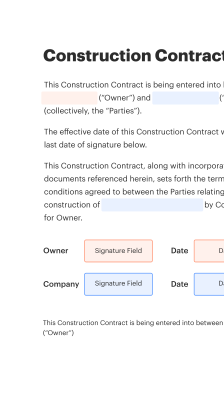
How online creation and signing of bill PDFs typically works

A streamlined workflow converts invoice data into a formatted PDF, applies security controls, and routes documents for review and signature using web or mobile tools.

  • Template selection: Choose a procurement-specific invoice template.
  • Auto-fill fields: Prefill supplier and PO data from systems.
  • Apply signature: Attach electronic signature and audit details.
  • Archive: Store final PDF in a secure repository.
Collect signatures
24x
faster
Reduce costs by
$30
per document
Save up to
40h
per employee / month

Step-by-step: preparing a bill format PDF for procurement

Follow these practical steps to create a compliant, machine-readable invoice PDF for procurement workflows.

  • 01
    Collect data: Gather PO, vendor, tax, and line-item details.
  • 02
    Use a template: Populate a standardized PDF template with required fields.
  • 03
    Validate fields: Ensure PO numbers and totals reconcile before export.
  • 04
    Secure and distribute: Apply access controls and route for signature or approval.
be ready to get more

Why choose airSlate SignNow

  • Free 7-day trial. Choose the plan you need and try it risk-free.
  • Honest pricing for full-featured plans. airSlate SignNow offers subscription plans with no overages or hidden fees at renewal.
  • Enterprise-grade security. airSlate SignNow helps you comply with global security standards.
illustrations signature

Recommended workflow settings for bill PDF processing

Configure workflow settings to automate routing, reminders, and retention so invoice processing aligns with procurement policies and finance requirements.

Workflow Setting Name and Configuration Configuration
Reminder Frequency 48 hours
Signing Order Sequence Sequential
Template Library Location Central folder
Field Validation Rules Required fields
Document Retention Period 7 years

Platform support for bill format PDF creation and signing

Ensure devices and browsers used by procurement and approvers meet basic compatibility to avoid signing interruptions.

  • iOS: iOS 13+ recommended
  • Android: Android 8+ supported
  • Desktop browsers: Chrome, Edge, Firefox

For enterprise deployments, standardize on tested OS and browser versions, enforce device security policies such as disk encryption and screen locks, and validate mobile signing flows before broad rollout.

Security controls relevant to bill format PDF handling

Encryption at rest: AES-256 encryption
Transport security: TLS 1.2+
Access controls: Role-based access
Two-factor authentication: Optional MFA
Audit logging: Immutable trails
Document retention: Configurable policies

Industry examples of bill format PDF usage in procurement

Two concise examples show how standardized bill PDFs reduce processing time and improve compliance across sectors.

Public Sector Purchase

A municipal procurement office required standard bill PDFs to match invoices to issued purchase orders and public records

  • Standardized template with PO, vendor ID, and tax fields
  • Reduced exception routing and manual checks

Resulting in faster audited payment cycles and clearer public financial records.

Healthcare Supplier Billing

A regional hospital standardized supplier bills to include contract IDs and service codes

  • Predefined fields and validations for CPT codes
  • Improved accuracy for charge capture and vendor reconciliation

Leading to timely reimbursements and compliance with internal control requirements.

Best practices for secure, accurate bill format PDFs

Follow these practices to improve invoice accuracy, ensure compliance, and reduce processing time across procurement and AP teams.

Adopt standardized invoice template naming conventions
Establish a single naming convention and template set for supplier invoices to simplify automated ingestion, reduce duplicate templates, and make it easier for AP teams to locate specific bill PDFs during audits or reconciliations.
Validate vendor and PO details before PDF creation
Implement preflight checks that confirm vendor IDs, tax identifiers, and purchase order matches to catch errors upstream and prevent exceptions that require manual intervention from procurement or AP staff.
Use templates with enforced field validation rules
Configure form fields to require PO numbers, line-item codes, and totals, and apply acceptable value ranges to prevent submission of incomplete or mis-coded invoices that can delay approvals.
Maintain audit-ready document retention practices
Archive final signed bill PDFs with associated metadata and audit logs in a secure repository according to retention policies so records are accessible for finance audits, regulatory reviews, and dispute resolution.

FAQs and troubleshooting for bill format PDF issues

Common questions and clear troubleshooting steps help procurement and AP teams resolve invoice PDF problems quickly.

Feature comparison for electronic bill format PDF providers

A rapid feature table contrasts common procurement needs across leading eSignature providers for bill PDF workflows.

eSignature Provider Feature Comparison Matrix signNow (Featured) DocuSign Adobe Sign
ESIGN and UETA Compliance Status
Bulk Send and Batch Processing Support
API Access, Protocols, and Limits REST API REST API REST API
Starting Price per User per Month $8/mo $25/mo $14.99/mo
be ready to get more

Get legally-binding signatures now!

Risks and potential penalties from poor invoice handling

Noncompliance fines: Regulatory fines
Data breach costs: Remediation expenses
Contract disputes: Litigation risk
Delayed payments: Late fees
Invalid signatures: Rejection risk
Audit failures: Penalties possible

Pricing and plan highlights for procurement-focused eSignature options

Compare entry-level pricing, API availability, bulk features, HIPAA options, and enterprise capabilities across several providers relevant to procurement use cases.

eSignature Vendor Comparison signNow (Featured) DocuSign Adobe Sign Dropbox Sign PandaDoc
Pricing (per user/month) $8/user/mo billed annually $25/user/mo $14.99/user/mo $15/user/mo $19/user/mo
Free Trial Availability Yes, trial available Yes, trial available Yes, trial available Yes Yes
API Access Included Yes, REST API included Yes, REST API Yes, REST API Yes, REST API Yes, REST API
Bulk Send Included in select plans Add-on or higher tier Included Included Included
HIPAA-compliant option Available on enterprise plans Available with BAA Available with BAA Available Available via enterprise
walmart logo
exonMobil logo
apple logo
comcast logo
facebook logo
FedEx logo
be ready to get more

Get legally-binding signatures now!