Billable Hours Invoice Template for Shipping

Watch your billing procedure become quick and effortless. With just a few clicks, you can execute all the required actions on your billable hours invoice template for Shipping and other important files from any device with web connection.

Award-winning eSignature solution

Overview of a billable hours invoice template for shipping

A billable hours invoice template for shipping is a standardized document that captures labor time, handling, and shipment-related charges tied to freight operations. It lists client details, shipment identifiers, hourly rates, time entries, surcharges, and totals, and is designed for clear reconciliation with shipping manifests and contracts. When used with an eSignature and document workflow platform it supports version control, audit trails, and automated delivery to clients and accounting systems, helping reduce billing disputes and accelerating collections while preserving records for compliance and audit purposes.

Why use a tailored template for shipping billable hours

A shipping-specific billable hours invoice template standardizes charge capture, aligns line items with shipment references, and reduces manual errors in billing freight-handling time and surcharges.

Why use a tailored template for shipping billable hours

Common billing challenges addressed by templates

  • Inconsistent time tracking across drivers and dock staff causes invoice discrepancies and payment delays.
  • Missing shipment references or PO numbers makes reconciliation with carrier records difficult.
  • Manual rate calculations and surcharges increase clerical workload and risk of arithmetic errors.
  • Poor version control leads to disputes when multiple invoice copies circulate without audit trails.

Representative user profiles

Billing Manager

A Billing Manager oversees invoicing operations for a regional freight provider, validates billable hours against driver logs, and coordinates corrections with operations and accounting. They rely on standardized templates to reduce reconciliation time and to maintain consistent invoice presentation for clients and auditors.

Freight Coordinator

A Freight Coordinator documents loading and unloading times, tracks additional service hours, and assembles supporting shipment references. They use templates to ensure each time entry links to a shipment ID and to hand off clean invoice-ready files to accounts receivable.

Typical users and teams that rely on this invoice template

Logistics, billing, and operations teams in freight and shipping companies use this template to standardize time-based charges and speed reconciliation.

  • Operations supervisors who verify driver hours and confirm shipment tasks.
  • Accounts receivable teams responsible for issuing invoices and tracking payments.
  • Customer success or account managers who resolve billing queries with clients.

Adoption across these roles improves accuracy, reduces disputes, and shortens invoice-to-cash cycles when combined with digital workflows.

Key features to include in a shipping invoice template

Ensure templates include fields and automation that reflect shipping workflows, rate structures, and compliance needs to minimize manual work and disputes.

Time capture

Structured entry for start, stop, break periods, and total billable hours linked to shipment IDs and staff identifiers for clear accountability.


Rate tables

Support tiered and conditional hourly rates, overtime calculations, and configurable surcharge rules to match carrier contracts and client agreements.

Automatic totals

Real-time calculation of line item totals, taxes, and grand total, reducing manual arithmetic errors and ensuring invoices balance against manifests.

Attachment support

Ability to attach delivery receipts, manifests, and driver logs directly to the invoice for client verification and auditability.

Signature fields

Designated areas for client acceptance and carrier confirmation with electronic signature capture and timestamping for legal proof.

Metadata and tags

Tag invoices with shipment route, carrier, and contract identifiers to aid search, reporting, and integration with accounting systems.

be ready to get more

Choose a better solution

Integrations and template customization

Templates for shipping should connect to document stores and CRM systems and support branding, conditional fields, and prefilled data from integrations.

Google Docs integration

Prefill invoice fields from shipment documents stored in Google Docs, enabling centralized edits and ensuring that finalized invoices reflect the latest manifest and contract information without manual copying.

CRM connectivity

Automatically populate client billing information and payment terms from CRM records so the invoice template consistently uses the correct billing address, contact, and contract-specific rates.

Dropbox and storage

Attach signed delivery receipts or bills of lading from Dropbox to each invoice, keeping supporting documents connected and simplifying later audits and client inquiries about specific charges.

Customized branding

Apply company letterhead, standard terms, and logo to templates so every invoice maintains a professional appearance and contains required legal language and payment instructions.
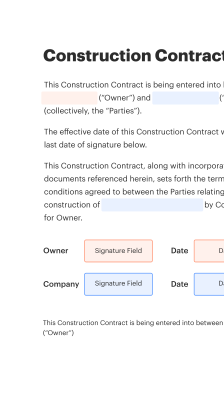
How the billable hours invoice template works in practice

A template guides data entry, enforces required fields, calculates totals, and packages documents for delivery and signature.

  • Populate: Operations enter time and shipment references.
  • Validate: System checks required fields and formats.
  • Calculate: Template computes fees and totals automatically.
  • Deliver: Send invoice for client review and signature.
Collect signatures
24x
faster
Reduce costs by
$30
per document
Save up to
40h
per employee / month

Quick setup steps for a shipping billable hours invoice template

Follow these setup steps to create a functional template that captures time, rates, and shipment references for shipping operations.

  • 01
    Define fields: Add client, shipment ID, and PO number fields.
  • 02
    Add time entries: Include start, stop, and total hours fields.
  • 03
    Set rates: Configure hourly and surcharge rate fields.
  • 04
    Attach proofs: Allow upload of manifests and signed delivery receipts.

Audit trail steps for signed shipping invoices

Maintain a clear event log so each invoice action is time-stamped and attributable for compliance and disputes.

01

Create:

Template created or cloned
02

Fill:

Fields completed by operations
03

Approve:

Supervisor authorization recorded
04

Send:

Invoice delivered to client
05

Sign:

Client signature captured
06

Archive:

Document stored and indexed
be ready to get more

Why choose airSlate SignNow

  • Free 7-day trial. Choose the plan you need and try it risk-free.
  • Honest pricing for full-featured plans. airSlate SignNow offers subscription plans with no overages or hidden fees at renewal.
  • Enterprise-grade security. airSlate SignNow helps you comply with global security standards.
illustrations signature

Recommended workflow settings for automated invoicing

Configure these workflow settings to enforce approvals, reminders, and archival steps for shipping billable hours invoices.

Setting Name Configuration
Approval workflow Two-step approval
Reminder Frequency 48 hours
Auto-archive delay 90 days
Signature requirement Client and carrier
Notification recipients Billing and operations

Device and platform considerations

Templates and signing flows should work consistently across desktop, tablet, and mobile to accommodate field staff and office users.

  • Desktop: Full feature set
  • Tablet: Responsive UI
  • Mobile: Simplified entry

Ensure mobile users can capture time, attach photos of delivery receipts, and request signatures without switching devices; verify compatibility with current enterprise SSO and security settings before rollout.

Core security and protection features

Encryption at rest: AES-256 encryption
Encryption in transit: TLS 1.2+ transport
Access control: Role-based permissions
Multi-factor auth: Optional two-step login
Audit logging: Immutable event trail
Document retention: Configurable policies

Real-world examples of template use in shipping

Two concise examples show how specialized invoice templates solve common problems for carriers and brokers.

Regional Carrier

A mid‑sized regional carrier standardized time entries with a billable hours invoice template tied to manifest IDs and GPS logs to ensure consistency and reduce manual corrections.

  • Template fields included driver ID, load/unload times, and agreed hourly rates.
  • Resulted in faster reconciliation and fewer client queries per invoice.

Leading to reduced days sales outstanding and clearer audit records for billing.

Third-Party Broker

A third-party logistics broker adopted a template to consolidate billable hours across subcontracted drivers and warehouse handlers, ensuring each line item referenced the master shipment and subcontractor invoices.

  • The template automated calculation of prorated labor and penalty fees.
  • This reduced reconciliation effort and simplified client statements.

Resulting in improved client transparency and fewer billing disputes during contract renewals.

Best practices for accurate and secure shipping invoices

Adopt consistent processes for data capture, approvals, and record retention to reduce disputes and support audits for shipping-related billable hours.

Require shipment identifiers on every invoice
Always include a shipment or manifest ID and related PO number on each time entry so invoices can be reconciled against carrier records and client purchase orders without manual searching.
Use structured time entry and validation
Enforce start/stop time formats and require supervisor sign-off for overtime to prevent inaccurate or inflated hours and to create an auditable approval trail.
Attach supporting documentation
Include signed delivery receipts, driver logs, and manifests as attachments to invoices to provide immediate context for charges and to expedite dispute resolution when questions arise.
Maintain retention and access policies
Define retention periods, secure archived copies, and role-based access so historical invoices remain available for audits while protected from unauthorized access or deletion.

FAQs About billable hours invoice template for shipping

Answers to common operational and technical questions about creating, sending, and managing billable hours invoices for shipping operations.

Feature availability: signNow compared to other eSignature vendors

A concise availability comparison showing common features relevant to shipping invoicing and templates across leading eSignature providers.

Feature signNow (Recommended) DocuSign Adobe Sign
eSignature legality
Bulk Send Limited
API access REST API REST API REST API
HIPAA compliance Optional Optional Optional
be ready to get more

Get legally-binding signatures now!

Document retention and key deadlines

Set retention and review dates for invoices and related shipping records to meet accounting and regulatory needs.

Invoice generation timeframe:

Issue within 7 days of shipment

Client dispute window:

Standard 30-day review period

Retention for audits:

Keep records 7 years

Backup schedule:

Daily encrypted backups

Periodic review:

Annual compliance review

Risks and penalties from improper invoicing

Payment delays: Lost cash flow
Client disputes: Chargebacks possible
Regulatory fines: Noncompliance exposure
Contract breaches: Penalty clauses invoked
Audit failures: Record gaps cited
Reputational harm: Client trust erodes

Pricing and plan comparisons for common shipping invoice needs

Representative starting plans and common commercial attributes for eSignature platforms typically used with shipping invoice templates.

Plan/Feature signNow (Recommended) DocuSign Adobe Sign Dropbox Sign PandaDoc
Starting monthly price From $8 per user monthly From $10 per user monthly From $9.99 per user monthly From $15 per user monthly From $19 per user monthly
Free trial 14-day trial available 30-day trial available 14-day trial available 30-day trial available 14-day trial available
Bulk Send capability Included on select plans Available on business plans Available on enterprise tiers Limited on business plans Available on higher tiers
API access Available with developer and business plans Available with business plans Available with enterprise plans Available with business plans Available with business plans
HIPAA-ready option Add-on or enterprise support Add-on or business associate agreement Enterprise agreement required Not commonly offered Enterprise-level support listed
walmart logo
exonMobil logo
apple logo
comcast logo
facebook logo
FedEx logo
be ready to get more

Get legally-binding signatures now!