Invoice Template DOCX for Product Management

See your invoice workflow turn quick and effortless. With just a few clicks, you can execute all the required steps on your invoice template docx for Product Management and other crucial documents from any device with internet access.

Award-winning eSignature solution

What an invoice template DOCX for product management is and why it matters

An invoice template DOCX for product management is a reusable Microsoft Word document designed to standardize how product teams bill for work, track billable items, and record payment terms. It typically includes structured fields for project codes, line items, quantity, unit price, tax, discounts, payment due dates, and approvals. Using a DOCX template helps product managers ensure consistency across customers and projects, simplifies bookkeeping, and supports integration with eSignature platforms and document workflows for secure signing and automated distribution.

Why standardized DOCX invoices benefit product teams

Standardized invoice templates reduce errors, speed billing cycles, and make cost tracking consistent across releases and clients while supporting auditability and integration with accounting systems.

Why standardized DOCX invoices benefit product teams

Common challenges when using invoice templates in product workflows

  • Inconsistent field use across teams leads to missing billing data and reconciliation delays.
  • Manual edits to DOCX files create versioning problems and increase audit risk.
  • Lack of standardized approval fields can slow invoice authorization and payment.
  • Poor template mapping to accounting systems causes import errors and duplicate entries.

Typical user profiles for invoice template DOCX

Product Manager

Product Managers prepare invoices for features, milestones, and professional services rendered. They require templates that capture scope, deliverable IDs, version numbers, and approval signatures to ensure billing matches completed work and contractual terms.

Finance Coordinator

Finance Coordinators consume templates to validate totals, calculate taxes, and post entries into accounting systems. They need consistent field names, clear tax and discount sections, and machine-readable layouts for automated imports.

Teams and roles that rely on invoice templates

Product managers, finance teams, and procurement departments commonly use DOCX invoice templates to align billing with product delivery and budgets.

  • Product Managers tracking scope, deliverables, and client billables across releases.
  • Finance teams validating amounts, tax calculations, and posting to ledgers.
  • Account managers reconciling invoices with customer contracts and SOWs.

Aligning these roles on one template reduces rework, accelerates approvals, and improves collections while preserving an auditable record.

Core capabilities for effective DOCX invoice management

Advanced template management should address automation, accuracy, compliance, and team collaboration to support product billing at scale.

Template fields

Support for merge fields and placeholders for project codes, dates, and conditional sections to produce context-aware invoices without manual edits.


Conditional logic

Include conditional sections that show discounts, taxes, or service-level details only when applicable, reducing clutter and minimizing manual adjustments.

Bulk generation

Ability to generate and send multiple invoices from a data source in one operation to speed recurring billing across product customers.

Approval workflows

Configurable multi-step approval routing for pre-sign checks by product leads and finance before invoices are delivered to customers.

Audit trail

Comprehensive logs of edits, views, and signatures that support compliance reviews and dispute resolution with immutable timestamps.

Export formats

Save final signed invoices as PDF and retain the original DOCX for internal reference and future template revisions.

be ready to get more

Choose a better solution

Integrations and template features to prioritize

Choose features that streamline data flow from product systems into invoice templates and support secure, auditable signatures for US compliance.

CRM integration

Automatic population of customer details and contract IDs reduces manual entry, eliminates mismatched billing addresses, and supports consistent invoice numbering across sales and product records.

Spreadsheet mapping

Map line items from spreadsheets or CSV exports directly into the DOCX template to accelerate batch invoicing and ensure numeric accuracy for quantities and rates.

eSignature compatibility

Ensure templates convert cleanly to PDF, preserve form fields, and support eSignature capture that meets US ESIGN and UETA requirements for enforceability.

Document versioning

Maintain a version history for templates so teams can track changes to terms, tax logic, and layout across product billing cycles and audits.
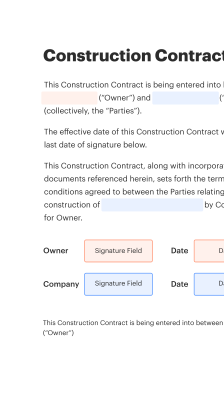
How DOCX invoice templates work with signing and delivery

Templates become part of a document workflow where placeholders are filled, documents are routed for signature, and final copies stored with audit metadata.

  • Populate: Merge project and billing data into DOCX fields
  • Route: Set signing order and approvers
  • Sign: Capture signatures securely on web or mobile
  • Archive: Store signed PDF copy with audit trail
Collect signatures
24x
faster
Reduce costs by
$30
per document
Save up to
40h
per employee / month

Quick step-by-step: create and deploy a DOCX invoice template

Follow these steps to build a reusable, audit-ready invoice template for product work and integrate it with signing and delivery.

  • 01
    Draft fields: Define customer, project, and line-item fields
  • 02
    Standardize terms: Add payment, tax, and due date language
  • 03
    Save as template: Store a master DOCX for reuse
  • 04
    Integrate: Connect template to signature and delivery workflows
be ready to get more

Why choose airSlate SignNow

  • Free 7-day trial. Choose the plan you need and try it risk-free.
  • Honest pricing for full-featured plans. airSlate SignNow offers subscription plans with no overages or hidden fees at renewal.
  • Enterprise-grade security. airSlate SignNow helps you comply with global security standards.
illustrations signature

Recommended workflow settings for invoice template DOCX processes

Use these workflow settings as a baseline to automate approvals, reminders, and secure delivery for product invoices.

Setting Name Default Configuration
Reminder Frequency 48 hours before due date
Approvals Required Product lead and finance sign-off
Template Auto-fill Data merge from CRM and spreadsheets
Signing Order Finance then client signer
Retention Period Seven years archival policy

Supported platforms and device requirements

Invoice DOCX templates and signature workflows work across desktop and mobile environments with modern browsers and apps.

  • Desktop browsers: Chrome, Edge, Safari supported
  • Mobile devices: iOS and Android apps available
  • Office software: Microsoft Word for editing templates

For best results edit templates in desktop Word, test merge fields on a small dataset, and validate signature capture on web and mobile to ensure consistent rendering and enforceable signatures.

Security features to include with DOCX invoice workflows

Access controls: Role-based file permissions
Encryption: At-rest and in-transit
Authentication: Multi-factor options
Audit logs: Immutable activity records
Document locking: Prevent post-sign edits
Retention rules: Configurable archival policies

Industry examples of DOCX invoice templates in product management

Two concise examples show how templates are used across services and software product billing.

Agile feature billing

A product team issues a milestone invoice using a DOCX template listing feature codes and hours billed

  • Template includes itemized sprint deliverables and hourly rates
  • Customer gets clear traceability between invoice lines and sprint reports

Resulting in faster client approval and shorter payment cycles for incremental work.

SaaS implementation fees

Professional services for onboarding are invoiced with a DOCX template that separates one-time setup and recurring fees

  • The template maps setup tasks to contract line items
  • Finance uses consistent tax and discount sections for automated posting

Leading to accurate revenue recognition and simplified month-end reconciliation across customers.

Best practices for accurate, secure DOCX invoice templates

Follow these practices to reduce disputes, maintain compliance, and streamline invoicing within product teams.

Use consistent field naming and metadata
Give every merge field a stable, descriptive name and include metadata for project codes, contract IDs, and version numbers so automated systems map values reliably and human reviewers can quickly verify entries during reconciliation and audits.
Validate tax and discount calculations programmatically
Implement formula checks or backend validations to prevent manual arithmetic errors. When taxes or discounts vary by jurisdiction, include conditional logic in templates and verify outputs with test cases before batch generation.
Lock final documents before signing
Convert DOCX to a non-editable PDF for signature capture or use document locking features. This preserves the signed content, prevents post-sign alterations, and maintains evidentiary integrity for disputes or audits.
Keep an audit-ready archive
Store signed invoice PDFs alongside the original DOCX template and merge data. Retain timestamps, signer identities, and IP addresses where available to satisfy internal controls and external compliance requirements.

FAQs and troubleshooting for DOCX invoice templates

Answers to common issues encountered when preparing, sending, and archiving DOCX invoice templates in product workflows.

Feature comparison: digital vs. paper-based signing and vendor capabilities

Quick comparison of key capabilities between leading eSignature providers and paper-based processes for DOCX invoice workflows.

Feature signNow (Recommended) DocuSign Adobe Sign
US ESIGN & UETA compliance
Bulk Send capability
API integration REST API available REST API available REST API available
Native mobile signing
be ready to get more

Get legally-binding signatures now!

Legal and operational risks of improper invoice handling

Noncompliance: Regulatory fines
Disputes: Payment delays
Data breach: Customer liability
Audit failures: Sanctions
Reputational harm: Lost contracts
Financial loss: Revenue write-offs

Pricing and plan comparison across eSignature vendors

Overview of common plan distinctions and starting points; check vendor sites for current pricing and enterprise customization.

Offering signNow (Recommended) DocuSign Adobe Sign HelloSign PandaDoc
Entry plan Basic plan starting low monthly fees Individual plan with limited envelopes Individual plan with core features Starter plan for small teams Free plan with limited features
Advanced workflows Workflow templates and Bulk Send included in mid plans Workflow add-ons for enterprise Advanced workflows in higher tiers Limited workflow capabilities Workflow automation in paid plans
API access API available with developer plan API on business plans API included in enterprise plans API available on business plans API included in growth plans
Enterprise support Dedicated support options available Premium enterprise support offered Enterprise support and SLAs available Priority support on paid tiers Enterprise onboarding and support available
Document retention & storage Configurable retention and storage policies Secure document storage with export options Cloud storage with retention controls Cloud storage and activity logs Integrated storage and retention settings
walmart logo
exonMobil logo
apple logo
comcast logo
facebook logo
FedEx logo
be ready to get more

Get legally-binding signatures now!