Lead Management for Retail Trade with SignNow

airSlate SignNow CRM helps you centralize, optimize and streamline your contact and document management. Upgrade your customer relationship workflows.

Award-winning eSignature solution

What lead management for retail trade covers

Lead management for retail trade is the set of processes, tools, and records used to capture, qualify, route, and convert customer leads in a retail environment. It combines intake forms, verification, document collection, and signature capture to finalize agreements such as purchase orders, financing applications, warranty registrations, and service contracts. Effective lead management reduces manual handoffs, shortens sales cycles, and centralizes records for compliance and reporting. Solutions that include secure eSignature, audit trails, and CRM synchronization support consistent handling of leads across stores, online channels, and mobile sales teams.

Why structured lead management matters in retail

Structured lead management improves response times, reduces data entry errors, and preserves legally admissible records for customer agreements and consent.

Why structured lead management matters in retail

Common obstacles when handling retail leads

  • Siloed customer data across POS, web forms, and walk-in channels complicates follow-up and qualification.
  • Manual signature collection delays closing and increases the risk of lost paperwork.
  • Inconsistent document versions and templates lead to compliance gaps and customer disputes.
  • Slow lead routing and unclear ownership reduce conversion rates and increase time-to-sale.

Representative user roles for retail lead management

Store Manager

Responsible for overseeing lead follow-up, approving in-store promotions that capture leads, and ensuring templates and signing processes meet corporate standards. Typically monitors conversion rates and validates staff access to sensitive documents.

Sales Associate

Interacts directly with customers to capture lead information, present financing or warranty documents, and collect signatures using mobile devices. Requires simple, fast workflows and clear prompts for required fields.

Teams that rely on lead management workflows

Retail store managers, sales associates, and centralized marketing and operations teams all interact with lead management processes.

  • Store sales teams handling finance applications and in-store warranties.
  • E-commerce fulfillment and customer service teams closing online enquiries.
  • Regional operations and legal teams auditing compliance and retention.

Those stakeholders require coordinated templates, role-based access, and integration with CRM and inventory systems to maintain consistent customer experiences.

Essential features for effective lead management

These platform capabilities address the common requirements of retail lead capture, verification, and compliance.

eSignature

Legally binding electronic signatures with tamper-evident seals and stored certificates that support US ESIGN and UETA requirements for most retail agreements.


Templates

Customizable, role-specific templates with required fields, conditional sections, and merge capabilities to standardize capture and reduce errors at scale.

Integrations

Connectors for popular CRMs, ERPs, cloud storage, and productivity suites to sync lead records and maintain a single source of truth.

Bulk Send

Send identical documents to many recipients or multiple leads simultaneously, useful for batch promotions, warranty notices, or consent renewals.

Mobile Signing

Responsive signing experiences for smartphones and tablets that allow associates and customers to complete agreements at the point of interaction.

Reporting

Dashboards and exportable logs that surface lead conversion metrics, signature completion rates, and compliance status for audits.

be ready to get more

Choose a better solution

Integrations and templates that support retail lead workflows

Core integration points and reusable templates reduce repetitive work and ensure consistent data across systems.

CRM Integration

Two-way syncing with CRM systems transfers captured lead details, signature status, and attached documents into customer records for follow-up and reporting, avoiding duplicate manual entry.

Cloud Storage

Automatic archival to cloud services centralizes signed documents in the organization’s storage location while maintaining encryption and access controls for auditability and retention compliance.

Reusable Templates

Prebuilt templates for finance, warranty, and service agreements include required fields and conditional logic so staff collect complete information on the first interaction.

Document Prefill

Prefill fields from POS or ecommerce data to reduce customer typing and minimize errors when generating agreements at the point of sale.
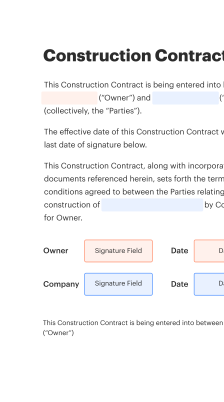
How lead capture and signing typically flow

A consistent sequence ensures every lead is captured, qualified, and retained with verifiable consent and signatures.

  • Capture: Customer data and required documents are collected via forms.
  • Qualify: Automated checks tag leads by priority and eligibility.
  • Route: Leads route to the right store, rep, or team automatically.
  • Execute: Electronic signatures and audit logs finalize agreements.
Collect signatures
24x
faster
Reduce costs by
$30
per document
Save up to
40h
per employee / month

Quick setup steps for lead management for retail trade

Set up core capture forms, templates, and routing rules so leads are captured consistently across channels.

  • 01
    Create template: Design a standard lead intake and consent template.
  • 02
    Configure routing: Set rules to assign leads to stores or reps.
  • 03
    Add authentication: Choose signer verification options appropriate for risk.
  • 04
    Test end-to-end: Run sample leads to confirm routing and storage.

Audit trail setup and recordkeeping steps

Ensure every signed lead record contains necessary audit elements and is retained according to policy.

01

Enable timestamps:

Record exact signature and submission times
02

Capture IP addresses:

Log signer IP for verification and audit
03

Store certificate:

Attach signature certificate to the final PDF
04

Immutable logs:

Prevent edits to the audit trail after completion
05

Export options:

Provide CSV and PDF exports for auditing
06

Retention tags:

Label records with retention and disposal schedules
be ready to get more

Why choose airSlate SignNow

  • Free 7-day trial. Choose the plan you need and try it risk-free.
  • Honest pricing for full-featured plans. airSlate SignNow offers subscription plans with no overages or hidden fees at renewal.
  • Enterprise-grade security. airSlate SignNow helps you comply with global security standards.
illustrations signature

Recommended workflow settings for retail lead automation

Sample configuration values accelerate deployment while aligning routing, notification, and retention behaviors with typical retail needs.

Workflow Automation Setting Name Header Default configuration values used by the workflow engine
Default Reminder Frequency for Lead Nurturing Send reminder every 48 hours until signer responds
Automatic Follow-up Sequence Timing Parameter Trigger follow-up email after three days unresponsive
Lead Assignment Routing Logic and Priority Assign by store proximity and sales rep workload
Template Auto-population Field Mapping Setting Map POS customer fields into template fields automatically
Signature Expiration and Reminder Notification Policy Expire pending signatures after 30 days with final notice

Supported platforms and device recommendations

Lead capture and signing work across modern browsers, mobile devices, and dedicated apps to meet in-store and remote needs.

  • Desktop browsers: Chrome, Edge, Safari supported
  • Mobile platforms: iOS and Android apps available
  • Tablet usage: Responsive signing for tablets

For stable operation, keep browsers and mobile apps updated, ensure TLS-enabled networks, and provide offline capture fallbacks for areas with intermittent connectivity to avoid data loss.

Security controls relevant to retail lead handling

Transport encryption: TLS secured connections
Data at rest: AES 256-bit encryption
Access controls: Role-based permissions
Authentication options: Multi-factor support
Document integrity: Audit timestamps
Compliance logging: Comprehensive audit trail

Real-world retail scenarios for lead management

Two practical examples show how lead management workflows streamline actions across channels and store formats.

In-store finance application

A customer completes a credit application on a tablet in a store, capturing ID and consent in a single session

  • Pre-filled product and pricing fields reduce entry time
  • Immediate eligibility response improves close rates

Resulting in faster approvals and fewer abandoned sales that previously stalled due to manual paperwork

Online-to-store reservation

A shopper books a product online and opts to reserve for in-store pickup, providing contact and payment authorization

  • Reservation triggers lead routing to nearest store staff
  • Staff confirm pickup time and collect final signature at POS

Leading to reduced no-shows, consistent pickup experiences, and auditable consent and payment records retained for compliance

Practical best practices for retail lead processes

Adopt consistent templates, secure workflows, and clear ownership to maximize conversions while minimizing compliance exposure.

Standardize templates and required fields across channels
Use centrally managed templates with enforced required fields and conditional sections so every captured lead includes the minimum information required to qualify and execute agreements consistently.
Use role-based access and granular permissions
Restrict access to PII and signed agreements using least-privilege roles; auditors and managers should have read-only access while store staff have limited edit capabilities.
Log full audit trails and retain copies securely
Ensure each signed document includes timestamps, IP details, signer verification, and a versioned PDF stored under encryption to satisfy internal policies and potential regulatory review.
Integrate with CRM and inventory systems for accuracy
Automatic synchronization prevents duplicate data entry, ensures accurate product and pricing details on agreements, and ties lead outcomes directly to inventory and sales reporting.

FAQs and troubleshooting for lead management processes

Common questions and fixes help reduce downtime and improve staff confidence in lead handling tools.

Feature availability: signNow versus other major providers

A concise capability comparison shows feature presence and key technical differences across leading eSignature providers used in retail.

Feature Capability and Availability Header signNow (Recommended) DocuSign Adobe Sign
Bulk Send to multiple recipients
Native CRM connectors
HIPAA compliance option Available Available Available
Offline signing support
be ready to get more

Get legally-binding signatures now!

Retention and backup timelines for signed retail leads

Document retention schedules should align with legal, warranty, and business reporting requirements for retail records.

Customer agreement retention period:

Retain signed purchase agreements for at least seven years

Warranty and service records retention:

Keep warranty records for the warranty duration plus one year

Backup frequency for signed records:

Daily backups to encrypted storage

Audit log retention timeframe:

Maintain audit trails for five to seven years

Deletion and legal hold policy:

Suspend deletion when legal holds are active

Regulatory and operational risks to note

Privacy breach: Fines and notice requirements
Improper consent: Contract unenforceability risk
Retention failures: Regulatory penalties possible
Unauditable signatures: Legal disputes increase
Insecure storage: Data exposure risk
Misrouted leads: Lost revenue potential

Pricing and plan comparisons for retail deployments

Pricing varies by feature set and deployment scale; the table below compares entry-level and enterprise options across well-known providers.

Pricing and Plan Overview signNow (Featured) DocuSign Adobe Sign Dropbox Sign PandaDoc
Free trial and evaluation availability Free trial available for evaluating features and integrations Free trial and sandbox available for developers Trial with limited features through Adobe account Free trial and limited free tier Free trial available for core plans
Entry-level monthly cost summary Per-user plans starting at low single-digit to low double-digit monthly rates depending on billing Entry-level plans typically start around ten dollars per month Pricing often bundled with Adobe subscriptions and variable Competitive single-user pricing with simpler feature set Plans focused on document workflow with competitive introductory pricing
API and developer access included API available with paid plans and developer sandbox access included API access via higher-tier plans or add-ons API offered with enterprise and developer plans API access available, plans vary API included in business plans and higher tiers
Bulk sending and advanced workflows Bulk Send available on mid-tier plans, useful for promotions and batch agreements Available as advanced feature or add-on Supported in enterprise and certain business plans Supported for business plans, with limits Available with templates and business-tier workflows
Enterprise compliance and support options Offers enterprise compliance options and dedicated support tiers for regulated industries Enterprise-grade support and compliance offerings Strong enterprise integrations and support with Adobe Sign Business and enterprise support options with Dropbox Sign Dedicated enterprise plans with onboarding and support options
walmart logo
exonMobil logo
apple logo
comcast logo
facebook logo
FedEx logo
be ready to get more

Get legally-binding signatures now!