Bulk invite
Upload CSVs or use provisioning APIs to add many users simultaneously and apply standardized roles.




Centralized control reduces security risk, simplifies audits, and enforces consistent policies across teams while supporting compliance and operational continuity.

An IT Administrator configures authentication, single sign-on, directory integration, and provisioning rules. They maintain group mappings, manage API keys for automation, and monitor security settings to ensure members have access consistent with organizational policies.
An HR Manager handles onboarding and offboarding workflows, assigns standard role templates for new hires, and coordinates access changes with IT. They ensure role assignments align with employment status and help maintain compliance for personnel records.
IT, HR, legal, and line-of-business managers commonly share responsibility for provisioning and governance of eSignature users.
Collaboration across those functions ensures security, compliance, and timely access for business processes that depend on signatures.
Upload CSVs or use provisioning APIs to add many users simultaneously and apply standardized roles.
Publish templates to teams to ensure consistency in document structure and signer roles across departments.
Define permission sets tailored to business functions, limiting access to necessary features only.
Integrate with identity providers for centralized authentication and single-point provisioning control.
Use APIs to automate provisioning, role assignment, and account operations within existing HR or IT workflows.
Export usage and access reports for audits, compliance reviews, and internal governance checks.
Granular role definitions let administrators restrict sending, viewing, template editing, and account-level settings to appropriate users, reducing exposure and simplifying compliance reporting across teams.
Create teams or departments with shared templates and permissions, enabling consistent access controls, streamlined template distribution, and simplified reporting for specific business units.
Support for SAML or OAuth-based SSO centralizes authentication, reduces password management overhead, and ties platform access into existing identity governance and MFA policies.
Detailed activity records for user actions, signings, and administrative changes enable forensic review, compliance audits, and evidence of chain-of-custody for signed documents.

| Setting Name | Configuration |
|---|---|
| Provisioning Method | Directory sync |
| Reminder Frequency | 48 hours |
| Default Role Template | Standard sender |
| Auto-deprovision Delay | 24 hours |
| Audit Log Retention | 7 years |
Member administration is accessible via web browser, mobile apps, and administrative APIs, with modest client requirements for basic use.
Administrators should ensure devices use current OS and browser versions, enable TLS for API integrations, and apply corporate device policies to protect accounts and credentials.
A regional clinic onboards clinicians and administrative staff into a single eSignature system to manage patient consent forms and controlled records.
Resulting in clearer compliance posture and faster patient workflows.
A university centralizes faculty and departmental admin accounts to control access to student records and financial aid forms.
Leading to consistent permissions and fewer compliance exceptions during reviews.
| Platform Comparison | signNow (Recommended) | DocuSign | Adobe Sign |
|---|---|---|---|
| Bulk user provisioning | |||
| SAML SSO support | |||
| Directory sync | |||
| Advanced role customization | Limited |
Review all role assignments every three months.
Conduct full audit of member activity and retention policies yearly.
Revoke access within 24 hours of termination.
Validate retention settings during annual audits.
Review MFA and SSO policies semiannually.
| Pricing and Tiers | signNow (Recommended) | DocuSign | Adobe Sign | HelloSign | PandaDoc |
|---|---|---|---|---|---|
| Starting price per user per month | From $8 | From $25 | From $14 | From $15 | From $19 |
| Enterprise plan availability | Yes | Yes | Yes | Yes | Yes |
| API access included or add-on | Included | Paid add-on | Included | Included | Paid add-on |
| Advanced admin controls offered | Yes | Yes | Yes | Limited | Yes |
| HIPAA compliance option | Yes | Yes | Yes | No | Yes |
airSlate SignNow Organizations allow teams to manage multiple airSlate SignNow accounts and their document workflows under unified settings. Users within an Organization can have multiple access levels: Admin, Moderator, or Member. To learn how to manage users and assign membership roles, take a look at the short guide below.
Important: You must log in to your airSlate SignNow account as an Admin or Moderator to access the Organizations Admin Panel.
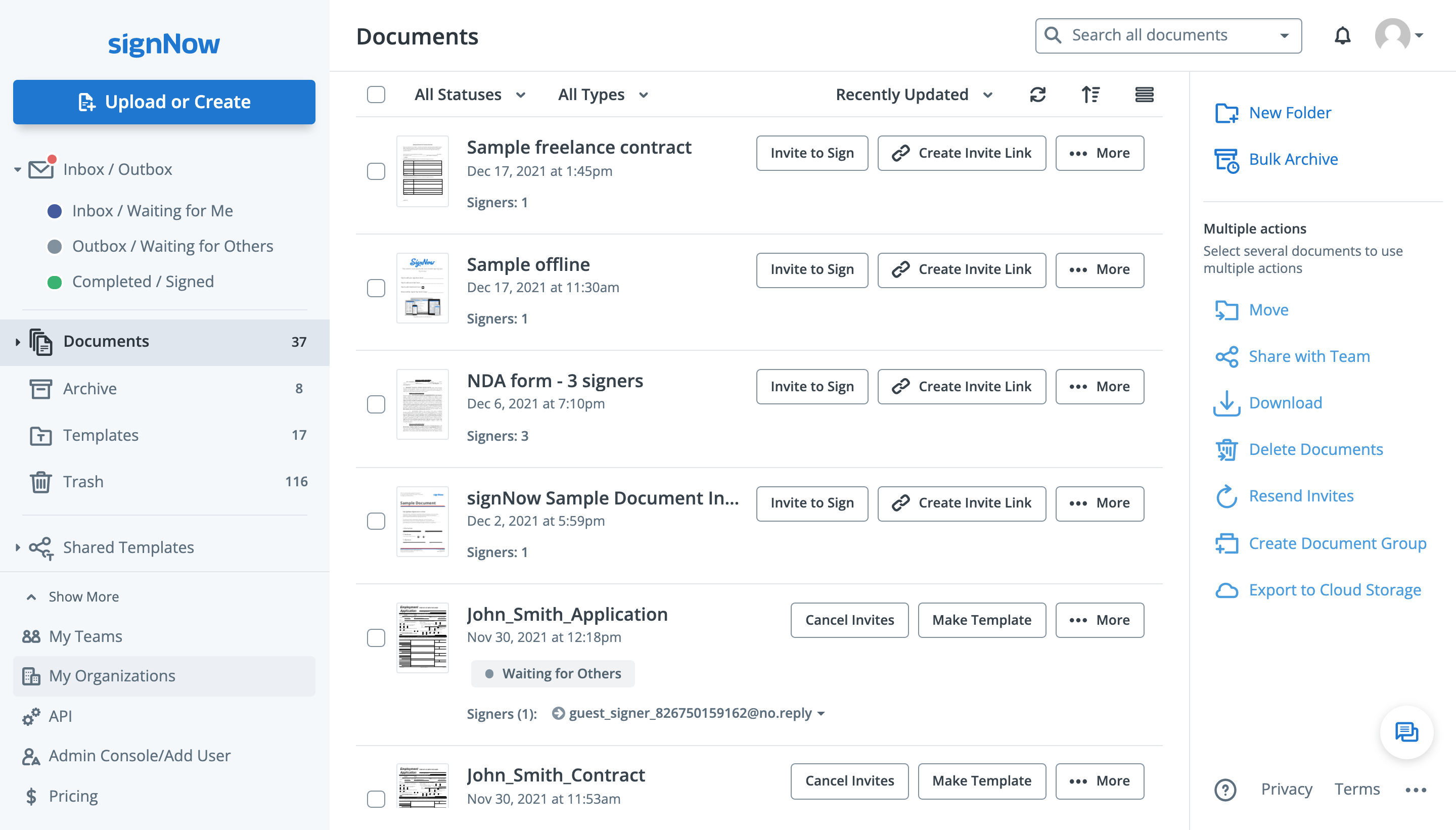
Click My Organizations in the left-hand sidebar (or in your account settings).
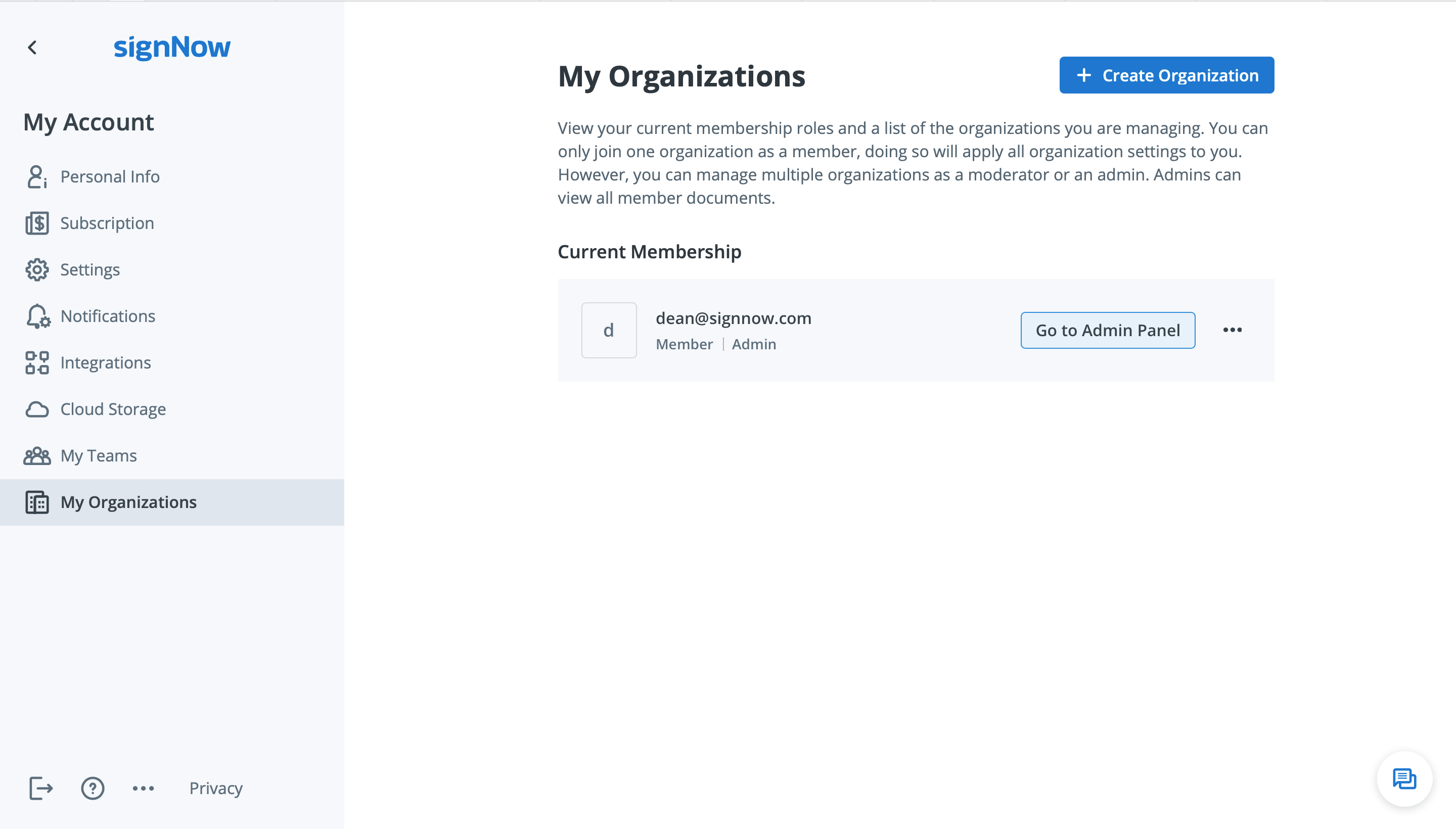
Click Go to Admin Panel next to your current membership or organization. If you don’t yet have an organization in airSlate SignNow, create one by clicking Create Organization.
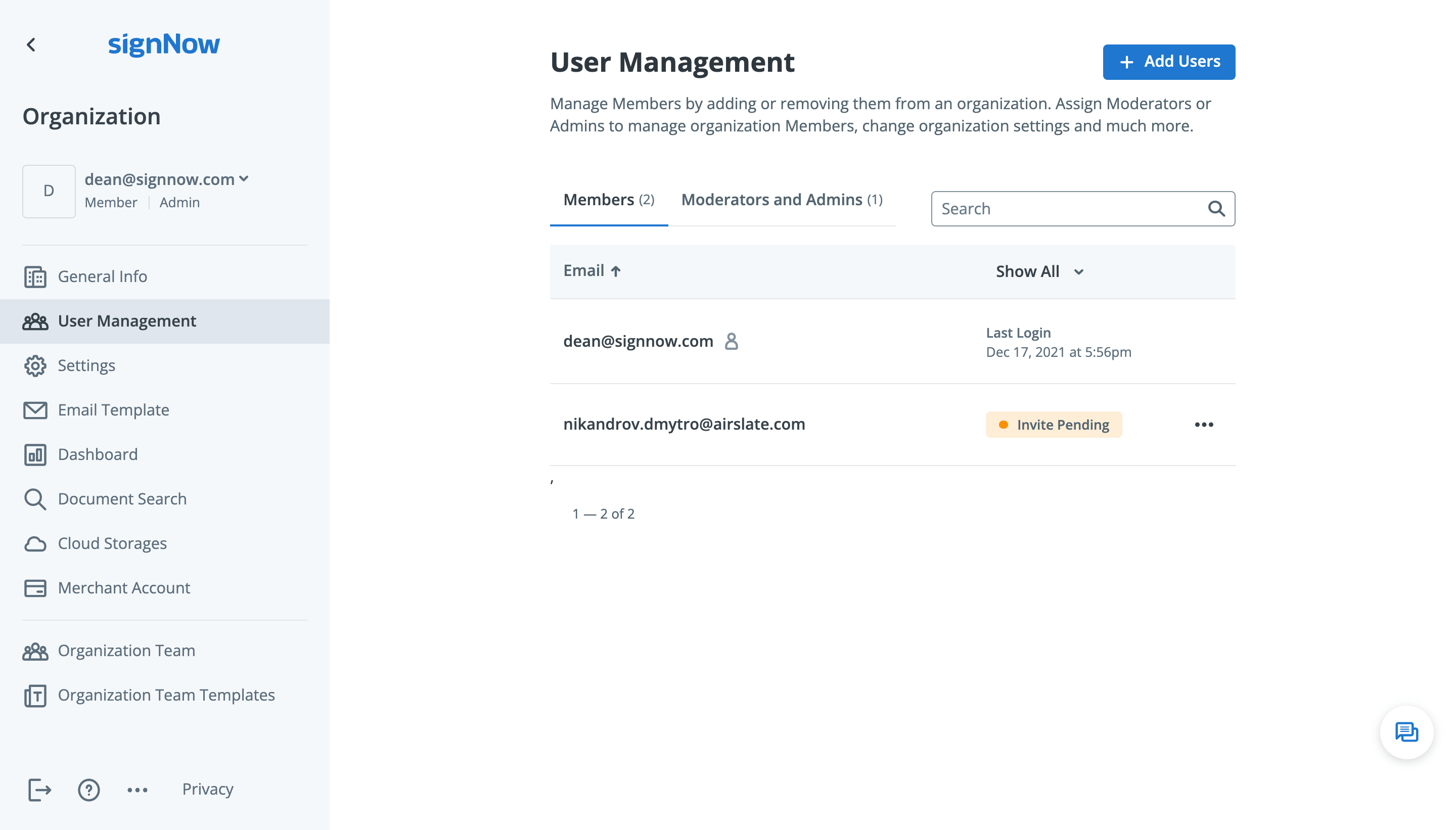
In the Admin Panel, go to the User Management tab. From there, you can manage the Members of your Organization with ease.
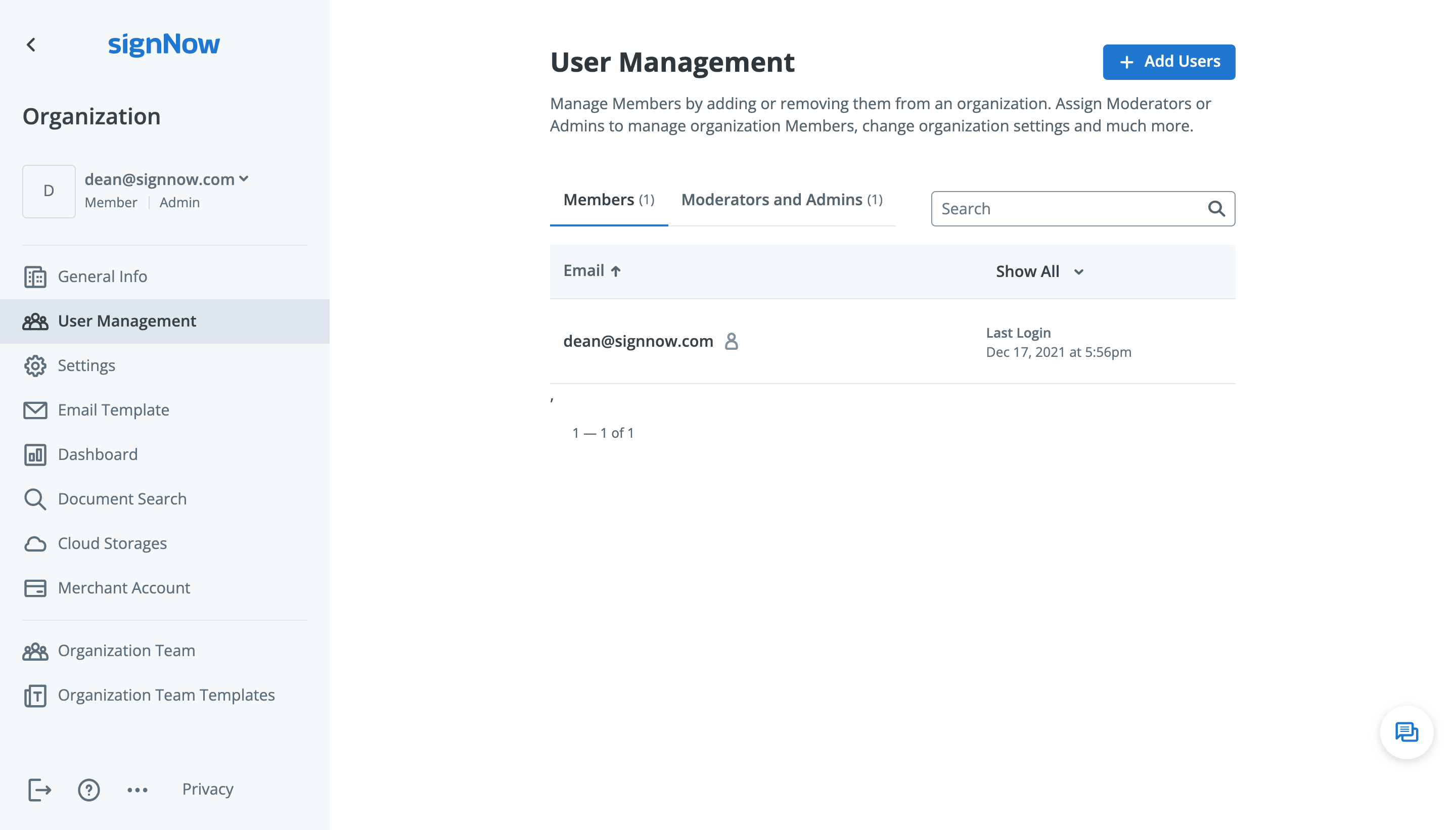
Please note: This tab is only available to users with the following subscriptions: Enterprise, Business Cloud, or Free Trial.
To add more Members to your Organization, click Add Users.
In the pop-up window, add up to 10 email addresses of new users, select their membership roles, and click Add Users.
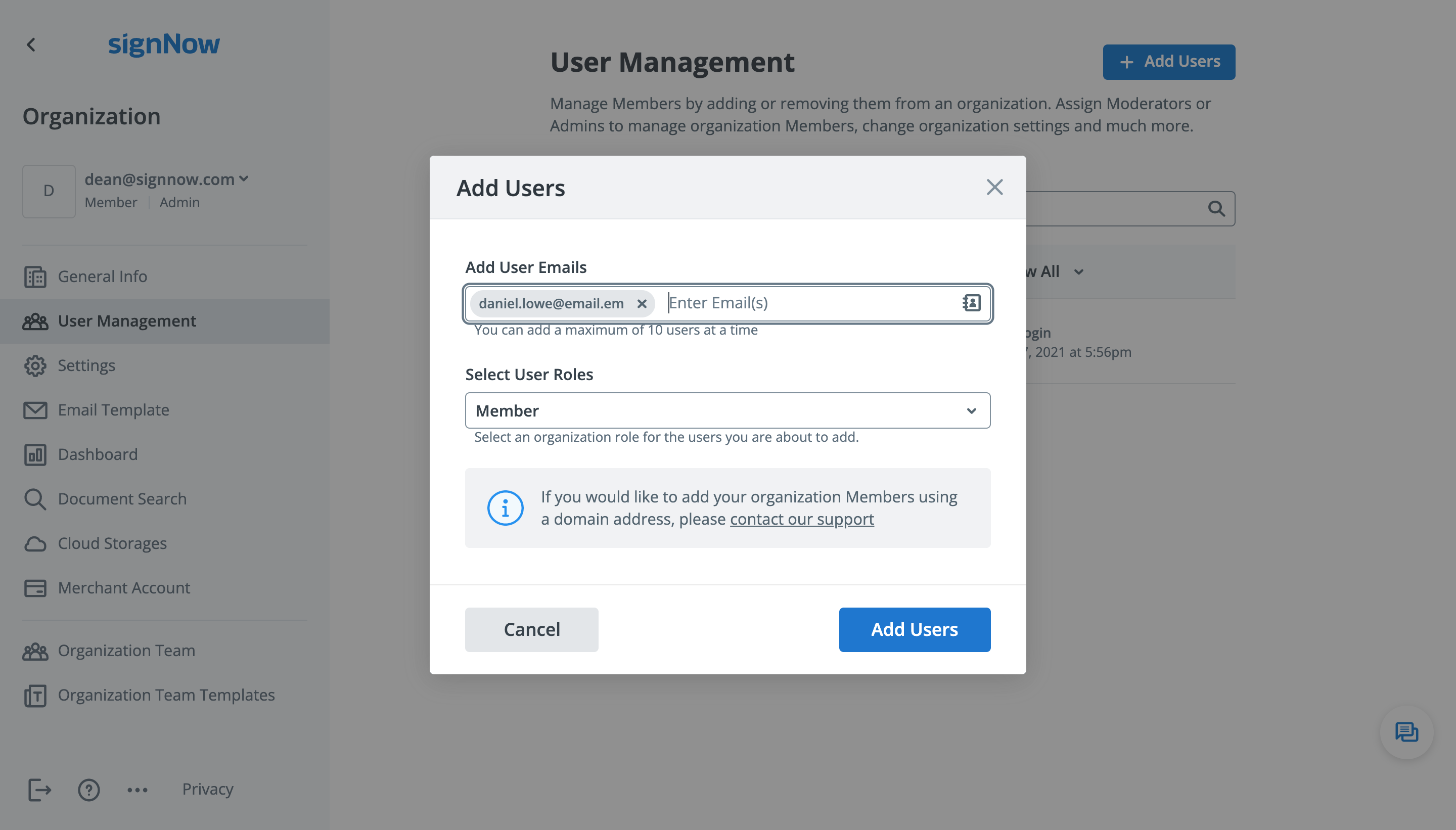
The users you have added will receive an invitation to join your Organization.
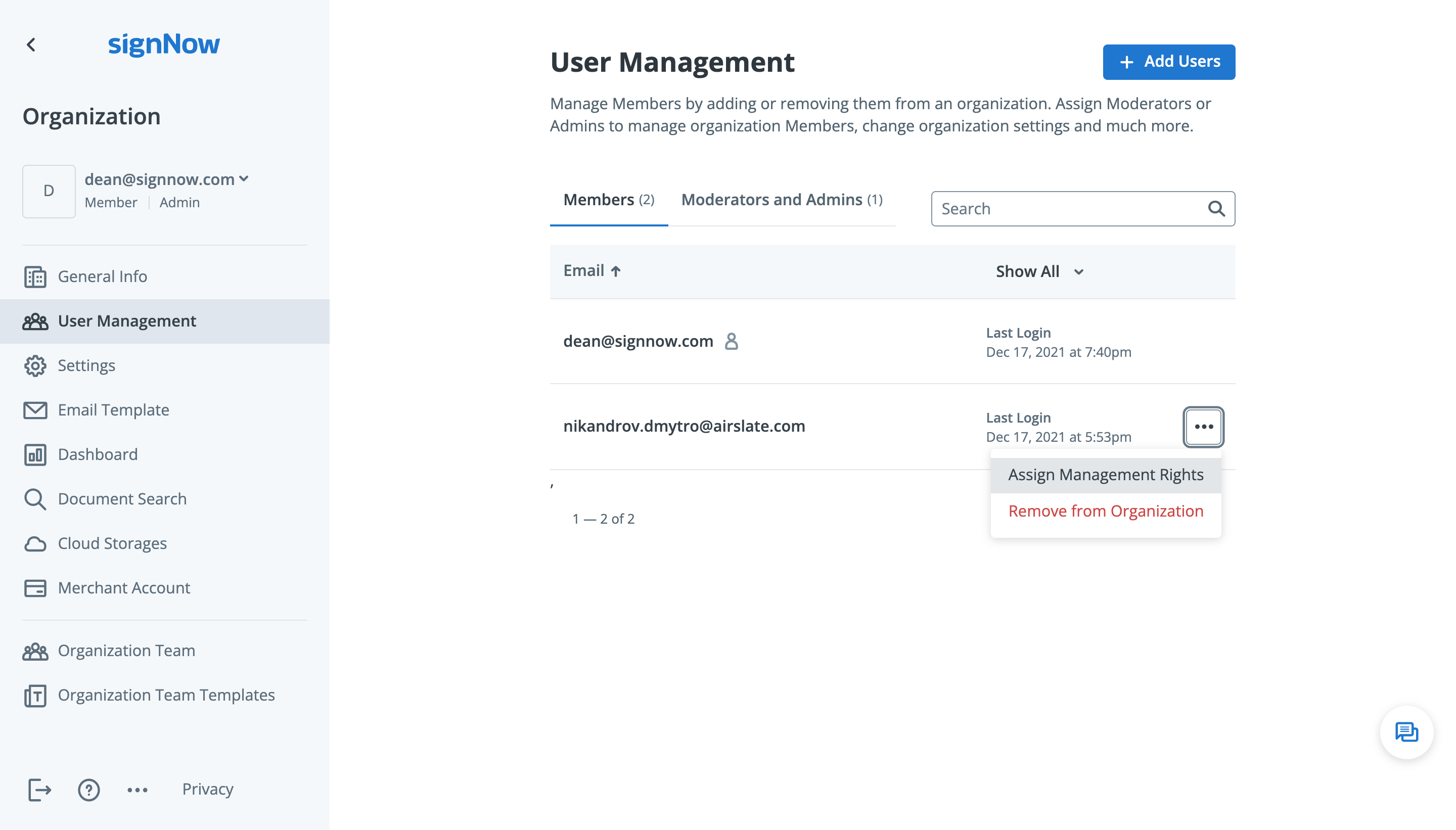
To assign a new role to an Organization member, click ••• next to a user and select Assign Management Rights.
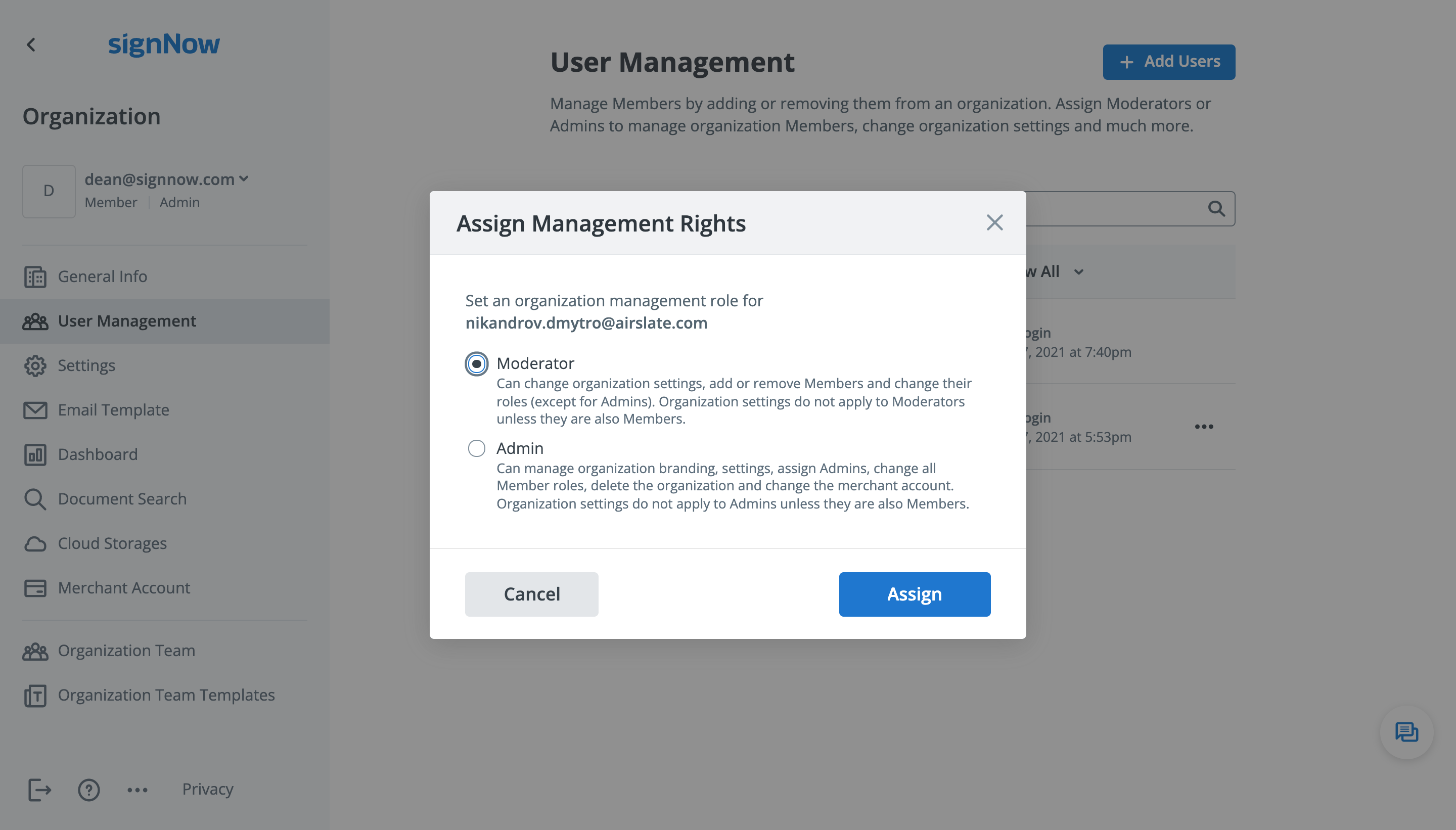
In the pop-up window, select the role you would like to assign.
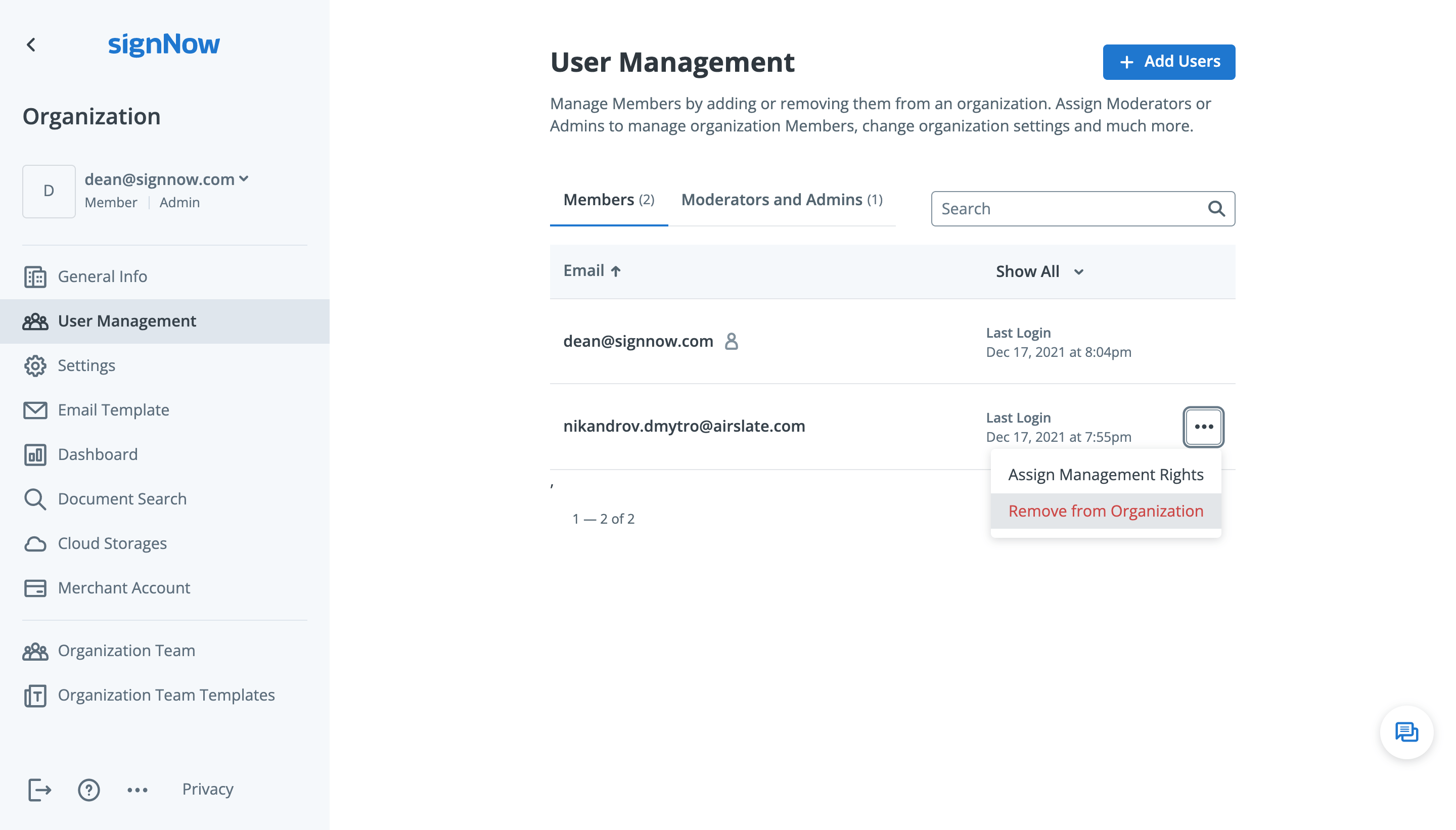
To cancel a user’s membership inside your Organization, click ••• next to a user and select Remove From Organization.
As a Member, Admin, or Moderator, you are free to leave an Organization or quit your management rights.
Go to My Organizations and click ••• next to your current membership or organization. Then, select Cancel My Management Rights or Leave Organization as a Member, depending on what you want to accomplish.
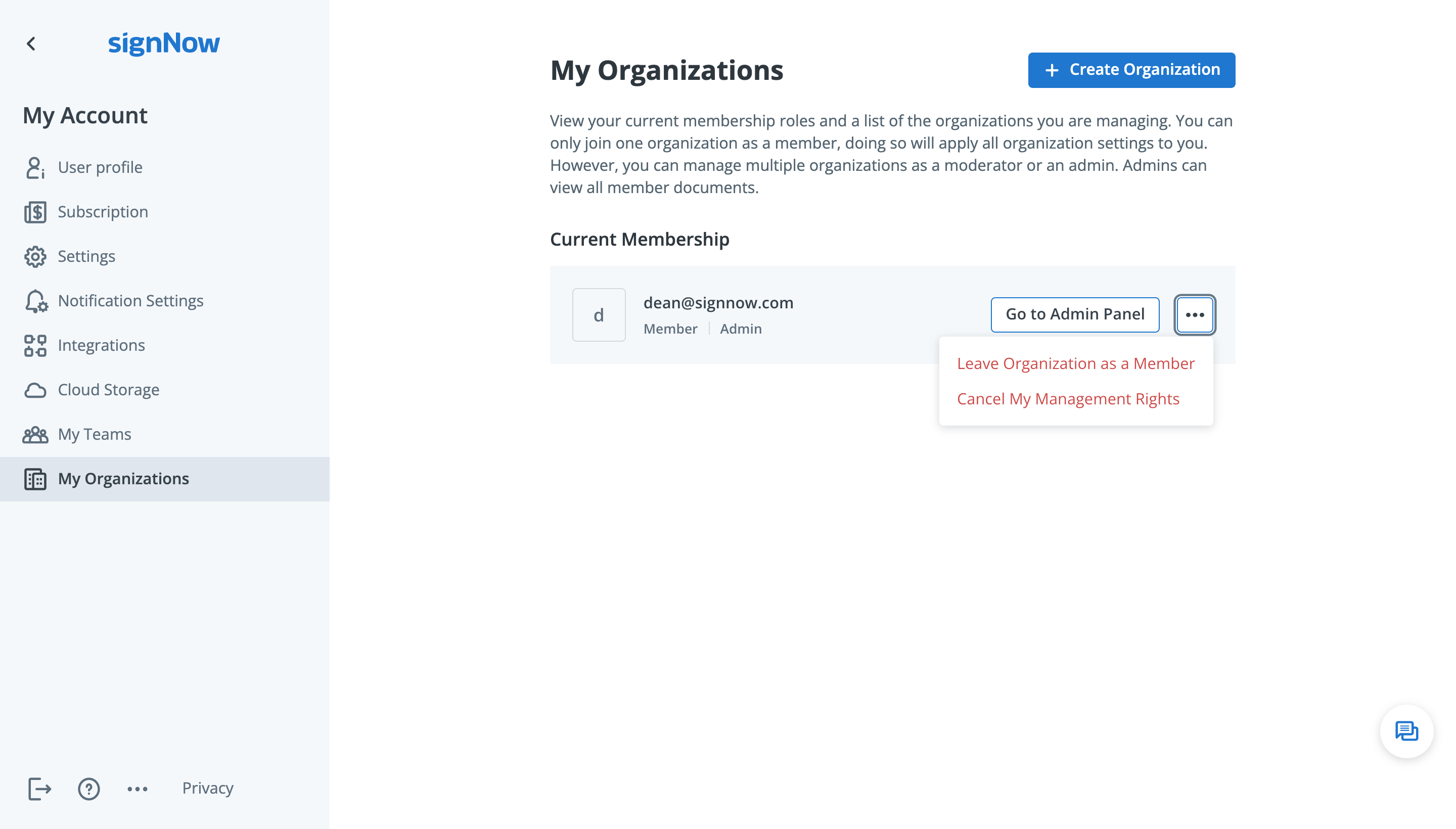
NOTE: You cannot cancel your management rights if you are the last and only Admin in your Organization. You need to assign the Admin role to another user before quitting. If this is not possible, contact our support team.











