Establishing secure connection… Loading editor… Preparing document…
Navigation

Fill and Sign the 10libraryaocjainstruc1 Form
Fill and Sign the 10libraryaocjainstruc1 Form

How it works

Open the document and fill out all its fields.
Apply your legally-binding eSignature.
Save and invite other recipients to sign it.

Rate template

4.4
60 votes
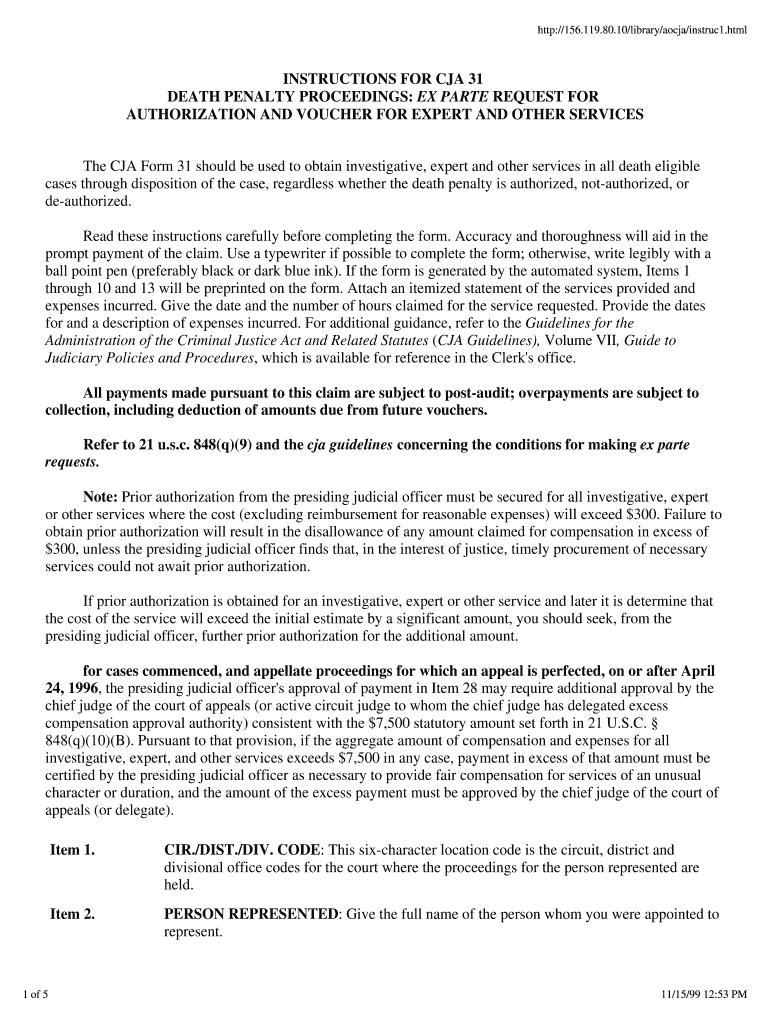
INSTRUCTIONS FOR CJA 31 DEATH PENALTY PROCEEDINGS: EX PARTE REQUEST FOR AUTHORIZATION AND VOUCHER FOR EXPERT AND OTHER SERVICES The CJA Form 31 should be used to obtain investigative, expert and other services in all death eligible cases through disposition of the case, regardless whether the death penalty is authorized, not-authorized, or de-authorized. Read these instructions carefully before completing the form. Accuracy and thoroughness will aid in the prompt payment of the claim. Use a typewriter if possible to complete the form; otherwise, write legibly with a ball point pen (preferably black or dark blue ink). If the form is generated by the automated system, Items 1 through 10 and 13 will be preprinted on the form. Attach an itemized statement of the services provided and expenses incurred. Give the date and the number of hours claimed for the service requested. Provide the dates for and a description of expenses incurred. For additional guidance, refer to the Guidelines for the Administration of the Criminal Justice Act and Related Statutes (CJA Guidelines), Volume VII, Guide to Judiciary Policies and Procedures, which is available for reference in the Clerk's office. All payments made pursuant to this claim are subject to post-audit; overpayments are subject to collection, including deduction of amounts due from future vouchers. Refer to 21 u.s.c. 848(q)(9) and the cja guidelines concerning the conditions for making ex parte requests. Note: Prior authorization from the presiding judicial officer must be secured for all investigative, expert or other services where the cost (excluding reimbursement for reasonable expenses) will exceed $300. Failure to obtain prior authorization will result in the disallowance of any amount claimed for compensation in excess of $300, unless the presiding judicial officer finds that, in the interest of justice, timely procurement of necessary services could not await prior authorization. If prior authorization is obtained for an investigative, expert or other service and later it is determine that the cost of the service will exceed the initial estimate by a significant amount, you should seek, from the presiding judicial officer, further prior authorization for the additional amount. for cases commenced, and appellate proceedings for which an appeal is perfected, on or after April 24, 1996, the presiding judicial officer's approval of payment in Item 28 may require additional approval by the chief judge of the court of appeals (or active circuit judge to whom the chief judge has delegated excess compensation approval authority) consistent with the $7,500 statutory amount set forth in 21 U.S.C. § 848(q)(10)(B). Pursuant to that provision, if the aggregate amount of compensation and expenses for all investigative, expert, and other services exceeds $7,500 in any case, payment in excess of that amount must be certified by the presiding judicial officer as necessary to provide fair compensation for services of an unusual character or duration, and the amount of the excess payment must be approved by the chief judge of the court of appeals (or delegate). Item 1.CIR./DIST./DIV. CODE: This six-character location code is the circuit, district and divisional office codes for the court where the proceedings for the person represented are held. Item 2.PERSON REPRESENTED: Give the full name of the person whom you were appointed to represent. 1 of 511/15/99 12:53 PM http://156.119.80.10/library/aocja/instruc1.html Items 3-6: DOCKET NUMBERS: Provide the case number assigned by the court. Enter the number using the last two digits of the calendar year (YY), the sequential number assigned by the court (NNNN), and the defendant number (DDD), as shown in the indictment or charging document. Thus, the format of the docket numbers is YY-NNNNN-DDD. If two or more cases are heard or tried together for the person represented, complete a separate voucher for each case in which services are provided (i.e., for each docket number listed). Prorate the total time among the cases. On the supporting documentation, cross reference all related claims for which costs are prorated. Item 7:IN CASE/MATTER OF (CASE NAME): In criminal cases, enter U.S. vs. Defendant's Name. If it is a multiple defendant case, give the case cite on the indictment (e.g., U.S. vs. Lead Defendant's Name, et al). If this is a habeas corpus proceeding, enter the Name of the Petitioner vs. the Name of the Respondent and include the respondent's title. Item 8.TYPE PERSON REPRESENTED: Check the box that defines the legal status of the person represented. Item 9. REPRESENTATION TYPE: Use the CJA Form 31 only if this is a death penalty representation. Check one of the following types of representation: D1 Habeas corpus (capital) petition pursuant to 28 U.S.C. § 2254, seeking to vacate or set aside a state death sentence; D2 Federal capital prosecution, either trial or direct appeal; D3 Habeas corpus (capital) petition pursuant to 28 U.S.C. § 2255, seeking to vacate or set aside a federal death sentence; or D4 Death penalty prosecution in federal court under a state statute or any authority other than the United States Code. Item 10. OFFENSE(S) CHARGED: If the case is a capital prosecution in federal court, cite the U.S. Code (title and section) or other code citation of all charges, up to five. List all death-eligible offenses first. If this is a direct appeal of a federal prosecution, list all offenses for which the defendant was convicted. Item 11.ATTORNEY'S STATEMENT, NAME AND MAILING ADDRESS: Check the appropriate box to indicate whether the request is for authorization to obtain services, or approval of services already provided. Include, for the services described in Item 12, the total estimated dollar amount for compensation and expenses. Estimate the cost of the services (including expenses) requested, and show the amount where required on the form. Note the basis for compensation (e.g., number of hours of work at hourly rate, number of days at daily rate, or a fixed dollar fee). This statement must be signed and dated by counsel for the person represented (or by the person proceeding pro se). Check the appropriate box to designate the attorney status as an attorney from a legal organization (bar association, legal aid agency, or community defender organization not receiving a periodic sustaining grant under the Criminal Justice Act (CJA), a CJA panel attorney, a retained attorney whose client is unable to afford the cost of the service requested, or a person who qualifies for representation under the CJA but has chosen to proceed pro se. Give the complete legal name, mailing address, and telephone number of the attorney appointed to represent the person whose name is shown in Item 2. Provide the mailing 2 of 511/15/99 12:53 PM http://156.119.80.10/library/aocja/instruc1.html address and telephone number of the attorney. For cases commenced, and appellate proceedings for which an appeal is perfected, on or after April 24, 1996, all totals for compensation and expenses authorized for investigative, expert, and other services will be included as a part of the statutory threshold. (Payments to counsel for representation is not a part of the statutory threshold.) The court may use this information to help determine whether advance approval should be obtained from the chief judge of the court of appeals (or delegate) in anticipation that the $7,500 amount for compensation and expenses for investigative, expert, and other services will be exceeded. If the estimated amount has been authorized already, in whole or in part, through a case budgeting process by the court (and by the chief judge of the court of appeals (or delegate) if applicable), attach the appropriate documentation to the first payment voucher submitted. Item 12:DESCRIPTION OF AND JUSTIFICATION FOR SERVICES: Briefly, describe the nature of the services requested and the reason services are necessary to provide adequate representation. Procedures for Requesting Psychiatric and Psychological Services. If this is a request for an examination by a psychiatrist or psychologist, state whether the purpose of the examination is to determine (1) the current mental state of the person represented, or (2) the mental state at the time of the person's alleged offense. Counsel may request authorization to obtain necessary psychiatric and related services when the purpose of an examination is to assist the defense and counsel wishes to control disclosure of the examination report (i.e., keep it confidential from the court and the prosecution) as well as to select the expert conducting the examination. If the examination is ordered pursuant to a statute, cite the statute (U.S. Code, title and section). See paragraph 3.11 of the CJA Guidelines and accompanying chart, "Responsibility for Payment of Psychiatric and Related Expert Services." In habeas corpus proceedings, payment of fees and expenses of psychiatric examinations for purposes other than representation of the petitioner is not paid from Defender Services funds, but is determined by the rules governing section 2254 cases in the united states district courts and rules governing 2255 cases in the united states courts. In order to avoid confusion and possible delays in payment, the order authorizing the services to be obtained should specify the statutory authority and the agency responsible for payment. Item 13:TYPE OF SERVICE PROVIDER: Check the box that identifies the type of service provider requested. If you check the box "Other," be sure to specify the type of service or service provider. If computer assisted legal research (CALR) is checked, refer to paragraph 3.15 of the CJA Guidelines for an explanation of the criteria and procedures for approval of CALR as a necessary service under CJA. Item 14:COURT ORDER: This court order must be signed and dated by the presiding judicial officer. An additional court order is not necessary except for certain psychiatric and psychological examinations as explained in the instructions for Item 12, or to authorize payment for services exceeding $300 when prior authorization was not obtained (see Item 23). Indicate whether full or partial repayment was ordered by the court from the person represented by checking "Yes" or "No." Item 15. STAGE OF PROCEEDING: Check the box that corresponds to the stage of proceeding for services claimed in Item 16 even if it is anticipated that the work will be used in 3 of 511/15/99 12:53 PM http://156.119.80.10/library/aocja/instruc1.html connection with a later stage of the proceeding. CHECK ONLY ONE BOX. Submit a separate voucher for each stage of proceeding. The stage noted as "Other" under "Other Proceeding" should be used only for a petition for presidential pardon or clemency, or other proceeding that does not relate to the other described categories. Item 16.CLAIM FOR SERVICES AND EXPENSES: COMPENSATION (Item 16a): Enter the total amount claimed for professional services rendered. On an attachment to the voucher, describe in detail the services provided, including dates of service and the amount of time spent (in hours and tenths of hours). State the basis for the fee claimed (e.g., hourly rate, daily rate, fixed fee). TRAVEL EXPENSES (Item 16b): Travel related expenses that are incidental to providing services (e.g., transportation, lodging, meals, car rental, parking, etc.) must be itemized on a separate sheet, indicating dates the expense was incurred. Attach supporting documentation (receipts, canceled checks, etc.) for travel expenses. Travel expenses by privately owned automobile, motorcycle or aircraft, should be claimed at the rate in effect for federal employees at the time of travel. Tor overnight travel, reasonable expenses for lodging and meals will be reimbursed on an actual expense basis; per diem is not allowed. Service providers are limited to the travel and subsistence expenses of federal employees. The clerk of court can advise you of applicable rates and federal government travel regulations. OTHER EXPENSES (Item 16c): Itemize all reimbursable out-of-pocket expenses incurred incidental to services provided. Enter the total claimed where required on the form. Submit supporting documentation (receipts, canceled checks, paid invoices, etc.) for all single item expenses in excess of $50. Do not include general office overhead (e.g., rent, telephone services, secretarial services) as reimbursable expenses. Fees and expenses for consultants in death penalty cases should be claimed on this form. The columns under "FOR COURT USE ONLY" will reflect any mathematical and technical adjustments to the claim during the judicial approval process or changes during a required additional review of the chief judge of the court of appeals (or delegate). Item 17.PAYEE'S NAME AND MAILING ADDRESS, CLAIMANT'S CERTIFICATION OF SERVICE PERIOD AND CLAIM STATUS: Provide the complete name and address of the person to be paid (claimant). The claimant must certify the dates covered by indicating the date range for services rendered. Check the box to indicate whether this is (1) a final payment for services, (2) an interim payment, or (3) a supplemental payment (an additional claim submitted after a final payment). If this is an interim payment, indicate the interim payment number. The claimant or payee must sign and date the payment certification statement prior to submitting the claim to the attorney for certification that the services were rendered and received. Provide the Taxpayer Identification Number (TIN) to report these earnings to the Internal Revenue Service (IRS). Item 18.CERTIFICATION OF ATTORNEY: This section must be completed by the attorney appointed to provide representation, a retained attorney whose client is unable to afford cost of the services requested, or by a person proceeding pro se under the CJA. Items 19-22.APPROVED FOR PAYMENT -- COURT'S USE ONLY: The presiding judicial officer must review for reasonableness and compliance with the CJA Guidelines every claim for compensation and any reimbursement for expenses incurred. After review, the judicial officer will indicate the amount approved for payment in each of the payment categories. 4 of 511/15/99 12:53 PM http://156.119.80.10/library/aocja/instruc1.html These amounts will reflect any mathematical and technical adjustments made to the claim. The "TOTAL AMOUNT APPROVED/CERTIFIED" (Item 22) is the amount approved for payment of the claim, less any amounts withheld in accordance with an interim payment order. If the amount exceeds the statutory threshold, including expenses, the presiding judicial officer certifies the excess compensation for payment approval of the chief judge of the court of appeals (or delegate), by circling the word "certified" and indicating the amount approved in Item 22). Item 23. SIGNATURE OF THE PRESIDING JUDICIAL OFFICER: The presiding judicial officer must check the appropriate box to indicate (1) either the cost, excluding expenses, does not exceed $300, or prior authorization was obtained; or (2) in the interest of justice, the court finds that timely procurement of the services could not await prior authorization, even though the cost, excluding expenses, exceeds $300. The presiding judicial officer will sign and date Item 23, indicating approval/certification of the amount in Item 22. The court will provide the JUDGE CODE. Items 24-27.PAYMENT APPROVED IN EXCESS OF THE STATUTORY THRESHOLD: The chief judge of the court of appeals (or delegate) will indicate the amount approved for payment in each of the payment categories (Items 24 -26). This amount will reflect any adjustments of your claim resulting from the additional review of claims by the chief judge (or delegate) for amounts that exceed the statutory threshold for the payment category of the case. The chief judge (or delegate) will sign and date Item 28 for the total amount approved and entered in Item 27. The JUDGE CODE of the chief judge (or delegate) approving the excess compensation will be provided by the court staff. Item 28. FOR CASES COMMENCED, AND APPELLATE PROCEEDINGS FOR WHICH AN APPEAL IS PERFECTED, ON OR AFTER APRIL 24, 1996. The presiding judicial officer should sign and date Item 28, indicating, in paragraph A of Item 28, the total amount paid for compensation and expenses for investigative, expert and other service providers on behalf of the person represented in this case, and that payment in excess of the statutory threshold is approved. Complete Item 28 only for cases commenced, and appellate proceedings for which an appeal is perfected, on or after April 24, 1996. If the amount approved for compensation and expenses for investigative, expert, and other services on behalf of the person represented in a case is less than or equal to $7,500, the claim will be forwarded to the clerk of court for processing for payment. Upon preliminary approval of a claim in excess of $7,500 (including other claims for investigative, expert, and other services on behalf of the person represented), the presiding judicial officer will (1) signify approval of the excess amount under 21 U.S.C. § 848(q)(10)(B) by circling "Certification" in Item 22. If the chief judge (or delegate) approves the excess amount, the judge will enter the amount approved for payment in Item 27, sign and date Item 28. If approval is not granted, the claim will be returned to the presiding judicial officer for appropriate action. 5 of 511/15/99 12:53 PM http://156.119.80.10/library/aocja/instruc1.html

Useful suggestions for finishing your ‘10libraryaocjainstruc1’ online

Are you fed up with the inconvenience of managing paperwork? Look no further than airSlate SignNow, the ultimate eSignature platform for individuals and small to medium-sized businesses. Bid farewell to the cumbersome routine of printing and scanning documents. With airSlate SignNow, you can easily complete and sign documents online. Take advantage of the extensive functionalities available in this user-friendly and economical platform and transform your method of document management. Whether you need to authorize forms or collect signatures, airSlate SignNow manages everything with ease, requiring just a few clicks.

Follow this detailed guide:

  1. Sign in to your account or sign up for a free trial with our service.
  2. Click +Create to upload a file from your device, cloud storage, or our template library.
  3. Open your ‘10libraryaocjainstruc1’ in the editor.
  4. Click Me (Fill Out Now) to prepare the document on your end.
  5. Add and designate fillable fields for others (if necessary).
  6. Continue with the Send Invite settings to request eSignatures from others.
  7. Save, print your copy, or convert it into a reusable template.

Don’t fret if you need to work with others on your 10libraryaocjainstruc1 or send it for notarization—our solution offers everything you need to accomplish such tasks. Register with airSlate SignNow today and enhance your document management to new levels!

Here is a list of the most common customer questions. If you can’t find an answer to your question, please don’t hesitate to reach out to us.

Need help? Contact Support
10libraryaocjainstruc1 login
10libraryaocjainstruc1 review

The best way to complete and sign your 10libraryaocjainstruc1 form

Save time on document management with airSlate SignNow and get your 10libraryaocjainstruc1 form eSigned quickly from anywhere with our fully compliant eSignature tool.

How to Sign a PDF Online How to Sign a PDF Online

How to fill out and sign documents online

In the past, coping with paperwork required pretty much time and effort. But with airSlate SignNow, document management is quick and simple. Our robust and easy-to-use eSignature solution enables you to effortlessly fill out and eSign your 10libraryaocjainstruc1 form online from any internet-connected device.

Follow the step-by-step guidelines to eSign your 10libraryaocjainstruc1 form template online:

  • 1.Sign up for a free trial with airSlate SignNow or log in to your account with password credentials or SSO authorization option.
  • 2.Click Upload or Create and import a file for eSigning from your device, the cloud, or our form library.
  • 3.Click on the file name to open it in the editor and utilize the left-side toolbar to complete all the blank areas properly.
  • 4.Place the My Signature field where you need to eSign your sample. Provide your name, draw, or upload a picture of your handwritten signature.
  • 5.Click Save and Close to finish modifying your completed form.

As soon as your 10libraryaocjainstruc1 form template is ready, download it to your device, save it to the cloud, or invite other parties to eSign it. With airSlate SignNow, the eSigning process only requires a few clicks. Use our robust eSignature tool wherever you are to handle your paperwork productively!

How to Sign a PDF Using Google Chrome How to Sign a PDF Using Google Chrome

How to complete and sign documents in Google Chrome

Completing and signing documents is easy with the airSlate SignNow extension for Google Chrome. Installing it to your browser is a quick and effective way to deal with your paperwork online. Sign your 10libraryaocjainstruc1 form sample with a legally-binding electronic signature in just a few clicks without switching between tools and tabs.

Follow the step-by-step guidelines to eSign your 10libraryaocjainstruc1 form in Google Chrome:

  • 1.Navigate to the Chrome Web Store, search for the airSlate SignNow extension for Chrome, and install it to your browser.
  • 2.Right-click on the link to a form you need to sign and choose Open in airSlate SignNow.
  • 3.Log in to your account using your credentials or Google/Facebook sign-in buttons. If you don’t have one, sign up for a free trial.
  • 4.Use the Edit & Sign toolbar on the left to fill out your template, then drag and drop the My Signature option.
  • 5.Add an image of your handwritten signature, draw it, or simply enter your full name to eSign.
  • 6.Verify all information is correct and click Save and Close to finish modifying your paperwork.

Now, you can save your 10libraryaocjainstruc1 form template to your device or cloud storage, send the copy to other individuals, or invite them to eSign your form via an email request or a protected Signing Link. The airSlate SignNow extension for Google Chrome enhances your document workflows with minimum effort and time. Start using airSlate SignNow today!

How to Sign a PDF in Gmail How to Sign a PDF in Gmail How to Sign a PDF in Gmail

How to complete and sign documents in Gmail

Every time you receive an email containing the 10libraryaocjainstruc1 form for signing, there’s no need to print and scan a file or download and re-upload it to another tool. There’s a much better solution if you use Gmail. Try the airSlate SignNow add-on to quickly eSign any paperwork right from your inbox.

Follow the step-by-step guide to eSign your 10libraryaocjainstruc1 form in Gmail:

  • 1.Go to the Google Workplace Marketplace and locate a airSlate SignNow add-on for Gmail.
  • 2.Install the tool with a corresponding button and grant the tool access to your Google account.
  • 3.Open an email with an attachment that needs approval and use the S sign on the right sidebar to launch the add-on.
  • 4.Log in to your airSlate SignNow account. Opt for Send to Sign to forward the file to other parties for approval or click Upload to open it in the editor.
  • 5.Drop the My Signature option where you need to eSign: type, draw, or upload your signature.

This eSigning process saves time and only takes a few clicks. Utilize the airSlate SignNow add-on for Gmail to update your 10libraryaocjainstruc1 form with fillable fields, sign paperwork legally, and invite other parties to eSign them al without leaving your inbox. Enhance your signature workflows now!

How to Sign a PDF on a Mobile Device How to Sign a PDF on a Mobile Device How to Sign a PDF on a Mobile Device

How to complete and sign forms in a mobile browser

Need to rapidly complete and sign your 10libraryaocjainstruc1 form on a smartphone while working on the go? airSlate SignNow can help without the need to set up extra software programs. Open our airSlate SignNow tool from any browser on your mobile device and add legally-binding electronic signatures on the go, 24/7.

Follow the step-by-step guidelines to eSign your 10libraryaocjainstruc1 form in a browser:

  • 1.Open any browser on your device and go to the www.signnow.com
  • 2.Create an account with a free trial or log in with your password credentials or SSO authentication.
  • 3.Click Upload or Create and pick a file that needs to be completed from a cloud, your device, or our form library with ready-made templates.
  • 4.Open the form and complete the empty fields with tools from Edit & Sign menu on the left.
  • 5.Add the My Signature field to the sample, then type in your name, draw, or upload your signature.

In a few easy clicks, your 10libraryaocjainstruc1 form is completed from wherever you are. As soon as you're done with editing, you can save the document on your device, create a reusable template for it, email it to other people, or ask them to electronically sign it. Make your documents on the go quick and effective with airSlate SignNow!


How to Sign a PDF on iPhone How to Sign a PDF on iPhone

How to complete and sign paperwork on iOS

In today’s business world, tasks must be accomplished quickly even when you’re away from your computer. With the airSlate SignNow app, you can organize your paperwork and sign your 10libraryaocjainstruc1 form with a legally-binding eSignature right on your iPhone or iPad. Set it up on your device to conclude contracts and manage documents from anywhere 24/7.

Follow the step-by-step guidelines to eSign your 10libraryaocjainstruc1 form on iOS devices:

  • 1.Open the App Store, find the airSlate SignNow app by airSlate, and install it on your device.
  • 2.Launch the application, tap Create to import a form, and select Myself.
  • 3.Opt for Signature at the bottom toolbar and simply draw your signature with a finger or stylus to eSign the form.
  • 4.Tap Done -> Save after signing the sample.
  • 5.Tap Save or utilize the Make Template option to re-use this paperwork later on.

This method is so straightforward your 10libraryaocjainstruc1 form is completed and signed within a few taps. The airSlate SignNow application works in the cloud so all the forms on your mobile device are kept in your account and are available whenever you need them. Use airSlate SignNow for iOS to boost your document management and eSignature workflows!


How to Sign a PDF on Android How to Sign a PDF on Android

How to complete and sign forms on Android

With airSlate SignNow, it’s easy to sign your 10libraryaocjainstruc1 form on the go. Install its mobile app for Android OS on your device and start improving eSignature workflows right on your smartphone or tablet.

Follow the step-by-step guidelines to eSign your 10libraryaocjainstruc1 form on Android:

  • 1.Open Google Play, search for the airSlate SignNow app from airSlate, and install it on your device.
  • 2.Sign in to your account or create it with a free trial, then import a file with a ➕ option on the bottom of you screen.
  • 3.Tap on the imported document and choose Open in Editor from the dropdown menu.
  • 4.Tap on Tools tab -> Signature, then draw or type your name to eSign the form. Complete blank fields with other tools on the bottom if necessary.
  • 5.Use the ✔ button, then tap on the Save option to end up with editing.

With an easy-to-use interface and full compliance with primary eSignature requirements, the airSlate SignNow app is the best tool for signing your 10libraryaocjainstruc1 form. It even works offline and updates all record adjustments once your internet connection is restored and the tool is synced. Complete and eSign forms, send them for eSigning, and create re-usable templates anytime and from anywhere with airSlate SignNow.

Sign up and try 10libraryaocjainstruc1 form
  • Close deals faster
  • Improve productivity
  • Delight customers
  • Increase revenue
  • Save time & money
  • Reduce payment cycles







