Establishing secure connection…Loading editor…Preparing document…

Ad Litem Guardianship

This template is fully customizable. Edit the text, fill out the fields, and send it for signature. Give it a try!
Ad Litem Guardianship

What an Ad Litem Guardianship Is and When it's Used

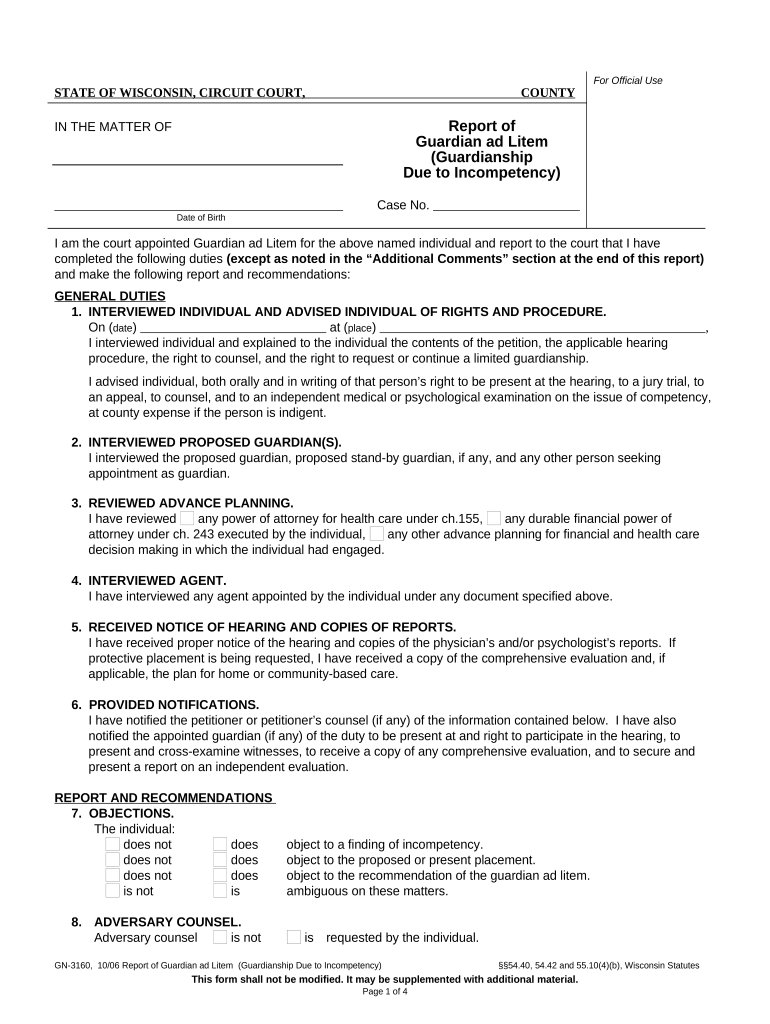
An Ad Litem Guardianship is a court-managed appointment assigning a person or entity to represent the best interests of a minor or incapacitated adult during legal proceedings. The guardian ad litem investigates the subject's circumstances, gathers evidence, makes recommendations to the court, and, where permitted, may make specified decisions for the ward. Courts use this appointment in custody disputes, probate, abuse or neglect proceedings, and complex civil litigation to ensure the subject's rights and welfare are protected while litigation or guardianship determinations proceed.

Why an Ad Litem Guardianship Matters

An Ad Litem Guardianship gives the court an independent advocate focused on the ward’s safety and legal interests, improves fact-finding in contested cases, and provides the judge with an informed recommendation for disposition or ongoing care.

Why an Ad Litem Guardianship Matters

Who Typically Requests or Completes This Form

Guardians ad litem are usually appointed by family, juvenile, probate, or civil courts; petitions can be filed by parties, attorneys, or social services agencies.

  • Court-appointed attorneys or volunteer guardians who represent the ward in hearings and investigations.
  • Family members or petitioners seeking protective orders, custody determinations, or temporary guardianship.
  • Social services, child welfare agencies, or healthcare providers involved in abuse, neglect, or incapacity matters.

The appointment source and responsibilities vary by jurisdiction; parties should confirm local court rules before filing or serving paperwork.

Primary Signers and Their Roles

Petitioner

The individual or agency filing the petition. Typically provides factual allegations, contact information, and requests for the court to appoint an ad litem.

Guardian Ad Litem

The appointed representative who accepts court appointment, conducts an independent inquiry, files reports, and attends hearings on behalf of the ward.

Essential Compliance and Security Notes

Encryption: TLS 1.2/1.3 in transit; AES-256 at rest
Audit Trail: Comprehensive timestamps and signer IP data
HIPAA: HIPAA compliant with BAA available
ESIGN / UETA: E-signatures enforceable under ESIGN/UETA
21 CFR: Supports 21 CFR Part 11 controls where required
Accessibility: WCAG 2.0 Level AA compatible interfaces

Consequences of Filing Errors or Missing Steps

Rejected Filing: Court may return incomplete petitions
Delay in Proceedings: Hearing dates can be postponed
Sanctions: Court may impose evidentiary or procedural sanctions
Loss of Standing: Improper service can void appointment
Privacy Violations: Unauthorized disclosures risk HIPAA breach
Invalid Signature: Unsigned or improperly notarized forms may be invalid

Common Pitfalls to Avoid

  • Failing to confirm local court form version and filing rules.
  • Using inconsistent names or dates across documents and records.
  • Skipping required notarization or witness steps where mandated.
  • Not preserving confidentiality for health or juvenile records.

Step-by-Step: Completing an Ad Litem Guardianship Petition

Follow this sequence to prepare a court-ready petition and related filings; verify local court formatting and signature rules before submission.

  • 01
    Gather details: Collect ward demographics, reasons for appointment, and relevant incident dates.
  • 02
    Complete petition: Fill petitioner, respondent, and ward sections with exact legal names.
  • 03
    Attach evidence: Include reports, medical records, and service memos that support the petition.
  • 04
    Sign and notarize: Sign in presence of required witnesses or use permitted notarization method.

Typical Court Process After Filing

After the petition is filed, the court schedules a hearing, may appoint an ad litem, and requires notices, reports, and potential status updates.

  • Filing: Petitioner files petition and pays applicable fees.
  • Appointment: Court appoints ad litem and issues scope of duties.
  • Investigation: Ad litem interviews parties and collects records.
  • Hearing: Ad litem submits report and testifies as required.

Core Components of a Professional Ad Litem Guardianship Packet

A complete packet includes the petition, supporting declarations, orders, service proof, signed consents, and reporting templates so the court and parties have a consistent record.

Petition Form

A court-compliant petition that identifies the petitioner, ward, respondents, factual grounds, and the specific relief requested; use the court's required format and attach required civil cover sheets if applicable.
Affidavit/Declaration

A sworn statement detailing facts supporting appointment, prior interventions, and the petitioner's relationship to the ward; include dates, locations, and witnesses where relevant for credibility.

Medical / Social Reports

Redacted or full records demonstrating incapacity or risk, including physician notes, social worker assessments, and incident reports; mark confidential materials per court rules and HIPAA guidance.

Proposed Order

A draft order for the judge specifying the ad litem's scope, reporting deadlines, and temporary authorities if needed; ensure language aligns with local probate or family code.

Proof of Service

Signed certificates attesting to how and when parties were served, including personal service or mailed notice details, to satisfy due process and avoid later challenges.

Reporting Template

A standardized report form for the ad litem that captures observations, interviews, recommendations, and exhibits; facilitates timely court review and consistent recordkeeping.

Configuring an Online Completion and Submission Workflow

Set up a digital workflow that collects signatures, secures attachments, and generates court-ready PDFs matching local filing rules.

Document Template Use a verified court form template and lock formatting before sending.
Signer Order Define who signs first to ensure correct notarization and witness sequencing.
Authentication Choose email verification or SMS code per court acceptance rules.
Attachments Require PDFs for medical records and set size limits to avoid upload errors.
Retention Set automatic retention period and export policy for court recordkeeping.

Digital Signing and Submission Considerations

Many courts accept electronically signed documents if they meet ESIGN/UETA requirements and local e-filing rules.

  • File Formats: PDF and DOCX accepted in most e-filing systems
  • Integrations: Connectors for case management and cloud storage
  • Authentication: Email, SMS codes, or advanced verification

Confirm the court’s e-filing and notarization guidance before electronic submission; maintain audit trails and copies for counsel and parties.

Typical Deadlines and Timing Expectations

Timelines vary by court; the items below reflect common mandatory or recommended timings to track during a guardianship matter.

Initial Filing:

File petition as soon as facts supporting appointment are documented.

Service of Parties:

Serve respondents per local rules prior to the initial hearing.

Temporary Orders:

Temporary guardianship may be hearing-ready within days to weeks depending on urgency.

Final Hearing:

Usually scheduled 2–8 weeks after initial filing, depending on court calendar.

Annual Reports:

Most courts require guardian progress reports annually or on a schedule set by the judge.

eSignature Vendor Comparison for Filing and Signing Needs

Basic pricing and capabilities for commonly used eSignature vendors; verify vendor websites or sales teams for plan details and enterprise terms.

signNow DocuSign Adobe Sign PandaDoc HelloSign
Starting Price $8/user/mo $15/user/mo $14/user/mo $19/user/mo $15/user/mo
Free Trial 7-day free trial, no card Varies by vendor Varies by vendor Varies by vendor Varies by vendor
Bulk Send Yes Yes Yes Yes No
Audit Trail Yes Yes Yes Yes Yes
HIPAA Compliant Yes Yes Yes No No

Realistic Use Scenarios

Two representative scenarios illustrate how an ad litem guardianship is typically used and processed in court settings.

Family Custody Dispute

A parent files alleging neglect and requests an ad litem investigation

  • The ad litem interviews caregivers and teachers to assess safety
  • The court uses the ad litem report to set custody orders and monitoring conditions for the child.

Incapacity in Probate

Adult family members petition after medical providers document cognitive decline

  • The court appoints an ad litem to review medical evidence and living arrangements
  • The ad litem recommends limited financial oversight and periodic reviews to protect the ward’s assets and welfare.

Accuracy and Efficiency Tips for Petition Preparation

Adopt consistent procedures to reduce rejection risk and speed adjudication of guardianship matters.

Use Official Court Forms
Always use the court’s latest form version and formatting; courts frequently update required language and headings, and using an older version risks rejection or need for re-filing.
Confirm Service Requirements
Verify whether personal service, certified mail, or publication is required for respondents, and include proof of service documents to maintain procedural compliance and avoid delays.
Maintain Confidentiality
Redact sensitive health or juvenile information when public filing is required; submit sealed exhibits or use sealed filing options per local court rules to protect privacy.
Document Chain of Custody
Keep clear records of how evidence, medical records, and investigative notes were collected and transmitted to preserve admissibility and support the ad litem’s findings in court.

Frequently Asked Questions About Ad Litem Guardianship

Answers to common questions about appointment, signing, filing, and post-appointment responsibilities for guardians ad litem and petitioners.


Need help? Contact support

be ready to get more
Join over 28 million airSlate SignNow users