Establishing secure connection…Loading editor…Preparing document…

Addendum Lease

This template is fully customizable. Edit the text, fill out the fields, and send it for signature. Give it a try!
Addendum Lease

What an Addendum Lease Is and when it’s used

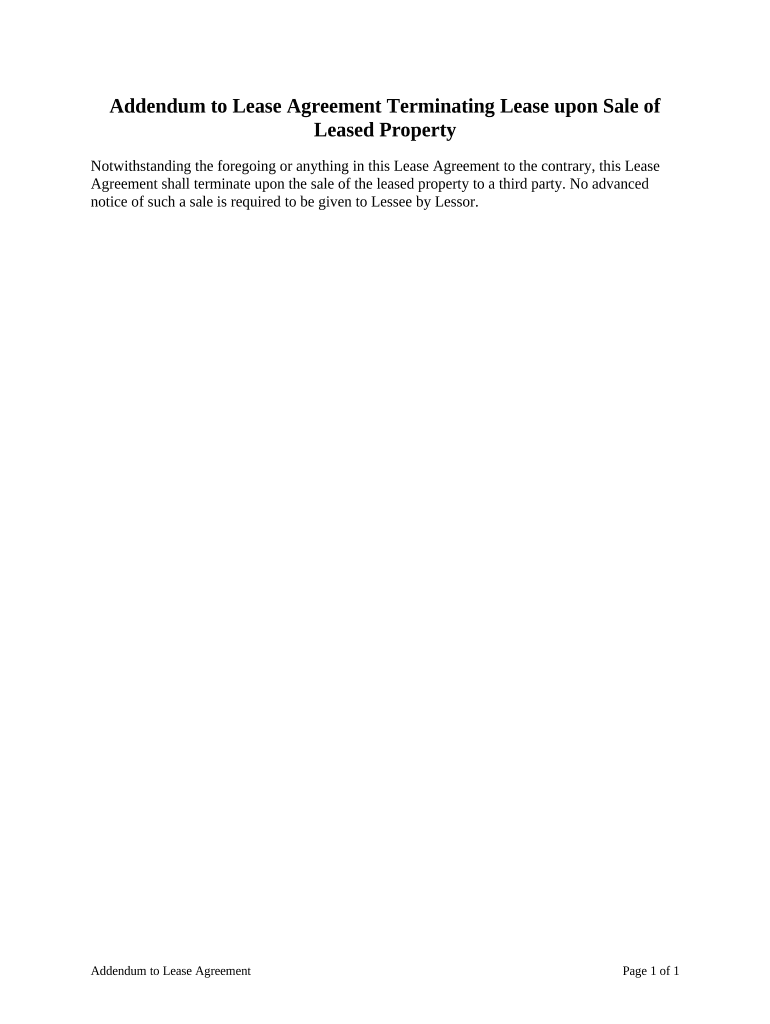
An Addendum Lease is a short written amendment attached to an existing lease that modifies, clarifies, or supplements one or more terms of the original agreement without replacing it. Common uses include changing the lease term, modifying rent or utilities, adding pet or parking rules, or documenting mutually agreed repairs. The addendum should reference the original lease date and parties, describe the change in plain language, and be signed by the same parties who executed the original lease to ensure enforceability under the contract.

Why landlords and tenants use an Addendum Lease

An addendum provides a focused, legally binding way to alter specific lease terms without redrafting the full agreement. It keeps the original lease intact while creating a clear written record of the change.

Why landlords and tenants use an Addendum Lease

Who commonly prepares and signs an Addendum Lease

Landlords, property managers, tenants, and sometimes co-signers or guarantors typically prepare or sign addenda to document agreed changes.

  • Individual landlords adjusting a single clause for one rental unit.
  • Property management teams executing standard addenda across multiple leases.
  • Tenants requesting documented permission for pets, subletting, or alterations.

The same parties who signed the original lease should sign the addendum; additional signatures (guarantor, co-tenant) may be required when those parties’ obligations change.

Typical roles that complete or approve an Addendum Lease

Property Manager

A property manager prepares addenda to align tenant files with building policy changes, documents approvals for modifications, and ensures signatures are obtained and retained for audit and compliance purposes.

Tenant Representative

A tenant or tenant representative requests and signs addenda to record agreed exceptions or additions, such as pet consent or altered move-out dates, protecting both tenant rights and landlord expectations.

Security, privacy, and compliance considerations

Encryption: TLS 1.2/1.3 in transit, AES-256 at rest.
Audit Trail: Timestamps, IP, and action history retained.
HIPAA Support: BAA available where required.
Access Controls: Role-based permissions and user management.
Authentication: Email, SMS, or advanced signer verification.
Retention: Secure storage with exportable audit records.

Key legal risks of an incorrect or incomplete addendum

Invalid Amendment: May be unenforceable if not signed by proper parties.
Lease Conflict: Contradictions may lead to ambiguous enforcement.
Delay in Remedies: Missing or late addenda can postpone dispute resolution.
Tax/Reporting: Rent adjustments may affect tax reporting obligations.
Notarization Failure: Improper notarization may nullify certain acknowledgements.
Security Breach: Poor handling of signed copies risks PHI or PII exposure.

Common mistakes to avoid when preparing an Addendum Lease

  • Leaving references vague—failing to identify the original lease by date and parties creates ambiguity about what is being amended.
  • Using inconsistent terminology—changing terms used in the original lease can create conflicts and interpretations disputes later.
  • Skipping required signatures—omitting a guarantor or co-tenant signature when obligations change can void enforcement against that party.
  • Failing to track versions—not labeling addendum versions or retaining signed copies complicates audits and dispute resolution.

Step-by-step: how to complete an Addendum Lease

Follow a clear sequence: identify the original lease, specify the exact amendment, collect signatures, and distribute copies to all parties.

  • 01
    Reference Original: List lease date, parties, and original property description.
  • 02
    Describe Change: State the modified term or clause in plain language.
  • 03
    Signatures: Obtain signatures and dates from all affected parties.
  • 04
    Distribute Copies: Provide executed copies to landlord, tenant, and file.

How a digital addendum workflow typically runs

Digital completion follows a prepare→sign→store flow that preserves the paper trail and shortens turnaround time.

  • Prepare Document: Upload lease, attach addendum template, and set fields.
  • Place Fields: Add signature, initial, date, and optional conditional fields.
  • Sign Remotely: Send to signers with chosen authentication method.
  • Store Securely: Save executed copy and audit trail in records.

Essential elements to include in a professional Addendum Lease

A complete addendum contains identification, a clear statement of change, effective dates, signatures, and any necessary exhibits or attachments to avoid later disputes.

Reference Clause

Cite the original lease by date and parties and explicitly state the addendum amends that agreement so readers can confirm scope and avoid conflicting interpretations.
Modification Language

Precisely describe the amended clause, using the same section headings or numbering from the original lease to reduce ambiguity and make the change legally traceable.

Effective Date

Specify the date the amendment takes effect and whether it applies retroactively, so rights and obligations are time-bound and measurable for notices or rent adjustments.

Consideration

If rent, fees, or deposits change, state the exact dollar amounts, payment schedule, and any proration method to prevent later accounting disputes.

Exhibits and Attachments

Attach floor plans, repair scopes, or parking assignments as labeled exhibits and reference them in the addendum text to make them part of the agreement.

Execution Block

Provide signature lines, printed names, titles where applicable, and date lines for each party including guarantors, and include witness or notary sections if required.

Practical tips for clear, enforceable addenda

Small drafting choices reduce disputes and speed processing. Follow plain language, document dates and versions, and confirm all signers’ identities.

Use Plain Language
Avoid legalese and cross-reference the exact clause number from the original lease; clear wording lowers the chance of differing interpretations during disputes or enforcement.
Keep Changes Narrow
Limit each addendum to a focused set of changes to prevent accidental replacement of unrelated lease terms and to simplify signature capture and audit trails.
Record Versions
Assign a version number or title and date to every addendum; maintain an indexed file with the original lease and all executed addenda for quick retrieval.
Verify Name Accuracy
Ensure party names match the original lease and ID documents; mismatched names can create enforceability problems and complicate garnishments or legal notices.

Timing and deadlines to watch when issuing an addendum

Certain timing considerations affect enforceability and notice requirements; plan signings and deliveries to respect statutory and contractual notice periods.

Effective Date:

Specify MM/DD/YYYY; determines when obligations change.

Delivery to Parties:

Deliver executed copies promptly per lease notice provisions.

Notice Periods:

Comply with any tenant notice windows for rent increases or policy changes.

Recording (if applicable):

Record only where lease provisions require or local law dictates.

Retention Start:

Begin retention from execution date for compliance timelines.

Recommended digital workflow settings for addenda

Configure a repeatable workflow that standardizes fields, signer order, authentication, and storage to accelerate execution and ensure compliance.

Field Configuration
Authentication Email or SMS code; use stronger ID for sensitive changes
Templates Store standardized addendum templates for reuse
Notifications Automatic reminders and completion alerts to parties
Storage Secure cloud archive with audit trail export capability

Technical needs for secure electronic addenda

Choose a platform that supports required integrations, file formats, and signer authentication methods for your workflow.

  • Integrations: Salesforce, NetSuite, Microsoft 365 integrations supported
  • File Formats: PDF, DOCX, and HTML accepted
  • Mobile Access: Desktop and mobile signing supported

Selected eSignature vendor comparison for executing Addendum Leases

Comparison focuses on starting price, trial availability, bulk send, audit trail, HIPAA support, and envelope or usage caps; signNow is listed first as the primary reference.

signNow DocuSign Adobe Sign PandaDoc HelloSign
Starting Price $8/user/mo $15/user/mo $14/user/mo $19/user/mo $15/user/mo
Free Trial 7-day free trial Varies by plan Varies by plan Varies by plan Varies by plan
Bulk Send Yes Yes Yes Yes No
Audit Trail Yes Yes Yes Yes Yes
HIPAA Compliant Yes Yes Yes No No
Envelope Cap No cap 100 envs/user/yr Varies by plan Varies by plan Varies by plan

Frequently asked questions about Addendum Leases

Answers below address common execution, enforceability, notarization, and electronic signature questions for addenda to leases.


Need help? Contact support

be ready to get more
Join over 28 million airSlate SignNow users