Establishing secure connection…Loading editor…Preparing document…

Representation Agreement

This template is fully customizable. Edit the text, fill out the fields, and send it for signature. Give it a try!
Representation Agreement

What a Representation Agreement Is and When It Applies

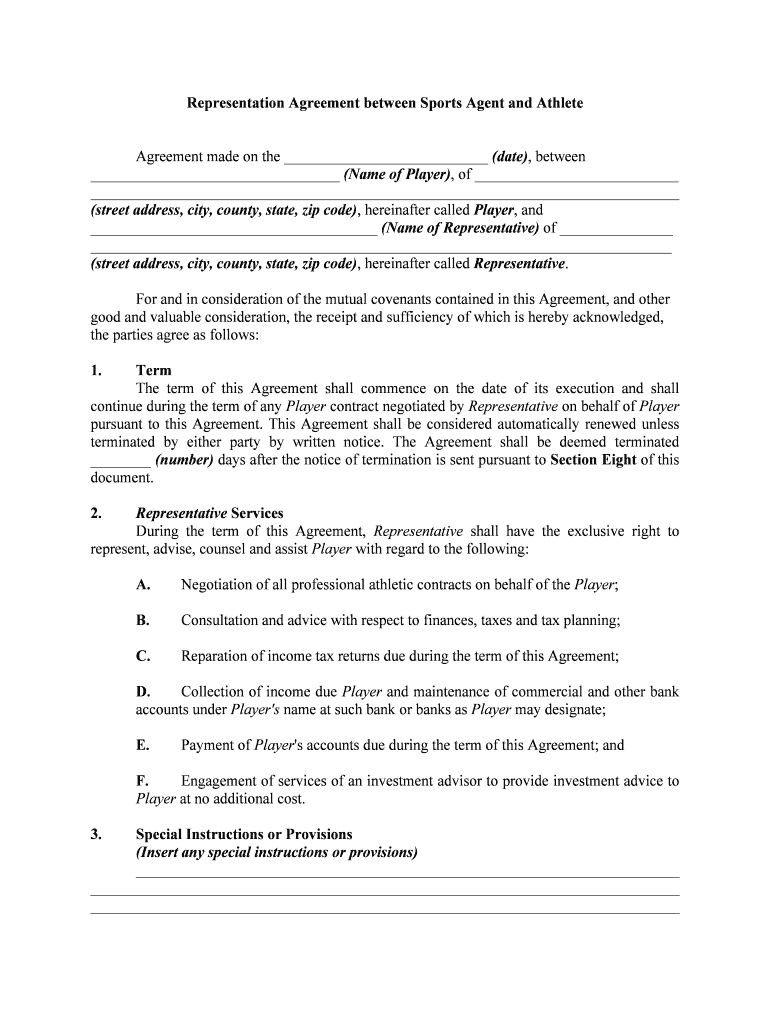
A Representation Agreement is a written contract in which one party (the principal or client) engages another party (the representative or agent) to act on their behalf in defined matters, such as legal representation, business negotiations, or agency transactions. The document specifies the scope of authority, duties, term, compensation, and termination conditions. Representation Agreements are commonly used in legal retainers, talent or sales representation, and corporate agent appointments. When executed electronically, enforceability follows federal and state e-signature law, subject to statutory exceptions for certain testamentary or court filings.
Why a Clear Representation Agreement Matters

A clear Representation Agreement establishes who may act for a client, limits and delegates authority, reduces disputes, and documents compensation and termination. It protects both parties by setting expectations, enabling enforceable remedies, and supporting compliance when executed under ESIGN or a state's UETA framework.

Why a Clear Representation Agreement Matters

Who Commonly Uses Representation Agreements

Professionals and organizations use Representation Agreements to authorize agents across legal, commercial, and transactional contexts.

  • Law firms and attorneys representing clients in disputes, negotiations, and retention matters.
  • Talent agents and managers handling contracts, royalties, and booking arrangements for clients.
  • Corporate officers or third-party agents appointed for sales, licensing, or procurement activities.

Essential Sections to Include in a Professional Agreement

Core sections organize duties, authority, term, compensation, confidentiality, and termination to create an unambiguous, enforceable Representation Agreement fit for court or commercial use.

Scope of Authority

Describe the agent's exact powers (e.g., negotiate contracts, sign agreements), express any limitations, geographic or subject matter scope, duration limits, and whether sub-delegation is permitted; precise language reduces future disputes.

Duties and Standards

List obligations the representative must meet, performance standards, reporting frequency, conflict-of-interest rules, and fiduciary duties where appropriate to set objective compliance expectations and measurable milestones.

Compensation

Specify fee structure: flat fee, commission rates, expense reimbursement, timing of payments, conditions for bonus or clawback, and method of invoicing to avoid payment disputes.

Term and Termination

State effective date, fixed or rolling term, termination for cause or convenience, notice periods, and post-termination obligations such as final accounting or non-solicit clauses.

Confidentiality

Define confidential information, permitted disclosures, duration of confidentiality, exceptions, and remedies for breaches; include data protection references if handling personal or health information.

Signatures and Authority

Include printed names, titles, signature blocks with dates, notarization or witness requirements where applicable, and confirmation that signer has authority to bind the party.

Step-by-Step: Prepare, Sign, and Archive

Follow these sequential steps to prepare, review, and execute a Representation Agreement correctly for enforceability and recordkeeping.

  • 01
    Draft: Define scope, duties, term, and compensation.
  • 02
    Review: Confirm authority and legal compliance.
  • 03
    Sign: Obtain signatures, dates, and initials where needed.
  • 04
    Store: Save executed copies and audit trails.

Where to Send and File an Executed Agreement

Routing and filing options depend on the parties' preferences, statutory requirements, and whether the agreement needs notarization or public record.

  • To Counterparty: Email signed PDF with signature certificate attached.
  • Attorney File: Provide original signed copy for the legal file.
  • Recorder: Record only if the agreement affects real property interests.
  • Regulatory: Submit to regulators only when required by statute.

Configure an Electronic Execution Workflow

Configure an electronic workflow to place fields, set signer order, and choose authentication for secure e-execution.

Field Configuration
Signer Order Define signing sequence or allow parallel signing.
Authentication Use email link, SMS code, or KBA for higher assurance.
Fields Place signature, initial, date, and conditional fields.
Retention Enable audit trail and store PDF/A for records.

Technical Requirements for e-Signing and Storage

Select a platform that supports ESIGN/UETA compliance, secure storage, audit trails, and common business integrations.

  • Formats: PDF, DOCX, and PDF/A support.
  • Integrations: Salesforce, NetSuite, Microsoft 365, Google Workspace.
  • Auth Methods: Email link, SMS code, SSO options.

Pricing and Feature Snapshot for Common eSignature Vendors

Side-by-side pricing and capability comparison for common eSignature vendors when executing Representation Agreements; signNow is listed first per guidance.

signNow DocuSign Adobe Sign PandaDoc HelloSign
Starting Price $8/user/mo $15/user/mo $14/user/mo $19/user/mo $15/user/mo
Free Trial 7-day free trial Varies by plan Varies by plan Varies by plan Varies by plan
Bulk Send Yes Yes Yes Yes No
Audit Trail Yes Yes Yes Yes Yes
HIPAA Compliant Yes Yes Yes No No
Envelope Cap No cap 100 envelopes/user/year No cap No cap No cap

Security and Compliance Features to Verify

Encryption: TLS 1.2/1.3 in transit; AES-256 at rest.
Certifications: SOC 2 Type II, ISO 27001, PCI DSS.
HIPAA: BAA available; HIPAA-compliant workflows supported.
21 CFR Part 11: Controls and e-signature timestamps supported.
ESIGN/UETA: Meets ESIGN and UETA requirements for e-signatures.
Accessibility: WCAG 2.0 Level AA compliance.

Key Risks and Consequences of Errors

Unauthorized Acts: Agent acts outside scope may create liability.
Invalid Signature: Incorrect signing method can render agreement void.
Tax Consequences: Incorrect payer identification triggers IRS withholding.
Notarization Failure: Missing notarization where required invalidates certain deeds.
Revocation Disputes: Ambiguous revocation clauses cause enforcement delays.
Recordkeeping Penalties: Failing retention may breach IRS or HIPAA rules.

Common Preparation Mistakes to Avoid

  • Vague scope language that permits inconsistent interpretation, allowing agents to exceed intended authority and creating litigation exposure and unintended obligations.
  • Failing to confirm signatory authority or corporate authorization (board resolution or officer signature) can render the agreement unenforceable against the principal.
  • Omitting notarization or witness blocks when state law requires them for agency or power matters results in invalidity for specific transactions.
  • Using inconsistent dates, placeholders, or unsigned exhibits leads to ambiguity over the contract start date and enforceable terms.

Representative Use Cases Across Practice Areas

Representative use cases illustrate how different industries use Representation Agreements to allocate authority and manage risk.

Law Firm Retainer

A mid-sized law firm engages a lead litigator through a Representation Agreement to represent a client in complex litigation.

  • Specifies authority to settle up to a set dollar amount.
  • The agreement required written reporting, fee splitting terms, and explicit settlement limits; when executed electronically, the firm retained signed audit trails and compliance records to document client consent and attorney authority.

Talent Representation

An artist signs a Representation Agreement with a manager granting negotiation and booking authority for a two-year term across specified territories.

  • Defines commission splits and approval rights for major deals.
  • The manager's access to client information triggered additional privacy protections; both parties agreed to electronic signatures and retained provenance metadata and audit logs to support contract enforcement and royalty accounting.

Typical Signer Profiles and Their Requirements

General Counsel

A General Counsel uses a Representation Agreement to delegate negotiation authority to external counsel or agents, ensuring corporate authorization, indemnity clauses, and clear fee arrangements; typically requires a corporate resolution and documented signatory authority to bind the organization.

Talent Manager

A Talent Manager uses the agreement to obtain exclusive or non-exclusive representation rights, define commission formulas, territory, contract approval thresholds, and confidentiality obligations; the manager seeks client signatures and may require notarization for specific licensing transactions.

Frequently Asked Questions About Representation Agreements

Answers to common questions on enforceability, witnesses, e-signatures, revocation, and storage for Representation Agreements in the United States.


Need help? Contact support

be ready to get more
Join over 28 million airSlate SignNow users