Establishing secure connection…Loading editor…Preparing document…

Letter Regarding Agreement to Compromise Debt

This template is fully customizable. Edit the text, fill out the fields, and send it for signature. Give it a try!
Letter Regarding Agreement to Compromise Debt

What a Letter Regarding Agreement to Compromise Debt Is

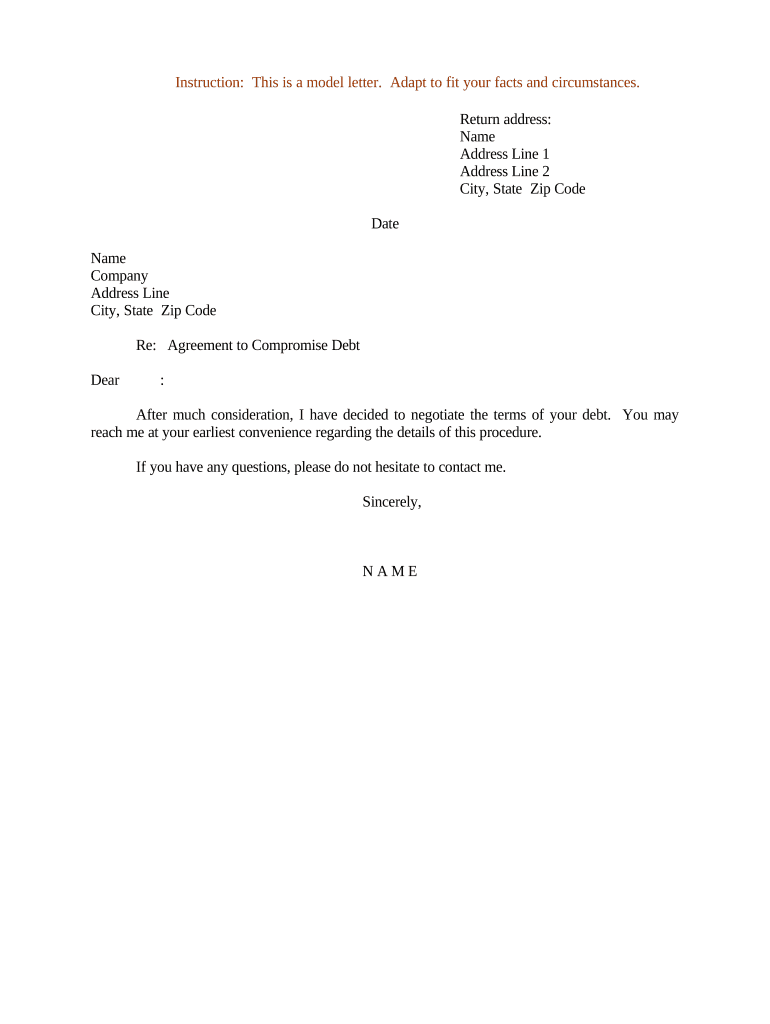
A Letter Regarding Agreement to Compromise Debt is a written record documenting negotiated settlement terms between a creditor and a debtor that resolves all or part of an outstanding obligation. It identifies the parties, states the original debt and the agreed compromise amount or performance, specifies payment schedule and conditions, and typically includes release language. The letter creates a clear basis for enforcement, tax reporting, and record retention if executed properly by authorized signatories and, where required, notarized or witnessed.

Why this Letter Matters for Creditor and Debtor

A clear compromise letter documents mutual assent, reduces future disputes, and records consideration and release terms to limit litigation risk. It also creates an auditable trail for accounting and tax treatment.

Why this Letter Matters for Creditor and Debtor

Who Typically Prepares and Receives These Letters

The document is useful across industries where receivables, loans, or claim settlements arise and where proof of agreement is needed.

  • Commercial creditors and collection agencies using standardized settlement language and accounting references.
  • Individual debtors or small businesses finalizing reduced-pay or lump-sum settlement arrangements.
  • Attorneys and trustees drafting enforceable release and nondisclosure terms for client protection.

Key Roles That Sign or Approve the Letter

Creditor — Collections Manager

A collections manager or authorized officer signs on behalf of the creditor after internal approval; this signer must be identified by name and title and have authority to settle the debt.

Debtor — Account Holder

An individual debtor or corporate officer signs to accept terms; corporate signers should include corporate title and attest to authorization to bind the entity.

Core Elements to Include in a Professional Compromise Letter

A well‑crafted compromise letter combines factual debt details with clear settlement mechanics, release language, and signature formalities to minimize ambiguity and legal exposure.

Parties

Full legal names and contact information for creditor and debtor, including business entity form and registration details where applicable.
Recitals

Short factual background identifying the original obligation, account numbers, invoice dates, or claim identifiers to tie the compromise to a specific debt.

Compromise Terms

Exact dollar amount or alternative performance agreed as full or partial satisfaction, with language specifying whether the compromise is in full settlement.

Payment Schedule

Dates, amounts, payment methods, and conditions for deadlines, late fees, and acceleration if installments are missed.

Release and Reservation

Mutual release language limiting future claims on the settled obligation and any carve-outs or reserved rights the creditor retains.

Execution Details

Signature blocks with names, titles, dates, and any notarization or witness language required by state law or internal policy.

Step-by-Step: Completing the Compromise Letter

Follow these sequential tasks to prepare, approve, and finalize a legally clear compromise letter that reduces execution and tax risk.

  • 01
    Prepare: Gather account statements, invoices, and authorization records for the debt.
  • 02
    Negotiate: Agree on amount, payment timing, and any conditional terms in writing or email.
  • 03
    Draft: Convert settled terms into the letter format with release and signature blocks.
  • 04
    Execute: Have authorized signers sign and deliver copies; notarize if required.

How to Route and Finalize the Letter Efficiently

A predictable routing process reduces turnaround time: prepare, sign, verify identity, and distribute final copies to stakeholders.

  • Upload: Store the drafted letter in the organization’s document system for version control.
  • Place Fields: Add signature, date, and initial fields to capture required approvals.
  • Authenticate: Confirm signer identity via accepted methods before execution.
  • Deliver: Provide fully executed copies to both parties and retain an archival copy.

Typical Digital Workflow Settings for eSubmission

Configure these core settings when completing and sending compromise letters electronically to ensure legal validity and auditability.

Field Configuration
Authentication Email link plus optional SMS code for signer verification
Signature Type Electronic signature with audit trail; select notarized flow if required
Retention Format Export signed PDF/A for long-term archival
Notifications CC finance, legal, and account owner on completion emails

Technical and Integration Considerations

Ensure chosen tools meet your security and retention policies before sending legally binding compromise letters.

  • Integrations: Salesforce, NetSuite, Microsoft 365, Google Workspace integrations available
  • File Types: Accepts PDF, DOCX, and HTML inputs for signed output
  • Authentication: Supports email, SMS code, and advanced signer authentication

Required Information and Key Data Elements

Creditor: Full legal name
Debtor: Full legal name
Original Debt: Principal balance
Compromise Amount: Settled sum
Payment Terms: Schedule and method
Execution Date: MM/DD/YYYY

eSignature Vendor Comparison for Compromise Letters

Overview of starting prices and common feature availability across vendors; signNow is listed first per publisher policy.

signNow DocuSign Adobe Sign PandaDoc HelloSign
Starting Price $8/user/mo $15/user/mo $14/user/mo $19/user/mo $15/user/mo
Free Trial 7-day free trial Varies Varies Varies Varies
Bulk Send Yes Yes Yes Yes No
Audit Trail Yes Yes Yes Yes Yes
HIPAA Compliant Yes Yes Yes No No
Envelope Cap No cap 100 envelopes/user/year No cap No cap No cap

Typical Timing Expectations and Deadlines

While no federal filing deadline applies to a compromise letter itself, parties should observe response, payment, and tax reporting timelines that affect the settlement.

Creditor Response Window:

Commonly 30 days from offer receipt; shorter windows may be negotiated

Payment Due Date:

Specified in letter using MM/DD/YYYY; enforceable once signed

Tax Reporting Effects:

Cancellation of debt over thresholds may trigger IRS reporting and tax consequences

Notarization Timing:

Complete notarization at signing or within a mutually agreed short window

Record Retention Start:

Retention measured from execution date on the signed document

Key Milestones from Negotiation to Archive

Track these numbered milestones to ensure a complete, auditable compromise process with clear handoffs and deadlines.

01

1. Negotiation Complete

Parties agree on principal terms and confirm in writing.

02

2. Draft Issued

Draft the compromise letter and circulate for review.

03

3. Execution

Authorized signers sign, with notarization or witness steps as required.

04

4. Distribution & Archive

Deliver fully executed copies and archive per retention policy.

Common Preparation Errors to Avoid

  • Leaving ambiguity in payment timing or conditions that allows the debtor to claim different obligations later.
  • Failing to include release language or improperly limiting the scope of the release, inviting future claims.
  • Using informal signatures or initials where full executed signatures are required by internal policy or state law.
  • Neglecting to confirm signer authority or to notarize where statutes or corporate bylaws require it.

Legal and Practical Risks of an Incorrect Letter

Tax Liability: Cancellation of debt may trigger IRS reporting and taxable income
Invalid Agreement: Ambiguous terms risk unenforceability
Fraud Allegations: Poor documentation may invite claims of improper inducement
Late Payments: Missed installments can void the compromise
I-9/Employment: Employment-related debt compromises may affect payroll records
Notarization Errors: Incorrect notarization may impair proof of execution

Practical Examples of How Parties Use Compromise Letters

Two common scenarios show how these letters resolve outstanding obligations while documenting commercial and legal terms.

Small Business Settlement

A retailer negotiates a lump-sum compromise to resolve an overdue vendor account

  • Agreement reduces ledger balance and avoids litigation
  • The executed letter includes payment date, release clause, and is stored with accounting records for audit.

Medical Bill Resolution

A healthcare provider agrees to a reduced payment plan with a patient to close an old balance

  • Terms include installment amounts and waiver conditions
  • Provider retains the signed letter in the patient financial file and notes tax implications if debt is forgiven.

Frequently Asked Questions About Compromise Letters

Answers to common legal and practical questions about enforceability, execution, and recordkeeping for compromise letters.


Need help? Contact support

be ready to get more
Join over 28 million airSlate SignNow users