Appointment
Specifies how arbitrators are nominated and confirmed, whether by party agreement, court appointment, or use of an appointing authority like the American Arbitration Association or via an agreed list.
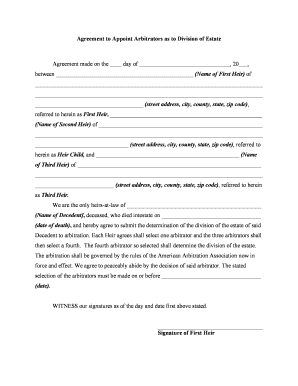
This agreement creates a clear, enforceable framework for selecting arbitrators, defining procedures, and avoiding probate court delays. It can reduce litigation costs, preserve confidentiality, and provide finality through binding awards when parties consent in writing under applicable arbitration law.

Parties to an estate dispute, personal representatives, executors, trustees, beneficiaries, and probate attorneys commonly use this agreement to set arbitration terms.
Specifies how arbitrators are nominated and confirmed, whether by party agreement, court appointment, or use of an appointing authority like the American Arbitration Association or via an agreed list.
Defines the disputes subject to arbitration, including accounting issues, asset valuation, claims against the estate, and exclusions such as matters reserved for probate court and guardianship issues.
Sets hearing format, documentary evidence rules, discovery limits, timelines for submissions, and whether formal arbitration rules apply, including pre-hearing briefs, witness lists, and emergency procedures.
Clarifies arbitrators' power to make binding awards, allocate costs and attorney fees, order interim relief, resolve jurisdictional questions, including remedial measures.
Describes fee allocation, payment schedule, arbitrator hourly or flat rates, administrative fees, and any security for fees and consequences of nonpayment.
States that awards may be entered as judgments in court, confirms governing law, and specifies procedures for vacating or modifying an award under applicable statutes.
| Field | Configuration |
|---|---|
| Signer Authentication | Email verification, SMS code optional for added security. |
| Conditional Fields | Show arbitration clause only if dispute box checked. |
| Auto-fill Capabilities | Use saved executor data to populate party fields. |
| Document Retention | Store executed PDF with audit trail and encryption. |
Use secure eSignature platforms that support audit trails, document retention, and required signer multi-factor authentication.
Date parties execute the agreement.
As specified in agreement; follow state statutes.
Follow state law; see arbitration act provisions.
Set payment schedule and default remedies.
Typically within months specified by state or FAA.
After a parent's death, three siblings agreed to arbitrate valuation disputes to avoid a contested probate proceeding and public hearings.
A trustee and beneficiary disagreed over asset valuations and distribution timing and jointly chose arbitration to expedite final resolution.
The executor or personal representative typically has authority to enter into arbitration agreements on behalf of the estate, subject to applicable probate statutes. Executors should document authorization in estate files and notify beneficiaries per any notice requirements.
A trustee may sign on behalf of a trust's interest in estate property but must confirm the trust instrument permits arbitration and follow fiduciary duties. Counsel review is recommended when trustee powers are ambiguous or contested.
| signNow | DocuSign | Adobe Sign | PandaDoc | HelloSign | |
|---|---|---|---|---|---|
| Starting Price | $8/user/mo | $15/user/mo | $14/user/mo | $19/user/mo | $15/user/mo |
| Free Trial | Yes, 7-day trial | Varies by plan | Varies by plan | Varies by plan | Varies by plan |
| Bulk Send | Yes | Yes | Yes | Yes | No |
| Audit Trail | Yes | Yes | Yes | Yes | Yes |
| HIPAA Compliant | Yes | Yes | Yes | No | No |
| Envelope Cap | No envelope cap | 100 envelopes/user/year | Varies by plan | Varies by plan | Varies by plan |