Establishing secure connection…Loading editor…Preparing document…

Agreement for Use of Property

This template is fully customizable. Edit the text, fill out the fields, and send it for signature. Give it a try!
Agreement for Use of Property

What the Agreement for Use of Property is and when it applies

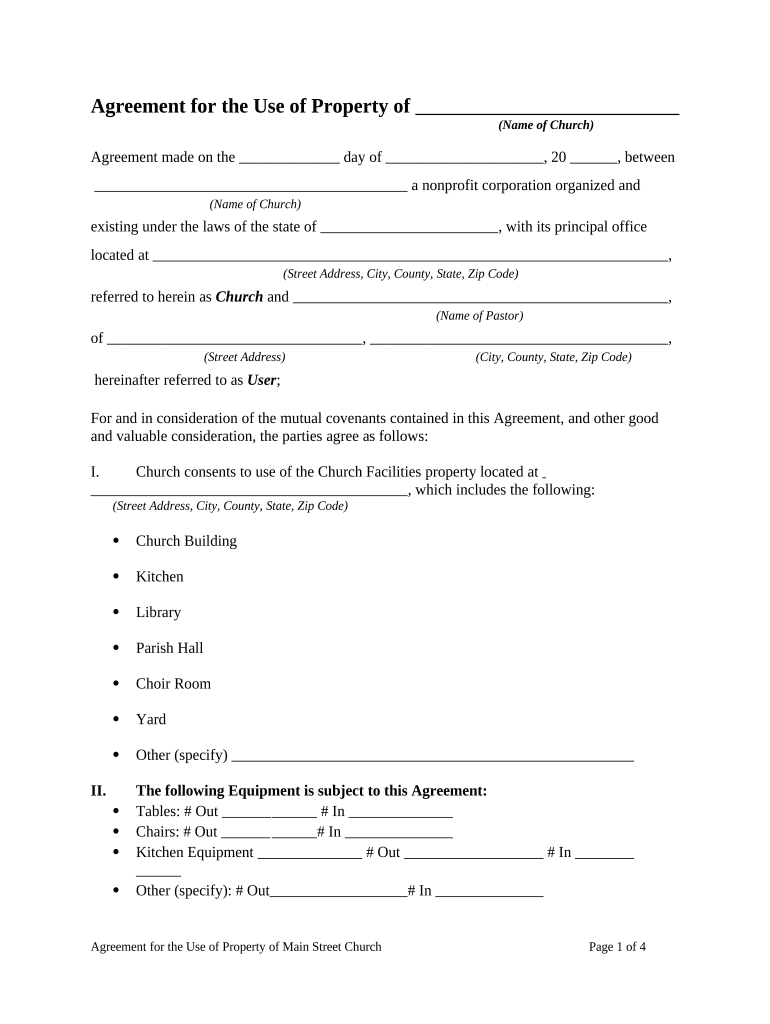
An Agreement for Use of Property is a written contract that defines temporary rights to occupy or use real property without transferring ownership. Typical uses include permission to access land, short-term storage, event licenses, parking or workspace arrangements, and licenses to place equipment on premises. The document sets the parties, permitted uses, term, fees or consideration, responsibilities for maintenance and insurance, limits on alterations, and termination conditions. Properly drafted agreements clarify obligations, reduce dispute risk, and establish remedies if the licensee exceeds its rights.

Why a clear Agreement for Use of Property matters

A clear, written agreement protects both property owner and user by defining scope, duration, compensation, liability allocation, insurance requirements, and termination steps. It reduces uncertainty, supports enforcement, and documents consent and consideration in the event of a dispute.

Why a clear Agreement for Use of Property matters

Who typically prepares or signs these agreements

The signatories should be authorized decision-makers for each party; corporate signers must follow internal authority rules to ensure enforceability.

  • Property owners and managers — Draft and approve terms to protect premises and limit liability.
  • Contractors and vendors — Obtain permission to access or place equipment, establish work windows and insurance.
  • Event organizers and temporary users — Secure rights for specific dates and confirm restoration obligations.

Step-by-step: completing the Agreement for Use of Property

Complete the agreement in the order below to ensure all interdependent fields are consistent and to reduce back-and-forth edits.

  • 01
    Step 1: Identify parties and confirm signatory authority.
  • 02
    Step 2: Describe property and permitted uses precisely.
  • 03
    Step 3: Enter term, consideration, insurance, and indemnity terms.
  • 04
    Step 4: Sign, date, and distribute executed copies to all parties.

Core clauses to include in a professional agreement

A comprehensive Agreement for Use of Property combines operational detail with legal protections. Include these core clauses to reduce ambiguity and support enforceability.

Parties

Full legal names, contact information, and representative titles for each contracting entity or individual.
Description of Use

Precise statement of permitted activities, boundaries, and any restrictions on hours, noise, or alterations to the property.

Term and Renewal

Start and end dates, renewal options, and any conditions or notice periods required to extend or terminate.

Consideration

Payment amount, invoicing schedule, due dates, late fees, and any security deposit details.

Insurance and Indemnity

Required insurance types and limits, named insured clauses, and indemnification obligations for losses or damages.

Termination and Remedies

Events that trigger termination, cure periods, remedies for breach, and post-termination restoration obligations.

Security and compliance features to record with the agreement

Encryption: TLS 1.2/1.3 in transit; AES-256 at rest
Audit Trail: Comprehensive timestamps, IPs, and action history
Certifications: SOC 2 Type II; ISO 27001; PCI DSS
Regulatory Standards: ESIGN, UETA, 21 CFR Part 11 compliance
HIPAA: HIPAA-compliant with BAA available
Accessibility: WCAG 2.0 Level AA conformance

Key risks and legal consequences to avoid

Unclear Scope: Leads to trespass claims or disputed obligations
Invalid Signatory: May render contract unenforceable
Missing Insurance: Increases exposure to uninsured loss
Improper Notices: Can prevent timely termination or cure
Regulatory Noncompliance: Violations where industry rules apply
Tax Consequences: Mischaracterized payments may trigger withholding

Common drafting and preparation mistakes

  • Vague property descriptions that fail to identify the exact parcel, boundary, or usable area, creating enforcement problems.
  • Omitting insurance or indemnity language, leaving the owner exposed to third-party claims and repair costs.
  • Not specifying start and end times or renewal mechanics, producing disputes about ongoing access or automatic renewals.
  • Allowing unsigned attachments or referenced exhibits that are not incorporated by signature, which weakens evidentiary value.

Typical process for executing and delivering the agreement

Execution commonly follows a short routing and verification process; make sure each step is documented and the final file is retained.

  • Draft: Prepare agreement text and attach exhibits.
  • Review: Parties review terms and request edits.
  • Sign: Authorized signers execute the agreement.
  • Distribute: Provide executed copies to all parties and retain originals.

How to set up a digital signing workflow for the agreement

Configure a repeatable workflow to reduce errors, speed signature collection, and ensure consistent retention of executed documents.

Field Configuration
Upload Document PDF or DOCX; include exhibits as attachments
Add Signers Order signers and add titles/roles
Authentication Email link, SMS code, or advanced methods
Retention Settings Set automatic archival and export rules

Technical considerations for e-signing and sharing

Ensure the platform offers audit trails, retention/export options, and any industry-specific compliance (for example HIPAA or 21 CFR Part 11) required for your use case.

  • File Formats: PDF and DOCX widely supported
  • Integrations: CRM, storage, and ERP integrations available
  • Mobile Support: Signing via desktop and mobile devices

Timelines and key dates to include in the agreement

Incorporate clear deadline dates and notice periods to avoid disputes and ensure predictable obligations for both parties.

Effective Date:

MM/DD/YYYY format; the date obligations begin

Term End Date:

MM/DD/YYYY format; when access ends

Renewal Notice:

Specify days before expiration (commonly 30 days)

Payment Due:

State payment terms and late fee schedule

Cure Period:

Days allowed to remedy a breach (commonly 10–30 days)

Milestone timeline from negotiation to post-execution

Track milestones and responsibilities so each stage has a clear owner and deliverable to prevent lapses.

01

Negotiation

Finalize scope, fees, insurance, and access logistics.

02

Execution

Authorized parties sign and date the agreement.

03

Delivery and Filing

Provide executed copies and record any filings if required.

04

Post-Execution Review

Verify insurance coverage and compliance with any conditions.

Comparison of eSignature platforms for executing property agreements

A neutral comparison highlights typical pricing and feature differences; choose the option that matches your volume, compliance, and integration needs.

signNow DocuSign Adobe Sign PandaDoc HelloSign
Starting Price $8/user/mo $15/user/mo $14/user/mo $19/user/mo $15/user/mo
Free Trial 7-day free trial, no credit card Varies by plan Varies by plan Varies by plan Varies by plan
Bulk Send Yes (Business Premium) Yes Yes Yes No
Audit Trail Yes Yes Yes Yes Yes
HIPAA Compliant Yes Yes Yes No No
Envelope Cap No cap 100 envelopes/user/year Varies by plan Varies by plan Varies by plan

Frequently asked questions about using and enforcing the agreement

Answers to common questions about execution, e-signatures, notarization, signatory authority, and recordkeeping for Agreements for Use of Property.


Need help? Contact support

be ready to get more
Join over 28 million airSlate SignNow users