Establishing secure connection… Loading editor… Preparing document…
Navigation

Fill and Sign the Agreement with Lenders Form
Fill and Sign the Agreement with Lenders Form

How it works

Open the document and fill out all its fields.
Apply your legally-binding eSignature.
Save and invite other recipients to sign it.

Rate template

4.4
44 votes
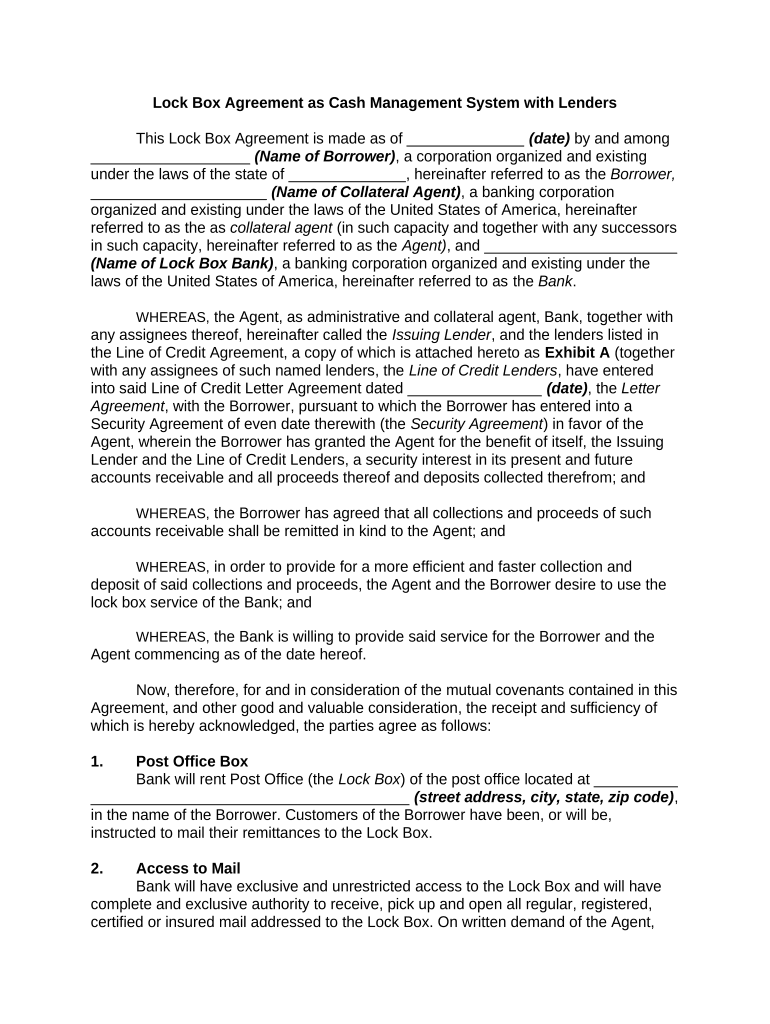
Lock Box Agreement as Cash Management System with Lenders This Lock Box Agreement is made as of ______________ (date) by and among ___________________ (Name of Borrower) , a corporation organized and existing under the laws of the state of ______________, hereinafter referred to as the Borrower, _____________________ (Name of Collateral Agent) , a banking corporation organized and existing under the laws of the United States of America, hereinafter referred to as the as collateral agent (in such capacity and together with any successors in such capacity, hereinafter referred to as the Agent) , and _______________________ (Name of Lock Box Bank) , a banking corporation organized and existing under the laws of the United States of America, hereinafter referred to as the Bank . WHEREAS, the Agent, as administrative and collateral agent, Bank, together with any assignees thereof, hereinafter called the Issuing Lender , and the lenders listed in the Line of Credit Agreement, a copy of which is attached hereto as Exhibit A (together with any assignees of such named lenders, the Line of Credit Lenders , have entered into said Line of Credit Letter Agreement dated ________________ (date) , the Letter Agreement , with the Borrower, pursuant to which the Borrower has entered into a Security Agreement of even date therewith (the Security Agreement ) in favor of the Agent, wherein the Borrower has granted the Agent for the benefit of itself, the Issuing Lender and the Line of Credit Lenders, a security interest in its present and future accounts receivable and all proceeds thereof and deposits collected therefrom; and WHEREAS, the Borrower has agreed that all collections and proceeds of such accounts receivable shall be remitted in kind to the Agent; and WHEREAS, in order to provide for a more efficient and faster collection and deposit of said collections and proceeds, the Agent and the Borrower desire to use the lock box service of the Bank; and WHEREAS, the Bank is willing to provide said service for the Borrower and the Agent commencing as of the date hereof. Now, therefore, for and in consideration of the mutual covenants contained in this Agreement, and other good and valuable consideration, the receipt and sufficiency of which is hereby acknowledged, the parties agree as follows: 1. Post Office Box Bank will rent Post Office (the Lock Box ) of the post office located at __________ ______________________________________ (street address, city, state, zip code) , in the name of the Borrower. Customers of the Borrower have been, or will be, instructed to mail their remittances to the Lock Box. 2. Access to Mail Bank will have exclusive and unrestricted access to the Lock Box and will have complete and exclusive authority to receive, pick up and open all regular, registered, certified or insured mail addressed to the Lock Box. On written demand of the Agent, the Bank shall cease its processing of said mail, and shall release same, in kind, to the Agent, without the prior consent of the Borrower, and the Agent shall thereafter process said mail promptly in accordance with this Agreement. The Bank shall not inquire into the Agent's right to make such a demand under any agreement among the Agent, the Line of Credit Lenders and/or the Issuing Lender and the Borrower, and shall be forever released of all obligations with respect to said remittances upon release to the Agent. The Borrower shall have no control whatsoever over any mail, checks, money orders, collections or other forms of remittances received in the Lock Box. Appropriate instructions have been, or will be, given by the Bank to the United States Post Office where the Lock Box is maintained, and such instructions shall not be revoked without the prior written consent of the Agent. Any instruction given to the Bank by the Borrower without the prior or concurrent written agreement of the Agent shall be void and of no force or effect. All mail addressed to the Lock Box will be picked up by the Bank according to its regular collection schedule. 3. Remittance Collection On the day received, the Bank will open all mail addressed to the Lock Box and remove and inspect the enclosures. All checks, money orders and other forms or orders for the payment of money and other collection remittances (hereinafter collectively referred to as checks ) shall be processed by the Bank as follows: A. Missing Date All undated checks will be dated by the Bank as of the postmark date and processed as hereafter provided. B. Postdated Checks postdated up, to three days from date of receipt shall be processed on the date indicated on the check. The Bank shall not deposit checks postdated more than three days, but shall notify the Agent by telephone of such checks and follow the Agent's instructions for disposition of such checks. C. Stale Date Checks dated six months or more prior to the date of collection will not be deposited and shall be sent to the Agent. D. Different Amount Where written and numeric amounts differ, a check will be processed by the Bank only if the correct amount can be determined from the accompanying documents, otherwise the check will not be deposited and shall be sent to the Agent. E. Signature Missing Checks which do not bear the drawer's signature and do not indicate the drawer's identity will not be deposited but shall be sent to the Agent. If, as determined by the Bank, the drawer can be identified from the face of the check, the Bank will deposit and process the check by affixing a stamped impression requesting the drawer bank to contact the drawer for authority to pay. F. Alterations and Restrictions Checks with alterations and checks bearing restrictive notations such as Payment in Full will not be deposited, and the Bank shall notify the Agent of such checks by telephone on the day of receipt and will deposit, hold or forward such checks with accompanying written matter, if any, as requested by the Agent. G. Foreign Banks and Currency Checks drawn in foreign currency will be processed in accordance with the Bank's normal procedure for such checks and the Agent will be notified by advice of any such checks on the date received by the Bank. H. Other Items Any items which the Agent has specifically instructed the Bank in writing not to process will not be deposited and shall be sent to the Agent. Notwithstanding anything to the contrary contained in this Agreement the Bank shall have no obligation to perform services on a basis any different than it performs lock box services in the normal course of business, except with respect to receiving instructions from the Agent rather than the Borrower. 4. Processing Acceptable Checks All checks, except those not acceptable for deposit under the terms of this Agreement, shall be deposited on the day of receipt by the Bank to Account No. _______ (the Collection Account ), which is an account owned and controlled exclusively by the Agent, and all such checks shall be endorsed as follows: Credited to Account Number _________, absence of endorsement supplied and guaranteed by __________ _______________________ (Name of Lock Box Bank) . A. Any funds in the Collection Account will be wired on a daily basis with the following instructions: 1. __________________ (Name of Bank) Money Transfer Division, __________________________________________________________ (street address, city, state, zip code) , Account No.___________ for the account of Borrower; provided, however, that no funds shall be required to be wired unless and until the amount of funds in the Collection Account shall be in excess of an aggregate of $__________, unless the Agent shall, in its sole discretion, otherwise instruct the Bank. 2. All remittance advices, envelopes, and written matter (except as expressly, provided herein) received in the Lock Box together with photocopies of all checks shall be sent to the Borrower and, if requested by the Agent, copies of same shall be sent to the Agent. The Bank shall mail both a deposit advice for all deposits to the Collection Account, on a daily basis, and a statement of account, on a monthly basis, to both the Agent and the Borrower and, if no deposit is made on a bank business day, a deposit advice, correctly dated, will be sent to the Agent and the Borrower with the notation “No Deposit” appearing thereon. In addition, the Bank shall indicate by telephone to the Agent on each Bank business day by 2:30 p.m. (New York City time) the amount of each day's deposit total. 5. Returned Checks Checks deposited in the Collection Account which are returned unpaid because of Insufficient Funds, Uncollected Funds , or the like will be re-deposited by the Bank only once, except that if a returned check exceeds $1,000, the Bank shall not redeposit such check but shall telephone the Agent for further instructions on the day such check is received. If redeposit is not warranted for reasons such as account closed or payment stopped or if a check is returned a second time, the Bank will charge the Collection Account and send a debit advice with the item to the Agent with copies of same to the Borrower. 6. Appointment of, and Acceptance as, Bank The Agent hereby appoints the Bank as its agent to act by and on behalf of the Agent in accordance with the terms of this Lock Box Agreement. The Bank hereby accepts its appointment as the agent for the Agent and hereby acknowledges and agrees: (i) that the Lock Box and the Collection Account and all items at any time deposited in the Lock Box and the Collection Account shall be held therein for the benefit of the Agent and shall be subject to the Agent's security interest as provided in the Security Agreement; and (ii) to perform its functions as the Bank provided herein. 7. Acknowledgment of Security Interest and Control. Borrower and the Bank acknowledge and confirm that the Agent holds a security interest in, and has control within the meaning of ______________________________ (citation of applicable State Code) of all funds now or at any time hereafter deposited into the Lock Box or the Collection Account and all of the Borrower's rights with respect to the Lock Box and the Collection Account and that the same constitute part of the Collateral granted to the Agent to secure performance and payment of the Obligations (as such terms are defined in the Security Agreement). 8. Remittance Received by the Borrower Remittances which are sent directly to or received by the Borrower shall be forwarded to the Lock Box or the Collection Account on the day received. 9. Record Maintenance All deposit checks will be microfilmed (on front and back) by the Bank and retained for five years by the Bank prior to destruction. Photocopies of filmed items will be provided to the Agent or the Borrower on request within the five-year period. 10. Bank Charges All charges of the Bank for services rendered pursuant to this Agreement shall be billed to and paid directly by the Borrower. Said charges shall not be charged against remittances nor shall they be debited to the Collection Account. 11. No Offset The Bank hereby agrees that it will treat all remittances received in the Lock Box in accordance with the terms of this Agreement and it will not offset or assert any claim against the Lock Box or the Collection Account or divert such remittances on account of any obligations owed to the Bank by the Borrower or by the party making the remittance, except as provided in Section 5 hereof. 12. Bank Liability In acting under this Agreement the Bank shall not be liable to the Agent, the Line of Credit Lenders, the Issuing Lender or the Borrower for any error of judgment, or for any act done or step taken or omitted by it in good faith, except for its gross negligence or willful misconduct. 13. Term This Agreement shall continue in full force and effect until termination by the Bank on 60 day's prior written notice to all other parties. The Agent may terminate this Agreement at any time which termination shall be effective on receipt of written notice by the Bank and in the event of such termination, the Agent shall at its option have the sole right to remove mail from the Lock Box. The Borrower shall have no right to unilaterally terminate this Agreement. 14. Modification This Agreement may only be modified by a writing signed by all of the parties hereto. 15. Addresses A. All notices, including phone notice, daily deposit advices, monthly statements of account and copies of all checks and the documents which are to be given or sent to the Agent shall be sent to the following address, and, where applicable, given at the following phone number: Attention: ______________________ Phone: ______________________ B. All notices to the Bank shall be sent to: Attention: ______________________ Phone: ______________________ C. All notices and items which are to be sent to the Borrower shall be sent to: Attention: ______________________ Phone: ______________________ 16. Agent Agreement The Agent agrees that it will indemnify and hold the Bank harmless from any and all loss, liability, expense or damage that the Bank may incur in processing lock box items in accordance with this Agreement, including, without limitation, any loss that the Bank experiences as a result of returned items to the extent the balances in the Collection Account referenced in Section 5 are insufficient to cover such losses or in the event the Borrower fails to pay the Bank charges referenced in Section 10 . 17. Limitation on Liability The Agent and the Borrower acknowledge that the Bank undertakes to perform only such duties as are expressly set forth in this Agreement and those which are normally undertaken by the Bank in connection with lock box processing. Notwithstanding any other provision of this Agreement, it is agreed by the parties that the Bank shall not be liable for any action taken by the Bank or any of its directors, officers, agents or employees in accordance with this Agreement, except for the Bank's or such natural person's gross negligence or willful misconduct. In no event shall the Bank be liable for losses or delays resulting from force majeure, computer malfunction, interruption of communication facilities, labor difficulties or other causes beyond its reasonable control or for any indirect, special or consequential damages. 18. Counterparts This Agreement may be executed in any number of counterparts and by the different parties hereto in separate counterparts, each of which when so executed and delivered shall be an original, but all of which shall together constitute one and the same instrument. 19. Effectiveness This Agreement shall become effective upon its receipt by the Agent, properly executed by all of the parties hereto. 20. Governing Law THIS AGREEMENT SHALL BE GOVERNED IN ACCORDANCE WITH THE LAWS OF THE STATE OF _________ WITHOUT GIVING EFFECT TO THE CONFLICT OF LAW PRINCIPLES THEREOF. IN WITNESS WHEREOF, the undersigned have caused this Lock Box Agreement to be duly executed and delivered as of the date first written above. ___________________________ (Name of Agent Bank) By: _________________________ __________________________ (P rinted Name & Office in Bank) _________________________ (Signature of Officer) _________________________ (Name of Lock Box Bank) ____________________________ ____________________________ (P rinted Name & Office in Bank) ___________________________ (Signature of Officer) ___________________________ (Name of Borrower) ____________________________ ____________________________ (P rinted Name & Office in Corporation) ____________________________ (Signature of Officer)

Useful tips for finalizing your ‘Agreement With Lenders’ online

Are you fed up with the annoyance of managing documentation? Look no further than airSlate SignNow, the leading electronic signature solution for individuals and companies. Bid farewell to the lengthy process of printing and scanning documents. With airSlate SignNow, you can seamlessly complete and approve documents online. Utilize the powerful features packed into this user-friendly and cost-effective platform and transform your method of document handling. Whether you need to authorize forms or gather electronic signatures, airSlate SignNow manages it all effortlessly, with just a few clicks.

Follow this detailed guide:

  1. Log into your account or sign up for a free trial of our service.
  2. Click +Create to upload a file from your device, cloud storage, or our template library.
  3. Open your ‘Agreement With Lenders’ in the editor.
  4. Click Me (Fill Out Now) to complete the form on your end.
  5. Add and assign fillable fields for others (if necessary).
  6. Proceed with the Send Invite settings to solicit eSignatures from others.
  7. Download, print your copy, or convert it into a reusable template.

Don't be concerned if you need to collaborate with others on your Agreement With Lenders or send it for notarization—our service provides everything you require to accomplish those tasks. Register with airSlate SignNow today and take your document management to the next level!

Here is a list of the most common customer questions. If you can’t find an answer to your question, please don’t hesitate to reach out to us.

Need help? Contact Support
Simple agreement with lenders
Agreement with lenders sample
Agreement with lenders template
Money lending Agreement format
Free agreement with lenders
Simple loan agreement sample
Loan agreement template Word
Borrowing money from a friend contract PDF
Simple agreement with lenders
Agreement with lenders sample
Agreement with lenders template
Free agreement with lenders

The best way to complete and sign your agreement with lenders form

Save time on document management with airSlate SignNow and get your agreement with lenders form eSigned quickly from anywhere with our fully compliant eSignature tool.

How to Sign a PDF Online How to Sign a PDF Online

How to complete and sign paperwork online

In the past, coping with paperwork took lots of time and effort. But with airSlate SignNow, document management is fast and easy. Our robust and user-friendly eSignature solution lets you effortlessly complete and electronically sign your agreement with lenders form online from any internet-connected device.

Follow the step-by-step guidelines to eSign your agreement with lenders form template online:

  • 1.Register for a free trial with airSlate SignNow or log in to your account with password credentials or SSO authentication.
  • 2.Click Upload or Create and import a form for eSigning from your device, the cloud, or our form library.
  • 3.Click on the file name to open it in the editor and utilize the left-side menu to complete all the blank fields appropriately.
  • 4.Put the My Signature field where you need to approve your sample. Type your name, draw, or import a photo of your regular signature.
  • 5.Click Save and Close to finish editing your completed document.

After your agreement with lenders form template is ready, download it to your device, export it to the cloud, or invite other parties to electronically sign it. With airSlate SignNow, the eSigning process only requires several clicks. Use our robust eSignature tool wherever you are to handle your paperwork efficiently!


How to Sign a PDF Using Google Chrome How to Sign a PDF Using Google Chrome

How to fill out and sign documents in Google Chrome

Completing and signing paperwork is easy with the airSlate SignNow extension for Google Chrome. Installing it to your browser is a quick and beneficial way to deal with your paperwork online. Sign your agreement with lenders form sample with a legally-binding electronic signature in just a few clicks without switching between tools and tabs.

Follow the step-by-step guide to eSign your agreement with lenders form in Google Chrome:

  • 1.Go to the Chrome Web Store, search for the airSlate SignNow extension for Chrome, and add it to your browser.
  • 2.Right-click on the link to a form you need to eSign and select Open in airSlate SignNow.
  • 3.Log in to your account with your credentials or Google/Facebook sign-in buttons. If you don’t have one, you can start a free trial.
  • 4.Utilize the Edit & Sign menu on the left to complete your template, then drag and drop the My Signature field.
  • 5.Add an image of your handwritten signature, draw it, or simply type in your full name to eSign.
  • 6.Make sure all information is correct and click Save and Close to finish editing your form.

Now, you can save your agreement with lenders form template to your device or cloud storage, send the copy to other individuals, or invite them to electronically sign your document via an email request or a secure Signing Link. The airSlate SignNow extension for Google Chrome enhances your document workflows with minimum time and effort. Start using airSlate SignNow today!


How to Sign a PDF in Gmail How to Sign a PDF in Gmail How to Sign a PDF in Gmail

How to fill out and sign forms in Gmail

When you receive an email containing the agreement with lenders form for approval, there’s no need to print and scan a document or save and re-upload it to another program. There’s a much better solution if you use Gmail. Try the airSlate SignNow add-on to rapidly eSign any paperwork right from your inbox.

Follow the step-by-step guide to eSign your agreement with lenders form in Gmail:

  • 1.Visit the Google Workplace Marketplace and find a airSlate SignNow add-on for Gmail.
  • 2.Install the program with a related button and grant the tool access to your Google account.
  • 3.Open an email containing an attachment that needs approval and use the S symbol on the right panel to launch the add-on.
  • 4.Log in to your airSlate SignNow account. Select Send to Sign to forward the document to other parties for approval or click Upload to open it in the editor.
  • 5.Drop the My Signature field where you need to eSign: type, draw, or upload your signature.

This eSigning process saves time and only requires a few clicks. Utilize the airSlate SignNow add-on for Gmail to adjust your agreement with lenders form with fillable fields, sign paperwork legally, and invite other people to eSign them al without leaving your inbox. Boost your signature workflows now!


How to Sign a PDF on a Mobile Device How to Sign a PDF on a Mobile Device How to Sign a PDF on a Mobile Device

How to fill out and sign paperwork in a mobile browser

Need to quickly complete and sign your agreement with lenders form on a smartphone while working on the go? airSlate SignNow can help without the need to install extra software applications. Open our airSlate SignNow solution from any browser on your mobile device and create legally-binding eSignatures on the go, 24/7.

Follow the step-by-step guidelines to eSign your agreement with lenders form in a browser:

  • 1.Open any browser on your device and go to the www.signnow.com
  • 2.Create an account with a free trial or log in with your password credentials or SSO authentication.
  • 3.Click Upload or Create and add a file that needs to be completed from a cloud, your device, or our form catalogue with ready-made templates.
  • 4.Open the form and complete the blank fields with tools from Edit & Sign menu on the left.
  • 5.Add the My Signature field to the sample, then enter your name, draw, or upload your signature.

In a few easy clicks, your agreement with lenders form is completed from wherever you are. When you're finished editing, you can save the document on your device, build a reusable template for it, email it to other people, or ask them to electronically sign it. Make your documents on the go speedy and productive with airSlate SignNow!


How to Sign a PDF on iPhone How to Sign a PDF on iPhone

How to fill out and sign forms on iOS

In today’s corporate environment, tasks must be accomplished rapidly even when you’re away from your computer. With the airSlate SignNow app, you can organize your paperwork and approve your agreement with lenders form with a legally-binding eSignature right on your iPhone or iPad. Set it up on your device to close deals and manage forms from anywhere 24/7.

Follow the step-by-step guide to eSign your agreement with lenders form on iOS devices:

  • 1.Go to the App Store, search for the airSlate SignNow app by airSlate, and set it up on your device.
  • 2.Open the application, tap Create to add a form, and select Myself.
  • 3.Opt for Signature at the bottom toolbar and simply draw your signature with a finger or stylus to eSign the sample.
  • 4.Tap Done -> Save right after signing the sample.
  • 5.Tap Save or take advantage of the Make Template option to re-use this document in the future.

This method is so straightforward your agreement with lenders form is completed and signed within a few taps. The airSlate SignNow application works in the cloud so all the forms on your mobile device are kept in your account and are available any time you need them. Use airSlate SignNow for iOS to enhance your document management and eSignature workflows!


How to Sign a PDF on Android How to Sign a PDF on Android

How to complete and sign documents on Android

With airSlate SignNow, it’s easy to sign your agreement with lenders form on the go. Install its mobile app for Android OS on your device and start enhancing eSignature workflows right on your smartphone or tablet.

Follow the step-by-step guidelines to eSign your agreement with lenders form on Android:

  • 1.Open Google Play, find the airSlate SignNow app from airSlate, and install it on your device.
  • 2.Sign in to your account or register it with a free trial, then add a file with a ➕ option on the bottom of you screen.
  • 3.Tap on the uploaded file and choose Open in Editor from the dropdown menu.
  • 4.Tap on Tools tab -> Signature, then draw or type your name to electronically sign the form. Complete empty fields with other tools on the bottom if needed.
  • 5.Utilize the ✔ key, then tap on the Save option to end up with editing.

With an easy-to-use interface and full compliance with major eSignature standards, the airSlate SignNow app is the perfect tool for signing your agreement with lenders form. It even operates offline and updates all form modifications once your internet connection is restored and the tool is synced. Complete and eSign documents, send them for approval, and make multi-usable templates whenever you need and from anyplace with airSlate SignNow.

Sign up and try Agreement with lenders form
  • Close deals faster
  • Improve productivity
  • Delight customers
  • Increase revenue
  • Save time & money
  • Reduce payment cycles

