Establishing secure connection…Loading editor…Preparing document…

Amendment 1 Rights

This template is fully customizable. Edit the text, fill out the fields, and send it for signature. Give it a try!
Amendment 1 Rights

What Amendment 1 Rights means and when it applies

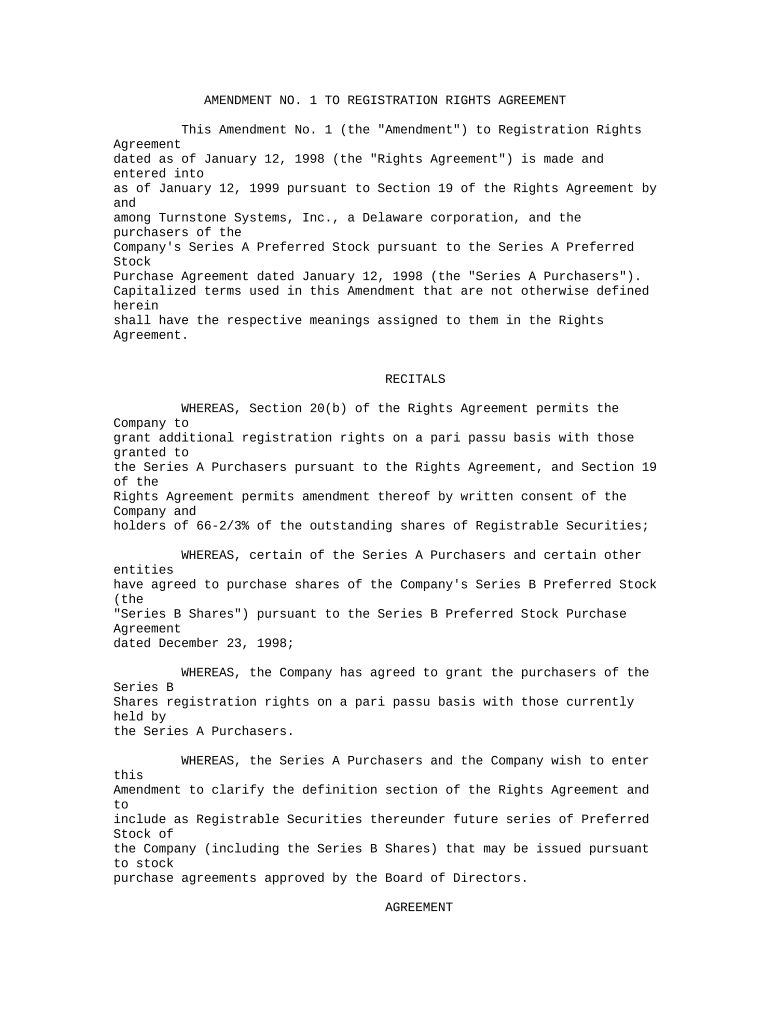
An Amendment 1 Rights document records a party's change, limitation, or clarification of previously granted rights in an existing agreement or statutory entitlement. It typically amends specific clauses—such as assignment, intellectual property, lien, or voting rights—without replacing the entire underlying contract, and it must reference the original agreement and effective date to avoid ambiguity.

Why a clear Amendment 1 Rights matters

A concise Amendment 1 Rights clarifies scope, reduces disputes, and preserves enforceability by linking changes to the original agreement and recording effective dates under ESIGN and UETA principles.

Why a clear Amendment 1 Rights matters

Who completes an Amendment 1 Rights and who signs it

Always confirm the signatory has authority under the original document and, where required, obtain board resolutions or power-of-attorney evidence before execution.

  • Company officers and authorized signatories completing amendments for corporate contracts, ensuring board or delegated authority is documented.
  • Outside counsel preparing narrow amendments to rights, obligations, or IP clauses to limit legal exposure and preserve original terms.
  • Property owners or mortgagees altering lien or easement rights where recording or notice may be required.

Step-by-step: completing an Amendment 1 Rights

Follow these four steps to prepare a clear, enforceable amendment and reduce execution delays.

  • 01
    Identify scope: Pinpoint exact clauses and rights to change.
  • 02
    Draft replacement text: Provide precise new wording or deletions.
  • 03
    Confirm authority: Verify signer has power under bylaws or POA.
  • 04
    Execute and retain: Sign, notarize if needed, and store securely.

Essential components of a professional Amendment 1 Rights

A thorough amendment includes specific references to the original agreement, clear replacement language, execution details, and any necessary recording or notice instructions so third parties can rely on the change.

Title and Recitals

Concise title and background recital that identifies the original agreement and states the amendment purpose, improving later interpretation.
Defined Changes

Exact deletion or insertion language that replaces prior text, minimizing ambiguity about which rights are altered.

Cross-Reference

Clause references to the original document and section numbers to ensure the amendment attaches to the correct provisions.

Effective Date

A single effective date in MM/DD/YYYY format that controls when rights change and affects limitation periods.

Authority Statement

A clause confirming that the signers have authority to amend and that the amendment does not breach other obligations.

Execution and Formalities

Signature blocks, witness or notary lines if required, and instructions for filing or recording with relevant registries.

Key information to include for legal and audit purposes

Document ID: Unique amendment identifier
Original Agreement: Name and date of original contract
Amendment Scope: Exact clause references
Effective Date: MM/DD/YYYY format
Signatories: Printed names and titles
Notary/Witness: Notary or witness details

Common legal risks and consequences of errors

Ambiguous language: Creates contract disputes
Incorrect signatory: May render amendment void
Missing references: Fails to attach to original terms
Late filing: Triggers penalties or priority loss
Improper notarization: Can invalidate recorded rights
Unauthorised amendment: Leads to breach-of-contract claims

Timing considerations and key deadlines

Certain amendments require prompt action or specific filing timelines; identify statutory deadlines and payer or registry cutoffs that affect enforceability.

Effective Date Planning:

Set MM/DD/YYYY to control when changes apply

Recording Deadlines:

Record real-estate-related amendments promptly

Tax Reporting:

Update records before relevant tax-year filings

Contract Notice Periods:

Comply with notice timelines in original agreement

Statute of Limitations:

Consider how amendment affects limitation periods

Where to send, file, or record an Amendment 1 Rights

Determine whether the amendment must be recorded with a public registry or only delivered to contractual parties; follow jurisdictional filing rules for priority.

  • Contract Parties: Deliver executed copies to all named parties and retain acknowledgements
  • Recording Office: Record real-estate-related amendments at county recorder
  • Regulatory Filings: File updates with relevant agencies for regulated transactions
  • Internal Records: Store signed originals in corporate minute book or document management system

Digital signing and e-submission essentials

Choose a platform that supports audit trails, optional notarization workflows, and secure storage consistent with industry compliance needs.

  • File Formats: PDF, DOCX, and other standard formats
  • Integrations: Connects with Salesforce, NetSuite, Google Workspace
  • Security: TLS in transit; AES-256 at rest

Practical examples of Amendment 1 Rights in use

Two concise examples show typical scenarios and outcomes when amendments are prepared correctly.

Real Estate Amendment

Tenant and landlord amend a lease to change renewal terms and rent

  • Effective date set to lease anniversary
  • The amendment references the original lease, is notarized per county rules, and is recorded to preserve priority and avoid later disputes.

IP Assignment Amendment

Developer and company alter IP ownership language after renegotiation

  • New clause assigns future inventions to company
  • Parties execute with corporate signatories and include a confirming board resolution to evidence authority and ensure enforceability.

Practical tips for accurate and efficient Amendment 1 Rights preparation

Use these actionable practices to reduce errors, speed execution, and preserve legal strength when amending rights.

Reference precisely
Always cite the original agreement by title, date, and section to avoid ambiguity.
Use clear wording
Prefer exact replacement text rather than vague descriptions of change.
Confirm authority
Obtain corporate resolutions or POAs when signatory authority is not obvious.
Retain audit evidence
Keep signed originals, notarizations, and electronic audit trails for compliance.

Typical eSignature provider comparison for Amendment 1 Rights workflows

When choosing an eSignature provider for Amendment 1 Rights, compare price, bulk-send capabilities, audit trail support, HIPAA availability, and envelope or usage limits to match your execution and retention needs.

signNow DocuSign Adobe Sign PandaDoc HelloSign
Starting Price $8/user/mo $15/user/mo $14/user/mo $19/user/mo $15/user/mo
Free Trial 7-day free trial 30-day trial 7-day trial 14-day trial 30-day trial
Bulk Send Yes Yes Yes Yes No
Audit Trail Yes Yes Yes Yes Yes
HIPAA Compliant Yes Yes Yes No No

FAQs and troubleshooting for Amendment 1 Rights

Answers to common execution, validity, and filing questions help avoid delays and legal risk when preparing or signing an amendment.


Need help? Contact support

be ready to get more
Join over 28 million airSlate SignNow users