Establishing secure connection…Loading editor…Preparing document…

Agreement for Sale of Retail Store

This template is fully customizable. Edit the text, fill out the fields, and send it for signature. Give it a try!
Agreement for Sale of Retail Store

What an Agreement for Sale of Retail Store Covers

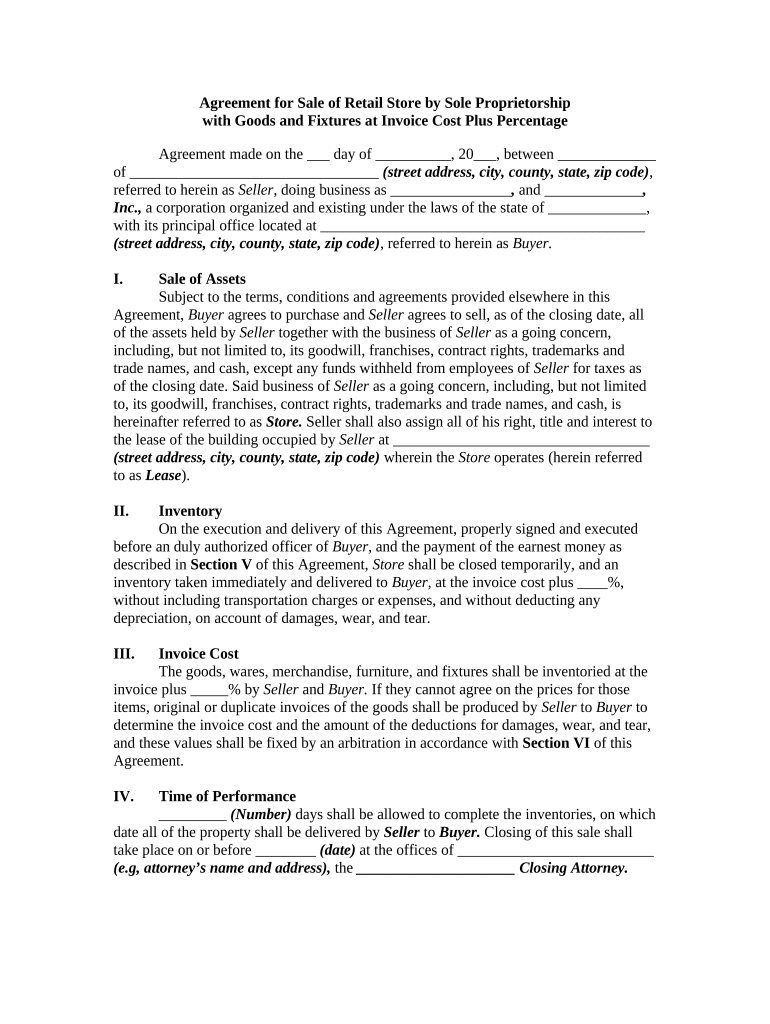
An Agreement for Sale of Retail Store is a legally binding contract that records the terms under which an owner transfers a retail business, its assets, and related goodwill to a buyer. The document typically covers purchase price, included inventory, fixtures and equipment, lease assignment or landlord consent, employee matters, transition services, representations and warranties, and closing conditions. Parties use this agreement to specify payment arrangements, allocate risk, and set post-closing obligations so both buyer and seller understand responsibilities before and after transfer.

Why a Clear Sale Agreement Matters

Use an Agreement for Sale of Retail Store to allocate purchase price, protect against undisclosed liabilities, document asset transfer, and define closing conditions. A clear written agreement reduces disputes and supports enforceability under state contract law and federal e-signature statutes where executed electronically.

Why a Clear Sale Agreement Matters

Who Typically Prepares and Signs This Agreement

Buyers, sellers, brokers, and attorneys commonly use this agreement when transferring ownership of a retail business in the U.S.

  • Independent retailers selling all or part of a store including inventory and fixtures.
  • Franchisees transferring rights or assigning leases with franchisor consent required.
  • Investors or companies acquiring chains, assets, or goodwill in an asset purchase.

Core Sections to Include in the Agreement

This checklist highlights essential sections to include in a professionally drafted Agreement for Sale of Retail Store to reduce ambiguity and allocate risk.

Purchase Terms

Define total purchase price, deposit, payment schedule, escrow conditions, and adjustments for inventory counted at closing. Specify currency, method of payment, and consequences for missed payments.
Assets Included

List tangible and intangible assets included, with schedules for inventory, equipment, trade name, and customer lists. Exclude items clearly and attach separate bills of sale when required.

Lease & Real Property

Address lease assignment procedures, landlord consents, security deposit transfer, and any required estoppel certificates. State obligations for lease-related defaults and remedies.

Representations & Warranties

Seller's representations about ownership, title to assets, tax compliance, licenses, and litigation. Include survival period and remedies for breaches, including indemnity procedures.

Closing Conditions

List conditions precedent for both parties, required deliverables at closing, certificates, consents, and any third-party approvals or regulatory filings needed before transfer.

Post-Closing Covenants

Non-compete, transition services, employee retention, customer notice, and allocation of post-closing liabilities. Specify duration, geographic scope, and remedies for violations.

Step-by-Step: From Draft to Closing

Follow this sequence to complete and execute the Agreement for Sale of Retail Store electronically or in person.

  • 01
    Prepare Draft: Assemble asset schedules, lease excerpts, and recent financial statements before drafting terms.
  • 02
    Negotiate Terms: Agree on price, included assets, and contingencies with counsel and broker.
  • 03
    Due Diligence: Buyer inspects inventory, contracts, licenses, payroll, and tax records.
  • 04
    Close & Transfer: Execute documents, transfer funds, record assignments, and deliver possession.

Recommended Digital Workflow Settings

Suggested digital workflow settings when completing and e-signing the Agreement for Sale of Retail Store.

Field to Configure and Expected Value Recommended configuration and examples for e-sign workflow.
Signature Order Seller then buyer then witness then closing agent
Authentication Level Email plus SMS code; KBA for high-value transfers
Attach Documents Include lease excerpts, asset schedules, and bills of sale
Retention Copy Store executed PDF and audit trail in secure repository

Technical and Integration Considerations

Recommended technical and integration requirements for e-signing and e-submission of the Agreement for Sale of Retail Store.

  • File Formats: PDF and DOCX supported.
  • Integrations: Connectors for Salesforce, NetSuite, Google Workspace.
  • Authentication Options: Email, SMS code, and two-factor.

Typical Signing and Delivery Flow

Typical routing and signing sequence for completing and delivering the agreement to all parties electronically.

  • Upload Document: Place contract and schedules into a single PDF for review.
  • Assign Roles: Designate signer order: seller, buyer, witness, and closing agent.
  • Authenticate Signer: Use email, SMS code, or identity verification for high-risk deals.
  • Deliver Copies: Provide executed copies and audit trail to all parties.

E-signature Vendor Pricing and Feature Snapshot

Vendor pricing and feature snapshot for executing an Agreement for Sale of Retail Store; signNow is listed first for direct comparison across common capabilities.

signNow DocuSign Adobe Sign PandaDoc HelloSign
Starting Price $8/user/mo $15/user/mo $14/user/mo $19/user/mo $15/user/mo
Free Trial 7-day free trial, no credit card required Varies by vendor Varies by vendor Varies by vendor Varies by vendor
Bulk Send Yes Yes Yes Yes No
Audit Trail Yes Yes Yes Yes Yes
HIPAA Compliant Yes Yes Yes No No
Envelope Cap No cap 100 envelopes/user/year cap Varies by plan Varies by plan Varies by plan

Key Milestones from Offer to Post-Closing

Key milestones from negotiation through post-closing obligations for the Agreement for Sale of Retail Store.

01

Offer & Deposit

Buyer delivers offer and escrow deposit per agreed terms.

02

Due Diligence Period

Buyer inspects assets, reviews contracts, and completes searches.

03

Closing Date

Funds transferred, documents signed, and assets assigned.

04

Post-Closing Obligations

Transition services, final inventory reconciliation, and indemnity claims handling.

Important Filing and Timing Deadlines

Important dates and statutory filing deadlines related to payment reporting, tax forms, and closing logistics for the sale.

Provide W-9 on request:

Seller should provide W-9 when requested to avoid backup withholding.

1099-NEC deadlines:

If required, file recipient and IRS copies by January 31.

Closing date:

Observe the agreed closing date; extensions require written amendment.

Lease notice periods:

Provide landlord notice per lease timelines to secure consent or assignment.

Post-closing reconciliations:

Complete final inventory and financial reconciliations within agreed period.

Essential Data Elements to Record

Seller Identity: Legal name, entity type, and EIN.
Buyer Identity: Legal name, entity type, and EIN.
Store Location: Full street address with ZIP.
Included Inventory: Detailed inventory list and valuation.
Purchase Price: Total price, deposits, and terms.
Signatures & Dates: Signed names, titles, and dates.

Core Penalties and Operational Risks

Late 1099 Penalties: IRC §6721 penalties per late form.
Backup Withholding: 24% withholding for missing TIN.
Lease Assignment Risk: Loss of premises without landlord consent.
Undisclosed Liens: Buyer liable for unknown creditor claims.
Invalid Signatures: Improper signing may void agreement.
Tax Reporting Errors: Incorrect info triggers IRS penalties.

Common Preparation Mistakes to Avoid

  • Failing to attach an itemized asset schedule leads to disputes about included inventory, fixtures, and intangible assets at closing, prolonging settlement and increasing legal costs.
  • Not verifying corporate signing authority or missing board resolutions can render a corporate signature ineffective and invite post-closing challenges to ownership transfer.
  • Assuming lease assignment is automatic without landlord consent risks eviction or loss of premises, especially if lease prohibits assignment or requires explicit approval.
  • Using vague valuation terms like 'reasonable value' instead of fixed methods increases disagreement over inventory pricing and may require expensive expert valuation.

Representative Signer Profiles

Independent Owner

An owner-operator of a single retail location who needs to transfer assets and lease obligations. They rely on clear asset schedules, landlord consents, and concise payment terms to avoid post-closing disputes and to ensure continuity of operations for customers and staff.

Strategic Buyer

A buyer acquiring a store or multiple locations, focused on inventory valuation, lease assignment, and employee obligations. They prioritize representations, indemnities, and escrow arrangements to mitigate risk and confirm that no undisclosed liabilities transfer with the purchase.

How Others Completed Retail Sale Documents

Real-world examples showing how organizations executed sale-related agreements and maintained compliance using digital signing workflows.

Tim Martin

Tim Martin used online execution to process retail sale documents and related leases without in-person meetings, reducing administrative delays during closings.

  • He emphasized compliance and mobile access.
  • By consolidating asset schedules, signatures, and audit trails in a single platform, he shortened turnaround times and ensured all parties received identical executed copies for records, lender review, and post-closing audits.

Brian Fitzgibbons

Optica Ventures used e-sign workflows to manage multiple small retail acquisitions and streamline paperwork across remote sellers and buyers.

  • The interface simplified customer interactions.
  • Consolidated templates, automated field detection, and secure storage reduced manual errors and audit friction, enabling faster closings and clearer post-transaction records for accounting and compliance teams during inspections and lender reviews.

Practical Tips to Reduce Delays and Disputes

Practical tips to reduce risk and accelerate completion of the Agreement for Sale of Retail Store.

Use clear asset schedules and attachments
Attach detailed asset schedules that itemize inventory counts, serial numbers, and fixture ownership. Use dated valuation methods and require signatures on each schedule to prevent disputes over which items transferred at closing.
Confirm signing authority and corporate approvals
Require a corporate resolution or power of attorney for corporate signers and verify partnership or LLC operating agreement provisions. Record documentation in the closing bundle to prevent later challenges to authority.
Obtain landlord consents in writing
Obtain written landlord consents or an express lease assignment clause before closing. Attach estoppel letters and confirm any required deposits or security transfer to avoid post-closing disputes and potential eviction.
Preserve audit trail and executed copies
Retain an immutable executed copy, timestamped audit trail, and signer attribution. If using e-signatures, ensure ESIGN and UETA compliance and keep reproducible records to support enforceability and future audits.

How This Agreement Compares to Other Purchase Types

How an Agreement for Sale of Retail Store differs from other purchase agreements used in business transfers.

Criteria Sale Agreement Stock Purchase Agreement
Transfer scope assets only stock ownership
Liability allocation buyer avoids seller liabilities buyer assumes company liabilities
Third-party consents often required may be required
Typical use case single-location store sale sale of entire corporation

Frequently Asked Questions About the Agreement for Sale of Retail Store

Answers to common questions about completing, signing, and enforcing an Agreement for Sale of Retail Store.


Need help? Contact support

be ready to get more
Join over 28 million airSlate SignNow users