Establishing secure connection…Loading editor…Preparing document…

Zoning Variance Application

This template is fully customizable. Edit the text, fill out the fields, and send it for signature. Give it a try!
Zoning Variance Application

What a Zoning Variance Application Is and When It Applies

A Zoning Variance Application is a formal request to a local zoning authority asking for relief from one or more dimensional, use, or development standards in the municipal zoning ordinance. Applicants typically seek variances for setbacks, lot coverage, building height, parking requirements, or other rules that would otherwise prevent proposed use or development. The application initiates an administrative or quasi-judicial review that often includes staff review, public notice, a hearing before a zoning board or planning commission, and a written decision stating findings and any conditions of approval.

Why Filing a Complete Application Matters

A well-prepared Zoning Variance Application clarifies the relief sought, demonstrates a practical hardship or unique site condition, and streamlines administrative review. Clear evidence and accurate plans reduce processing delays, lower the chance of public opposition, and improve prospects for a favorable decision.

Why Filing a Complete Application Matters

Who Typically Completes a Zoning Variance Application

Local property owners, developers, design professionals, and land use attorneys commonly prepare and submit zoning variance requests to municipal zoning boards or planning commissions.

  • Property owners seeking relief where strict compliance would cause practical difficulty or unnecessary hardship.
  • Developers and contractors proposing site changes that conflict with dimensional or parking standards.
  • Land use attorneys and consultants representing applicants at hearings and preparing legal justification.

Core Components of a Professional Application Package

A complete application combines a filled form, a clear site plan, supporting narratives, legal descriptions, and any required fees to allow staff and the board to evaluate the request effectively.

Application Form

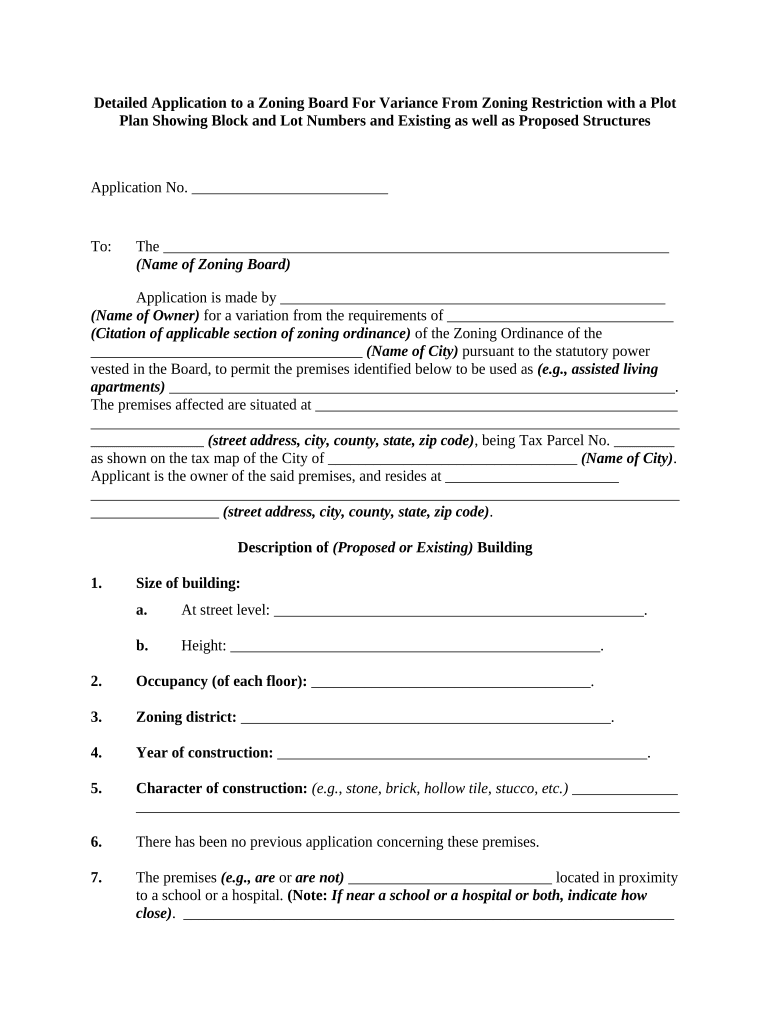
Completed municipal application or permit form listing owner, applicant, property address, parcel ID, and a concise description of the variance requested and specific code sections involved.
Site Plan

Scaled plan showing property lines, existing and proposed structures, setbacks, dimensions, parking layout, and adjacent rights-of-way to illustrate the physical extent of the requested variance.

Narrative

Written justification explaining the unique circumstances, legal standard for variance (hardship or practical difficulty), and how the request meets required findings.

Supporting Studies

Supplemental materials such as surveys, topographic maps, traffic or drainage studies, arborist reports, or engineering plans that substantiate the application.

Notices and Maps

Public notice materials, mailing labels for abutters, and an area map used to notify neighbors and meet local notice requirements.

Decision Conditions

Draft conditions or mitigation measures proposed by the applicant to address board concerns and reduce community impact.

Required Information Typically Requested on the Form

Applicant Name: Full legal name
Owner Name: Owner as recorded
Property Address: Street, city, ZIP
Parcel ID: Tax parcel number
Variance Requested: Code section citation
Contact Info: Phone and email

Step-by-Step: Completing the Application

Follow these steps in order to prepare a clear and complete Zoning Variance Application for municipal review.

  • 01
    Gather Records: Obtain deed, tax parcel number, and current survey.
  • 02
    Complete Form: Enter applicant, owner, address, and variance specifics.
  • 03
    Prepare Plans: Attach scaled site plan and any technical studies.
  • 04
    Submit & Pay: File with municipal planning office and pay fees.

Where to File and How the Routing Works

Municipal submission varies by jurisdiction; typical routing includes an initial planning staff review, interdepartmental checks, public notice, and a hearing before the zoning board or commission.

  • Planning Office: Receive application package and check for completeness.
  • Staff Review: Technical review and comments from building, engineering, and public works.
  • Public Notice: Abutter notification and posted notices per local code.
  • Hearing & Decision: Board hearing followed by written decision with conditions.

Digital Submission and eSigning Considerations

Many municipalities accept electronic submissions and eSignatures, but local acceptance rules, document formats, and authentication requirements vary widely.

  • Accepted Formats: PDF and DOCX are commonly accepted.
  • Authentication: Email, SMS code, or stronger ID methods may be required.
  • File Size Limits: Check municipal upload caps before submitting.

Use platforms that support audit trails, tamper-evident PDFs, and integrations with document storage; ensure the chosen eSignature solution meets local rules and any privacy requirements.

Practical Tips to Improve Application Accuracy

Small omissions are the leading cause of application delays; follow these practical guidelines to reduce back-and-forth with staff and the board.

Pre-Application Meeting
Request a pre-application conference with planning staff to confirm submission requirements and identify potential technical concerns.
Clear Plans
Use a certified survey and readable, to-scale site plans that show dimensions and all existing conditions.
Neighbor Outreach
Notify adjacent property owners early and provide contact information to reduce surprises and opposition at hearings.
Mitigation Measures
Propose reasonable conditions or screening to address visual, drainage, or traffic impacts and demonstrate good-faith efforts to limit harm.

Common Mistakes That Slow Processing

  • Submitting incomplete plans or incorrect parcel identifiers that force staff to suspend review and request corrections.
  • Failing to secure required signatures, notarizations, or owner authorization before submission which invalidates the application.
  • Neglecting public notice requirements or incorrect abutter mailing lists that require re-noticing and delay hearings.
  • Not addressing stormwater, parking, or building code comments in advance, leading to repeated plan revisions.

Risks and Potential Consequences of Errors

Application Denial: Request may be rejected
Project Delays: Start dates postponed
Fines: Municipal penalties possible
Code Enforcement: Remediation orders required
Increased Costs: Additional design and legal fees
Appeals: Administrative or court appeals

Representative Use Cases

These brief case summaries illustrate how variance requests often arise and what supportive evidence proved decisive.

Case Study 1

A homeowner sought a setback variance for an addition to accommodate a growing family

  • The applicant presented a certified site survey showing topographic constraints
  • The board granted a reduced setback with vegetative screening and a deed restriction recorded to protect neighbors, enabling construction while addressing community concerns.

Case Study 2

A small developer requested relief from minimum parking required for an infill mixed-use project

  • Traffic study demonstrated shared parking and nearby transit options
  • The board approved a reduced parking requirement conditioned on a monitoring plan and contribution to nearby public transit improvements.

eSignature Provider Pricing and Compliance Snapshot

Comparing common eSignature vendors can help applicants and municipal staff choose a solution that supports secure eSubmission; signNow is listed first to align with platform comparison conventions.

signNow DocuSign Adobe Sign PandaDoc HelloSign
Starting Price $8/user/mo $15/user/mo $14/user/mo $19/user/mo $15/user/mo
Free Trial 7-day free trial, no credit card required No No Yes, limited Yes, limited
Bulk Send Yes Yes Yes Yes No
Audit Trail Yes Yes Yes Yes Yes
HIPAA Compliant Yes Yes Yes No No

Frequently Asked Questions About Zoning Variance Applications

Answers to common practical questions about eligibility, documentation, timelines, and electronic submissions for zoning variance requests.


Need help? Contact support

be ready to get more
Join over 28 million airSlate SignNow users