Establishing secure connection…Loading editor…Preparing document…

Letter Regarding Attorney-Client Fee Contract

This template is fully customizable. Edit the text, fill out the fields, and send it for signature. Give it a try!
Letter Regarding Attorney-Client Fee Contract

What this letter is and when it’s used

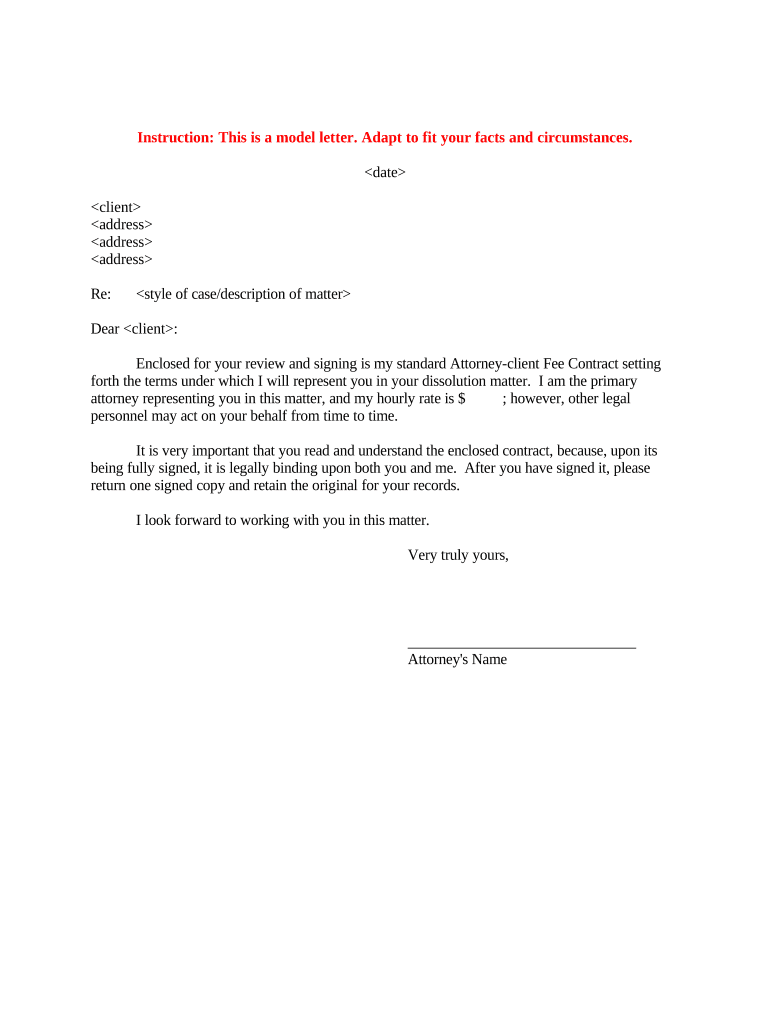
A Letter Regarding Attorney-Client Fee Contract is a formal written communication used to confirm, explain, or modify the fee arrangement between an attorney and a client. It typically summarizes the agreed billing method (hourly, flat, contingency, retainer), payment terms, scope of services, and any contingencies such as additional costs or termination conditions. The letter creates a clear record that both parties can rely on for billing, ethical compliance, and dispute avoidance, and it may be attached to or incorporated into the underlying engagement agreement.

Why a clear fee letter matters to both parties

A concise fee letter reduces misunderstandings about billing, supports informed consent under ethical rules, and documents expectations for dispute resolution, retainer handling, and termination. It benefits attorneys by establishing enforceable payment terms and benefits clients by providing transparency on costs and responsibilities.

Why a clear fee letter matters to both parties

Who prepares and who receives this letter

Use the letter to create a contemporaneous record that supports billing, compliance, and any future accounting or audit requests.

  • Individual clients who retain counsel for discrete matters such as family law, estate planning, or litigation
  • Corporate clients or in-house counsels managing outside counsel engagements and budgets
  • Third-party payors or insurers when fee arrangements are conditional on reimbursement or assignment

Signed parties and authorities

Client — Individual

A named natural person or authorized representative who agreed to retain counsel. The text should identify capacity (e.g., trustee, guardian) and include contact and billing details. Signature by an agent requires proof of authority.

Attorney / Firm

The responsible attorney or an authorized billing officer signs for the firm. Include firm name, bar number where relevant, billing contact, and any escrow or trust account instructions for retainer handling.

Core elements to include in the fee letter

A professionally drafted fee letter organizes the agreement so each key topic is explicit and easy to reference for billing, client questions, and potential audits.

Scope of Services

Describe discrete tasks or matter scope; avoid open-ended phrases. Specify deliverables, excluded matters, and whether additional work requires separate authorization or a new engagement.
Billing Method

State hourly rates by attorney or role, flat fees, contingency percentages, or blended rates; explain how rate changes will be handled and provide examples of time increments.

Retainer and Trust Handling

Specify retainer amount, whether it is refundable, how it will be applied to invoices, and trust accounting procedures consistent with state bar rules.

Expenses and Disbursements

List reimbursable costs (filing fees, expert witness fees, courier, deposition transcripts) and whether they are advanced by the firm or billed as incurred.

Payment Terms

Set invoice frequency, due dates, interest or late fee policy, and accepted payment methods. State consequences for nonpayment, including engagement suspension or withdrawal.

Dispute Resolution

Note any fee arbitration clauses, governing law, and contact point for contesting charges; reference client’s right under state fee dispute procedures where applicable.

Essential information fields to include

Client Name: Full legal name
Firm Name: Legal firm name
Matter Identifier: Client matter number
Rates: Hourly or flat
Retainer: Amount or none
Payment Terms: Net days

Step-by-step: drafting and issuing the fee letter

Follow this sequence to prepare a clear, enforceable letter and to document client consent efficiently.

  • 01
    Draft the Letter: Summarize scope, fees, retainer, and payment terms in plain language.
  • 02
    Review by Ethics/Billing: Confirm compliance with state bar rules and internal policies.
  • 03
    Send for Client Review: Deliver by email or secure portal and request written acceptance.
  • 04
    Record and File: Store signed copy in matter file and accounting system.

How to configure an online workflow for this letter

Set up a repeatable digital workflow to populate client data, capture consent, and store executed letters in your matter management system.

Template Field Mapping Link matter fields to letter placeholders
Signer Authentication Email link or SMS code
Attach Supporting Docs Include engagement letter or retainer receipt
Automated Reminders Set frequency and escalation rules
Audit Trail Capture Record IP, timestamp, and action log

Where to send the completed letter and how it moves

A clear routing plan ensures the signed letter is available to billing, the client, and the matter file while preserving an audit trail.

  • Client Delivery: Email secure PDF or provide access via client portal
  • Accounting Copy: Save to billing system and link to matter ID
  • Matter File: Store executed letter in case management repository
  • Record Retention: Archive signed copy per retention policy

Digital signing and transmission considerations

Ensure platform choices meet confidentiality obligations and, where needed, HIPAA or other industry compliance standards.

  • Document Formats: PDF or DOCX
  • Signer Verification: Email link, SMS code, or stronger KBA
  • Integration Options: Matter management and accounting systems

Timing and typical deadlines to note

Specify deadlines for retainer payment, initial invoice, and conditions that trigger additional billing; clear timing avoids disputes and collection delays.

Retainer Due Date:

State the date retainer is payable and any consequences of nonpayment

Invoice Frequency:

Monthly, milestone, or upon occurrence as specified

Late Payment Terms:

Interest rate or collection fees described plainly

Fee Dispute Window:

Client must object in writing within a stated number of days

Fee Arbitration Notice:

If applicable, include timeframe and procedure for arbitration

Key milestones from engagement to archive

Track the matter from initial agreement through final invoice and archival so records are complete for billing disputes and compliance needs.

01

Engagement Accepted

Client signs fee letter and retainer is paid

02

Billing Periods

Firm issues invoices per agreed schedule

03

Final Accounting

Reconcile retainer and close matter billing

04

Archival

Store documents according to retention policy

Common mistakes to avoid when preparing the letter

  • Using vague scope language that leaves billing for additional work ambiguous and invites disputes.
  • Failing to describe retainer treatment clearly—whether refundable, earned, or applied to fees and expenses.
  • Omitting dispute resolution or fee arbitration information required by state bar rules or client agreements.
  • Neglecting to obtain a dated signature or clear client consent to electronic delivery and billing methods.

Consequences and professional risks of an inadequate letter

Fee Disputes: Client may seek fee arbitration
Ethics Complaints: State bar review possible
Collection Difficulty: Court judgment may be harder
Trust Accounting Errors: Possible regulatory fines
Client Relationship Damage: Loss of trust and referrals
Billing Litigation: Increased legal costs

How this letter differs from related engagement documents

Compare the fee letter to full engagement agreements and separate retainer agreements to know which instrument governs particular issues.

Document Type Fee Letter Engagement Agreement
Primary Purpose summarize fees comprehensive terms
Length / Detail short long
Signatures Required
Incorporation Option standalone can incorporate fee letter

Typical eSignature vendor pricing and feature snapshot

Comparison of common eSignature features and starting prices; signNow appears first. Use vendor sites or procurement contacts to confirm plan details for purchasing decisions.

signNow DocuSign Adobe Sign PandaDoc HelloSign
Starting Price $8/user/mo $15/user/mo $14/user/mo $19/user/mo $15/user/mo
Free Trial 7-day free trial Varies Varies Varies Varies
Bulk Send Yes Yes Yes Yes No
Audit Trail Yes Yes Yes Yes Yes
Envelope Cap No cap 100 envelopes/user/yr Varies Varies Varies

Formats, signatures, and storage options

Choose formats and signature methods that satisfy legal validity tests and make long-term storage and reproduction straightforward for audits and disputes.

Document Format

Use PDF/A for archival copies and maintain an editable DOCX source for future amendments or integrations with matter management systems.

Signature Type

Electronic signatures using audit trails meet ESIGN and UETA tests; use digital signatures or notarization where stronger non-repudiation is required.

Storage Location

Store executed copies in a secure matter repository with access controls and regular backups to protect confidentiality and integrity.

Export Options

Save signed copies as PDF with certificate of completion and retain metadata (timestamps, IP address) alongside the file.

Real-world examples of fee-letter use

These brief examples illustrate common situations and practical drafting choices for fee letters.

Small Litigation Matter

Client required contingency backup fee

  • 33% contingency on recovery only
  • The firm added explicit expense advance language, required a $3,000 retainer, and set monthly reporting to avoid disputes during trial preparation.

Corporate Transaction

Corporate client requested budget limits

  • Fixed fee with capped hours and overage rate
  • The firm provided a flat project fee, a per-hour overage rate, and weekly invoicing tied to milestone completion to improve predictability for the client.

Practical tips for clear, enforceable fee letters

Adopt these drafting and administrative practices to reduce disputes and support ethical compliance while minimizing administrative overhead.

Use plain, specific language
Avoid legalese that obscures billing mechanics; set out concrete examples of billed activities and how time will be recorded.
Document client consent to electronic delivery
For consumer-facing matters, include ESIGN consumer disclosure and confirm the client can access electronic records per 15 U.S.C. §7001(c).
Maintain an auditable trail
Capture timestamps, signer identity, and communication history so invoices and retainer accounting are defensible in audits or disputes.
Review periodically for consistency
Update templates when rates, state rules, or firm policies change to ensure new letters reflect current practice.

Frequently asked questions about fee letters and e-signing

Answers to common questions about legal validity, notarization, execution, and recordkeeping for fee-letter workflows.


Need help? Contact support

be ready to get more
Join over 28 million airSlate SignNow users