Establishing secure connection…Loading editor…Preparing document…

Avigation and Hazard Easement

This template is fully customizable. Edit the text, fill out the fields, and send it for signature. Give it a try!
Avigation and Hazard Easement

What an Avigation and Hazard Easement Covers

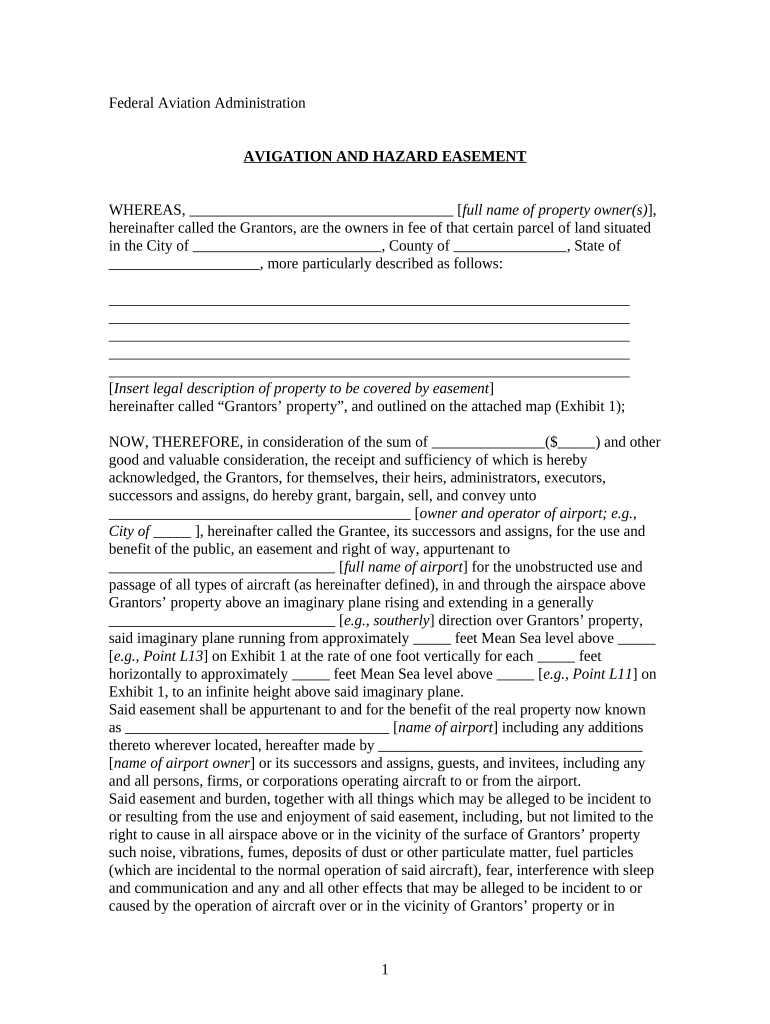
An Avigation and Hazard Easement is a recorded real-estate instrument that grants rights over a property to allow aircraft operations and to limit landowner claims for noise, overflight, and other aviation-related impacts. It typically reserves airspace rights, requires disclosure of aviation hazards, and may restrict building heights, vegetation, or structures that interfere with flight operations. These easements are used by airports, municipalities, and private aviation operators to protect flight paths and to clarify liability and maintenance responsibilities while preserving property ownership for the grantor.
Why parties use an Avigation and Hazard Easement

Use an Avigation and Hazard Easement to secure aviation access, reduce litigation risk from overflight and noise complaints, and document restrictions on structures that could impede air operations. It provides clarity for owners, airport operators, lenders, and future buyers.

Why parties use an Avigation and Hazard Easement

Primary users and stakeholders

Common users include airport authorities, municipal governments, private airfield owners, property developers, and real estate counsel involved in aviation-adjacent properties.

  • Airport authorities and airport operators managing approach paths and property acquisitions near runways.
  • Property owners selling development rights or receiving compensation for restricted use under easement terms.
  • Lenders and title companies reviewing recorded easements during financing and title search processes.

Core elements to include in a professional easement

Key components of a professional Avigation and Hazard Easement define rights, restrictions, notice, duration, compensation, and recording details tailored to local law and airport requirements.

Grant of Rights

Specify the precise airspace rights conveyed, including permission for overflight, use of easement area, and permission to operate aircraft. Include any limitations on altitude, approach corridors, and maintenance access for aviation equipment.

Restrictions

List prohibited activities and structures such as tall buildings, towers, or vegetation that obstruct navigable airspace. State setback lines, maximum structure heights, and any required permits before construction within the easement footprint.

Notice Requirements

Describe how owners must provide notices to airport or grantee for proposed construction, vegetation removal, or activities. Include timing, delivery method, required attachments, and contact information for responses or approvals.

Term and Termination

State whether the easement is perpetual or for a fixed term. Detail termination events, conditions for release, assignment by grantee, and obligations at expiration including restoration or continuing access rights.

Compensation

Record consideration paid or promised, formulae for periodic payments if any, tax treatment statements, and remedies for nonpayment. Include acknowledgement of receipt where funds have been disbursed at closing.

Recording & Title

Provide instructions for recording with county recorder, required legal description or exhibit, obligations to notify title companies, and covenants running with the land to bind future owners and succeed to possessory interests.

Step-by-step: complete and record the easement

Follow these steps to complete and record an Avigation and Hazard Easement accurately in most U.S. jurisdictions.

  • 01
    Prepare Draft: Draft easement language with legal description and exhibits attached.
  • 02
    Review Parties: Confirm grantor/grantee names and authority to execute.
  • 03
    Sign & Notarize: All parties sign before a notary or RON as permitted.
  • 04
    Record: File with county recorder and update title records.

Configure a digital workflow for execution and recording

Set up a digital workflow for review, signature, notarization, and recording steps using eSignature tools and document management integrations.

Document Routing and Signer Authentication Set signer order, authentication, and notifications.
Signature, Initials, and Date Fields Place required signature, initial, and date tags.
Advanced Signer Multi-Factor Authentication Settings Enable SMS, email, or government ID verification as needed.
Notarization and Remote Online Notarization Options Choose in-person notary or RON workflow with recorded session.
Recording, Delivery, and Title Service Integration Send final PDF to county recorder and title agent.

Technical formats and security considerations

Digital completion uses PDF, Word DOCX, or scanned originals and integrates with cloud storage and title systems.

  • Supported Formats: PDF, DOCX, or image scans.
  • Integrations: Salesforce, NetSuite, Microsoft 365, Box are common.
  • Authentication: Email, SMS code, or KBA where required.

Where executed easements are sent and who receives copies

Typical routing for an executed easement includes distribution to grantee, county recorder, title companies, and airport authorities for compliance.

  • Deliver To Recorder: Record original with county recorder's office in the property jurisdiction.
  • Provide Grantee Copy: Send signed and notarized copy to the grantee or airport authority.
  • Notices: Deliver any construction notices to parties per easement notice clause.
  • Title Agent: Supply recorded instrument to title companies for lien searches and funding.

Key dates to track in the easement process

Time-critical dates for easement completion include execution, notarization, recording, and any performance or payment schedules agreed between parties.

Execution Date:

Date the parties sign the instrument; affects effectiveness and priority.

Notarization Deadline:

Complete notarization before recording to satisfy county requirements.

Recording Requirement:

Record in county recorder’s office to perfect the easement and provide notice.

Payment Schedule:

If compensation applies, list payment dates and escrow instructions.

Maintenance Review:

Schedule inspections or reviews for vegetation and obstruction compliance.

Common pitfalls to avoid when preparing an easement

  • Failing to use precise legal descriptions can result in ambiguous boundaries and title defects that complicate recording and enforcement.
  • Omitting notice provisions for future construction or vegetation growth leads to disputes and may invalidate claimed easement protections.
  • Not verifying signatory authority for entities or trusts produces challenges to enforceability and may require costly litigation or corrective deeds.
  • Failing to record promptly after execution allows subsequent buyers to claim priority, undermining the grantee’s rights and cure options.

Potential legal and transactional risks

Recording Errors: Title defects may arise
Scope Ambiguity: Enforcement disputes possible
Notary Defects: Recorder rejection or re-signing
Failure to Disclose: Risk of lender or buyer claims
Tax Treatment: Potential unexpected liabilities
Enforcement Costs: Litigation or remediation expenses

Practical examples from real projects

Real-world examples show how airports, developers, and lenders use avigation easements to manage risk and secure flight corridors.

Municipal Airport

A municipal airport negotiated an Avigation and Hazard Easement with adjacent landowners to protect runway approach corridors and reduce noise litigation.

  • Grantee required access for inspections.
  • After recording, the airport coordinated building permits with the county and established a monitoring plan. The recorded easement clarified compensation terms and allowed developers to proceed with constrained site designs without unexpected takings claims.

Private Airfield

A private airfield granted easement rights to a regional carrier to ensure safe night operations and to formalize lighting easements.

  • Included compensation and maintenance obligations.
  • The agreement specified annual compensation adjusts with CPI, required grantee to maintain obstruction lighting, and included dispute resolution steps. Having clear recorded terms avoided later claims and simplified title clearance for refinancing.

eSignature vendor pricing and capability snapshot for easement workflows

Compare starting prices and core capabilities relevant to completing and eSigning Avigation and Hazard Easements.

signNow DocuSign Adobe Sign PandaDoc HelloSign
Starting Price $8/user/mo $15/user/mo $14/user/mo $19/user/mo $15/user/mo
Free Trial 7-day free trial Varies Varies Varies Varies
Bulk Send Yes Yes Yes Yes No
Audit Trail Yes Yes Yes Yes Yes
HIPAA Compliant Yes Yes Yes No No

Frequently asked questions about Avigation and Hazard Easements

Frequently asked questions address enforceability, recording, signing authority, notarization, revocation, and typical costs for Avigation and Hazard Easements.


Need help? Contact support

be ready to get more
Join over 28 million airSlate SignNow users