Establishing secure connection…Loading editor…Preparing document…

Release by Guardian for Minor Upon Settlement of Damage Claim

This template is fully customizable. Edit the text, fill out the fields, and send it for signature. Give it a try!
Release by Guardian for Minor Upon Settlement of Damage Claim

What this guardian release is and when it applies

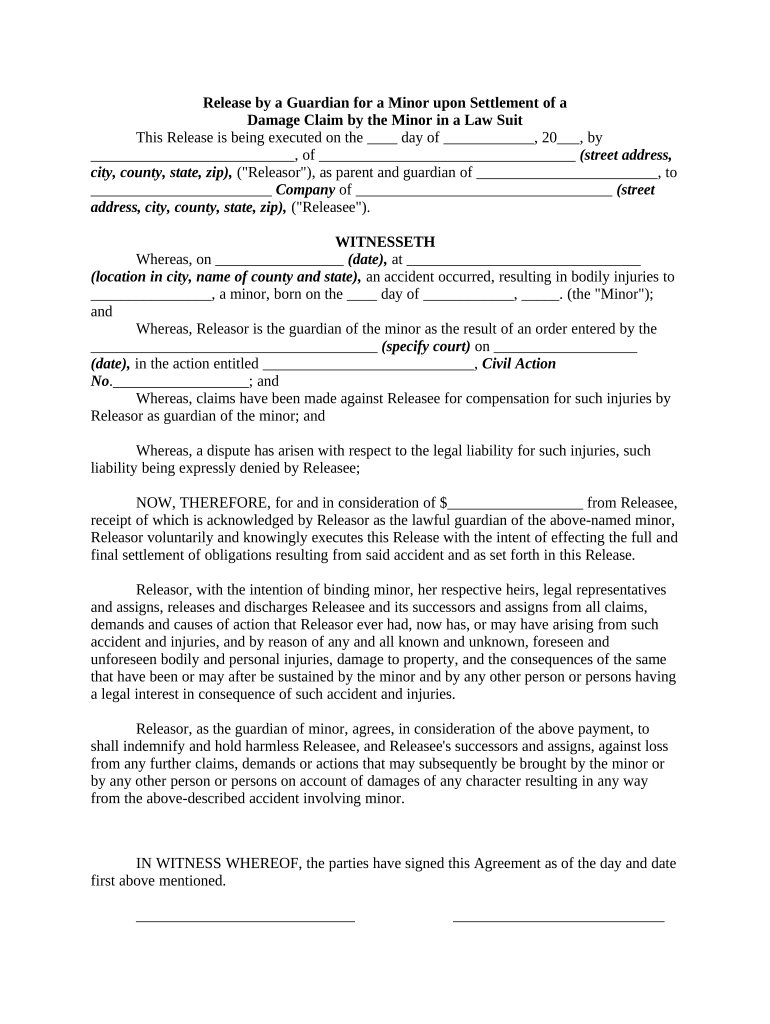
A Release by Guardian for Minor Upon Settlement of Damage Claim is a legal document in which a guardian or parent accepts consideration and releases specified parties from future liability on behalf of a minor following a negotiated settlement for property damage, bodily injury, or other harms. The release identifies the minor and guardian, describes the settlement terms and consideration, and specifies the scope of claims being waived. In many jurisdictions the release may require notarization or court approval to be binding and to prevent later challenges on the minor’s behalf.

Why a clear, complete guardian release matters

A properly drafted guardian release provides finality for the settling parties, documents the consideration paid, and reduces the risk of later claims by the minor. It also establishes the guardian’s authority to compromise the claim and creates an evidentiary record of the settlement terms.

Why a clear, complete guardian release matters

Typical parties involved with this release

Who prepares or signs this form and why: identify the common participants and their roles.

  • Guardian or parent — signs on behalf of minor to accept settlement and release claims.
  • Insurance adjuster or claimant — prepares settlement terms and confirms payment details.
  • Attorneys and court officials — may review for adequacy and petition for court approval.

Common signatories and their roles

Guardian / Parent

A court-appointed guardian or a parent with legal custody who has authority to settle a minor’s claim; must sign, attest to relationship, and often provide identification and a notarized acknowledgement.

Insurance Adjuster

An insurer representative who documents the settlement offer, confirms payment, and obtains the release to close the claim file and limit future liability exposure.

Core elements included in a professional release

A complete Release by Guardian for Minor Upon Settlement of Damage Claim contains standardized sections that establish identity, authority, the settlement terms, and legal effect.

Parties

Full legal names of the minor, the guardian signing, and all released parties; include addresses and relationship to the minor where relevant.
Minor Details

Minor’s full name and date of birth, guardian’s relationship, and any court-appointment or custody reference numbers if applicable.

Settlement Terms

Clear description of payment amount, timing, and any structured settlement or escrow arrangements; list consideration expressly.

Scope of Release

Precise statement of which claims, dates, and incidents are released, plus any carve-outs or preserved rights.

Authority & Approval

Guardian’s statement of authority, any required court approval reference, and notarization or witness blocks where required.

Signature Block

Signature, printed name, date, and notary acknowledgment; include space for attorney or adjuster countersignature if used.

Required information and supporting items

Minor Name: Full legal name
Minor DOB: MM/DD/YYYY
Guardian Name: Full legal name
Settlement Amount: Exact dollar figure
Consideration Details: Cash, structured terms
Notary Block: Notary acknowledgement

Step-by-step: completing and finalizing the release

Follow these sequential steps to prepare, execute, and preserve a legally effective guardian release.

  • 01
    Gather documents: Collect IDs, custody or guardianship orders, and settlement authorization.
  • 02
    Draft release: Populate parties, consideration, release language, and effective date.
  • 03
    Execute and notarize: Guardian signs; obtain notary and any required witness signatures.
  • 04
    Court review if needed: File petition or seek court approval where state law or large settlements require it.

Configuring an online signing workflow

When completing the release electronically, configure fields and authentication to match legal requirements and your organization’s audit standards.

Field Configuration
Signature Field Required, linked to signer identity
Date Field Auto-populate or require MM/DD/YYYY
Notary Block Include if state requires notarization
Authentication Email + SMS code or stronger KBA

Where to send the signed release and who receives copies

Route the executed release to the parties listed and retain a certified copy in claimant and insurer files.

  • Insurer File: Claims department stores a signed copy and updates file status.
  • Claimant Counsel: Provide counsel for the claimant or guardian the dated executed release.
  • Guardian Records: Guardian retains original for the minor’s legal file.
  • Court Clerk: If court approval was sought, file the executed release per local rules.

Digital signing and e-submission considerations

Electronic execution can be accepted where ESIGN and state law allow; ensure the platform supports required authentication and retention.

  • File Formats: PDF and DOCX accepted
  • Authentication: Email+SMS, KBA, or stronger
  • Integration: Supports CRM and cloud storage

Timing, deadlines, and processing expectations

Processing times vary by whether court approval is required and by agency response times; plan accordingly to avoid settlement delays.

Effective Date:

The release takes effect on the date specified within the document.

Payment Timing:

Payment terms should specify immediate payment or scheduled installments.

Court Approval Window:

If court approval is needed, expect weeks to months, depending on local docketing.

Record Retention:

Retain executed originals per retention rules and any court filing requirements.

Tax Reporting:

Report settlement payments as required by tax rules; consult tax counsel for reporting obligations.

Common preparation and execution mistakes to avoid

  • Using imprecise release language that unintentionally broadens the waiver beyond the settled incident and allows future disputes.
  • Failing to confirm the guardian’s legal authority or omitting a court appointment reference when one exists.
  • Neglecting required notarization or witness blocks under state law, which can render the release challengeable.
  • Providing inconsistent dates, names, or payment terms between the release and settlement documentation.

Consequences of an incorrect or incomplete release

Voidable Release: Court may set aside
Liability Exposure: Defendants may face reopened claims
Payment Disputes: Delayed or withheld funds
Tax Implications: Incorrect reporting risk
Regulatory Issues: HIPAA or privacy concerns
Reputational Risk: Parties may contest settlement

Representative scenarios for guardian releases

Two typical scenarios illustrate how releases are used in practice and what additional steps may follow.

Property Damage Settlement

Guardian accepts insurer payment for roof damage to a minor’s rental property

  • Payment placed in escrow pending repairs
  • The release documents payment, releases the insurer for that incident, and includes a lien waiver for contractors.

Minor Personal Injury

A guardian settles a minor’s claim after a playground injury

  • Settlement includes medical bill reimbursement and future care fund
  • The release is notarized and filed with the court to obtain a minor settlement order protecting the parties from future claims.

Frequently asked questions about guardian releases

Answers to common concerns about authority, signature methods, court approval, and what to do when mistakes occur.


Need help? Contact support

be ready to get more
Join over 28 million airSlate SignNow users