Establishing secure connection… Loading editor… Preparing document…
Navigation

Fill and Sign the Az Will Form
Fill and Sign the Az Will Form

How it works

Open the document and fill out all its fields.
Apply your legally-binding eSignature.
Save and invite other recipients to sign it.

Rate template

4.6
56 votes
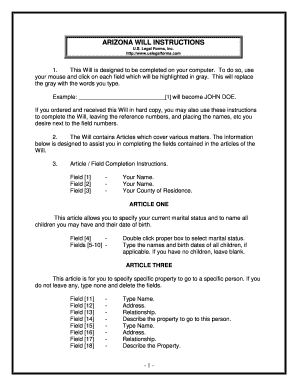
- 1 - ARIZONA WILL INSTRUCTIONS U.S. Legal Forms, Inc. http://www.uslegalforms.com 1. This Will is designed to be completed on your computer. To do so, use your mouse and click on each field which will be highlighted in gray. This will replace the gray with the words you type. Example: _____________________________[1] will become JOHN DOE. If you ordered and received this Will in hard copy, you may also use these instructions to complete the Will, leaving the reference numbers, and placing the names, etc you desire next to the field numbers. 2. The Will contains Articles which cover vario us matters. The information below is designed to assist you in completing the fields contained in the articles of the Will. 3. Article / Field Completion Instructions. Field [1] - Your Name. Field [2] - Your Name. Field [3] - Your County of Residence. ARTICLE ONE This article allows you to specify your current marital status and to name all children you may have and their date of birth. Field [4] - Double click proper box to select marital status. Fields [5 -10] - Type the names and bi rth dates of all children, if applicable. If you have no children, leave blank. ARTICLE THREE This article is for you to specify specific property to go to a specific person. If you do not leave any, type none and delete the fields. Field [11] - Type Name. Field [12] - Address. Field [13] - Relationship. Field [14] - Describe the property to go to this person. Field [15] - Type Name. Field [16] - Address. Field [17] - Relationship. Field [18] - Describe the Property. - 2 - Field [19] - Typ e Name. Field [20] - Type Address. Field [21] - Relationship. Field [22] - Describe the Property. Field [23] - Type Name. Field [24] - Type Address. Field [25] - Relationship. Field [26] - Describe the Property. ARTICLE FOUR This article is for you to leave your homestead, if you have one on the date of death to persons designated. You may choose to bequest your homestead to your spouse, your children, or allow your primary residence to pass under Article Five. Field [27] - Complete this field only if you want to leave your homestead to your spouse. Remember to sign your name under this provision if selected. Field [28 -30] - Complete these fields only if you want to leave your homestead to your child(ren). Remember to si gn your name under this provision if selected. Field [31] - Complete this field only if you want to leave your homestead to another individual(s) other than your spouse or children or if you have no spouse or children. Remember to sign your name under this Provision if selected. Field [32] - Double click on this box to select this provision only if you want your primary residence to pass under Article Five of this Will. Remember to sign your name under this provision if selected. Note: If your home is jointly owned with another and held as joint tenants with rights of survivorship, the home will pass to the survivor and will not be controlled by your will. ARTICLE FIVE This article is for you to leave all the rest and remainder of your property and any special items you listed in Article Three. This article gives you the following options as to the disbursement of the remainder of your property: Bequest to child(ren), bequest to spouse, bequest to another individual(s) or organization(s ). Field [33 -35] - Complete these fields only if you want the remainder - 3 - of your property to pass to your child(ren). Remember to sign your name under this provision if selected. Field [36] - Complete this field only if you want the remainder of your property to pass to your spouse. Remember to sign your name under this provision if selected. Field [37] - Complete this field only if you want the remainder of your property to pass to another individual(s) other than your spouse or children or if you have no spouse or children. Remember to sign your name under this provision if selected. ARTICLE SIX This article concerns property which is to vest in a trustee for a minor beneficiary. This s ection should be completed only if you have minor children. Field [38] - Enter age of minor beneficiary requiring the assistance of a trustee. Field [39] - Enter age at which beneficiary will receive distribution of trust principal and income. Field [40 ] - Enter age of beneficiary at which the named trustee is required to distribute remaining trust property. Field [41] - Enter name of trustee. Field [42] - Enter name of alternative trustee. Field [43] - Enter name of guardian for minor children. ARTICLE SEVEN This article requires that you name a personal representative and a successor personal representative. Field [44] - Enter name of your personal representative. Field [45] - Enter name of your successor personal rep resentative. ARTICLE TEN Article ten contains construction intentions and miscellaneous provisions. Be sure to check the box appropriate box concerning whether you want to be deemed to have died before or after your spouse in the event you die in a co mmon disaster with your spouse. - 4 - All other blanks in the Will are typically completed by hand, such as the names of the witnesses, day, month and year executed, etc. Once you have completed the Will, double -check all entries and then print. The Will should be signed by you in front of two witnesses, not related to you. Please sign all pages of the Will in the places designated. The self -proving affidavit is used to prove the Will and make the Will subject to probate. If the affidavit is not comple ted now, someone will have to locate the witnesses after your death and obtain an affidavit. Therefore, it is best to sign the Will in the present of two witnesses AND a notary public so that the affidavit can be completed by the Notary. You should keep your Will in a safe place once executed. It is also recommended that you give a copy to your executor or other person as additional proof of execution. - 5 - ADDITIONAL INFORMATION ABOUT YOUR WILL FORM This section will briefly explain some of the articles of your will and provide other information. Articles of the Will which are basically self -explanatory are not discussed here. In addition, information which is already provided in the instructions above is not repeated. First Paragraph: The first paragraph of the Will, provides your name, residence information and provides that all prior Wills, if any, are revoked since you have now made a new Will. Article Three: Some people have specific property that they desire to leave to a specifi c person, such as a ring or antique. This Article is for you to leave such property. You do not have to name specific property and may simply state none if no property is to be left under this Article. Article Six: This Article is for you to name a Trustee for a minor beneficiary. The person named should be an adult. Complete this section only if you have minor children. Article Seven: This Article is for you to name a Personal Representative. The person named sh ould be an adult. Article Eight: If not waived, some Courts will require your Personal Representative post a bond, and file an inventory, accounting and/or appraisal. All this can be costly and time consuming. This Article states your intention that you r Personal Representative not be required to post a bond or file an inventory or accounting. Article Nine: This Article sets forth powers of your Personal Representative and is designed to give broad powers without the requirement that Court appro val be sought for action by the Representative to the extent permitted by the laws of your State. Article Ten: This article sets forth some legal construction intentions to clarify some of the issues which may arise. - 6 - BASIC INFORMATION What is a Will? A Will is a document which provides who is to receive your property at death, who will administer your estate, t he appointment of trustees and guardians, if applicable, and other provisions. Who may make a Will? Generally, any person 18 years or older of sound mind may make a Will. (Some states allow persons under 18 to make a Will) What happens if I die without a Will? If you die without a will you are an intestate. In such a case, state laws govern who receives your property. These laws are called "intestate succession laws". If you die without a Will, the Court decides who will administer your estate. Gene rally, it is more expensive to administer an estate of a person who died without a Will, than a person who dies with a Will. General When making a Will you need to consider who will be named as your personal representative or executor to administer your estate, who you will name as guardian and trustee of minor children if your spouse does not survive you and who will receive your property. You should also consider tax issues. The person appointed as executor or administrator is often your spouse, but yo u should also name an alternate, in case your spouse predeceases you. The person you name should be a person you can trust and who will get along with the beneficiaries named in the Will. In the event your spouse predeceases you, the guardian you name wi ll have actual custody of your minor children unless a court appoints someone else. The trustee you appoint to administer a trust you established would be in charge of the assets of the trust for the benefit of the minor beneficiaries. Generally, a Will must be signed in the presence of at least two witnesses (three for Vermont) who also sign the Will. A notary public will also need to sign if the Will contains a self -proving affidavit. Generally, a self -proving affidavit allows the Will to be admitted to probate without other evidence of execution. Joint Property: Many people do not understand that joint property may pass outside your Will and also sometimes assume that it will pass through their Will. They do not understand the significance of joint o wnership. The issue is common in the following areas, provided as examples: (a) Real Estate: Often, a husband and wife will own real estate as joint tenants with rights of survivorship. If one party dies, the surviving party receives the property regard less of what the Will provides. This is common and generally acceptable. However, if this is not your desire you should change the ownership of the property to tenants in common or other form of ownership. If you own real estate as tenants in common, th en you may designate who will receive your share of the property at your death. This issue can be a problem when uninformed persons take title to real estate as joint tenants with rights of survivorship but really intended to leave their share to, for exa mple, children of a prior marriage. (b) Bank Accounts/Certificates of Deposit, Stock, Retirement Plans, IRA’s and other type Property: The same ownership as real estate can be made of these investments. In fact, many Banks routinely place Bank accounts and Certificates of Deposit in the joint tenant with right of survivorship form of ownership if more than one person is on the account or CD, without advising you of the consequence of same. In situations where the persons are husband and wife and there is no issue or concern over divorce or children from previous marriages, this may be the best course of action. However, with divorce on the rise, premarital agreements and multiple marriages being common, the parties may be doing something that was not t heir intent. Another common problematic situation is if a parent has more than one child but only one child resides in the hometown of the parent. The parent may place the name of the child who resides there on all accounts, CD’s and other investments fo r convenience reasons and establish a joint tenant with right of survivorship situation without realizing that only that child will be entitled to those assets at the parent’s death. Simply put, you should be aware when you acquire an asset or investment exactly how it is titled. - 7 - For additional information, see the Law Summary and Information and Preview links in the search results for this form. A Definitions section is also linked on the Information and Preview page. DISCLAIMER/LICENSE/LIABILITY LIMITATION All forms in this package are provided without any warranty, express or implied, as to their legal effect and completeness. Please use at your own risk. If you have a serious legal problem we suggest that you consult an attorney. U.S. Legal Forms, Inc. does not provide leg al advice. The products offered by U.S. Legal Forms (USLF) are not a substitute for the advice of an attorney. Signed by Testator/Testatrix: __________________________________ - 1 - LAST WILL AND TESTAMENT OF ________________________[1] BE IT KNOWN THIS DAY THAT, I, _____________________________[2] , of _________________________[3] County, Arizona, being of legal age and of sound and disposing mind and memory, and not acting under duress, menace, fraud, or undue influence of any person, do make, declare and publish this to be my Will and hereby revoke any Will or Codicil I may have made. ARTICLE ONE Marriage and Children (Double clic k box to select and mark as checked) [Field 4] I am: (a) Single (not married) with no children (b) Single (not married) with minor children. (c) Married with no children. (d) Married with minor children. (e) Married with adult children. (f) Other: __________________ If I have children, their names and date of birth are: Name: _______________________________[5] Date of Birth: __________________[6] Name: _______________________________[7] Date of Birth: __________________[8] Name: _______________________________[9] Date of Birth: __________________[10] ARTICLE TWO Debts and Expenses I direct my Personal Representative to pay all costs and expenses of my last illness and funeral ex penses. I further direct my Personal Representative to pay all of my just debts that may be probated, registered and allowed against my estate. However, this provision shall not extend the statute of limitations for the payment of debts, or enlarge upon my legal obligation or any statutory duty of my Personal Representative to pay debts. ARTICLE THREE Specific Bequests of Real and/or Personal Property I will, give and bequeath unto the persons named below, if he or she survives me, the Property describe d below: Name/Address/Relationship Property Description [11] [12] [13] [14] Signed by Testator/Testatrix: __________________________________ - 2 - [15] [16] [17] [18] [19] [20] [21] [22] [23] [24] [25] [26] [LIST OR STATE NO PROPERTY LEFT UNDER THIS ARTICLE] In the event I name a person in this Article and said person predeceases me, the bequest to such person shall lapse and the property shall pass under the other provisions of this Will. In the event that I do not possess or own any property listed above on the date of my death, the bequest of that property shall lapse. ARTICLE FOUR Homestead or Primary Residence I will, devise and bequeath all my interest in my homestead or primary residence, if I own a homestead or primary residence on the date of my death that passes through this Will, to my s pouse, _____________________________[27] , if he or she surv ives me. If he or she does not survive me, then my homestead or primary residence shall pass under the residuary clause of this Will. Sign ed if Selected: _______________________________ OR I Will, devise and bequeath all my interest in my homestead or primary residence, if I own a homestead or primary residence on the date of my death that passes through this Will, to my children, _____________________________[28] and _____________________________[29] and _____________________________[30] , equally, per stirpes. Sign ed if Selected: _______________________________. OR I devise and bequeath all my interest in my homestead to: ____ __________________[31] Sign ed if Selected: _______________________________. OR My Primary residence shall pass under Article Five. [Field 32] Sign ed if Selected: _______________________________. Signed by Testator/Testatrix: __________________________________ - 3 - ARTICL E FIVE All Other Property of Every Kind I will, devise, bequeath and give all of my property and estate of every kind and character, including, but not limited to, real and personal property in which I may have an interest at the date of my death and whic h is not otherwise effectively disposed of as follows: (a) To my children _____________________________[33] and _____________________________[34] and _____________________________[35] , equally, per stirpes. If one of my children shall predecease me, then the equal share set apart for that deceased child shall instead be distributed to his or her descendants, per stirpes. If one of my children shall predecease me leaving no d escendants surviving, then the equal share set apart for that deceased child shall instead be distributed to my other child, or if that child has also predeceased me, then to his or her descendants, per stirpes. Sign ed if Selected: _______________________________. (b) To my spouse, _____________________________[36] . Sig ned if Selected: _______________________________. (c ) To _____________________________[37] Sign ed if Selected: _______________________________. ARTICLE SIX Property To Vest In Trustee for Child Beneficiary (Complete only if you have minor children) If I have children and any of my children are unde r the age of ______[38] years of age on the date of my death, then I direct that my Personal Representative shall transfer, assign and deliver over to my Trustee, named below, such beneficiary’s share of my estate and the objects of property described herein. I direct my Trustee to hold said Beneficiaries share of my estate and administer the assets of the Trust for the use and benefit of the Beneficiaries for the purpose of providing for their health, e ducation and general welfare in accordance with their accustomed standard of living as much as is possible, considering the value of the Trust property and their other sources of income. The Trustee, may in his or her discretion, distribute to or for the benefit of the named Beneficiaries, such portions of the income and principal of the Trust as he or she in his or her sole discretion shall determine to be necessary to accomplish the purposes of this Trust. The Trustee may make such distributions as ofte n or as seldom as he or she may determine in his or her sole discretion without the necessity of any court authority or approval, this being a private trust. As each Beneficiary herein reaches the age of ______[39] years, the Trustee shall distribute to said beneficiary his or her share of the trust principal and income as of the distribution date. When the youngest B eneficiary reaches the age of ______[40] years, the Trustee shall distribute all of the remaining Trust property inc luding principal and accumulated income to the Beneficiary and this Trust shall terminate. In making said distributions, the Trustee may make distributions in kind and shall have the sole discretion as to valuation of the Trust property in determining and apportioning distributions among the Signed by Testator/Testatrix: __________________________________ - 4 - Beneficiaries. I appoint ______________________[41] , or if the appointee fails to qualify or cease to act, I appoint _____________ _________[42] , as Trustee of the Trust provisions of this Will to serve i n said capacity with all the powers during the administration of the Trust as are granted to Trustees under Arizona law including the power to sell any of the real or personal property of the Trust for cash or on credit or to mortgage it or to lease it, al l to be exercised without Court order. The Trustee named herein shall also have all powers as are granted to my Personal Representative under the provisions of this Will during the administration of this private Trust. In the event that there is need for a guardian for my minor children, if any, I appoint ______________________[43] , as Guardian of said minor children. Neither the principal nor the income of any Trust provision contained in this Will nor any part of same shall be liable for the debts of any Beneficiary hereunder, nor shall the same be subject to seizure by any Creditor of any Beneficiary, and no Beneficiary therein shall have any power to sell, assign, transfer, encumber, or in any manner to anticipate or dispose of his or her interest in the Trust fund, nor any part of same nor the income produced from said fun d nor any part of same. ARTICLE SEVEN Appointment of Personal Representative, Executor or Executrix I hereby appoint ______________________[44] , as Personal Representative of my estate and this Will. In the event my Personal Representative shall predecease me, or, for any reason, shall fail to qualify or cease to act as my Personal Representative, then I hereby appoint ______________________[45] to serve as successor Personal Representative of my estate and Will. The term “Personal Representative”, as used in this Will, shall be deemed to mean and include “Personal Representative”, “Executor” or “Executrix”. ARTICLE EIGHT Waiver of Bond, Inventory, Accounting, Reporting and Approval My Personal Representative a nd successor Personal Representative shall serve without any bond, and I hereby waive the necessity of preparing or filing any inventory, accounting, appraisal, reporting, approvals or final appraisement of my estate. ARTICLE NINE Powers of Personal Repre sentative, Executor and Executrix I direct that my Personal Representative shall have broad discretion in the administration of my Estate, without the necessity of Court approval. I grant unto my Personal Representative, all powers that are allowed to be exercised by Personal Representatives by the laws of the State of Arizona, including, but not limited to, any "Uniform Trustees' Powers Law," and/or “Probate Code” adopted by the State of Arizona. Signed by Testator/Testatrix: __________________________________ - 5 - All authorities and powers granted unto my Personal Repr esentative shall be exercised from time to time in her or his sole and absolute discretion and without prior authority or approval of any Court, and I intend that such powers be construed in the broadest possible extent. ARTICLE TEN Construction Intentions and Misc. Provisions It is my intent that this Will be interpreted according to the following provisions: 1. The masculine gender shall be deemed to include the feminine as well as the neuter, and vice versa, as to each of them; the singular shall be d eemed to include the plural, and vice versa. 2. The term “testator” as used herein is deemed to include me as Testator or Testatrix. 3. This Will is not a result of a contract between myself and any beneficiary, fiduciary o r third party and I may revoke this Will at any time. 4. If I am married, then, in the event I die in a common disaster with my spouse, I direct that I be deemed to have died before died after, my spouse. 5. If any part of this Will shall be declared invalid, illegal, or inoperative for any reason, it is my expressed intent that the remaining parts shall be effectiv e and fully operative and it is my intent that any Court so interpreting same construct this Will and any provision in favor of survival. I direct that this Will and the construction thereof shall be governed by the Laws of the State of Arizona. I, ______________________ , having signed this Will in the presence of ______________________ and ______________________ who attested it at my request on this the ______ day of ______ , 20 ______ at _____________________________ (address), declare this to be my Last Will and Testament. ________________________________ Testator/Testatrix Signed by Testator/Testatrix: __________________________________ - 6 - The above and foregoing Will of _____________________________ was declared by _______________________ ______ in our view and presence to be his/her Will and was signed and subscribed by the said _____________________________ in our view and presence and at his/her request and in the view and presence of _____________________________ and in the view and presence of each other, we, the undersigned, witnessed and attested the due execution of t he Will of _____________________________ on this the ______ day of ______ , 20 ____ . Witness Signature Witness Signature Print Name: Print Name: Address: Address: City, State, Zip: City, State, Zip: Phone: Phone: Arizona Self Proving Affidavit: Arizona Revised Statutes § 14 -2504 Arizona Self Proving Affidavit State of Arizona County of ________________ I, _________________________________ , the testator/testatrix, sign my name to this instrument this _______ day of ________________ , 20 ___ , and being first duly sworn, do hereby declare to the undersigned authority that I sign and execute this instrument as my last will and that I sign it willingly, that I execute it as my free and voluntary act for the purposes expressed in that document and that I am eighteen years of age or older, of sound mind, and under no constraint or undue influence. _____________________________ Testator/testatrix Typed Name: _____________________________ We, ___________________________ and ________________ _______ , the witnesses, sign our names to this instrument being first duly sworn and do declare to the undersigned authority that the testator/testatrix signs and executes this instrument as his or her will and that he or she signs it willingly, and that each of us, in the presence and hearing of the testator/testatrix, hereby signs this will as witness to the testator's/testatrix‘s signing, and that to the best of our knowledge the testator/testatrix is eighteen years o f age or older, of sound mind, and under no constraint or undue influence. ______________________________ Witness ______________________________ Witness The State of Arizona County of ____________ Subscribed, sworn to and acknowledged before me by __________________________ , the testator/testatrix, and subscribed and sworn to before me by _________________________ , and _________________________ , witnesses, this _______ day of ____________ , 20 ___ . (SEAL) (Signed)_________________________ ________________________________ (Official capacity as o fficer)

Useful tips for preparing your ‘Az Will’ online

Are you fed up with the inconvenience of handling paperwork? Your search ends here with airSlate SignNow, the premier electronic signature platform for individuals and enterprises. Bid farewell to the tedious cycle of printing and scanning documents. With airSlate SignNow, you can conveniently finalize and sign documents online. Take advantage of the extensive features incorporated into this user-friendly and affordable service and transform your method of document management. Whether you need to approve forms or collect eSignatures, airSlate SignNow manages it all effortlessly, with just a few clicks.

Adhere to these step-by-step guidelines:

  1. Sign in to your account or sign up for a complimentary trial with our service.
  2. Click +Create to upload a file from your device, cloud storage, or our form library.
  3. Access your ‘Az Will’ in the editor.
  4. Click Me (Fill Out Now) to finalize the form on your device.
  5. Include and designate fillable fields for other individuals (if necessary).
  6. Continue with the Send Invite options to solicit eSignatures from others.
  7. Save, print your version, or convert it into a reusable template.

No need to worry if you need to collaborate with your colleagues on your Az Will or send it for notarization—our solution offers everything you need to accomplish these tasks. Register with airSlate SignNow today and enhance your document management to new levels!

Here is a list of the most common customer questions. If you can’t find an answer to your question, please don’t hesitate to reach out to us.

Need help? Contact Support

The best way to complete and sign your az will form

Save time on document management with airSlate SignNow and get your az will form eSigned quickly from anywhere with our fully compliant eSignature tool.

How to Sign a PDF Online How to Sign a PDF Online

How to complete and sign documents online

In the past, working with paperwork required pretty much time and effort. But with airSlate SignNow, document management is fast and easy. Our robust and easy-to-use eSignature solution allows you to effortlessly complete and eSign your az will form online from any internet-connected device.

Follow the step-by-step guide to eSign your az will form template online:

  • 1.Sign up for a free trial with airSlate SignNow or log in to your account with password credentials or SSO authorization option.
  • 2.Click Upload or Create and import a form for eSigning from your device, the cloud, or our form library.
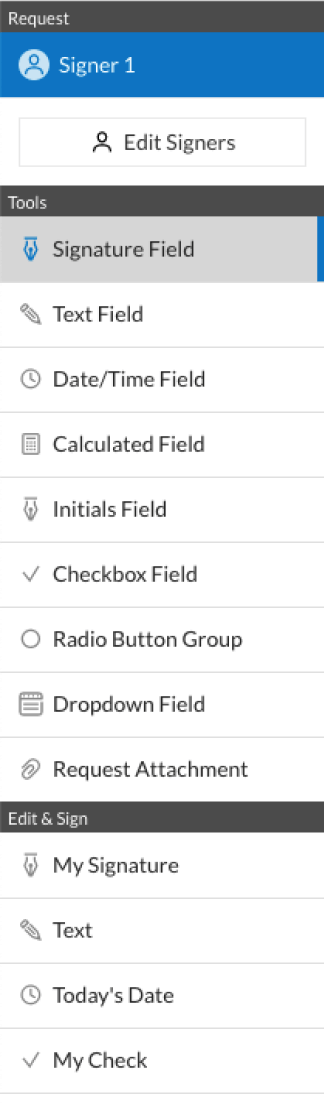
  • 3.Click on the document name to open it in the editor and utilize the left-side menu to complete all the blank areas properly.
  • 4.Put the My Signature field where you need to eSign your sample. Type your name, draw, or import a picture of your regular signature.
  • 5.Click Save and Close to finish editing your completed document.

Once your az will form template is ready, download it to your device, export it to the cloud, or invite other people to electronically sign it. With airSlate SignNow, the eSigning process only requires a few clicks. Use our robust eSignature tool wherever you are to handle your paperwork efficiently!


How to Sign a PDF Using Google Chrome How to Sign a PDF Using Google Chrome

How to complete and sign forms in Google Chrome

Completing and signing paperwork is easy with the airSlate SignNow extension for Google Chrome. Adding it to your browser is a fast and efficient way to deal with your paperwork online. Sign your az will form sample with a legally-binding electronic signature in a few clicks without switching between applications and tabs.

Follow the step-by-step guide to eSign your az will form in Google Chrome:

  • 1.Navigate to the Chrome Web Store, locate the airSlate SignNow extension for Chrome, and install it to your browser.
  • 2.Right-click on the link to a document you need to approve and choose Open in airSlate SignNow.
  • 3.Log in to your account using your password or Google/Facebook sign-in option. If you don’t have one, you can start a free trial.
  • 4.Utilize the Edit & Sign menu on the left to complete your sample, then drag and drop the My Signature field.
  • 5.Insert a picture of your handwritten signature, draw it, or simply type in your full name to eSign.
  • 6.Make sure all data is correct and click Save and Close to finish editing your form.

Now, you can save your az will form template to your device or cloud storage, email the copy to other people, or invite them to eSign your document with an email request or a protected Signing Link. The airSlate SignNow extension for Google Chrome enhances your document workflows with minimum time and effort. Start using airSlate SignNow today!


How to Sign a PDF in Gmail How to Sign a PDF in Gmail How to Sign a PDF in Gmail

How to complete and sign forms in Gmail

Every time you get an email with the az will form for signing, there’s no need to print and scan a document or download and re-upload it to a different tool. There’s a better solution if you use Gmail. Try the airSlate SignNow add-on to quickly eSign any documents right from your inbox.

Follow the step-by-step guide to eSign your az will form in Gmail:

  • 1.Go to the Google Workplace Marketplace and look for a airSlate SignNow add-on for Gmail.
  • 2.Set up the tool with a corresponding button and grant the tool access to your Google account.
  • 3.Open an email with an attached file that needs approval and use the S key on the right panel to launch the add-on.
  • 4.Log in to your airSlate SignNow account. Opt for Send to Sign to forward the document to other parties for approval or click Upload to open it in the editor.
  • 5.Drop the My Signature option where you need to eSign: type, draw, or upload your signature.

This eSigning process saves time and only takes a couple of clicks. Take advantage of the airSlate SignNow add-on for Gmail to update your az will form with fillable fields, sign paperwork legally, and invite other individuals to eSign them al without leaving your inbox. Improve your signature workflows now!


How to Sign a PDF on a Mobile Device How to Sign a PDF on a Mobile Device How to Sign a PDF on a Mobile Device

How to fill out and sign documents in a mobile browser

Need to quickly fill out and sign your az will form on a smartphone while doing your work on the go? airSlate SignNow can help without needing to set up extra software apps. Open our airSlate SignNow solution from any browser on your mobile device and create legally-binding electronic signatures on the go, 24/7.

Follow the step-by-step guide to eSign your az will form in a browser:

  • 1.Open any browser on your device and follow the link www.signnow.com
  • 2.Sign up for an account with a free trial or log in with your password credentials or SSO option.
  • 3.Click Upload or Create and pick a file that needs to be completed from a cloud, your device, or our form catalogue with ready-made templates.
  • 4.Open the form and complete the blank fields with tools from Edit & Sign menu on the left.
  • 5.Place the My Signature field to the sample, then type in your name, draw, or add your signature.

In a few simple clicks, your az will form is completed from wherever you are. As soon as you're done with editing, you can save the file on your device, build a reusable template for it, email it to other individuals, or ask them to eSign it. Make your documents on the go prompt and effective with airSlate SignNow!


How to Sign a PDF on iPhone How to Sign a PDF on iPhone

How to fill out and sign paperwork on iOS

In today’s business world, tasks must be accomplished rapidly even when you’re away from your computer. Using the airSlate SignNow app, you can organize your paperwork and sign your az will form with a legally-binding eSignature right on your iPhone or iPad. Install it on your device to conclude agreements and manage documents from just about anywhere 24/7.

Follow the step-by-step guide to eSign your az will form on iOS devices:

  • 1.Go to the App Store, find the airSlate SignNow app by airSlate, and install it on your device.
  • 2.Open the application, tap Create to import a form, and choose Myself.
  • 3.Opt for Signature at the bottom toolbar and simply draw your autograph with a finger or stylus to eSign the form.
  • 4.Tap Done -> Save after signing the sample.
  • 5.Tap Save or utilize the Make Template option to re-use this paperwork later on.

This method is so straightforward your az will form is completed and signed in just a few taps. The airSlate SignNow application works in the cloud so all the forms on your mobile device are kept in your account and are available any time you need them. Use airSlate SignNow for iOS to improve your document management and eSignature workflows!


How to Sign a PDF on Android How to Sign a PDF on Android

How to fill out and sign forms on Android

With airSlate SignNow, it’s easy to sign your az will form on the go. Install its mobile app for Android OS on your device and start boosting eSignature workflows right on your smartphone or tablet.

Follow the step-by-step guidelines to eSign your az will form on Android:

  • 1.Open Google Play, find the airSlate SignNow app from airSlate, and install it on your device.
  • 2.Log in to your account or register it with a free trial, then add a file with a ➕ button on the bottom of you screen.
  • 3.Tap on the imported file and select Open in Editor from the dropdown menu.
  • 4.Tap on Tools tab -> Signature, then draw or type your name to eSign the sample. Fill out empty fields with other tools on the bottom if necessary.
  • 5.Utilize the ✔ key, then tap on the Save option to finish editing.

With an intuitive interface and total compliance with main eSignature laws and regulations, the airSlate SignNow application is the perfect tool for signing your az will form. It even works offline and updates all record modifications when your internet connection is restored and the tool is synced. Complete and eSign forms, send them for approval, and create multi-usable templates anytime and from anywhere with airSlate SignNow.

Sign up and try Az will form
  • Close deals faster
  • Improve productivity
  • Delight customers
  • Increase revenue
  • Save time & money
  • Reduce payment cycles