Establishing secure connection…Loading editor…Preparing document…

Administration Agreement

This template is fully customizable. Edit the text, fill out the fields, and send it for signature. Give it a try!
Administration Agreement

What an Administration Agreement Covers

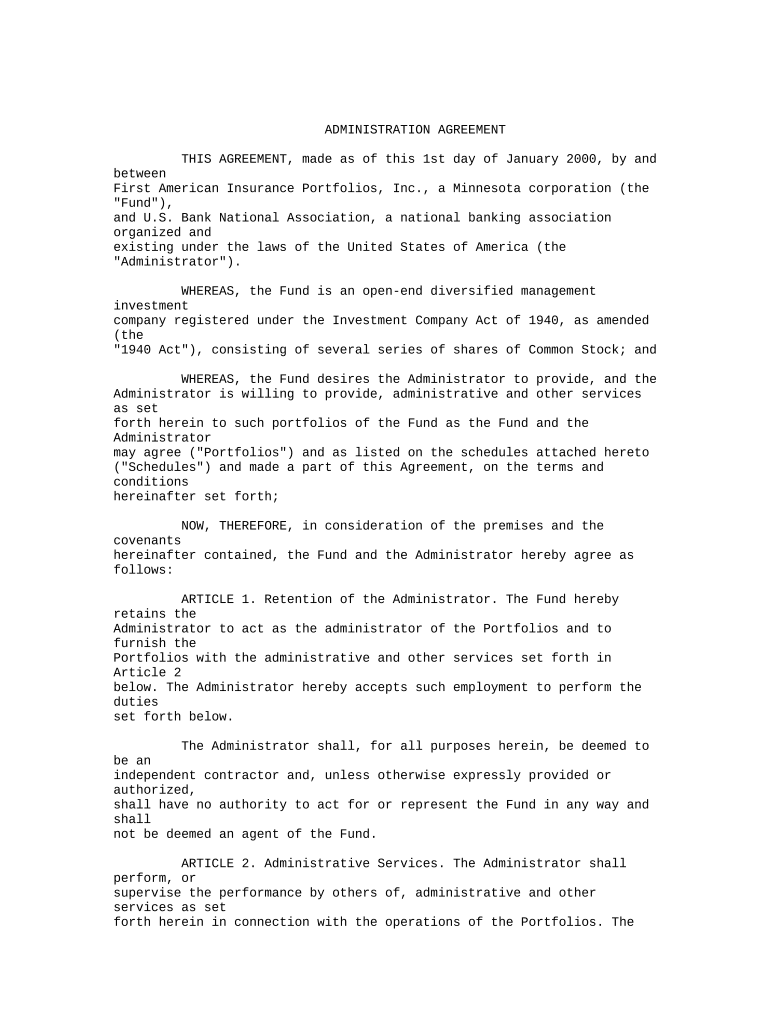
An Administration Agreement is a legal contract that sets out the duties, authority, and responsibilities of a designated administrator for a plan, trust, estate, or program. It identifies the parties, scope of services, decision-making limits, compensation and expense allocation, recordkeeping obligations, reporting cadence, and dispute resolution paths. The agreement clarifies who may act on behalf of beneficiaries or stakeholders, how funds or assets will be handled, and the process for amendments, termination, and transition to a successor administrator.

Why a Clear Administration Agreement Matters

A clear Administration Agreement reduces ambiguity about roles and authority, limits legal exposure, and documents operational procedures that support compliance and continuity.

Why a Clear Administration Agreement Matters

Who Typically Prepares and Signs This Agreement

Individuals and entities drafting or executing these agreements should confirm signatory authority and any notarization, witness, or filing requirements before finalizing.

  • Plan sponsors and trustees who need a written delegation of administration duties between parties.
  • Corporate legal or HR teams assigning responsibility for benefit plans or compliant recordkeeping.
  • Professional administrators, third-party service providers, or estate executors accepting defined duties.

Primary Signers and Their Roles

Authorized Signatory

An officer or manager authorized by corporate resolution or board minute to bind the organization. Include title, source of authority, and attach proof of signing authority to avoid later challenges.

Administrator / Agent

The person or entity accepting operational responsibility. Identify business name, contact details, scope limits, indemnity obligations, and the designated backup or successor administrator.

Essential Clauses Every Administration Agreement Should Include

The agreement should be concise but comprehensive, covering operational, legal, financial, and transition topics to reduce later disputes.

Parties

Full legal names and entity types of the appointing party and the administrator, including state of formation and principal business address to ensure correct legal identification.
Scope of Services

Detailed list of administrator duties, frequency of actions, reporting requirements, and any excluded responsibilities to prevent scope creep and clarify expectations.

Compensation

How fees, reimbursements, and expense approvals are calculated and paid, including timing, invoicing procedures, and whether taxes are withheld or reimbursed.

Term and Termination

Effective date, renewal terms, termination for cause or convenience, notice periods, and responsibilities on termination such as asset transfer and final accounting.

Liability and Indemnity

Standards of care, limitation of liability, indemnification obligations, insurance requirements, and procedures for handling third-party claims or losses.

Records and Audit

Retention periods, audit rights, format of records (electronic vs paper), and how confidential information is protected and returned or destroyed after termination.

Step-by-Step: Completing an Administration Agreement

Follow a consistent review and signing workflow to reduce errors and ensure enforceability.

  • 01
    Draft: Complete all blanks and define deliverables before circulating.
  • 02
    Verify Authority: Confirm each signer has documented authority to sign for their entity.
  • 03
    Add Attachments: Attach exhibits, fee schedules, and required certificates.
  • 04
    Execute: Collect signatures, notarization if needed, and distribute executed copies to parties.

Where to Send, File, and Store the Final Agreement

Decide destination and records owners before signing to meet regulatory, tax, and corporate governance requirements.

  • Primary Filing: Keep executed originals with the appointing party's corporate or trust records repository.
  • Administrator Copy: Administrator retains a signed copy and any operational exhibits for day-to-day compliance.
  • Legal Counsel: Provide counsel with a copy for ongoing advice and dispute prevention.
  • Regulatory Submission: File only if local law or contract requires registration or public recording of the agreement.

Configuring an Online Signing Workflow

Configure roles, field types, and authentication to mirror required signing steps and compliance controls.

Field Configuration
Signature Field Required for each signer; date stamp enabled
Initials Field Optional; use only where document references initials
Attachment Field Allow upload for proof of authority or supporting docs
Authentication Email link or SMS code; use stronger auth for sensitive agreements

Technical Considerations for eSigning and Submission

Ensure the chosen solution captures attribution, timestamps, and an immutable audit trail; maintain exported originals in an access-controlled repository to meet legal and corporate recordkeeping obligations.

  • Integrations: Salesforce, NetSuite, Microsoft 365 supported
  • Formats: PDF, DOCX, and export to archive formats
  • Security: TLS and AES-256 encryption

eSignature Pricing Snapshot for Administration Agreement Workflows

Selected vendors and typical plan characteristics for document signing and workflow automation; signNow listed first as a pricing reference.

signNow DocuSign Adobe Sign PandaDoc HelloSign
Starting Price $8/user/mo $15/user/mo $14/user/mo $19/user/mo $15/user/mo
Free Trial 7-day free trial Varies by vendor Varies by vendor Varies by vendor Varies by vendor
Bulk Send Yes Yes Yes Yes No
Audit Trail Yes Yes Yes Yes Yes
HIPAA Compliant Yes Yes Yes No No
Envelope Cap No envelope cap 100 envelopes/user/year Varies by plan Varies by plan Varies by plan

Practical Tips for Accurate and Efficient Completion

Adopt consistent templates and review steps to reduce rework and legal exposure when administering agreements at scale.

Use a Master Template with Variable Exhibits
Maintain a base Administration Agreement that contains standard legal protections and attach project- or client-specific exhibits to capture variable terms without redrafting core clauses.
Validate Signer Authority Before Circulation
Obtain evidence of corporate or trust authority such as board resolutions or appointment letters to avoid challenges to execution or later repudiation.
Record Negotiation History
Keep versioned drafts and correspondence to document intent and agreed amendments in case of later disputes or compliance reviews.
Align Retention and Privacy Controls
Map retention requirements to corporate records schedules, apply access controls for confidential exhibits, and confirm HIPAA or other industry-specific safeguards where applicable.

Key Risks if the Agreement Is Incorrect or Incomplete

Void or Unenforceable: Missing signatory authority
Regulatory Fines: Noncompliance with industry rules
Tax Consequences: Incorrect withholding or reporting
Operational Disruption: Unclear duties cause delays
Third-Party Claims: Improper indemnity or liability gaps
Recordkeeping Violations: Failure to meet retention rules

Common Preparation Mistakes to Avoid

  • Leaving scope ambiguous so administrators assume broader authority than intended, creating disputes over decisions and expenses.
  • Failing to document or attach proof of signing authority, which can render an executed agreement voidable by counterparties or regulators.
  • Using inconsistent dates or time zones for effective and notice periods, complicating calculation of deadlines and obligations.
  • Neglecting to align data protection and retention clauses with HIPAA, IRS, or state privacy requirements when sensitive information is involved.

Real-World Examples of Administration Agreement Use

These brief examples show how organizations apply Administration Agreements in operational and compliance contexts.

Optica Ventures LLC — COO

A small investment manager standardized administrator duties across portfolio vehicles to reduce onboarding time.

  • Centralized reporting accelerated monthly reconciliations.
  • The standardized agreement clarified responsibilities, reduced disputes with service providers, and made third-party audits more straightforward while preserving governance oversight.

Tech Data — CEO

A large distributor used an Administration Agreement for vendor-managed logistics and billing.

  • Defined SLAs and audit rights ensured accountability.
  • Clear service levels, invoice dispute resolution, and termination exit provisions reduced operational friction and supported smoother transitions between providers.

Typical Settings for an eSigning Workflow for This Agreement

Configure signer order, fields, and authentication to reflect the agreement's execution requirements and risk profile.

Field Configuration
Signer Order Sequential or parallel depending on negotiation
Auth Level Email link standard; SMS or KBA for higher assurance
Attach Evidence Require upload of authority documents
Audit Options Enable full audit trail with timestamps and IP

Frequently Asked Questions About Administration Agreements

Answers to common questions about signing, enforceability, and electronic execution of Administration Agreements.


Need help? Contact support

be ready to get more
Join over 28 million airSlate SignNow users