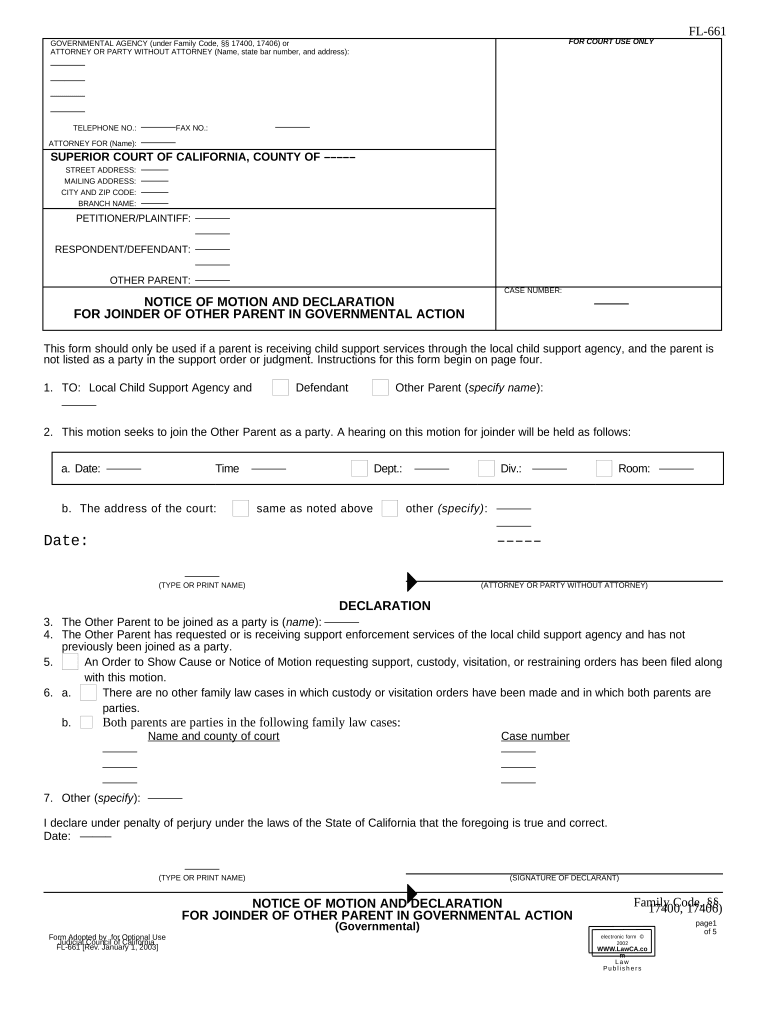
California Notice of Motion
What a California Notice of Motion Is and when it’s used
Why preparing a proper Notice of Motion matters
A correctly prepared Notice of Motion ensures timely service, preserves procedural rights, and gives the court the information needed to rule on your request efficiently.
Who typically prepares and files a Notice of Motion
Parties and counsel in civil cases prepare Notices of Motion; self-represented litigants also commonly file them when seeking interim relief.
- Plaintiff or defendant attorneys making procedural or dispositive requests
- In-house counsel or compliance teams seeking court orders for disputes
- Self-represented litigants filing motions without retained counsel
Step-by-step: preparing and filing your Notice of Motion
-
01Draft motion: Write notice, memorandum, declarations, and exhibits.
-
02Set hearing: Confirm available court dates and calendaring requirements.
-
03Serve parties: Serve all required parties using permitted service methods.
-
04File with court: File via e-file or in-person per local rules.
How to set up an efficient online workflow for this form
| Field | Configuration |
|---|---|
| Case Caption | Auto-fill from case intake | consistent party naming |
| Hearing Date | Date picker MM/DD/YYYY | validation against court calendar |
| Attachments | Upload PDF exhibits | label and paginate |
| Service Routing | Select email, e-service, or personal service options |
The typical filing and service flow
-
Prepare papers: Assemble notice, brief, declarations, and exhibits.
-
Serve opposing parties: Follow court-approved service methods and calculate deadlines.
-
File with court: E-file or deliver chambers copy per local rule.
-
Attend hearing: Be prepared with oral argument and cited authorities.
Common timing rules and responsive deadlines in California
Service Deadline:
Serve papers at least 16 court days before hearing (Cal. Code Civ. Proc. §1005).
Opposition Deadline:
Opposition papers must be filed and served at least 9 court days before hearing (Cal. Code Civ. Proc. §1005).
Reply Deadline:
Reply papers must be filed and served at least 5 court days before hearing (Cal. Code Civ. Proc. §1005).
Ex Parte Relief:
Emergency ex parte applications use different, much shorter notice rules in local court rules.
Continuances:
Motions to continue require good cause and notice under local rules; timelines vary by county.
Frequent preparation errors to avoid
- Incorrect caption or case number leading to clerk rejection and delays in docketing the motion.
- Failing to calculate service deadlines correctly, especially when converting between court days and calendar days.
- Missing or unpaginated exhibits that make it hard for the court to verify factual assertions.
- Not providing a clear statement of relief and legal authority, resulting in dismissal or denial.
Consequences of filing or serving a deficient Notice of Motion
Typical eSignature pricing and limits — signNow first
| signNow | DocuSign | Adobe Sign | PandaDoc | HelloSign | |
|---|---|---|---|---|---|
| Starting Price | $8/user/mo | $15/user/mo | $14/user/mo | $19/user/mo | $15/user/mo |
| Free Trial | 7-day free trial | Varies by plan | Varies by plan | Varies by plan | Varies by plan |
| Bulk Send | Yes (Business Premium) | Varies by plan | Varies by plan | Yes (plan dependent) | Varies by plan |
| Audit Trail | Yes | Yes | Yes | Yes | Yes |
| Envelope Cap | No cap | 100 envelopes/user/year | Varies | Varies | Varies |
Real-world examples of document digitization and execution
Martin Properties (Tim Martin)
Tim Martin found online execution reliable for property documents
- The interface supported mobile and offline completion
- I can process and execute all of these documents online with 100% compliance and built-in security. Whether on mobile or working offline, I can get forms back to their necessary parties efficiently.
Optica Ventures (Brian Fitzgibbons)
Optica’s team needed a simple interface that customers can use
- Signatures and templates reduced turnaround time
- The interface is simple and easy-to-use for our team; more importantly, it is just as easy for our customers.
Practical tips for accurate, court-ready Notices of Motion
Frequently asked questions about Notices of Motion in California
-
What if I miss the service deadline?
If service deadlines are missed, the court may strike or deny the motion or continue the hearing date. Consider seeking a stipulation to continue or, if appropriate, an ex parte application with proof of good cause.
-
Can a Notice of Motion be electronically signed?
Yes. Electronic signatures are generally enforceable under the federal ESIGN Act (15 U.S.C. §7001) and UETA where adopted; ensure consent, intent, attribution, and reliable retention for consumer-facing filings.
-
Where do I file the completed Notice of Motion?
File with the clerk of the court where the case is pending using the court's e-filing portal or by delivering paper copies as permitted by local rules; follow chamber copy requirements when required.
-
Is notarization required for the Notice itself?
The Notice of Motion itself typically does not require notarization, though supporting declarations submitted under penalty of perjury must include proper signature verification as required by rule.
-
How do I correct a filing error after submission?
File a corrected notice or an amendment per local rules, notify opposing counsel, and request the clerk replace or supplement the record; for e-filed documents, follow the court's correction procedures.
-
How is service proven to the court?
File a proof of service showing method, date, recipient, and address. Electronic service platforms often provide timestamps and delivery receipts that satisfy proof requirements.