Establishing secure connection…Loading editor…Preparing document…

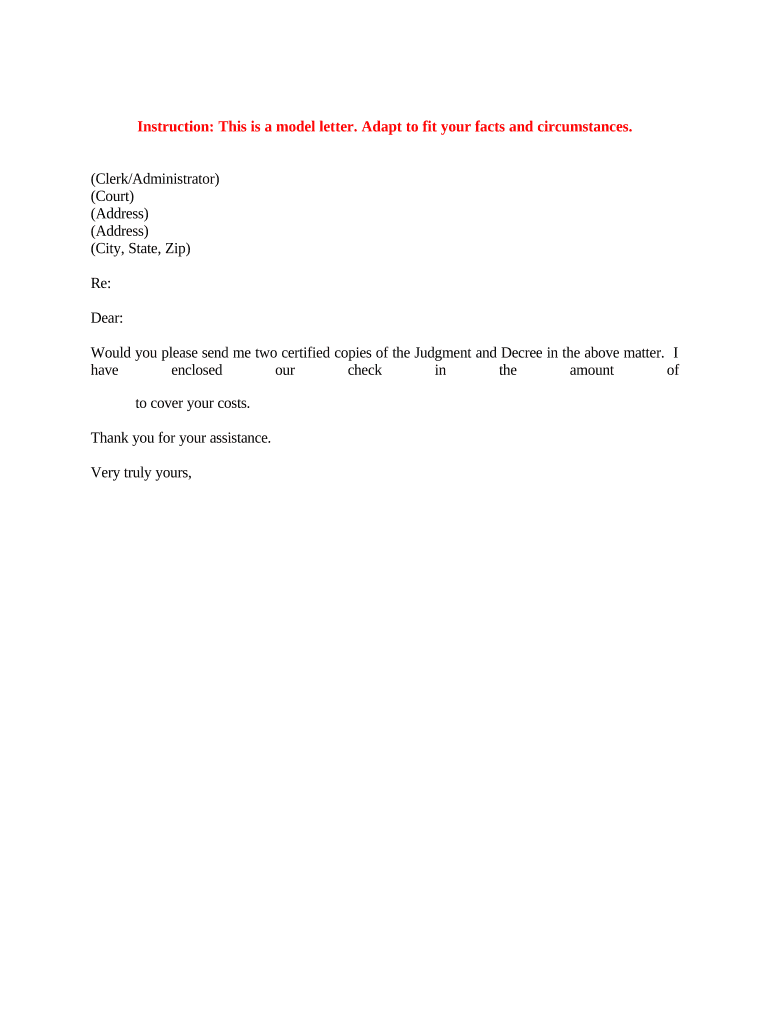
Certified Copies Document

This template is fully customizable. Edit the text, fill out the fields, and send it for signature. Give it a try!
Certified Copies Document

What a Certified Copies Document Is and When it’s Used

A Certified Copies Document is an official statement that a reproduced copy of an original record is a true and accurate copy. Typically issued by a government agency, court clerk, or a notary public, certified copies are used when an original must remain on file or cannot be surrendered. Common uses include birth and marriage certificates, corporate formation records, court orders, immigration filings, and certificate-based identity verification for legal or financial transactions.

Why Certified Copies Matter for Legal and Administrative Processes

Certified copies allow recipients to accept reproductions with confidence, avoid risk to original documents, and meet filing or identity-verification requirements. They reduce delays from missing originals and support compliance for agency, court, and transactional workflows while preserving the original record.

Why Certified Copies Matter for Legal and Administrative Processes

Who Typically Requests and Prepares Certified Copies

Frequency varies by use case: some request certified copies infrequently, others maintain routine procedures for high-volume verification.

  • Individuals applying for passports, immigration, or benefits who need verified identity documents.
  • Legal and corporate professionals providing filed documents (articles of incorporation, court orders) for third-party review.
  • Banks, title companies, and government agencies that require proof of record authenticity for transactions or filings.

Step-by-step: Preparing a Certified Copy

Follow a standard sequence to create a compliant certified copy and reduce rework.

  • 01
    Confirm original: Verify you have the genuine original and record its identifying details.
  • 02
    Make high-quality copy: Produce a clear, complete reproduction that includes all margins and stamps.
  • 03
    Add certification: Attach or create the certifying statement and have the authorized official sign.
  • 04
    Notarize or record: Obtain notary acknowledgment, RON session, or agency stamp as required.

Typical Workflow for Issuing and Accepting Certified Copies

Certified copy workflows include verification, certification, and delivery steps that create an audit trail for recipients.

  • Request submission: Applicant provides original or proof of entitlement to the custodian.
  • Custodian review: Custodian confirms the original and determines certification authority.
  • Certification action: Authorized official signs the certification phrase and affixes seal or stamp.
  • Delivery and retention: Certified copies are returned to requester; records are logged and retained.

Digital Setup: Configuring an Online Certified Copy Process

When handling certified copies online, configure fields and authentication to mirror legal requirements for identification and notarization.

Field Configuration
Upload Original Scan Accept PDF or high-resolution image, require full-page capture and OCR-friendly format.
Certification Statement Include a templated certifier declaration field for official wording.
Signer Authentication Require verifier identity checks (email, SMS, or advanced KBA) per jurisdiction.
Notary / RON Enable audio-video recording and notary signature fields where remote notarization is allowed.

Technical Considerations for Digital Certified Copies

Integrations with document repositories and audit-trail exports improve long-term compliance and make it easier for receiving parties to validate provenance.

  • File formats: PDF and DOCX are commonly accepted for certified copies.
  • Authentication methods: Email, SMS, KBA, or multi-factor authentication for stronger identity proofing.
  • Integrations: Connectors to cloud storage and case management systems simplify archival workflows.

Timelines and Typical Processing Expectations

Processing times and deadlines depend on the issuing agency, method chosen, and whether expedited services are available.

Standard agency turnaround:

Often 7–14 business days for state vital records requests.

Expedited processing:

Available in many jurisdictions: 24–72 hours for an additional fee.

Remote notarization session:

RON sessions typically scheduled same-day or within 48 hours depending on provider.

Court or clerk filings:

Follow clerk’s published filing deadlines; allow extra time for certification.

International apostille:

Apostille or consular legalization can add 5–20 business days.

Common Preparation Errors to Avoid

  • Submitting low-resolution scans that omit marginal stamps or embossed seals causes rejection.
  • Using inconsistent names or dates between the copy and the original delays acceptance and verification.
  • Skipping the required notary or official seal when jurisdiction mandates it leads to nonacceptance.
  • Failing to retain a recorded audit trail or notary journal entry undermines later authentication requests.

Consequences of Incorrect or Unauthenticated Certified Copies

Rejected filing: Receiving agency may refuse the document.
Legal challenge: Disputes over authenticity can result in court delays.
Financial impact: Delay or denial of benefits, transactions, or closings.
Tax consequences: Incorrect supporting documents can trigger withholding or audit.
Record integrity: Uncertified copies reduce evidentiary weight in legal proceedings.
Compliance breach: Failure to meet HIPAA or agency rules can result in sanctions.

Key Elements to Include in a Professional Certified Copies Document

A complete certified copy includes clear identification, a certification statement from an authorized official, and supporting metadata that proves authenticity.

Certification Statement

A concise attestation by the certifying official that the copy is a true and accurate reproduction of the original, including date and authority.
Official Seal

Physical or digital seal/stamp of the issuing office or notary, which many receiving agencies require for authenticity.

Signer Identification

Printed name, title, and contact of the certifier or notary, and any license or commission number.

Document Metadata

Unique identifiers, document date, and issuer details aid third-party verification and reduce processing friction.

Notary Block

When required, include the notary acknowledgement or jurat wording, signature, seal, and the notarization date.

Retention Note

Record of who received the certified copy, copy count, and a reference for archived originals to support audits.

Real-World Examples of Certified Copies in Use

These brief customer examples illustrate common scenarios and outcomes when certified copies are used correctly.

Martin Properties

A regional broker needed certified incorporation papers to finalize a property transfer

  • They used certified copies instead of mailing originals
  • The approach preserved originals, satisfied title company requirements, and streamlined the closing without in-person exchange or document loss.

Fertility Centers of Illinois

A healthcare provider required certified medical records for an audit

  • The provider supplied certified copies with HIPAA-compliant handling
  • Certified copies permitted the audit while keeping originals secure, meeting both privacy and regulator expectations.

eSignature Pricing and Feature Comparison for Certified Copies

Core pricing and capability differences influence the cost and suitability of eSignature vendors for certified-copy workflows; signNow appears first for comparison.

signNow DocuSign Adobe Sign PandaDoc HelloSign
Starting Price $8/user/mo $15/user/mo $14/user/mo $19/user/mo $15/user/mo
Free Trial 7-day free trial Varies by plan Varies by plan Varies by plan Varies by plan
Bulk Send Yes Varies by plan Varies by plan Yes Varies by plan
Audit Trail Yes Yes Yes Yes Yes
HIPAA Compliant Yes Varies by plan Varies by plan Varies by plan Varies by plan

Security and Compliance Capabilities to Look For

Encryption: TLS 1.2/1.3 and AES-256
Audit Trail: Complete timestamp and IP history
HIPAA: BAA required for PHI handling
ESIGN / UETA: Legal compliance for e-signatures
21 CFR Part 11: Available where regulated workflows demand it
SOC 2 / ISO: Third-party security certifications

Frequently Asked Questions About Certified Copies

Answers to common questions about acceptance, notarization, RON, and retaining certified copies.


Need help? Contact support

be ready to get more
Join over 28 million airSlate SignNow users