Establishing secure connection…Loading editor…Preparing document…

Charitable Remainder Unitrust

This template is fully customizable. Edit the text, fill out the fields, and send it for signature. Give it a try!
Charitable Remainder Unitrust

What a Charitable Remainder Unitrust Is and how it works

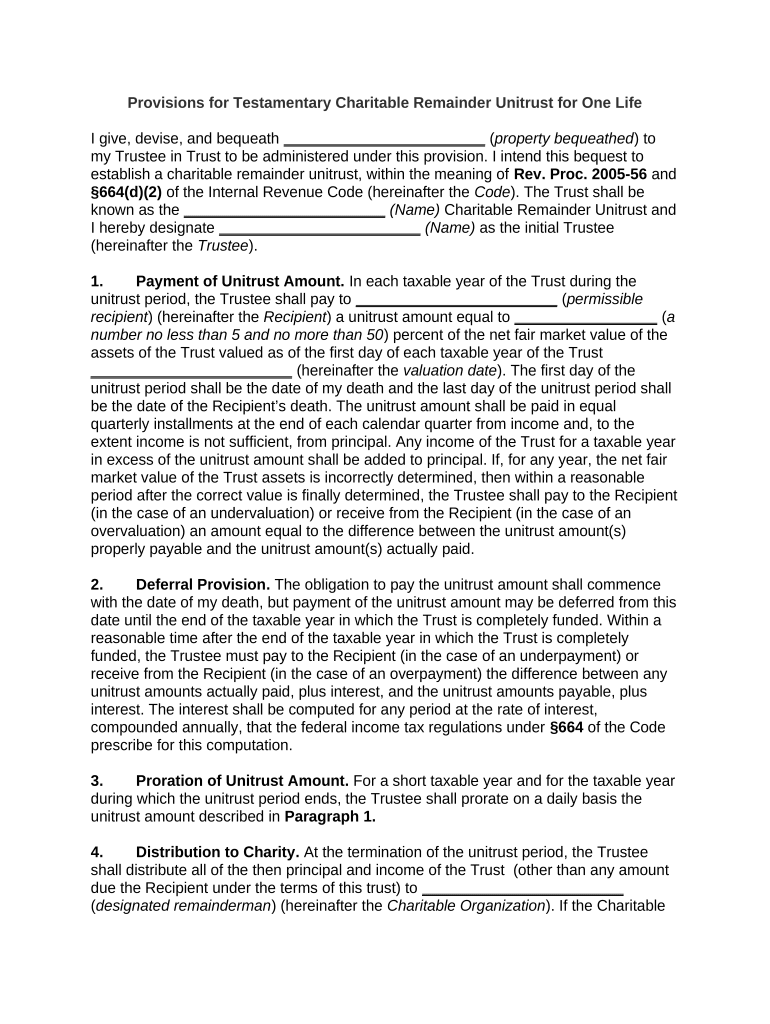
A Charitable Remainder Unitrust (CRUT) is an irrevocable split-interest trust that pays a fixed percentage of the trust’s annually revalued assets to one or more noncharitable beneficiaries for a term (typically a number of years or life). At the trust’s termination the remaining corpus passes to one or more qualified charities. CRUTs provide current income to beneficiaries, a charitable remainder, and potential income and estate tax benefits when established and funded in compliance with Internal Revenue Code requirements.

Why a CRUT may be useful in tax and estate planning

A CRUT offers an income stream and immediate charitable income tax deduction for donors while removing assets from an estate. It can defer capital gains on appreciated assets and preserve philanthropic intent through a remainder beneficiary.

Why a CRUT may be useful in tax and estate planning

Who typically establishes and completes a CRUT

Common creators and users include donors seeking income and tax planning, professional advisors, and charities receiving remainder interests.

  • High-net-worth individual donors seeking income and estate tax planning
  • Trustees or trust companies administering payments and investments
  • Estate and tax attorneys or CPAs preparing trust documents and filings

Parties should coordinate legal, tax, and valuation advice before drafting or funding a CRUT to ensure compliance with IRC and state rules.

Roles involved in a CRUT

Individual Donor

A donor funds the CRUT with cash, securities, or other property, elects payout terms and charitable beneficiaries, and should obtain valuation and tax advice to document the gift and deduction properly.

Trustee

The trustee accepts assets, administers investments, makes annual payments to income beneficiaries, files required trust tax returns, and ensures the remainder is distributed to the named charity at termination.

Core components of a professional Charitable Remainder Unitrust

A complete CRUT document specifies parties, funding instructions, payout mechanics, trustee powers, remainder beneficiaries, and tax reporting duties to ensure the trust qualifies under the Internal Revenue Code.

Trustee Powers

Describe investment authority, distribution discretion, delegation rights and recordkeeping obligations; include successor trustee appointment and explicit power to apply income and principal per payout terms.
Payout Rate

Set the fixed percentage paid annually (commonly 5%–7%) of trust fair market value; the rate must satisfy IRS actuarial rules and the unitrust rules to maintain tax status.

Valuation Method

Specify annual valuation date and method for marketable and nonmarketable assets, appraisal requirements for closely held interests, and consequences of valuation errors.

Funding Instructions

List permitted contribution types (cash, securities, real estate), transfer mechanics, and any required forms to effect title changes without unintended tax consequences.

Remainder Beneficiary

Identify charitable recipient(s) by legal name, EIN, and address; state contingent beneficiaries and distribution timing at trust termination.

Tax Reporting

Assign responsibility for federal and state tax filings, including income tax returns and any split-interest or information returns required by the IRS.

Step-by-step sequence to draft, sign, and fund a CRUT

Follow these sequential actions to prepare and complete a CRUT from drafting to funding while preserving tax qualifications.

  • 01
    Draft Terms: Work with counsel to define payout, trustee powers, and remainder beneficiaries.
  • 02
    Review Valuation: Obtain appraisals for nonpublic assets to support deduction calculations.
  • 03
    Execute Trust: All required parties sign, acknowledge, and notarize where applicable.
  • 04
    Fund Trust: Transfer title and assets promptly to avoid delay in trustee administration.

How the CRUT lifecycle functions in practice

This overview shows the typical flow from establishment through final remainder distribution.

  • Establish Trust: Execute instrument with donor and trustee signatures.
  • Transfer Assets: Convey property to trustee; record as needed.
  • Annual Payments: Trustee calculates and pays unitrust amount each year.
  • Remainder Distribution: At term end, trustee distributes remaining assets to charity.

Typical digital workflow settings for completing a CRUT

Configure a secure signing workflow that captures intent, identity, and retention of executed trust documents.

Field Configuration
Signature Method Electronic signature with audit trail
Authentication Email link or higher-assurance methods
Document Versioning Enable read-only final PDF storage
Access Control Restrict editing to counsel and trustee

Delivery and technical requirements for eSigning a CRUT document

A secure eSignature platform should provide identity verification, audit trails, and long-term document storage for CRUT execution.

  • Identity Methods: Email, SMS code, or stronger KBA
  • Audit Trail: IP, timestamp, and action log
  • File Formats: PDF/A or certified PDF output

Ensure the chosen platform supports ESIGN and UETA compliance, preserves tamper-evident signed documents, and meets any industry-specific authentication required for the transaction.

Sample eSignature vendor comparison for signing a CRUT

A concise feature and price comparison for common eSignature vendors; signNow is listed first per platform selection guidance.

signNow DocuSign Adobe Sign PandaDoc HelloSign
Starting Price $8/user/mo $15/user/mo $14/user/mo $19/user/mo $15/user/mo
Free Trial 7-day free trial Varies Varies Varies Varies
Bulk Send Yes Yes Yes Yes No
Audit Trail Yes Yes Yes Yes Yes
HIPAA Compliant Yes Yes Yes No No

How a CRUT differs from a Charitable Remainder Annuity Trust (CRAT)

Compare the Unitrust and Annuity Trust to determine which split-interest vehicle aligns with asset types and income needs.

Criteria CRUT CRAT
Payment Basis percent of value fixed dollar amount
Value Revaluation annual revaluation no revaluation
Suitable Assets appreciating assets income-producing assets
Income Variability varies with trust value predictable fixed payments

Key filing and timing deadlines to note

Timely filings and valuation actions affect tax reporting and donor deduction claims; coordinate calendar and counsel early.

Gift Tax Return:

Form 709 due April 15 following the transfer year

Trust Tax Reporting:

Annual filings or information returns as required by IRS rules

Valuation Date:

Use the contribution date for FMV determinations and deduction calculations

Appraisal Timeliness:

Obtain qualified appraisals before filing related tax returns

Form 5227:

Split-interest trusts file Form 5227 when required by IRS guidance

Milestone timeline from drafting to final charitable distribution

Follow these numbered milestones to track a CRUT from setup to termination and remainder distribution.

01

Draft and Review

Finalize trust language and confirm payout mechanics before signature.

02

Execution

Obtain required signatures, acknowledgements and notarizations where applicable.

03

Funding

Transfer assets promptly to the trustee, update titles and accounts.

04

Final Distribution

At term end, trustee distributes remainder to named charitable beneficiary.

Essential information fields required on a CRUT

Donor Name: Full legal name
Trustee: Trustee name and contact
Tax ID: Donor TIN or trust EIN
Payout Rate: Percent and valuation date
Funding Assets: Asset description and ID
Charity Info: Charity legal name and EIN

Penalties and risks from incorrect CRUT preparation

Qualification Loss: Trust loses tax-exempt status
Income Tax Liability: Unexpected taxable events
Valuation Penalties: IRS adjustments and fines
Gift Tax Errors: Incorrect Form 709 reporting
Trustee Liability: Breach of fiduciary duty claims
State Sanctions: Local compliance penalties

Common mistakes when preparing a CRUT

  • Failing to obtain timely qualified appraisals for nonpublic assets, which can jeopardize deduction substantiation and trigger IRS revaluation.
  • Setting an impractical payout rate that either fails IRS actuarial tests or leaves insufficient remainder value for the named charity.
  • Delaying asset transfer after execution, which can create mismatches between the stated effective date and actual funding date for tax purposes.
  • Using ambiguous beneficiary language that makes it unclear which legal entity should receive the remainder, risking distribution disputes.

Practical scenarios showing CRUT usage

Two illustrative examples show typical donor objectives and the CRUT mechanics that address them.

Appreciated Stock Funding

A donor transfers highly appreciated publicly traded stock to a CRUT and avoids immediate capital gains tax on sale

  • The trustee sells the stock within the trust and reinvests proceeds without immediate gain recognition
  • Over the donor’s lifetime the CRUT pays a percentage of value to beneficiaries and ultimately transfers the remainder to the named charity, fulfilling philanthropic intent while providing tax benefits.

Real Estate Transfer

A donor contributes a commercial property to a CRUT and secures an appraisal to support the deduction

  • The trustee manages or sells the property inside the trust to diversify holdings
  • Annual unitrust payments support family income needs, and the charity receives the remainder when the trust ends, with documentation retained for IRS review.

Frequently asked questions about executing and eSigning a CRUT

Answers to common legal, technical, and procedural questions about CRUT preparation, eSignature validity, and tax implications.


Need help? Contact support

be ready to get more
Join over 28 million airSlate SignNow users