Establishing secure connection…Loading editor…Preparing document…

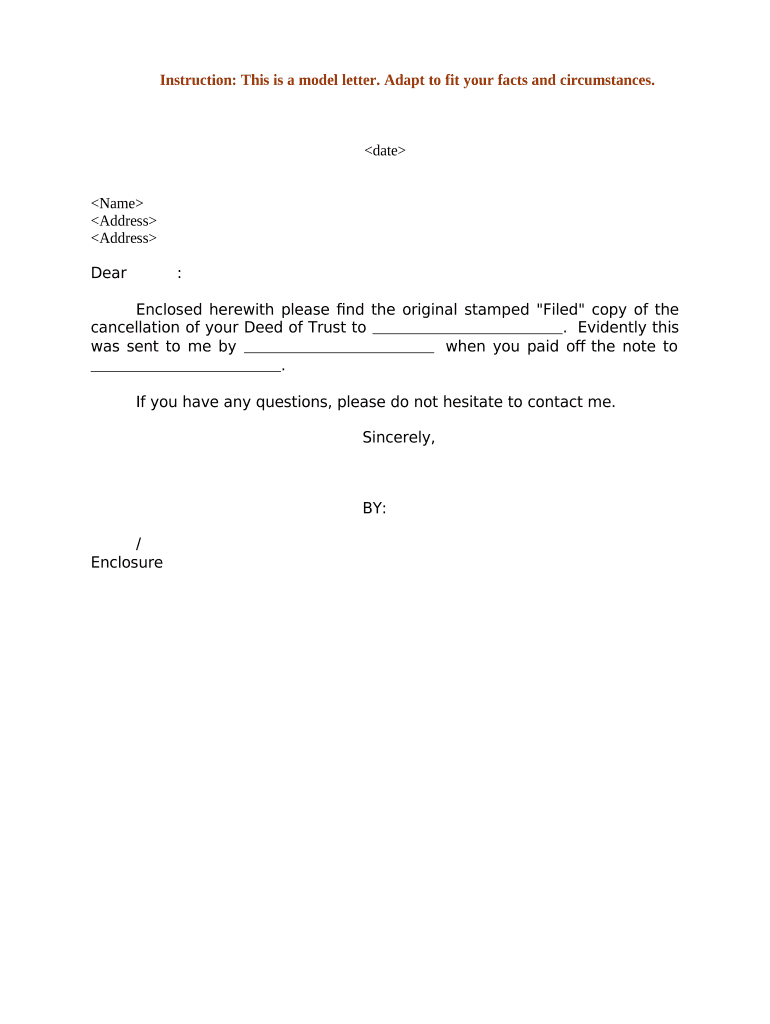
Letter Confirming Cancellation of Deed of Trust

This template is fully customizable. Edit the text, fill out the fields, and send it for signature. Give it a try!
Letter Confirming Cancellation of Deed of Trust

What the Letter Confirming Cancellation of Deed of Trust Is

A Letter Confirming Cancellation of Deed of Trust is a formal written statement from a lender or beneficiary confirming that a secured obligation has been satisfied and the deed of trust encumbering real property is released. The letter summarizes the loan or obligation, cites the recorded deed of trust instrument, provides the cancellation or reconveyance date, and requests or confirms that the county recorder or title company mark the lien as satisfied. It functions as documentary evidence for the borrower, title company, and future purchasers that the security interest no longer encumbers the property.

Why a Clear Cancellation Letter Matters

A precise cancellation letter reduces title defects, speeds reconveyance or release recording, and documents the lender’s intent to terminate the lien. It supports chain-of-title clarity and helps avoid disputes over outstanding encumbrances by providing a written, signed record tied to the recorded deed.

Why a Clear Cancellation Letter Matters

Who Typically Prepares or Receives This Letter

Common participants include lenders, title companies, closing agents, and borrowers; each uses the letter for recording or title clearance purposes.

  • Lenders and beneficiaries who held the deed of trust and must confirm satisfaction and direct reconveyance or cancellation.
  • Title and escrow companies that require evidence the lien has been released before issuing a clear title policy.
  • Borrowers or their representatives who need proof of lien release for resale, refinancing, or personal records.

Keep the letter with recorded instruments and provide copies to title companies and the borrower to prevent future title disputes.

Essential Parts of a Professional Cancellation Letter

A well-structured letter contains identification, recording details, a clear statement of satisfaction, signature and notarization, and routing instructions for recording and distribution.

Lender ID

Full legal name and address of the lender or beneficiary as shown on the original deed of trust; include contact point for recording questions.
Borrower ID

Borrower or trust property owner full legal name and property address, matching the recorded deed to avoid mismatches.

Deed Details

Recorded instrument citation: county, book or document number, recording date, and assessor’s parcel number where available.

Satisfaction Statement

Unambiguous language that the secured obligation is satisfied and the lender releases all lien rights under the referenced deed.

Authentication

Signature of authorized signatory with printed name, title, date, and a notary acknowledgement or remote online notarization record when required.

Recording Instructions

Specify where to return recorded/reconveyed instrument and include a self-addressed stamped envelope or electronic return instructions.

Step-by-Step: Prepare and Submit the Cancellation Letter

Follow these sequential steps to complete, authenticate, and deliver the letter so the county recorder and title insurer can confirm lien release.

  • 01
    Identify the Deed: Locate recorded instrument details and parcel identifiers.
  • 02
    Draft Statement: Write clear release language citing the recorded deed.
  • 03
    Authenticate: Have authorized signer execute and notarize the letter.
  • 04
    Record and Distribute: File with county recorder and send copies to title company and borrower.

Configure an Online Workflow for This Letter

Set up a digital workflow that automates field population, signature capture, notarization options, and return routing.

Field Configuration
Populate Instrument Data Use template variables to auto-fill recording details.
Signature Authentication Require signer authentication via email or multi-factor.
Notary Integration Enable RON or capture traditional notary block.
Return Routing Auto-email recorded copy to borrower and title company.

Digital Signing and eSubmission Requirements

Choose a platform that supports reliable audit trails, optional remote notarization, and flexible return routing for recorded documents.

  • File Formats: PDF and DOCX supported
  • Notarization: RON or physical notarization
  • Integrations: Cloud storage and title systems

Typical eSignature Pricing and Feature Comparison

Compare starting price, free trial availability, bulk send, HIPAA compliance, and envelope caps across common eSignature providers; signNow is listed first as the baseline platform option.

signNow DocuSign Adobe Sign PandaDoc HelloSign
Starting Price $8/user/mo $15/user/mo $14/user/mo $19/user/mo $15/user/mo
Free Trial 7-day free trial Varies by vendor Varies by vendor Varies by vendor Varies by vendor
Bulk Send Yes Yes Yes Yes No
HIPAA Compliant Yes Yes Yes No No
Envelope Cap No cap 100 envelopes/user/year Varies Varies Varies

Required Information Fields for the Cancellation Letter

Borrower Name: Full legal name
Lender Name: Full legal name
Property Details: Street and parcel
Recorded Instrument: County and document number
Cancellation Date: MM/DD/YYYY
Notary Data: Acknowledgement details

Common Preparation Mistakes to Avoid

  • Using an incorrect recording reference or instrument number, which delays recorder acceptance and title clearance.
  • Failing to match borrower or lender names exactly to the recorded deed, causing title exceptions and additional verification requests.
  • Not specifying return routing for the recorded release, leading to lost documents or delayed delivery to title companies.
  • Skipping notarization or remote notarization where required, resulting in recorder rejection or inadequate authentication.

Risks and Consequences of an Incorrect Cancellation Letter

Invalid Release: Title exceptions remain
Recording Rejection: County may refuse filing
Tax Issues: Potential reporting confusion
Title Insurance Delay: Claims or closing delays
Litigation Risk: Possible disputes over encumbrance
Administrative Cost: Extra time and fees

Where to Send or File the Cancellation Letter

Direct your executed and notarized letter to the recorder or title company according to local practice and return routing instructions.

  • County Recorder: File for public record in the recording county
  • Title Company: Provide copy for title clearance and policy issuance
  • Borrower: Return a recorded copy to the property owner
  • Lender Files: Retain original executed letter in lender records

Timing and Processing Expectations

While statutes do not impose a universal recording deadline, record and distribute the cancellation promptly after satisfaction to avoid title complications.

Record Promptly:

Submit to county recorder as soon as obligation is satisfied

Notary Retention:

Notary or RON provider retains records per state rules

Title Clearance:

Expect title company review to take several business days

Return Time:

Recorded copy return varies by county and method

Follow Up:

Check recording index to confirm acceptance

Practical Tips for Accurate and Efficient Completion

Adopt these practices to reduce rework, recording delays, and title issues when issuing a cancellation letter.

Match Recorded Data Exactly
Cross-check names, legal descriptions, and recorded instrument numbers against the county recorder’s index to prevent mismatches and rejections.
Use Standard Release Language
Employ concise satisfaction and release wording that mirrors reconveyance forms used by recorders or title companies to avoid ambiguity.
Include Return Instructions
Provide a specific mailing or electronic return address, contact name, and phone number to ensure timely delivery of the recorded instrument.
Consider eSigning and RON
Where allowed, use an eSignature platform with RON support and a complete audit trail to accelerate execution and notarization while preserving evidentiary detail.

Practical Use Cases for a Cancellation Letter

Two concise scenarios show how different stakeholders use the letter to clear title and complete transactions.

Title Company Example

A title officer receives a lender’s cancellation confirming the deed number and reconveyance date

  • The officer verifies the recording citation against county records
  • The recorded release is attached to the closing file, enabling issuance of a clear title policy and timely closing with no lien exceptions.

Borrower Refinance Example

A borrower provides the lender’s cancellation letter to the new lender during refinance

  • The new lender reviews the recorded instrument citation and return copy
  • With the confirmed release on record, the refinance closes without delay and the title company issues updated title evidence reflecting lien release.

Typical Signatories and Their Authority

Authorized Lender Officer

A named officer or agent of the lender who has delegated authority to release liens signs the letter. The signatory should be listed with title and contact details and authorized per internal corporate resolutions.

Title Company Representative

A licensed title or escrow officer who receives and records the release verifies instrument accuracy, coordinates recording, and ensures a recorded copy is placed in the title file and delivered to the borrower.

Frequently Asked Questions About Cancellation Letters

Answers to the most common questions about preparing, signing, recording, and correcting a Letter Confirming Cancellation of Deed of Trust.


Need help? Contact support

be ready to get more
Join over 28 million airSlate SignNow users