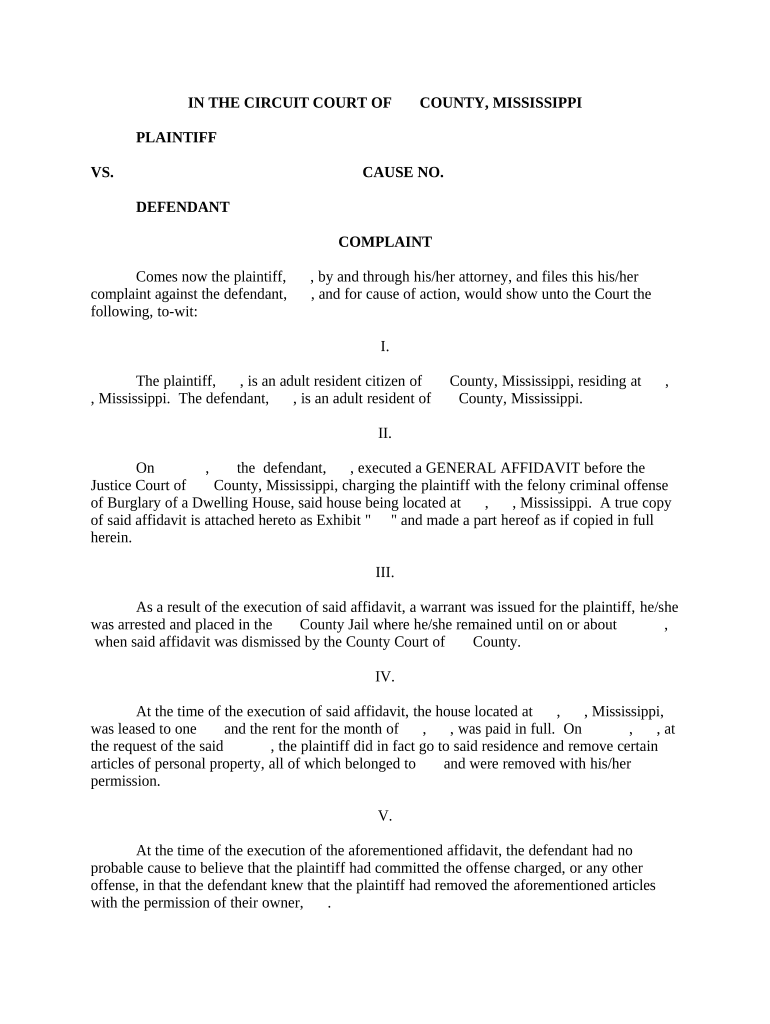
Mississippi Complaint
What a Mississippi Complaint Is and when it’s used
Why a correctly prepared complaint matters
A properly drafted complaint preserves claims, notifies defendants, and frames the scope of discovery and remedies. Clear facts, correct parties, and statutory citations reduce procedural risk and support enforceability in later stages.
Who commonly prepares and files a Mississippi Complaint
Typical filers include attorneys, in-house counsel, and self-represented litigants preparing civil complaints in state court.
- Private plaintiffs and their counsel preparing breach of contract, tort, or statutory claims in county or circuit court
- Defendants’ counsel and process servers who rely on complaint details to evaluate service and response deadlines
- Government counsel and regulated entities initiating administrative enforcement or seeking judicial relief
The party who signs the complaint must have authority to bind the plaintiff and must verify or attest as required by state rule.
Step-by-step: completing a Mississippi Complaint
-
01Caption: Enter court name, docket line, and correct party names.
-
02Parties and Jurisdiction: State why the court has jurisdiction and list party addresses.
-
03Claims and Facts: Allege facts in numbered paragraphs tied to specific legal claims.
-
04Prayer for Relief: Specify requested remedies and attach necessary exhibits.
Filing workflow: from drafting to service
-
Drafting: Prepare complaint text and exhibits in numbered paragraphs.
-
Filing: File with the county clerk or e-filing portal per local rules.
-
Service: Serve defendant using permitted methods and retain proof.
-
Response: Track the defendant’s required response deadline and prepare reply.
Typical e-filing and routing settings to check
| Field | Configuration |
|---|---|
| Filing Format | PDF/A preferred for court compatibility |
| Signing Order | Plaintiff signs first, then counsel certifies |
| Authentication | Use email + access code or platform MFA |
| Retention | Save certified copy and audit trail locally |
Technical and security requirements for e-submission
Verify file types, signer authentication, and preservation of evidence before e-signing and e-filing.
- File Types: PDF, DOCX accepted
- Authentication: Email + code or stronger
- Audit Trail: Preserve IP/timestamps
Keep a complete electronic copy with an immutable audit trail that documents signer attribution, timestamps, and the final signed PDF for court use.
Comparing eSignature provider basics for complaint workflows
| signNow | DocuSign | Adobe Sign | PandaDoc | HelloSign | |
|---|---|---|---|---|---|
| Starting Price | $8/user/mo | $15/user/mo | $14/user/mo | $19/user/mo | $15/user/mo |
| Free Trial | 7-day trial | Varies | Varies | Varies | Varies |
| Bulk Send | Yes | Yes | Yes | Yes | No |
| Audit Trail | Yes | Yes | Yes | Yes | Yes |
| HIPAA Compliant | Yes | Yes | Yes | No | No |
| Envelope Cap | No cap | 100 envelopes/user/yr | Varies | Varies | Varies |
Key penalties and risks from errors in a complaint
Common mistakes to avoid when preparing a complaint
- Misnaming parties or using informal trade names that prevent proper service and enforcement
- Failing to state venue or jurisdiction correctly, prompting transfer or dismissal motions
- Neglecting to attach and paginate exhibits, causing confusion at filing and during discovery
- Using vague or conclusory allegations instead of specific factual paragraphs tied to legal claims
Practical tips for accurate, efficient complaint drafting
Real-world examples of e-signing and filing workflows
Tim Martin — Martin Properties
A small real estate firm needed remote execution for multiple plaintiffs
- Used mobile signing to collect signatures quickly
- I can process and execute all of these documents online with 100% compliance and built-in security. Whether on mobile or working offline, I can get forms back to their necessary parties efficiently.
John Butler — Fertility Centers of Illinois
A healthcare provider required secure, auditable consent forms
- Integrated e-sign flows with patient intake systems
- The airSlate SignNow team has been exceptional, responsive, the API has been great, and we're extremely happy that we chose airSlate SignNow as a company.
Timing considerations and common deadlines
Response Deadline:
Typically 30 days from service; check the applicable state or local rule
Service Period:
State rules set time to effect service after filing—confirm with clerk
Amendment Window:
Courts often permit amendment before a responsive pleading or by leave thereafter
Discovery Timing:
Discovery deadlines are established by scheduling orders following initial conference
Appeal Deadline:
Post-judgment appeal windows are strictly time-limited—verify appellate rules
Frequently asked questions about the Mississippi Complaint
-
What if a party is misnamed?
If a defendant is misnamed, file a motion to amend or a corrected complaint promptly. Courts generally allow correction of misnomers if the error does not prejudice the defendant; preserve evidence of service to avoid delay.
-
Is an electronic signature valid on a complaint?
Electronic signatures are enforceable under the ESIGN Act (15 U.S.C. ch. 96) and UETA where adopted, provided intent, consent, attribution, and record retention requirements are met.
-
Do complaints require notarization in Mississippi?
Ordinarily, a standard complaint does not require notarization; self-authenticating affidavits or verified complaints may need notarized signatures—check local rules or statutory verification requirements.
-
How can I correct a filed complaint?
Use the court’s amendment procedures or file a motion for leave to amend. If the clerk rejects the filing for form issues, resubmit promptly after correction to preserve filing date.
-
What proof of service is acceptable?
A completed return of service or affidavit from the process server showing date, method, and recipient is typically required. Keep originals for the court and for your records.
-
When should I use remote online notarization?
Use RON for affidavits or verifications when permitted by state law; ensure identity proofing, audio-video recording retention, and compliance with state RON rules.