Establishing secure connection…Loading editor…Preparing document…

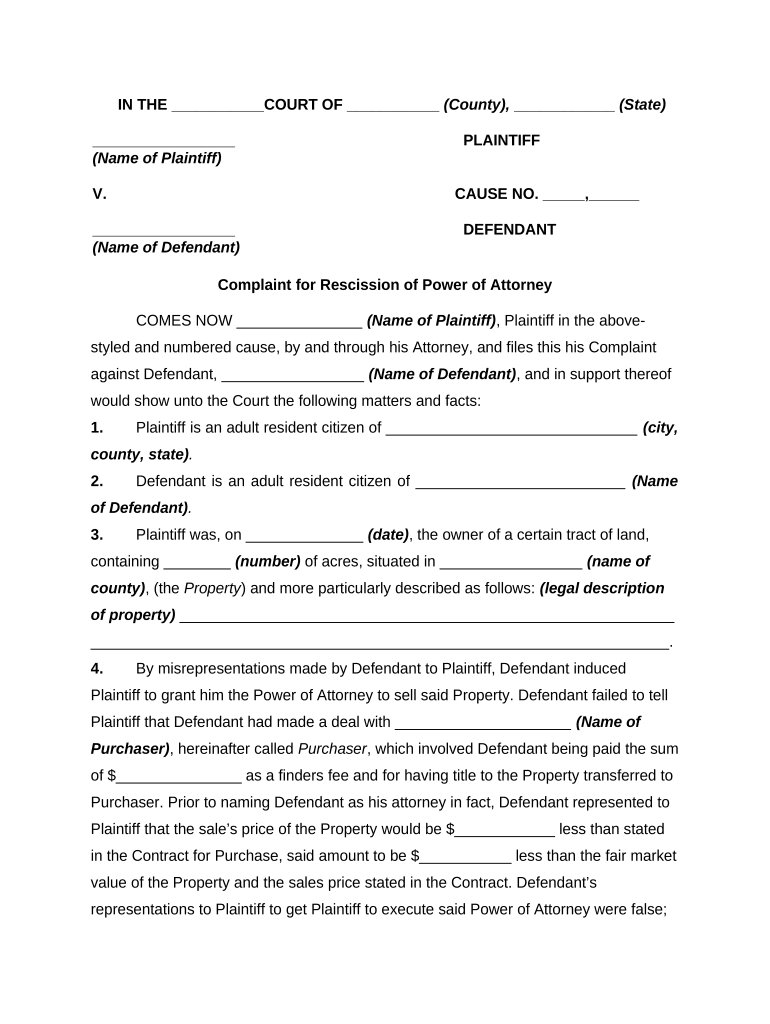
Complaint Power of Attorney

This template is fully customizable. Edit the text, fill out the fields, and send it for signature. Give it a try!
Complaint Power of Attorney

What the Complaint Power of Attorney Is and how it works

A Complaint Power of Attorney is a durable or limited power of attorney that authorizes an agent to prepare, file, and pursue administrative or civil complaints on behalf of a principal. It typically grants authority to sign documents, submit forms to agencies or vendors, receive notices, and represent the principal in dispute-resolution processes. The document can be tailored to a single complaint, a category of claims, or ongoing authority for an identified period. Accuracy in party names, scope language, and effective dates is essential to avoid rejects by regulators, payers, or opposing counsel.

Why a Complaint Power of Attorney matters for dispute handling

A Complaint Power of Attorney centralizes authority to act on complaints, ensures continuity when the principal cannot act, and speeds administrative filings by delegating signature and communications rights to an appointed agent.

Why a Complaint Power of Attorney matters for dispute handling

Who commonly completes a Complaint Power of Attorney

Choose parties who are trustworthy and able to meet procedural deadlines; document scope precisely to limit unintended authority.

  • Consumers and tenants who appoint an agent to pursue consumer protection or housing complaints.
  • Small business owners delegating vendor dispute or municipal complaint handling.
  • Legal and compliance teams assigning internal staff to manage regulatory complaints.

Core elements every professional Complaint Power of Attorney should include

A practical template balances clear grant language with limits, signature blocks, and recordkeeping instructions to ensure enforceability and administrative acceptance.

Principal ID

Full legal name and government ID details for the principal so identity matches agency records and reduces challenge risk.
Agent ID

Full legal name, contact details, and role of the agent; include alternate designees if primary agent becomes unavailable.

Scope of Authority

Specific, itemized powers (e.g., file complaints, sign settlement agreements, receive service of process) with explicit exclusions where needed.

Effective Period

Clear start and end dates, or a durable clause, so agencies and vendors know when the agent’s authority begins and ends.

Limitations

Monetary caps, settlement approval requirements, or step approvals to prevent unauthorized financial commitments or settlements.

Certification

Acknowledgement of principal capacity, revocation instructions, and signature lines for all parties with notary/witness area if required.

Step-by-step: completing and executing the Complaint Power of Attorney

These sequential steps cover drafting, signing, and delivering the document so the agent can act promptly on complaints.

  • 01
    Draft Scope: Define precisely what complaints and remedies the agent may pursue.
  • 02
    Verify Identities: Confirm principal and agent identity with government ID or credential analysis.
  • 03
    Sign and Authenticate: Sign with required witnesses or notarization; use permitted e-sign process if allowed.
  • 04
    Deliver Copies: Provide certified copies to agencies, vendors, and the agent; retain originals securely.

How an executed Complaint Power of Attorney is used in practice

This flow shows how authority passes from principal to agent and how agencies or opposing parties accept the document.

  • Execution: Principal signs and authenticates document per state rules.
  • Agent Acceptance: Agent signs any acceptance acknowledgment where required.
  • Delivery: Agent delivers certified copy to the filing agency or vendor.
  • Representation: Agent files or pursues the complaint under the granted authority.

Typical e-signature workflow settings for online completion

Configure your electronic workflow to capture intent, consent, attribution, and retention to meet ESIGN and UETA tests.

Field Configuration
Consumer Disclosure Require explicit consent and access confirmation
Authentication Email plus SMS code or stronger KBA as needed
Audit Trail Enable IP, timestamp, and action log capture
Document Retention Store signed PDF/A with certificate and export option

Technical and compliance considerations for e-signing

Confirm the vendor supports the record retention and compliance frameworks relevant to your industry before e-signing consumer or regulated records.

  • Authentication Options: Email, SMS, KBA
  • Audit Trail: IP, timestamps
  • Storage Formats: PDF, PDF/A

Practical tips to prepare a clear and enforceable Complaint Power of Attorney

Follow these drafting and execution best practices to minimize disputes about the agent’s authority and ensure administrative acceptance.

Be Specific About Powers
Limit authority to named agencies, claim types, and monetary thresholds. Specific limits reduce challenges and unintended settlements; include a clause requiring principal approval for settlement amounts above a defined cap.
Document Capacity
Include an affirmation of the principal’s capacity at signing and the date of execution. If capacity may be questioned, have a clinician or attorney certify capacity contemporaneously.
Authentication and Proof
Retain copies of IDs, the signed instrument, and any e-sign audit trail. These materials are often requested by agencies for verification and may prevent refusal or delay.
Revocation Instructions
Clearly describe how the principal can revoke authority, where to send revocation notices, and require delivery of revocation copies to known agencies and the agent.

Common mistakes to avoid when preparing a Complaint Power of Attorney

  • Using vague language like 'all disputes' without specifying agencies or claim types leads to overbroad authority and third-party rejection.
  • Mismatched names between the POA and government ID cause identity verification failures and filing delays with agencies.
  • Failing to include revocation procedures or an expiration date can leave authority open-ended and hard to terminate.
  • Not confirming witness or notary requirements for the jurisdiction before signing will often invalidate the POA for some filings.

Consequences and legal risks of an incorrect or improper POA

Rejected Filings: Agency refusal to accept filings
Invalid Transactions: Settlements may be voidable
Statutory Penalties: Civil penalties if filings violate rules
Fraud Allegations: Potential criminal exposure
Recordkeeping Failures: Evidence may be inadmissible
Professional Liability: Attorney errors may lead to malpractice risk

Timing, deadlines, and processing expectations to keep in mind

Certain complaints and administrative filings have strict deadlines; verify agency-specific statutes of limitations and filing windows before delegating authority.

W-9 / Tax Forms:

Provide W-9 information on request; no single filing deadline

I-9 Retention:

Retain I-9 per 8 CFR §274a.2 retention rules

Agency Deadlines:

Meet agency-specific complaint filing windows; these vary by statute

Revocation Effective Date:

Allow agency processing time for revocation receipt

Court Filings:

Many courts prohibit POA for certain actions; check local rules

Key milestones from execution to complaint resolution

A typical timeline shows execution, delivery to agencies, filing, agency response, and closure steps with approximate timing.

01

Execution

Principal signs and authenticates the POA.

02

Delivery to Agent

Agent receives certified copy and acceptance.

03

Filing Complaint

Agent prepares and files the complaint with the relevant agency.

04

Agency Response

Agency issues notice, request for information, or schedule for hearing.

Common eSignature vendor comparison for signing Complaint POAs

Below is a concise vendor comparison focused on pricing and key compliance features relevant to legal and regulated records.

signNow DocuSign Adobe Sign PandaDoc HelloSign
Starting Price $8/user/mo $15/user/mo $14/user/mo $19/user/mo $15/user/mo
Free Trial 7-day free trial No No Yes, limited Yes, limited
Bulk Send Yes Yes Yes Yes No
Audit Trail Yes Yes Yes Yes Yes
HIPAA Compliant Yes Yes Yes No No

Security and compliance controls to look for when e-signing a POA

In transit: TLS 1.2/1.3
At rest: AES-256 encryption
Audit compliance: SOC 2 Type II
Healthcare: HIPAA (BAA required)
Regulatory: 21 CFR Part 11 support
Legal acts: ESIGN / UETA compliance

Real-world examples of using a Complaint Power of Attorney

Two brief examples show how organizations use POAs to expedite dispute filings and maintain continuity.

Martin Properties

A small property manager executed a POA to let an operations director file tenant complaints quickly

  • The agent filed multiple housing code complaints for different properties
  • The arrangement reduced delays in filings, ensured consistent documentation, and let the owner focus on portfolio management while preserving legal control through specific settlement limits.

Fertility Centers of Illinois

A healthcare provider used a limited POA to let a compliance manager handle billing disputes

  • That agent communicated with payers on behalf of the clinic
  • The POA included HIPAA-conforming language and a BAA so disputes could be resolved without exposing protected health information improperly.

Frequently asked questions about Complaint Power of Attorney

Answers focus on common legal and procedural questions to help you avoid rejections and ensure enforceability.


Need help? Contact support

be ready to get more
Join over 28 million airSlate SignNow users