Establishing secure connection…Loading editor…Preparing document…

Contract of Employment Agreement

This template is fully customizable. Edit the text, fill out the fields, and send it for signature. Give it a try!
Contract of Employment Agreement

What a Contract of Employment Agreement Is and Why It Matters

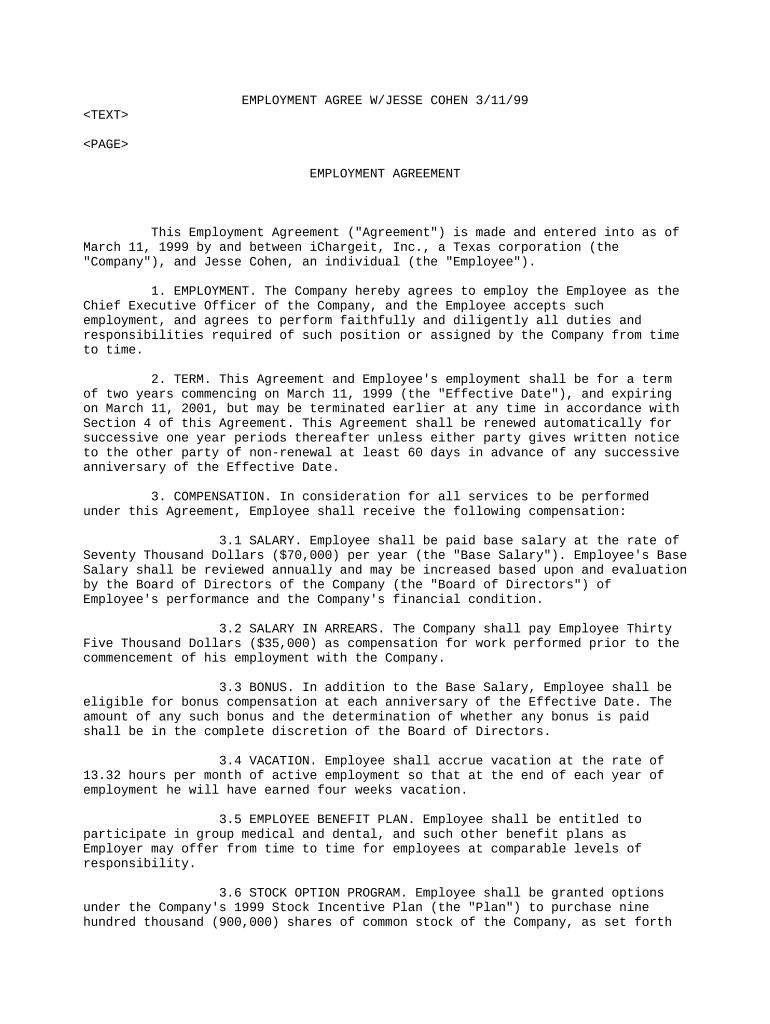
A Contract of Employment Agreement is a written legal document that sets the terms and conditions between an employer and an employee. It typically defines the position, duties, compensation, benefits, work schedule, term or at-will status, termination rights, confidentiality, intellectual property assignments, and dispute resolution. When executed correctly it reduces ambiguity, supports payroll and tax compliance, and can be enforced under applicable state law; electronic execution is valid under the ESIGN Act (15 U.S.C. ch. 96) and UETA where adopted.

Primary purposes and practical advantages

The agreement clarifies rights and obligations for both parties, reduces litigation risk, documents compensation and benefits, and preserves evidence for audits and government reporting. A clear contract also supports compliance with wage-and-hour, tax, and confidentiality rules and creates a baseline for performance management.

Primary purposes and practical advantages

Who commonly prepares and signs employment contracts

Typical users include HR, hiring managers, and legal teams who need standardized, enforceable employment terms.

  • HR managers and generalists preparing onboarding paperwork and onboarding workflows.
  • Business owners and executives approving role, pay, and executive covenant terms.
  • In-house counsel or outside attorneys reviewing restrictive covenants and termination language.

Who can sign and validate the agreement

Employer Representative

An authorized officer, HR director, or hiring manager signs on behalf of the employer. Authority should be documented in corporate records to ensure enforceability and avoid disputed signatory authority.

Employee

The employee or new hire must sign to demonstrate consent and acceptance. For minors or restricted parties, an authorized guardian or representative may be required to sign as well.

Core elements to include in a professional Contract of Employment Agreement

A complete employment contract addresses role specifics, compensation, term and termination mechanics, confidentiality and IP, benefits and policies, and governing law to minimize disputes and support enforcement.

Job Title

Precise role and reporting line, including essential duties and a clear description of responsibilities to set performance expectations.
Compensation

Salary, pay frequency, bonus eligibility, stock or equity terms, and any variable pay mechanics, including tax treatment where applicable.

Term and Status

Specify fixed-term or at-will employment and any probationary period; include start date and effective date details.

Termination

Notice requirements, cause vs. without-cause provisions, severance terms, and post-termination obligations such as return of property.

Confidentiality & IP

NDA language, invention assignment clauses, and scope of permitted use of company materials and intellectual property.

Governing Law

Specify the state law that will govern interpretation and disputes; choice of forum and arbitration clauses if desired.

Step-by-step: complete and execute the Contract of Employment Agreement

Follow these sequential steps to prepare, sign, and distribute the agreement while preserving legal and audit evidence.

  • 01
    Prepare Document: Populate fields, attach exhibits, and confirm compensation and benefits language.
  • 02
    Legal Review: Have counsel review restrictive covenants and termination clauses for enforceability.
  • 03
    Signatures: Collect employer and employee signatures; document date and signer identity.
  • 04
    Distribute and File: Provide copies to employee, HR, payroll, and retain the executed contract in the personnel file.

How to configure a digital signing workflow for this agreement

Typical digital workflows automate routing, authentication, templates, notifications, and storage to reduce manual steps and errors.

Field Configuration
Signer Order Employee then Employer representative
Authentication Email link or SMS code
Templates Use reusable template with required fields
Storage Save PDF to secure HR repository

Technical needs for e-signing and e-submission

Confirm the platform supports required file types, authentication, integrations, and compliance features before signing.

  • File formats: PDF, DOCX supported
  • Integrations: Salesforce, NetSuite, Microsoft 365, Google Workspace
  • Authentication: Email, SMS, KBA, SSO

Where to send, file, and store executed copies

Route signed contracts to the employee, HR, payroll, and legal teams and store an immutable copy for audit and compliance purposes.

  • Employee Copy: Provide an executed PDF to the employee immediately.
  • HR File: Store original in secure personnel file.
  • Payroll: Send pay terms and tax IDs to payroll team.
  • Legal Archive: Retain a certified copy for dispute evidence.

Key timing obligations and reporting dates

Certain dates and retention triggers are time-sensitive; track effective dates, acknowledgments, payroll deadlines, and document retention start points.

Effective Date:

Start date of duties and benefits as entered on the contract.

Employee Acknowledgment:

Obtain signed acknowledgment before or on first workday.

I-9 Retention Rule:

Retain I-9 for 3 years after hire or 1 year after termination (8 CFR §274a.2).

W-2 Reporting:

Issue W-2 to employees by January 31 each tax year.

Contract Renewal Notice:

Provide renewal or nonrenewal notice per contract timelines.

Common mistakes to avoid when drafting or executing the agreement

  • Using vague compensation terms that leave bonus and commission formulas undefined, inviting disputes and misinterpretation.
  • Mismatched or abbreviated names between contract and payroll/ID documents, which can cause tax and identity problems.
  • Failing to document signatory authority for the employer, producing challenges to enforceability in litigation.
  • Neglecting ESIGN consumer-disclosure requirements for employee-facing records where consent to electronic delivery is required.

Potential penalties and legal risks from errors or omissions

I-9 Violations: $281–$2,789 per violation (8 CFR §274a.2)
Wage Claims: FLSA penalties and back pay (29 CFR §516.5)
Tax Withholding: Backup withholding at 24% for incorrect TIN
Non-compete Risk: State-specific unenforceability or narrow enforcement
Misclassification: Civil penalties and tax liabilities for worker misclassification
Document Rejection: Failure to meet ESIGN/UETA consent requirements invalidates electronic records

Real-world examples of employment contract workflows

Concrete examples show common scenarios and how organizations handle execution, storage, and integration with HR systems.

Martin Properties — Onboarding at Scale

The firm standardized offer letters and electronic signatures to reduce onboarding time.

  • Focus on consistent pay and commission fields.
  • The standardized digital workflow reduced turnaround and ensured every signed contract auto-saved to the personnel archive, simplifying audits and payroll setup.

Fertility Centers of Illinois — Compliance Focus

A healthcare provider added confidentiality addenda and signature sequencing.

  • Required BAA and HIPAA controls.
  • Combining medical confidentiality attachments with a secure signing workflow ensured protected health information was handled under a signed BAA and retained per HIPAA timelines.

eSignature provider comparison for employment contract workflows

Select a provider based on price, compliance needs, and volume. The table summarizes starting price and common capability considerations across vendors.

signNow DocuSign Adobe Sign PandaDoc HelloSign
Starting Price $8/user/mo $15/user/mo $14/user/mo $19/user/mo $15/user/mo
Free Trial 7-day free trial Varies by vendor Varies by vendor Varies by vendor Varies by vendor
Bulk Send Available (Business Premium) Varies by plan Varies by plan Varies by plan Varies by plan
Audit Trail Yes Yes Yes Yes Yes
HIPAA Compliant Yes Yes Yes No No
Envelope Cap No envelope cap 100 envelopes/user/year Varies Varies Varies

Security and compliance features to verify

Encryption: TLS 1.2/1.3 in transit, AES-256 at rest
Certification: SOC 2 Type II available on request
Regulatory: ESIGN and UETA compliance supported
Healthcare: HIPAA support with BAA required
FDA/Pharma: 21 CFR Part 11 capability available
Accessibility: WCAG 2.0 Level AA compliance

Frequently asked questions and practical answers

Answers to common legal and process questions about preparing, signing, and storing employment contracts.


Need help? Contact support

be ready to get more
Join over 28 million airSlate SignNow users