Establishing secure connection…Loading editor…Preparing document…

Contract for Sale of Book on Consignment

This template is fully customizable. Edit the text, fill out the fields, and send it for signature. Give it a try!
Contract for Sale of Book on Consignment

What the Contract for Sale of Book on Consignment Is

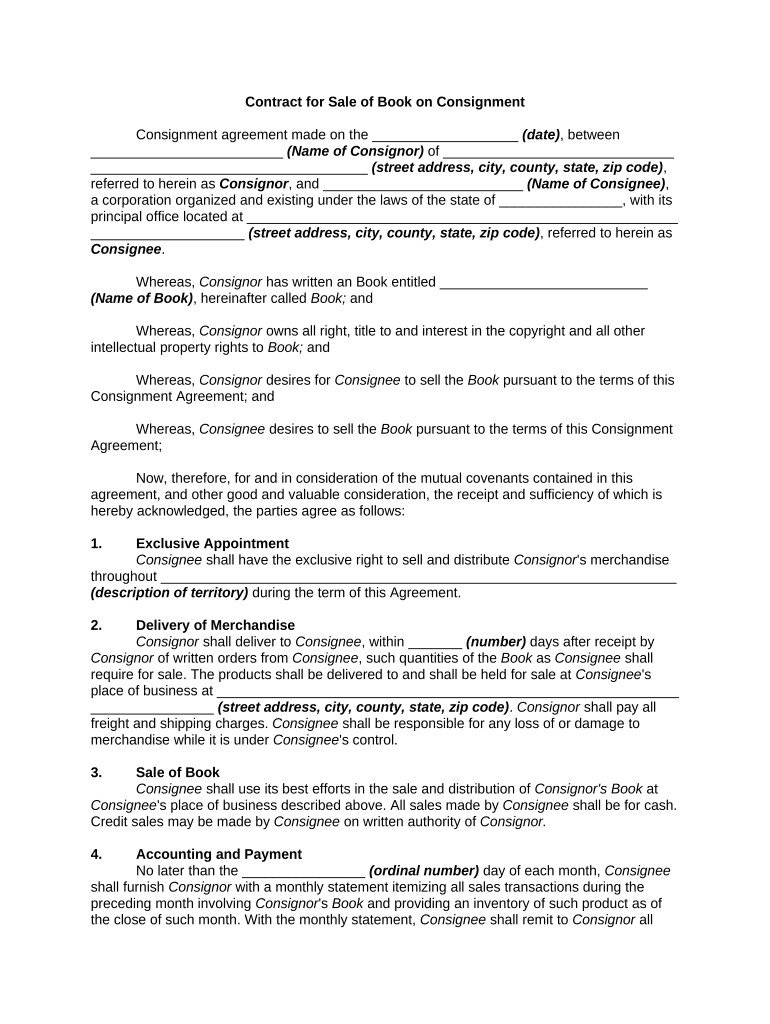
A Contract for Sale of Book on Consignment is a legally binding agreement where the book owner (consignor) transfers possession but not title to a seller (consignee) to sell the book on the owner’s behalf. The contract sets sale price, commission, payment timing, return rights for unsold copies, inventory reporting, and any insurance or storage obligations. It clarifies who bears shipping and damage risk, how proceeds are calculated, and dispute resolution. For electronic execution in the United States, the ESIGN Act (15 U.S.C. ch. 96) and state UETA laws support enforceability when the four legal validity elements are met.

Why a Clear Consignment Contract Matters

A well-drafted consignment agreement reduces ambiguity on pricing, commission, inventory control, and payment timing. Clear terms protect both consignor and consignee, lower dispute risk, and make tax and reporting obligations easier to manage.

Why a Clear Consignment Contract Matters

Who Typically Uses a Consignment Sale Agreement

This contract is used by small publishers, independent authors, bookstores, and specialty retailers that handle book sales on behalf of owners.

  • Independent bookstores offering slow-moving or specialty titles on a sale-or-return basis, tracking inventory and settlement schedules.
  • Self-published authors or small-press publishers consigning remaindered copies to retailers or pop-up shops to reach new customers.
  • Event vendors and specialty retailers who sell books at fairs or markets under a temporary consignment arrangement.

Use the contract to set expectations, allocate risk, ensure timely payments, and document responsibilities for returns, marketing, and unsold inventory.

Primary Parties and Typical Representatives

Consignor

Typically the book owner, author, or publisher. Responsible for representing title, providing inventory, and ensuring item descriptions are accurate. May request return rights, reserves, or minimum price protections and must provide tax identification for reporting.

Consignee

The retailer, bookstore, or seller who accepts possession to offer the book for sale. Responsible for safekeeping, sales reporting, collecting proceeds, deducting agreed commissions, and remitting net payments within the contract schedule.

Core Elements to Include in the Contract for Sale of Book on Consignment

A professional consignment contract organizes operational and financial terms so each party understands obligations. Include sections that precisely define scope, financial splits, reporting cadence, and remedy paths.

Parties

Full legal names, business entity types, and contact details for consignor and consignee. Identify who will receive payment, where notices should be sent, and tax identification numbers for reporting.
Item Description

Detailed book information including title, author, edition, ISBN, quantity, and condition. Attach inventory list as an exhibit to avoid later disputes about which copies were consigned.

Pricing and Commission

Specify retail price, accepted discounts, commission or fee percentage, and whether commissions apply before or after sales tax. Include how refunds and returns affect commission calculations.

Payment and Reporting

Set payment frequency (e.g., monthly, net 30), reporting format for sales, and reconciliation process. State currency, acceptable payment methods, and late payment interest or fees.

Term, Returns, and Unsold Stock

Define contract term, automatic renewals, inventory return procedures, and deadlines for consignor to collect unsold copies. Include transportation responsibilities and restocking fees if applicable.

Liability and Insurance

Allocate risk for loss, theft, or damage. Require insurance if appropriate and specify limits and proof of coverage. Address indemnity for third-party claims such as copyright or product liability.

Step-by-Step: Completing and Executing the Contract

Follow these sequential steps to complete the agreement and confirm both parties' obligations before consigning inventory.

  • 01
    Prepare Inventory: List all titles, quantities, and conditions. Attach as Exhibit A and verify counts before shipment.
  • 02
    Set Financial Terms: Agree retail price, discount policy, and commission. Put amounts and percentages in writing to avoid ambiguity.
  • 03
    Agree Logistics: Specify delivery terms, who bears shipping costs, and processes for returns or damaged stock.
  • 04
    Sign and Exchange: Both parties sign, exchange executed copies, and consignor ships inventory after receipt of the signed contract.

Configuring an Online Consignment Workflow

Set up a consistent digital workflow to manage uploads, signatures, and delivery of executed agreements.

Field Configuration
Document Template Create a reusable contract template with merged inventory exhibit fields and fixed clauses.
Signer Roles Assign consignor and consignee roles with required signature and date fields for each party.
Authentication Select email or SMS code verification; choose stronger auth for high-value consignments.
Delivery Enable automatic PDF delivery and audit-trail storage after signature completion.

Digital Signing and eSubmission Considerations

Use a platform that supports clear signature attribution, tamper-evident PDFs, and retrievable audit trails for compliance.

  • Authentication Options: Email link, SMS code, or stronger multi-factor methods to verify signer identity.
  • Document Formats: Support for PDF and DOCX to preserve formatting and produce ISO-compatible signed PDFs.
  • Integration Needs: Connectors with accounting or inventory systems help automate settlement and reporting.

Ensure the chosen eSignature workflow meets ESIGN/UETA legal tests and your internal retention and audit requirements.

Typical Online Signing Flow for a Consignment Contract

An efficient online flow reduces turnaround and preserves an auditable trail of every step and decision.

  • Upload Document: Upload the contract template with Exhibit A inventory attached.
  • Place Fields: Add signature, date, and text fields for payment and inventory reconciliation.
  • Send to Signers: Email or generate a link for consignee and consignor to sign in the designated order.
  • Store Execution: System captures timestamps, IP, and audit trail; send executed PDF to both parties.

Time-Sensitive Dates and Reporting Deadlines

Track contractual and tax-related deadlines to avoid late fees and reporting penalties.

Payment Cycle:

Payment due as specified (for example, net 30 after month-end sales reconciliation).

Inventory Returns:

Deadline for consignor to collect unsold stock at term end, typically 15–60 days.

1099 Reporting:

Form 1099-NEC to recipients and IRS is due January 31 for reportable nonemployee compensation.

Sales Tax:

Collect and remit sales tax according to state rules and return filing schedule.

Contract Renewal:

Notice period for nonrenewal or termination commonly 30–60 days before term expiry.

Key Contract Milestones and Processing Stages

Follow these milestones from negotiation through final settlement to keep consignments on schedule.

01

Negotiation and Drafting

Finalize pricing, commission, and return terms before signing.

02

Execution and Exchange

Both parties sign and receive executed copies; retain proof of execution.

03

Inventory Delivery

Ship or transfer consigned books with packing list matching Exhibit A.

04

Settlement and Reporting

Consignee submits sales report and remits net proceeds per agreed schedule.

Common Mistakes to Avoid

  • Vague item descriptions that later lead to disputes over which copies were included in the consignment.
  • Unspecified payment timing or reconciliation rules that delay remittances and increase collection disputes.
  • Failing to include an exhibit listing ISBNs and counts, making inventory reconciliation difficult.
  • Not specifying who bears shipping, insurance, or storage costs during the consignment term.

Legal and Financial Risks from an Incorrect Contract

Tax Reporting: Incorrect payee TINs can trigger backup withholding at 24% and IRS penalties.
Late Payments: Missed remittances may incur interest and breach claims under contract terms.
Inventory Loss: Failure to assign risk can leave consignor without compensation for damaged stock.
Intellectual Property: Selling infringing copies can create liability for consignor and consignee.
Unenforceable Signature: Improper execution may risk enforceability; ESIGN (15 U.S.C. ch. 96) and UETA standards must be met.
Dispute Costs: Litigation or arbitration increases legal expense and operational disruption.

eSignature Vendor Pricing Comparison for Consignment Contracts

The table compares basic pricing and key capabilities relevant to contract execution and compliance; signNow is listed first per vendor comparison conventions.

signNow DocuSign Adobe Sign PandaDoc HelloSign
Starting Price $8/user/mo $15/user/mo $14/user/mo $19/user/mo $15/user/mo
Free Trial 7-day free trial, no credit card required No No Yes, limited Yes, limited
Bulk Send Yes Yes Yes Yes No
Audit Trail Yes Yes Yes Yes Yes
HIPAA Compliant Yes Yes Yes No No

Practical Tips for Accurate and Efficient Completion

Adopt these practices to reduce errors, speed settlement, and maintain compliance with tax and recordkeeping rules.

Use a Standard Template
Maintain a single approved form with exhibits for inventory lists to ensure consistent terms and reduce negotiation time.
Require Clear Exhibits
Attach an itemized inventory with ISBNs and counts to avoid later disputes about which copies were consigned.
Automate Reporting
Use integrated accounting or spreadsheet exports to reconcile sales, calculate commissions, and produce settlement statements quickly.
Document Communications
Keep written records of price approvals, markdowns, and special promotions to support settlement adjustments.

Representative Use Cases

Real-world scenarios illustrate how consignment contracts can be structured for different needs.

Case Study 1

A small publisher consigns remaindered copies to independent bookstores to clear inventory

  • The store prices items and tracks sales daily
  • The contract requires monthly reconciliations and a 60-day return window; publisher receives net proceeds minus a 30% commission.

Case Study 2

An author provides signed limited editions on consignment for a series of pop-up events

  • The event vendor handles point-of-sale and retains a 25% commission
  • Agreement specifies event dates, condition standards, insurance for transit, and same-day settlement for high-value sales.

Frequently Asked Questions

Answers to common legal, tax, and execution questions about consignment sale contracts and electronic signatures.


Need help? Contact support

be ready to get more
Join over 28 million airSlate SignNow users