Establishing secure connection… Loading editor… Preparing document…
Navigation

Fill and Sign the Control Number Sc Sdeed 8 5 Form
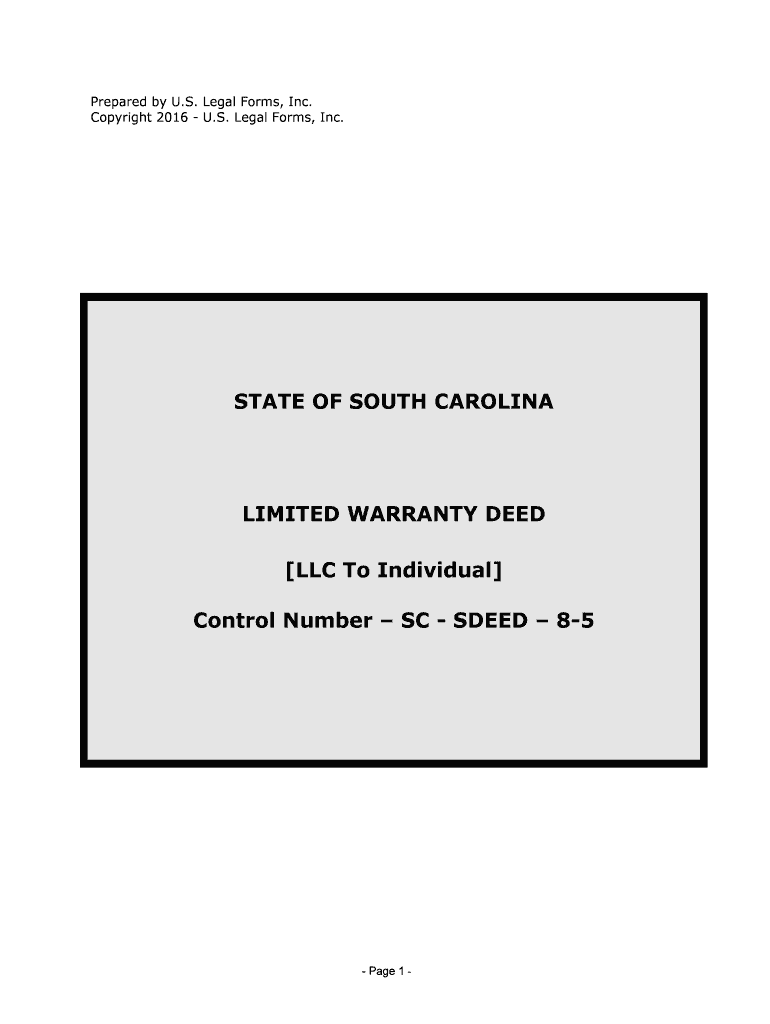
Fill and Sign the Control Number Sc Sdeed 8 5 Form

How it works

Open the document and fill out all its fields.
Apply your legally-binding eSignature.
Save and invite other recipients to sign it.

Rate template

4.8
34 votes
- Page 1 - Prepared by U.S. Legal Forms, Inc.Copyright 2016 - U.S. Legal Forms, Inc. STATE OF SOUTH CAROLINALIMITED WARRANTY DEED [LLC To Individual] Control Number – SC - SDEED – 8-5 - Page 2 - NOTE ABOUT COMPLETING THE FORMS The forms in this packet contain “form fields” created using Microsoft Word. “Form fields” facilitate completion of the forms using your computer. They do not limit you ability to print the form “in blank” and complete with a typewriter or by hand. If you do not see the gray shaded form fields, go the View menu, click on Toolbars, and then select Forms. This will open the forms toolbar. Look for the button on the forms toolbar that resembles a shaded letter “a”. Click in this button and the form fields will be visible.The forms are locked which means that the content of the forms cannot be changed. You can only fill in the information in the fields. If you need to make any changes in the body of the form, it is necessary for you “unlock” or “unprotect” the form. IF YOU INTEND TO MAKE CHANGES TO THE CONTENT, DO SO BEFORE YOU BEGIN TO FILL IN THE FIELDS. IF YOU UNLOCK THE DOCUMENT AFTER YOU HAVE BEGUN TO COMPLETE THE FIELDS, WHEN YOU RELOCK, ALL INFORMATION YOU ENTERED WILL BE LOST. To unlock click on “Tools” in the Menu bar and then selecting “unprotect document”. You may then be prompted to enter a password. If so, the password is “uslf”. That is uslf in lower case letters without the quotation marks. After you make the changes relock the document before you being to complete the fields. After any required changes and re-protecting the document, click on the first form field and enter the required information. You will be able to navigate through the document from form field to form field using your tab key. Tab to a form field and insert your data. If problems, please let us know. - Page 3 - NOTES ON FILING THESE FORMS Original Signatures of Executing Party(ies) & Date of Execution - Although documents may be a copy or a FAX, all required signatures must be originals. The Register of Deeds in South Carolina “encourage” use of BLUE INK for Signatures. Indexing of Executing Parties are taken from the signature, rather than from the typed name on the face of the document. If these names are totally different, the document may be returned unFiled. The exact name spelling should be typed or printed beneath each signature. The Date of Execution must also be clearly noted on the document. Subscribing Witnesses - Most documents require 2 witnesses’ original signatures. One of these witnesses may sign the “Affidavit of Probate” and the other may be the Notary Public. The individuals who execute the document may not be any of these. Affidavits of Probate and Acknowledgements - Documents must have either this “Affidavit” or an Acknowledgement following the Execution and Witness Signatures. The Probate provides for one of the two Witnesses to confirm to either the other witness or Notary, that he/she saw the Grantor(s) execute the document. The Acknowledgement provides for the Executing party to make oath to the Notary that he/she executed the document. Notary Public - Documents presented for filing, except as otherwise provided by law, must be “Notarized”, by a licensed Notary Public, with the appropriate “Notary” statement, signature, expiration date and Seal. Description & Derivation Clause - Most documents must contain some legal description of the property involved and/or reference to an attached Plat which provides such description (see Plat Recording Guidelines). Deeds, except Quit Claim Deeds, must include a derivation clause, preferably at the end of the legal description, that gives recording information for the Deed which established the Grantor’s (seller’s) ownership, and provides an important link in the "Chain of Title". This Clause shall include the Name of the original Grantor, and the Recording Date AND/OR Book and Page number of the Deed which originally conveyed the property to the Grantor. Grantee’s/Mortgagee’s Address - The address of the Buyer (Grantee) on Deeds, and the Secured Party (Mortgagee) on Mortgages, must be clearly noted, usually on the face of those documents. Preparation Clause - Deeds must have a clause, preferably at the end of the legal description, that tells the name, and the address, of who prepared the document. District, Map & Parcel No. - This information must be clearly noted somewhere on all Deeds and all Plats (preferably on the first page). This DMP information is an important link between a number of shared data-bases for County staff and public access to information related to Real Property. The information may be obtained off of the old Deed or a Tax Notice. - Page 4 - Affidavit of True Consideration - Any conveyance of property that meets State and Local laws requiring payment of Recording Fees, Transfer Fees, etc., must indicate the “True Consideration” or value in money’s worth for that conveyance (see S.C. Code Sect 12-24 as amended). Thus, for example, if a Deed does not indicate on its face the amount paid, or the words “and other consideration”, or if a trade of property is involved, there must be attached an “Affidavit of True Consideration” that reflects the actual value of the transaction. That value is used to calculate Fees (including State & County Recording Fees, and Town of Hilton Head Island Transfer Fees) due for the recording. NOTE: If the Filer claims an “Exemption” from any Fees established by State or Local laws, an Affidavit must also be attached which cites the specific section of the law under which such Exemption is claimed. EXEMPTIONS FROM RECORDING FEES PER 12-24-40, SC CODE OF LAWS EXEMPTED FROM THE RECORDING FEES ARE DEEDS WHICH:1)transfer realty in which the value of the realty, as defined in Code Section 12-24-30, is equal to or less than $100;2) transfer realty to the federal government or to a state, its agencies and departments, and to its political subdivisions, including school districts;3)are otherwise exempted under the laws and constitution of the State of South Carolina or the United States (give cite);4)transfer realty in which no gain or loss is recognized by reason of Section 1041 of the US Internal Revenue Code, as defined in section 12-6-40(A) of the SC Code of Laws;5)transfer realty in order to partition the realty, as long as no consideration is paid for the transfer other than the interests in the realty(s) that are being partitioned;6)transfer an individual grave space at a cemetery owned by a cemetery company licensed under Chapter 55 of Title 39;7)constitutes a contract for sale of timber to be cut (but not the land upon which the timber stands);8) transfers realty to a corporation, partnership, or trust in order to become, or as, a stockholder, partner, or trust beneficiary of the entity, provided no consideration is paid for the transfer other than stock in the entity, interest in the partnership, beneficiary interest in the trust, or the increase in value in such stock or interest held by the grantor. However, the transfer of realty from a corporation, partnership, or trust to a stockholder, - Page 5 - partner, or trust beneficiary of the entity is subject to the fee even if the realty is transferred to another corporation, partnership, or trust;9)transfers realty from a family partnership to a partner or from a family trust to a beneficiary, provided no consideration is paid for the transfer other than a reduction in the grantee’s interest in the partnership or trust. A “family partnership” is a partnership whose partners are all members of the same family. A family trust is a trust, in which the beneficiaries are all members of the same family. The beneficiaries of a family trust may also include charitable entities. A “family” means the grantor and the grantor’s, parents, grandparents, sisters, brothers, children, stepchildren, grandchildren, and the spouses and lineal descendants of any of the above. A charitable entity means an entity which may receive deductible contributions under Section 170 of the US Internal Revenue Code, as defined in SC Code Section 12-6-40(A);10)transfers realty in a statutory merger or consolidation from a constituent corporation to the continuing or new corporation;11)transfers realty to a merger or consolidation from a constituent partnership to the continuing or new partnership;12) constitutes a corrective deed or a quitclaim deed used to confirm title already vested in the grantee, provided that no consideration of any kind is paid or is to be paid under the corrective deed or quitclaim deed;13) transfers realty subject to a mortgage to the mortgagee, whether by a deed in lieu of foreclosure executed by the mortgagee, or by deed pursuant to foreclosure;14)transfers realty from an agent to the agent’s principal, in which the realty was purchased with funds of the principal, provided that a notarized document is also filed with the deed that establishes the fact that the agent and principal relationship existed at the time of the original purchase as well as for the purpose of purchasing the realty; and,15)transfers title to facilities for transmitting electricity that is transferred, sold, or exchanged by electrical utilities, municipalities, electric cooperatives, or political subdivisions to a limited liability company which is subject to regulation under the Federal Power Act (16 U.S.C. Section 791(a)), and which is formed to operate or to take functional control of electric transmission assets as defined in the Federal Power Act. - Page 6 - DISCLAIMER These materials were developed by U.S. Legal Forms, Inc. based upon statutes and forms for the State of South Carolina. All Information and Forms are subject to this Disclaimer: All forms in this package are provided without any warranty, express or implied, as to their legal effect and completeness. Please use at your own risk. If you have a serious legal problem we suggest that you consult an attorney. U.S. Legal Forms, Inc. does not provide legal advice. The products offered by U.S. Legal Forms (USLF) are not a substitute for the advice of an attorney. THESE MATERIALS ARE PROVIDED "AS IS" WITHOUT ANY EXPRESS OR IMPLIED WARRANTY OF ANY KIND INCLUDING WARRANTIES OF MERCHANTABILITY, NONINFRINGEMENT OF INTELLECTUAL PROPERTY, OR FITNESS FOR ANY PARTICULAR PURPOSE. IN NO EVENT SHALL U. S. LEGAL FORMS, INC. OR ITS AGENTS OR OFFICERS BE LIABLE FOR ANY DAMAGES WHATSOEVER (INCLUDING, WITHOUT LIMITATION DAMAGES FOR LOSS OF PROFITS, BUSINESS INTERRUPTION, LOSS OF INFORMATION) ARISING OUT OF THE USE OF OR INABILITY TO USE THE MATERIALS, EVEN IF U.S. LEGAL FORMS, INC. HAS BEEN ADVISED OF THE POSSIBILITY OF SUCH DAMAGES. Limited Warranty Deed - Page 1 - This document prepared by (and after recording return to):Name: Firm/Company: Address: Address 2: City, State, Zip: Phone: ))))))))))--------Above This Line Reserved For Official Use Only------------- LIMITED WARRANTY DEED (LLC to Individual) KNOW ALL MEN BY THESE PRESENTS THAT: FOR VALUABLE CONSIDERATION OF TEN DOLLARS ($10.00), and other good and valuable consideration, cash in hand paid, the receipt and sufficiency of which is hereby acknowledged, ______________________________, a limited liability company organized and existing under the laws of the State of ________________________, hereinafter referred to as “Grantor”, does hereby grant, bargain, sell and release, and by these presents do grant, bargain, sell and release unto ____________________________________, an individual, married unmarried, hereinafter “Grantee”, the following lands and property, together with all improvements located thereon, lying in the County of ______________________, State of South Carolina, to-wit: Describe Property of State "SEE DESCRIPTION ATTACHED" Tax Map Number: ______________________________ Prior instrument reference: Book ______ , P ag e _ _____ , D ocu m en t N o. _ _____ , i n t h e o ffic e o f t h e Re g is te r o f D eed s ______________________ County, South Carolina.LESS AND EXCEPT all oil, gas and minerals, on and under the above described property owned by Grantor, if any, which are reserved by Grantor.SUBJECT to all easements, rights-of-way, protective covenants and mineral reservations of record, if any. TO HAVE AND TO HOLD the said tract or parcel of land, with all and singular the rights,members and appurtenances thereof, to the same being, belonging, or in anywise appertaining, tothe only proper use, benefit, and behoof of said Grantee forever in FEE SIMPLE.AND THE SAID Grantor, for it’s successors and assigns, will warrant and forever defend the right and title to the above described property, unto the said Grantee, ______ heirs and assigns, against the claims of all persons owning, holding or claiming by, through or under the said Grantor. Limited Warranty Deed - Page 2 - T ax es f o r t a x y ear _ _____ s h all b e p ro ra te d b etw een G ra n to r a n d G ra n te e a s o f t h e d ate s e le cte d by G ra n to r a n d G ra n te e, o r p aid b y G ra n te e, o r p aid b y G ra n to r. IN WITNESS WHEREOF, this deed was executed by the undersigned on this the ____ day of __________________, 20___. {Name of L.L.C.} __________________________________ BY: {Type Name]TITLE:{Title with L.L.C.} Signed, Sealed and Delivered in the presence of: __________________________________ Witness__________________________________ WitnessSTATE OF ______________________COUNTY OF ______________________ The foregoing instrument was acknowledged before me this ______________________ (date) by ______________________________________ (name of person acknowledged). ____________________________________Notary PublicPrint Name: ______________________ My commission expires:______________________ Limited Warranty Deed - Page 3 - Grantor(s) Name, Address, phone: Grantee(s) Name, Address, phone: SEND TAX STATEMENTS TO GRANTEE Limited Warranty Deed - Page 4 - STATE OF SOUTH CAROLINA :Date of Transfer of Title : COUNTY OF ____________ ____ : (C lo sin g D ate ) _ _____________, 2 0 AFFIDAVIT PERSONALLY appeared before me the undersigned, who being duly sworn, deposes and says:1.I have read the information on this Affidavit and I understand such information.2. The property is being transferred BY ________________________________________ TO _____________________________________ on ____________________________.3 . Check o ne o f t h e f o llo w in g : T H E D EED I S (a ) S ubje ct t o t h e d eed r e co rd in g f e e a s a t r a n sfe r f o r c o nsid era tio n p aid o r t o b e pa id i n m oney o r m on ey ’s w orth .(b ) S ubje ct t o t h e d eed r e co rd in g f e e a s a t r a n sfe r b etw een a c o rp ora tio n, a pa rtn ers h ip , o r o th er e n tity a n d s to ck hold er, p artn er, o r o w ner o f t h e e n tity o r i s a tra n sfe r t o a t r u st o r a s d is tr ib utio n t o a t r u st b en efic ia ry .(c) Exempt, or partially exempt, from the recording fees because (exemption #________ ) (E xpla n atio n, i f r e q uir e d ) __ _____ _________________ ________________________ __________________________ _______ _________________ ________________________ __________________________ (IF E X EM PT , P L ESE S K IP I T E M S 4 -6 A ND G O T O I T EM 7 O F T H IS A FFID AVIT ) 4. Check one of the following if either item 3(a) or item 3(b) above has been checked.(a) ________ T he f e e i s c o m pute d o n t h e c o nsid era tio n p aid o r t o b e p aid i n m oney o r mo ney ’s w orth i n t h e a m ount o f $ ______________.(b ) ________ T he f e e i s c o m pute d o n t h e f a ir m ark et v alu e o f t h e r e alty w hic h i s $_ _____ __________ .(c ) _ _______ T he f e e i s c o m pute d o n t h e f a ir m ark et v alu e o f t h e r e alty a s e sta b lis h ed fo r p ro perty t a x p urp o se s, w hic h i s $ _ _____________.5 . Check Y ES o r N O t o t h e f o llo w in g: A l ie n o r e n cu m bra n ce e x is te d o n t h e l a n d, t e n em en t, o r re alty b efo re t h e t r a n sfe r a n d r e m ain ed o n t h e l a n d, t e n em en t, o r r e alty a fte r t h e t r a n sfe r. I f “ Y ES”, th e a m ount o f t h e o uts ta n d in g b ala n ce o f t h is l ie n o r e n cu m bra n ce i s $ ______________. 6 . The D EED R eco rd in g F ee i s c o m pute d a s f o llo w s:(a ) _ _________ __ T he a m oun t l is te d i n i te m 4 a b ove(b ) _ ___________ T he a m oun t l is te d i n i te m 5 ( n o a m ount p la ce z ero )(c ) _ _________ __ S ubtr a ct L in e 6 (b ) a n d p la ce t h e r e su lt.7 . As r e q uir e d b y C ode S ecti o n 1 2-2 4-7 0, I s ta te t h at I a m a r e sp onsib le p ers o n w ho w as c o nnecte d with t h e t r a n sa ctio n a s: _ __ ____________________________________ Limited Warranty Deed - Page 5 - 8. I u nders ta n d t h at a p ers o n r e q uir e d t o f u rn is h t h is A ffid av it w ho w illf u lly f u rn is h ed a f a ls e o r fr a u dule n t a ffid av it i s g uil ty o f a m is d em ean or a n d, u pon c o nvic tio n, m ust b e f in ed n ot m ore t h an on e t h ousa n d d olla rs o r i m pris o ned n ot m ore t h an o ne y ear, o r b oth . _______________________________________Grantor, Grantee or Legal Representative(Connected with this transaction) Sworn to before me this _____ _ __________________________________________day of ______________, 20_ _____ (P rin t o r T ype N am e H ere )_ _ _____ _________________ _____N ota ry P ublic f o r _ _________ ________M y c o m m is sio n e x pir e s _ ____ _____________ Limited Warranty Deed - Page 6 - State of South Carolina ) )Probate County of ____________ ) Personally appeared before me the undersigned witness, who on oath deposes and says that s/he saw the within named Grantor by their act and deed sign and seal the within deed and deliver the same, and s/he, with the other subscribing witness, witnessed the execution thereof. ____________________________________ Witness Sworn to before me this ______ dayof __________________, 20______.____________________________________Notary Public for ________________________________________________My Commission expires: __________________

Useful tips for preparing your ‘Control Number Sc Sdeed 8 5’ digitally

Are you fed up with the inconvenience of handling paperwork? Search no further than airSlate SignNow, the premier electronic signature solution for individuals and organizations. Bid farewell to the monotonous routine of printing and scanning documents. With airSlate SignNow, you can effortlessly finalize and authorize documents online. Take advantage of the robust features integrated into this user-friendly and cost-effective platform and transform your method of document management. Whether you require form approval or need to collect signatures, airSlate SignNow simplifies everything with just a few clicks.

Adhere to this comprehensive guide:

  1. Sign into your account or initiate a free trial with our service.
  2. Select +Create to upload a file from your device, cloud storage, or our template library.
  3. Edit your ‘Control Number Sc Sdeed 8 5’ in the editor.
  4. Choose Me (Fill Out Now) to prepare the document on your end.
  5. Add and allocate fillable fields for other participants (if necessary).
  6. Proceed with the Send Invite options to solicit eSignatures from others.
  7. Save, print your version, or transform it into a reusable template.

Don't worry if you need to collaborate with your teammates on your Control Number Sc Sdeed 8 5 or send it for notarization—our platform has everything you need to achieve such tasks. Sign up with airSlate SignNow today and elevate your document management to a whole new level!

Here is a list of the most common customer questions. If you can’t find an answer to your question, please don’t hesitate to reach out to us.

Need help? Contact Support

The best way to complete and sign your control number sc sdeed 8 5 form

Save time on document management with airSlate SignNow and get your control number sc sdeed 8 5 form eSigned quickly from anywhere with our fully compliant eSignature tool.

How to Sign a PDF Online How to Sign a PDF Online

How to complete and sign forms online

In the past, dealing with paperwork required pretty much time and effort. But with airSlate SignNow, document management is easy and fast. Our powerful and user-friendly eSignature solution allows you to easily complete and electronically sign your control number sc sdeed 8 5 form online from any internet-connected device.

Follow the step-by-step guidelines to eSign your control number sc sdeed 8 5 form template online:

  • 1.Register for a free trial with airSlate SignNow or log in to your account with password credentials or SSO authentication.
  • 2.Click Upload or Create and add a file for eSigning from your device, the cloud, or our form collection.
  • 3.Click on the document name to open it in the editor and use the left-side toolbar to complete all the empty areas accordingly.
  • 4.Drop the My Signature field where you need to eSign your form. Type your name, draw, or upload an image of your regular signature.
  • 5.Click Save and Close to finish modifying your completed document.

As soon as your control number sc sdeed 8 5 form template is ready, download it to your device, export it to the cloud, or invite other individuals to eSign it. With airSlate SignNow, the eSigning process only takes a couple of clicks. Use our robust eSignature tool wherever you are to handle your paperwork efficiently!


How to Sign a PDF Using Google Chrome How to Sign a PDF Using Google Chrome

How to complete and sign documents in Google Chrome

Completing and signing paperwork is simple with the airSlate SignNow extension for Google Chrome. Installing it to your browser is a fast and productive way to manage your paperwork online. Sign your control number sc sdeed 8 5 form template with a legally-binding electronic signature in just a few clicks without switching between tools and tabs.

Follow the step-by-step guide to eSign your control number sc sdeed 8 5 form template in Google Chrome:

  • 1.Go to the Chrome Web Store, locate the airSlate SignNow extension for Chrome, and add it to your browser.
  • 2.Right-click on the link to a document you need to approve and choose Open in airSlate SignNow.
  • 3.Log in to your account using your password or Google/Facebook sign-in option. If you don’t have one, sign up for a free trial.
  • 4.Utilize the Edit & Sign toolbar on the left to complete your sample, then drag and drop the My Signature option.
  • 5.Insert a picture of your handwritten signature, draw it, or simply type in your full name to eSign.
  • 6.Make sure all data is correct and click Save and Close to finish editing your paperwork.

Now, you can save your control number sc sdeed 8 5 form template to your device or cloud storage, send the copy to other people, or invite them to eSign your document with an email request or a secure Signing Link. The airSlate SignNow extension for Google Chrome enhances your document workflows with minimum time and effort. Start using airSlate SignNow today!


How to Sign a PDF in Gmail How to Sign a PDF in Gmail How to Sign a PDF in Gmail

How to fill out and sign forms in Gmail

Every time you get an email containing the control number sc sdeed 8 5 form for signing, there’s no need to print and scan a file or save and re-upload it to a different tool. There’s a much better solution if you use Gmail. Try the airSlate SignNow add-on to promptly eSign any paperwork right from your inbox.

Follow the step-by-step guidelines to eSign your control number sc sdeed 8 5 form in Gmail:

  • 1.Navigate to the Google Workplace Marketplace and locate a airSlate SignNow add-on for Gmail.
  • 2.Set up the program with a corresponding button and grant the tool access to your Google account.
  • 3.Open an email containing an attached file that needs approval and use the S key on the right panel to launch the add-on.
  • 4.Log in to your airSlate SignNow account. Select Send to Sign to forward the file to other people for approval or click Upload to open it in the editor.
  • 5.Drop the My Signature field where you need to eSign: type, draw, or upload your signature.

This eSigning process saves efforts and only takes a couple of clicks. Utilize the airSlate SignNow add-on for Gmail to adjust your control number sc sdeed 8 5 form with fillable fields, sign documents legally, and invite other people to eSign them al without leaving your mailbox. Improve your signature workflows now!


How to Sign a PDF on a Mobile Device How to Sign a PDF on a Mobile Device How to Sign a PDF on a Mobile Device

How to fill out and sign paperwork in a mobile browser

Need to quickly fill out and sign your control number sc sdeed 8 5 form on a mobile phone while doing your work on the go? airSlate SignNow can help without the need to install extra software apps. Open our airSlate SignNow solution from any browser on your mobile device and add legally-binding electronic signatures on the go, 24/7.

Follow the step-by-step guide to eSign your control number sc sdeed 8 5 form in a browser:

  • 1.Open any browser on your device and go to the www.signnow.com
  • 2.Sign up for an account with a free trial or log in with your password credentials or SSO option.
  • 3.Click Upload or Create and pick a file that needs to be completed from a cloud, your device, or our form collection with ready-made templates.
  • 4.Open the form and fill out the empty fields with tools from Edit & Sign menu on the left.
  • 5.Place the My Signature field to the form, then type in your name, draw, or upload your signature.

In a few easy clicks, your control number sc sdeed 8 5 form is completed from wherever you are. Once you're done with editing, you can save the document on your device, generate a reusable template for it, email it to other people, or ask them to electronically sign it. Make your paperwork on the go quick and efficient with airSlate SignNow!


How to Sign a PDF on iPhone How to Sign a PDF on iPhone

How to complete and sign forms on iOS

In today’s business world, tasks must be accomplished quickly even when you’re away from your computer. With the airSlate SignNow app, you can organize your paperwork and sign your control number sc sdeed 8 5 form with a legally-binding eSignature right on your iPhone or iPad. Install it on your device to conclude agreements and manage documents from anyplace 24/7.

Follow the step-by-step guide to eSign your control number sc sdeed 8 5 form on iOS devices:

  • 1.Open the App Store, search for the airSlate SignNow app by airSlate, and install it on your device.
  • 2.Open the application, tap Create to import a form, and choose Myself.
  • 3.Opt for Signature at the bottom toolbar and simply draw your signature with a finger or stylus to eSign the form.
  • 4.Tap Done -> Save after signing the sample.
  • 5.Tap Save or use the Make Template option to re-use this paperwork later on.

This process is so simple your control number sc sdeed 8 5 form is completed and signed in just a few taps. The airSlate SignNow app works in the cloud so all the forms on your mobile device are kept in your account and are available any time you need them. Use airSlate SignNow for iOS to boost your document management and eSignature workflows!


How to Sign a PDF on Android How to Sign a PDF on Android

How to complete and sign forms on Android

With airSlate SignNow, it’s easy to sign your control number sc sdeed 8 5 form on the go. Install its mobile app for Android OS on your device and start boosting eSignature workflows right on your smartphone or tablet.

Follow the step-by-step guidelines to eSign your control number sc sdeed 8 5 form on Android:

  • 1.Go to Google Play, find the airSlate SignNow application from airSlate, and install it on your device.
  • 2.Log in to your account or create it with a free trial, then import a file with a ➕ option on the bottom of you screen.
  • 3.Tap on the imported document and choose Open in Editor from the dropdown menu.
  • 4.Tap on Tools tab -> Signature, then draw or type your name to eSign the template. Fill out blank fields with other tools on the bottom if required.
  • 5.Use the ✔ key, then tap on the Save option to finish editing.

With an intuitive interface and full compliance with main eSignature laws and regulations, the airSlate SignNow app is the best tool for signing your control number sc sdeed 8 5 form. It even operates without internet and updates all record changes when your internet connection is restored and the tool is synced. Complete and eSign documents, send them for eSigning, and create re-usable templates whenever you need and from anyplace with airSlate SignNow.

Sign up and try Control number sc sdeed 8 5 form
  • Close deals faster
  • Improve productivity
  • Delight customers
  • Increase revenue
  • Save time & money
  • Reduce payment cycles

