Establishing secure connection…Loading editor…Preparing document…

Creditor of Estate

This template is fully customizable. Edit the text, fill out the fields, and send it for signature. Give it a try!
Creditor of Estate

What a Creditor of Estate Notice Is and When It’s Used

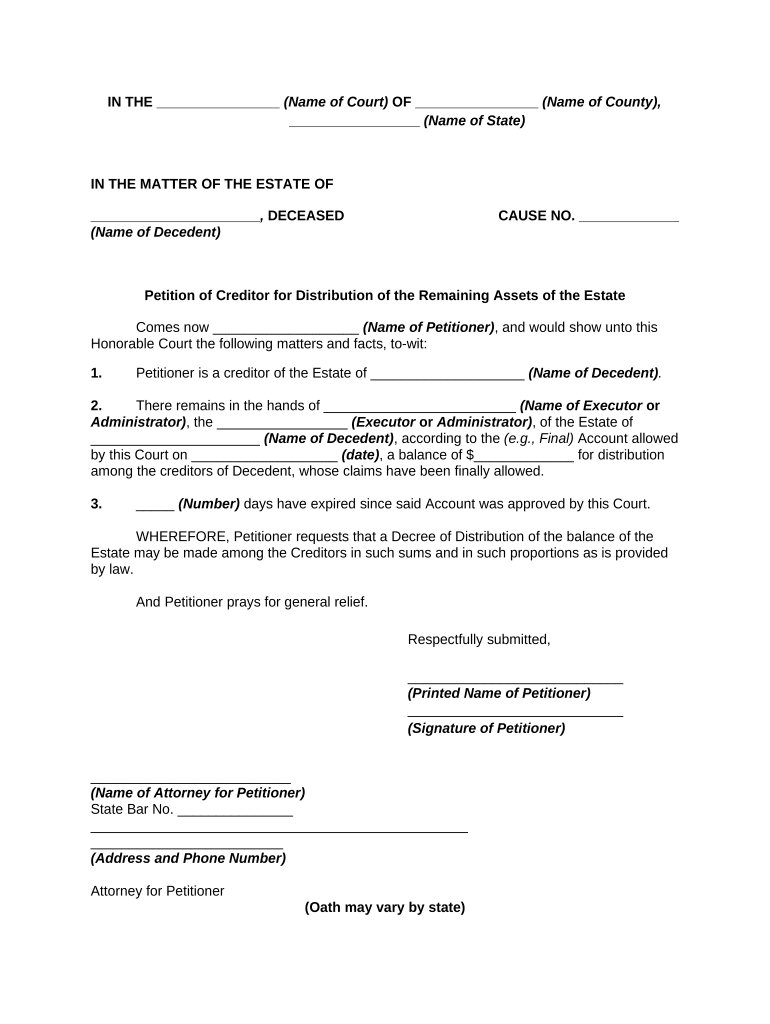
A Creditor of Estate is a formal claim or notice submitted by a creditor to a decedent’s probate estate seeking payment of an outstanding debt. It typically identifies the creditor, the amount owed, the basis for the debt, and supporting documentation. Executors or personal representatives review submitted creditor claims during probate administration, determine validity, and pay approved claims from estate assets according to priority rules. Preparing the notice clearly and with required attachments speeds probate processing and reduces the chance a claim will be rejected for incomplete information.

Why a Proper Creditor of Estate Notice Matters

A correctly prepared creditor claim protects both creditor and estate by documenting the debt, supporting evidence, and contact details needed for probate review. Accurate notices reduce disputes, help the personal representative make timely distributions, and preserve the creditor’s ability to recover under state probate rules and federal electronic-signature standards such as ESIGN and UETA where applicable.

Why a Proper Creditor of Estate Notice Matters

Who Typically Prepares or Responds to This Notice

Representatives often consult probate counsel to confirm filing deadlines, acceptable evidence, and priority relative to secured creditors and administrative expenses.

  • Banks and lending institutions seeking repayment or account closure
  • Medical providers and insurers asserting unpaid bills
  • Vendors, contractors, and service providers with outstanding invoices

Essential Parts of a Professional Creditor of Estate Notice

A well-structured claim is concise, itemizes the debt, cites supporting documents, and includes signer identification and authority. Clarity helps the estate administrator evaluate and process the claim efficiently.

Creditor ID

Full legal name, business entity type, mailing and physical addresses, phone and email so the estate can verify and contact the claimant.
Account Details

Account or invoice numbers, date of last activity, original creditor name if different, and any contract reference to quickly match the claim to estate records.

Amount Claimed

Itemized principal, interest, fees, and adjustments with calculation dates and applicable rates so the estate can reproduce the sum claimed.

Basis for Claim

Short statement of the underlying obligation (services, goods, loan agreement) with dates and any contract or promissory note references.

Supporting Docs

Attach invoices, contracts, account statements, payment history, and any correspondence that evidences the debt and its outstanding balance.

Signature Block

Name, title, date, and capacity of signer (e.g., authorized officer or attorney); include notarization if state or court requires it.

Required Data Elements at a Glance

Creditor Name: Legal name
Contact Address: Street, city, state, ZIP
Claim Amount: Numeric total
Account Number: Identifier or invoice
Date of Debt: MM/DD/YYYY
Supporting Proof: Invoice or contract

Step-by-Step: Submitting a Creditor of Estate Notice

Follow these steps to prepare, sign, and deliver a claim for probate review.

  • 01
    Gather Documents: Collect invoices, contracts, and payment records supporting the debt.
  • 02
    Complete Form: Fill creditor info, itemize amounts, and attach supporting proof.
  • 03
    Authenticate Signature: Sign in capacity indicated; notarize if required by jurisdiction.
  • 04
    Deliver to Executor: Send via certified mail or e-file per probate court requirements.

How to Configure an Online Submission Workflow

Configure digital fields and routes so submissions are consistent, auditable, and easy for the estate to process.

Field Configuration
Creditor Details Required text fields; make legal name mandatory
Amount Line Items Numeric validation and auto-sum formula
Attachments Allow PDF/JPEG uploads; enforce max 10MB
Signature Require signer role and date field

Where to Send the Notice and What Happens Next

Typical routing and processing steps once a creditor claim is submitted to an estate.

  • Submit to Executor: Deliver claim and attachments to the personal representative named in probate filings.
  • Executor Reviews: Executor verifies receipts, validity, and priority under probate law.
  • Allowance or Rejection: Executor approves payment, denies, or negotiates reduced amounts.
  • Court Involvement: If disputed, claim may be litigated or adjudicated in probate court.

Digital Delivery and eSubmission Options

Use secure platforms that preserve an audit trail, timestamp actions, and allow certified delivery to the executor or court e-file system.

  • Accepted Formats: PDF, DOCX or scanned images
  • Authentication Options: Email link, SMS code, or stronger KBA as required
  • Integrations: Link to case management or cloud storage

Timing and Deadlines to Watch During Probate

Deadlines for creditor claims vary by state and by whether personal representative gives notice; check local probate code or court rules.

Statutory Claim Period:

Many states set a deadline measured from estate notice or probate entry; timelines differ by jurisdiction.

Notice-Triggered Deadlines:

If executor publishes or mails notice to creditors, the period to file often starts on the notice date.

Claim Filing After Deadline:

Late claims may be barred except for specific exceptions under state law.

Court-Ordered Extensions:

Courts may allow extensions for good cause or for creditors outside the U.S.

Priority Payments:

Administrative expenses and secured claims often take priority over unsecured creditor claims.

Common Pitfalls When Preparing a Creditor Claim

  • Submitting incomplete evidence or missing account numbers that prevent the executor from verifying the balance and matching records.
  • Using an incorrect creditor name or outdated contact information that leaves the claimant off the executor’s distribution list.
  • Failing to notarize or follow state-specific formalities when the probate code or court requires authentication.
  • Waiting until late in the probate timeline and missing the state’s statutory filing period, which can result in forfeiture.

Risks and Legal Consequences of an Improper Claim

Claim Barred: Missed deadlines
Rejected Claim: Insufficient documentation
Priority Loss: Secured creditors paid first
Financial Exposure: Costs if court finds bad faith
Tax Impacts: Unpaid debts may affect estate tax filings
Administrative Delay: Holds up distributions

Practical Examples of Creditor of Estate Claims

Two common scenarios show how claims are documented and resolved in probate practice.

Medical Provider Claim

A clinic documents outstanding patient invoices and insurance denials

  • claim includes itemized bills and explanation of benefits
  • executor reviews records, negotiates partial payment, and schedules distribution after verifying estate liquidity.

Bank Loan Claim

A bank submits a defaulted loan account with promissory note attached

  • claim states principal, accrued interest, and fees
  • proof of security interest allows the estate to either satisfy lien or permit foreclosure before unsecured distributions.

Practical Tips for a Clean, Enforceable Claim

Follow these practices to improve acceptance rates and speed of payment.

Verify Executor Details
Confirm the personal representative’s name and mailing address from the probate court record before sending any claim to avoid misdelivery.
Provide Clear Calculations
Show how interest and fees are computed with dates used for each calculation to avoid misunderstandings or rejections.
Attach Primary Evidence
Include original invoices, contracts, or statements rather than summaries; scanned copies are usually acceptable if legible and complete.
Preserve the Audit Trail
When submitting electronically, retain timestamps, signer identity, and transmission receipts to support the claim record.

eSignature Vendor Comparison for Submitting Creditor Notices

Common eSignature features relevant to submitting and preserving creditor claims; signNow is listed first for side-by-side comparison.

signNow DocuSign Adobe Sign PandaDoc HelloSign
Starting Price $8/user/mo $15/user/mo $14/user/mo $19/user/mo $15/user/mo
Free Trial Yes, 7-day trial Yes Yes Yes Yes
Bulk Send Yes Yes Yes Yes No
Audit Trail Yes Yes Yes Yes Yes
HIPAA Compliant Yes Yes Yes No No

FAQs: Common Questions About Creditor of Estate Notices

Answers to frequent practical and procedural questions to help creditors and estate administrators avoid common issues.


Need help? Contact support

be ready to get more
Join over 28 million airSlate SignNow users