Establishing secure connection… Loading editor… Preparing document…
Navigation

Fill and Sign the Dealer Agreement Form

Fill and Sign the Dealer Agreement Form

How it works

Open the document and fill out all its fields.
Apply your legally-binding eSignature.
Save and invite other recipients to sign it.

Rate template

4.5
63 votes
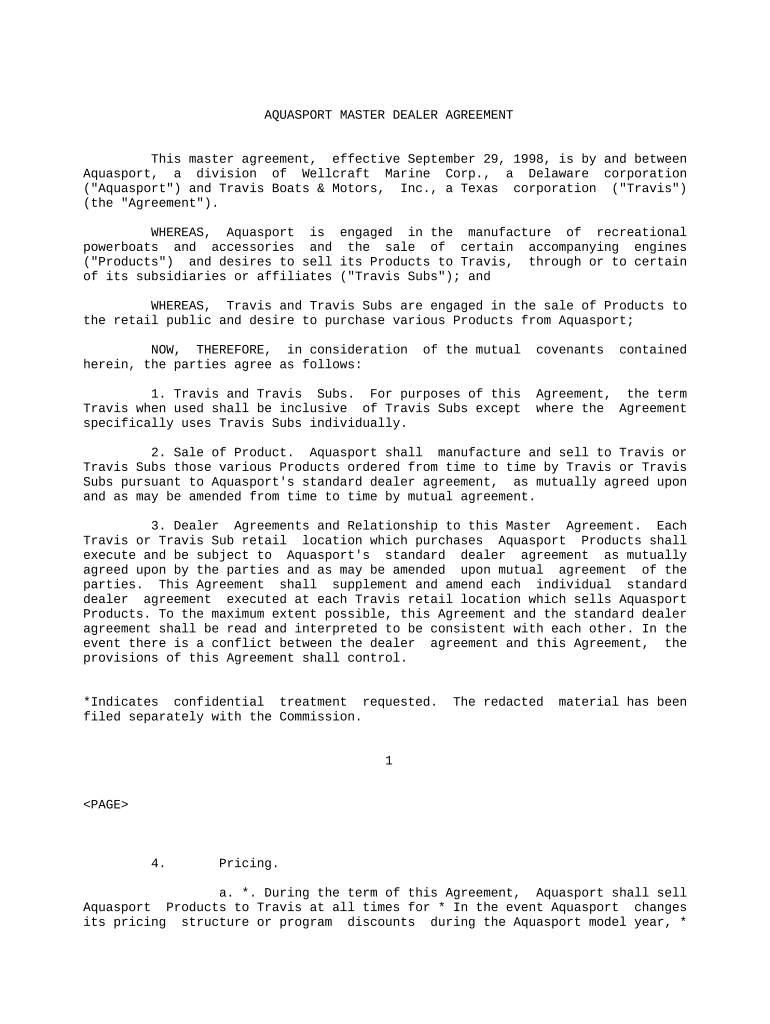
AQUASPORT MASTER DEALER AGREEMENT This master agreement, effective September 29, 1998, is by and between Aquasport, a division of Wellcraft Marine Corp., a Delaware corporation ("Aquasport") and Travis Boats & Motors, Inc., a Texas corporation ("Travis") (the "Agreement"). WHEREAS, Aquasport is engaged in the manufacture of recreational powerboats and accessories and the sale of certain accompanying engines ("Products") and desires to sell its Products to Travis, through or to certain of its subsidiaries or affiliates ("Travis Subs"); and WHEREAS, Travis and Travis Subs are engaged in the sale of Products to the retail public and desire to purchase various Products from Aquasport; NOW, THEREFORE, in consideration of the mutual covenants contained herein, the parties agree as follows: 1. Travis and Travis Subs. For purposes of this Agreement, the term Travis when used shall be inclusive of Travis Subs except where the Agreement specifically uses Travis Subs individually. 2. Sale of Product. Aquasport shall manufacture and sell to Travis or Travis Subs those various Products ordered from time to time by Travis or Travis Subs pursuant to Aquasport's standard dealer agreement, as mutually agreed upon and as may be amended from time to time by mutual agreement. 3. Dealer Agreements and Relationship to this Master Agreement. Each Travis or Travis Sub retail location which purchases Aquasport Products shall execute and be subject to Aquasport's standard dealer agreement as mutually agreed upon by the parties and as may be amended upon mutual agreement of the parties. This Agreement shall supplement and amend each individual standard dealer agreement executed at each Travis retail location which sells Aquasport Products. To the maximum extent possible, this Agreement and the standard dealer agreement shall be read and interpreted to be consistent with each other. In the event there is a conflict between the dealer agreement and this Agreement, the provisions of this Agreement shall control. *Indicates confidential treatment requested. The redacted material has been filed separately with the Commission. 1 4. Pricing. a. *. During the term of this Agreement, Aquasport shall sell Aquasport Products to Travis at all times for * In the event Aquasport changes its pricing structure or program discounts during the Aquasport model year, * except that, during Aquasport model year 1999, the pricing for Aquasport Products pre-rigged to receive Mercury engines shall be as described on Exhibit A hereto. For purposes of this Agreement, pre-rigged Products are those which are rigged by Genmar, its divisions or subsidiaries, to receive a certain brand of engine but that are not sold with such engine. Notwithstanding the above, from time to time Aquasport may sell individual Products *. For purposes of this Agreement, the Aquasport is model year' means the period commencing on July 1 of any calendar year through June 30 of the following calendar year and the Travis "model year" means the period commencing on August 1 of any calendar year through July 31 of the following calendar year. b. Freight. In addition to the price of the Product described above, Aquasport may charge Travis a freight charge that Aquasport shall incorporate into its total invoice price equal to the average of all of the freight rates which would be charged to Travis Stores under Aquasport's then current published freight program for dealers. *Indicates confidential treatment requested. The redacted material has been filed separately with the Commission. 2 c. Engines. In the event an engine manufacturer changes its published pricing and enacts such changes after Aquasport has published its engine price list, Travis, after the effective date of such change, shall pay * 5. Timing of Purchases, Shipping and Delivery. Aquasport will use its best efforts to ship then current Aquasport model year Products at the * for all firm orders received from and delivered to Travis by June 30 of the then current Aquasport model year. * Travis shall purchase and take delivery of and Aquasport shall deliver 40 percent of the Product units Travis has forecasted to purchase for such model year in its annual model year forecast. Aquasport's obligation to deliver is subject to the following: i. Aquasport receiving Travis' annual model year forecast as set forth in paragraph 6 herein on or before July 31 of each calendar year, ii. Aquasport approving the monthly schedule of the number and type of Aquasport Product units Travis expects to order and take delivery of by January 15 as set forth in its annual model year forecast, and iii. Travis submitting actual orders between August 1 and January 15 of such model year that do not exceed the monthly schedule set forth in its annual model year forecast by greater than 15 percent. *Indicates confidential treatment requested. The redacted material has been filed separately with the Commission. 3 Except where Travis may have caused a delay, Travis may cancel orders if Product has not been delivered by Aquasport within 150 days of Aquasport's acceptance of the order for such Product from Travis. 6. Forecasting. Travis shall provide Aquasport, on or before July 31 of each calendar year, with a Travis model year forecast which describes (i) the number and type of Aquasport Product units by month Travis expects to order and take delivery between August 1 and January 15 of the upcoming Travis model year starting August 1 and (ii) the number and type of Aquasport Product units Travis expects to order and take delivery between January 16 and July 31 of the upcoming Travis model year. In addition to the above annual model year forecast, Travis will forecast its Aquasport Product requirements on a three (3) month rolling basis, updated monthly. Travis shall submit the forecast to Aquasport by the first day of each calendar month. Travis shall designate a Travis representative with responsibility for forecasting Product purchases from Aquasport. The forecasts shall be in a form mutually agreed to by the parties - and shall include, at a minimum, a three-month projected schedule identifying the number of Product units scheduled to be purchased by Travis by boat brand, model, and engine brand, model and horsepower. The first-month forecast in the monthly report shall reflect a firm order previously accepted by Aquasport. As a firm order, the first-month forecast may not be changed and is noncancelable, however, Aquasport reserves the right to not accept the portions of orders in any one month that exceed 15 percent of the amounts forecast for that month in the previous months' 3-month rolling forecast. 7. * *Indicates confidential treatment requested. The redacted material has been filed separately with the Commission. 4 * 8. Product Modification. Travis shall meet with Aquasport management and product engineers in August and January of each year, unless mutually waived by the parties hereto, to provide input into changes for Aquasport Products for the next model year. The August meeting shall primarily be to provide input on the structure and design of the Products. The January meeting shall primarily be to provide input on the features and accessories of the Products. Aquasport will use its best efforts to incorporate the recommendations made by Travis taking into account considerations such as cost, safety, warranty and standard design. Aquasport reserves the right, without notice or obligation, to change the design of the Products to the extent that such change does not materially alter the operation of the Boat or to the extent that such change is required due to product safety concerns, government regulations or vendor supply shortages. Aquasport will provide Travis with as much notice as reasonably possible, but not less than ninety (90) days prior notice of shipment of a Product design change if such design change materially affects the appearance or operation of the Product. 9. Warranty and Third Party Litigation. Aquasport makes no representations or warranties as to its Products except as may be described in - - -the Aquasport dealer agreement or Product materials. In the event legal action is commenced against Aquasport and Travis related to *Indicates confidential treatment requested. The redacted material has been filed separately with the Commission. 5 Aquasport Products, to the extent possible and if no conflict exists, Aquasport and Travis shall reasonably agree in writing on the retention of common counsel and sharing of legal expenses. 10. Term of the Agreement. The term of this Agreement and the dealer agreement between the parties shall commence on the date of this Agreement, and shall terminate on July 31, 2001. 11. Insurance. Each party to this Agreement shall maintain liability insurance coverage and shall provide evidence of such coverage to the other party upon such party's reasonable request. 12. Force Majeure. The parties will not be responsible for failure to perform any part of this Agreement or for any delay in the performance of any part of this Agreement, directly or indirectly resulting from or contributed to by any foreign or domestic embargoes, seizures, acts of God, strikes, labor disputes, vendor problems, insurrections, wars and/or continuance of war, or the adoption or enactment of any law, ordinance, regulation, ruling or order directly or indirectly interfering with production, delivery or other contingencies beyond their control. This Section does not affect the payment obligations of either party under this Agreement. 13. Assignment. Neither party shall assign or otherwise transfer this Agreement, without the prior written consent of the other party, which consent shall not be unreasonably withheld. 14. Confidentiality. Each party agrees that the specific terms and conditions set forth in this Agreement shall be kept confidential and that neither party hereto shall make any disclosure regarding this Agreement or its terms except as may be required by law or with the consent of the other party. In the event either party concludes that it is obligated by law to disclose the terms of this Agreement, such party shall give the other party 3 business days prior written notice before disclosure along with an explanation as to why such disclosure is deemed necessary. *Indicates confidential treatment requested. The redacted material has been filed separately with the Commission. 6 15. Disputes. All disputes arising out of or in connection with this Agreement shall be resolved by binding arbitration as set forth in Aquasport's standard dealer agreement as mutually agreed upon and amended from time to time. 16. Severability. Each of the provisions contained in this Agreement shall be severable, and the unenforceability of one shall not affect the enforceability of any others or of the remainder of this Agreement. 17. Waiver. The failure of any party to enforce any condition or part of this Agreement at any time shall not be construed as a waiver of that condition or part, nor shall such party forfeit any rights to future enforcement thereof. The parties waive presentment for payment, protest, and notice of dishonor. 18. Headings. The headings and captions of the sections and subsections of this Agreement are inserted for convenience only and shall not be deemed to constitute a part hereof. 19. Counterparts. More than one counterpart of this Agreement may be executed by the parties hereto, and each fully executed counterpart shall be deemed an original. 20. Further Assurances. Each party will, at the reasonable request of the other, execute and deliver to the other all such further instruments, assignments, assurances and other documents as the other may request in connection with the carrying out of this Agreement and the transactions contemplated hereby. 21. Notices. All communications, notices and consents provided for herein shall be in writing and be given in person or by means of telex, telecopy or other wire transmission (with request for assurance of receipt in a manner typical with respect to communications of that type) or by mail, and shall become effective (x) on the delivery if given in person, (y) on the date of transmission if sent *Indicates confidential treatment requested. The redacted material has been filed separately with the Commission. 7 by telex, telecopy or other wire transmission (receipt confirmed), or (z) four business days after being deposited in the mails, with proper postage for first class registered or certified mail, prepaid. Notices shall be addressed as follows: If to Aquasport: Wellcraft Marine Corp. 1651 Whitfield Avenue Sarasota, Florida 34243 Attention: President Telephone: 941-753-7811 Telecopy: 941-751-7822 With copy to: Genmar Holdings, Inc. 100 South Fifth Street Suite 2400 Minneapolis, Minnesota 55402 Attention: General Counsel Telephone: 612-339-7600 Telecopy: 612-337-1930 If to Travis: Travis Boats & Motors, Inc. 5000 Plaza on the Lake Suite 250 Austin, Texas 78746 Attn: President Telephone: 512-347-8787 Telecopy: 512-329-0480 Provided, however, that if either party shall have designed a different address by notice to the other, then to the last address so designated. 22. No Third Party Beneficiaries. This Agreement is solely for the benefit of the parties hereto and no provision of this Agreement shall be deemed to confer upon third parties any remedy, claim, liability, reimbursement, cause of action or other right in excess of those existing without reference to this Agreement. *Indicates confidential treatment requested. The redacted material has been filed separately with the Commission. 8 23. Amendments; Entire Agreement. This Agreement may not be amended, supplemented or otherwise modified except by an instrument in writing signed by each of the parties hereto. This Agreement contains the entire agreement of the parties hereto with respect to the transactions covered hereby, superseding all negotiations, prior discussions and preliminary agreements made prior to the date hereof. 24. Governing Law. This Agreement shall be construed and enforced in accordance with and governed by the internal laws of the State of Minnesota. AQUASPORT, a division of TRAVIS BOATS & MOTORS, INC. WELLCRAFT MARINE CORP. By: /s/ Grant E Oppeguard By: /s/ Mark Walton -------------------------- -------------------------------- Its: VP Its: President ------------------------- -------------------------------- Date: 10-7-98 Date: 10-8-98 ------------------------- --------------------------------

Useful advice on setting up your ‘Dealer Agreement’ online

Are you fed up with the inconvenience of managing paperwork? Look no further than airSlate SignNow, the leading eSignature solution for individuals and entities. Wave goodbye to the tedious procedure of printing and scanning documents. With airSlate SignNow, you can effortlessly complete and sign paperwork online. Utilize the powerful features embedded in this intuitive and affordable platform and transform your document management strategy. Whether you need to sign forms or gather eSignatures, airSlate SignNow takes care of everything smoothly, needing only a few clicks.

Follow this step-by-step tutorial:

  1. Sign in to your account or initiate a free trial with our service.
  2. Click +Create to upload a document from your device, cloud storage, or our template library.
  3. Open your ‘Dealer Agreement’ in the editor.
  4. Click Me (Fill Out Now) to prepare the document on your end.
  5. Add and designate fillable fields for other participants (if necessary).
  6. Continue with the Send Invite settings to request eSignatures from others.
  7. Download, print your copy, or convert it into a reusable template.

Don’t worry if you need to collaborate with your colleagues on your Dealer Agreement or send it for notarization—our platform provides everything required to complete such tasks. Sign up with airSlate SignNow today and elevate your document management to new levels!

Here is a list of the most common customer questions. If you can’t find an answer to your question, please don’t hesitate to reach out to us.

Need help? Contact Support

The best way to complete and sign your dealer agreement form

Save time on document management with airSlate SignNow and get your dealer agreement form eSigned quickly from anywhere with our fully compliant eSignature tool.

How to Sign a PDF Online How to Sign a PDF Online

How to complete and sign paperwork online

Previously, coping with paperwork required pretty much time and effort. But with airSlate SignNow, document management is quick and simple. Our powerful and user-friendly eSignature solution enables you to easily fill out and electronically sign your dealer agreement form online from any internet-connected device.

Follow the step-by-step guidelines to eSign your dealer agreement form template online:

  • 1.Register for a free trial with airSlate SignNow or log in to your account with password credentials or SSO authorization option.
  • 2.Click Upload or Create and import a form for eSigning from your device, the cloud, or our form catalogue.
  • 3.Click on the document name to open it in the editor and use the left-side toolbar to complete all the empty areas properly.
  • 4.Drop the My Signature field where you need to eSign your sample. Type your name, draw, or upload an image of your handwritten signature.
  • 5.Click Save and Close to finish modifying your completed form.

Once your dealer agreement form template is ready, download it to your device, save it to the cloud, or invite other people to electronically sign it. With airSlate SignNow, the eSigning process only requires a couple of clicks. Use our robust eSignature solution wherever you are to manage your paperwork efficiently!

How to Sign a PDF Using Google Chrome How to Sign a PDF Using Google Chrome

How to fill out and sign documents in Google Chrome

Completing and signing documents is simple with the airSlate SignNow extension for Google Chrome. Installing it to your browser is a fast and efficient way to manage your forms online. Sign your dealer agreement form sample with a legally-binding electronic signature in a few clicks without switching between tools and tabs.

Follow the step-by-step guide to eSign your dealer agreement form in Google Chrome:

  • 1.Go to the Chrome Web Store, locate the airSlate SignNow extension for Chrome, and install it to your browser.
  • 2.Right-click on the link to a document you need to sign and select Open in airSlate SignNow.
  • 3.Log in to your account using your credentials or Google/Facebook sign-in buttons. If you don’t have one, you can start a free trial.
  • 4.Use the Edit & Sign menu on the left to fill out your sample, then drag and drop the My Signature option.
  • 5.Upload a picture of your handwritten signature, draw it, or simply type in your full name to eSign.
  • 6.Make sure all the details are correct and click Save and Close to finish modifying your paperwork.

Now, you can save your dealer agreement form template to your device or cloud storage, send the copy to other people, or invite them to electronically sign your document via an email request or a secure Signing Link. The airSlate SignNow extension for Google Chrome enhances your document processes with minimum time and effort. Try airSlate SignNow today!

How to Sign a PDF in Gmail How to Sign a PDF in Gmail How to Sign a PDF in Gmail

How to complete and sign forms in Gmail

Every time you get an email with the dealer agreement form for signing, there’s no need to print and scan a file or download and re-upload it to another tool. There’s a much better solution if you use Gmail. Try the airSlate SignNow add-on to quickly eSign any documents right from your inbox.

Follow the step-by-step guidelines to eSign your dealer agreement form in Gmail:

  • 1.Navigate to the Google Workplace Marketplace and locate a airSlate SignNow add-on for Gmail.
  • 2.Install the tool with a corresponding button and grant the tool access to your Google account.
  • 3.Open an email with an attached file that needs approval and utilize the S sign on the right panel to launch the add-on.
  • 4.Log in to your airSlate SignNow account. Opt for Send to Sign to forward the file to other people for approval or click Upload to open it in the editor.
  • 5.Drop the My Signature field where you need to eSign: type, draw, or import your signature.

This eSigning process saves time and only requires a couple of clicks. Take advantage of the airSlate SignNow add-on for Gmail to adjust your dealer agreement form with fillable fields, sign documents legally, and invite other people to eSign them al without leaving your inbox. Enhance your signature workflows now!

How to Sign a PDF on a Mobile Device How to Sign a PDF on a Mobile Device How to Sign a PDF on a Mobile Device

How to complete and sign paperwork in a mobile browser

Need to quickly complete and sign your dealer agreement form on a mobile phone while doing your work on the go? airSlate SignNow can help without the need to install additional software apps. Open our airSlate SignNow solution from any browser on your mobile device and add legally-binding eSignatures on the go, 24/7.

Follow the step-by-step guide to eSign your dealer agreement form in a browser:

  • 1.Open any browser on your device and go to the www.signnow.com
  • 2.Create an account with a free trial or log in with your password credentials or SSO authentication.
  • 3.Click Upload or Create and add a file that needs to be completed from a cloud, your device, or our form catalogue with ready-made templates.
  • 4.Open the form and complete the empty fields with tools from Edit & Sign menu on the left.
  • 5.Place the My Signature field to the sample, then enter your name, draw, or add your signature.

In a few simple clicks, your dealer agreement form is completed from wherever you are. As soon as you're finished editing, you can save the file on your device, build a reusable template for it, email it to other people, or invite them electronically sign it. Make your paperwork on the go fast and efficient with airSlate SignNow!

How to Sign a PDF on iPhone How to Sign a PDF on iPhone

How to complete and sign documents on iOS

In today’s business world, tasks must be completed rapidly even when you’re away from your computer. Using the airSlate SignNow mobile app, you can organize your paperwork and sign your dealer agreement form with a legally-binding eSignature right on your iPhone or iPad. Set it up on your device to close deals and manage documents from just about anywhere 24/7.

Follow the step-by-step guidelines to eSign your dealer agreement form on iOS devices:

  • 1.Open the App Store, search for the airSlate SignNow app by airSlate, and install it on your device.
  • 2.Open the application, tap Create to import a template, and choose Myself.
  • 3.Select Signature at the bottom toolbar and simply draw your autograph with a finger or stylus to eSign the form.
  • 4.Tap Done -> Save after signing the sample.
  • 5.Tap Save or use the Make Template option to re-use this document in the future.

This process is so straightforward your dealer agreement form is completed and signed within a couple of taps. The airSlate SignNow application works in the cloud so all the forms on your mobile device are kept in your account and are available any time you need them. Use airSlate SignNow for iOS to improve your document management and eSignature workflows!

How to Sign a PDF on Android How to Sign a PDF on Android

How to complete and sign paperwork on Android

With airSlate SignNow, it’s simple to sign your dealer agreement form on the go. Set up its mobile application for Android OS on your device and start enhancing eSignature workflows right on your smartphone or tablet.

Follow the step-by-step guide to eSign your dealer agreement form on Android:

  • 1.Navigate to Google Play, find the airSlate SignNow application from airSlate, and install it on your device.
  • 2.Log in to your account or create it with a free trial, then upload a file with a ➕ button on the bottom of you screen.
  • 3.Tap on the imported file and choose Open in Editor from the dropdown menu.
  • 4.Tap on Tools tab -> Signature, then draw or type your name to eSign the form. Complete empty fields with other tools on the bottom if needed.
  • 5.Use the ✔ button, then tap on the Save option to finish editing.

With a user-friendly interface and total compliance with primary eSignature standards, the airSlate SignNow app is the perfect tool for signing your dealer agreement form. It even works offline and updates all document changes when your internet connection is restored and the tool is synced. Fill out and eSign documents, send them for eSigning, and make re-usable templates anytime and from anywhere with airSlate SignNow.

Sign up and try Dealer agreement form
  • Close deals faster
  • Improve productivity
  • Delight customers
  • Increase revenue
  • Save time & money
  • Reduce payment cycles