Establishing secure connection… Loading editor… Preparing document…
Navigation

Fill and Sign the Deed Trust Form PDF
Fill and Sign the Deed Trust Form PDF

How it works

Open the document and fill out all its fields.
Apply your legally-binding eSignature.
Save and invite other recipients to sign it.

Rate template

4.7
60 votes
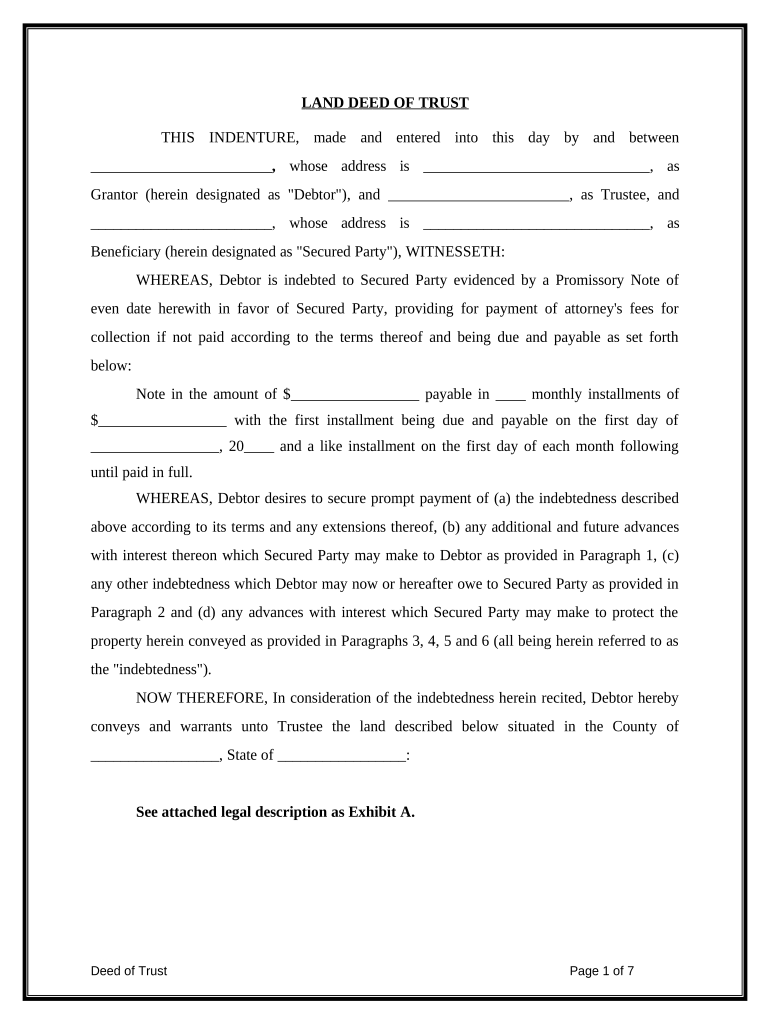
LAND DEED OF TRUST THIS INDENTURE, made and entered into this day by and between ________________________ , whose address is ______________________________ , as Grantor (herein designated as "Debtor"), and ________________________ , as Trustee, and ________________________ , whose address is ______________________________ , as Beneficiary (herein designated as "Secured Party"), WITNESSETH: WHEREAS, Debtor is indebted to Secured Party evidenced by a Promissory Note of even date herewith in favor of Secured Party, providing for payment of attorney's fees for collection if not paid according to the terms thereof and being due and payable as set forth below: Note in the amount of $ _________________ payable in ____ monthly installments of $ _________________ with the first installment being due and payable on the first day of _________________ , 20 ____ and a like installment on the first day of each month following until paid in full. WHEREAS, Debtor desires to secure prompt payment of (a) the indebtedness described above according to its terms and any extensions thereof, (b) any additional and future advances with interest thereon which Secured Party may make to Debtor as provided in Paragraph 1, (c) any other indebtedness which Debtor may now or hereafter owe to Secured Party as provided in Paragraph 2 and (d) any advances with interest which Secured Party may make to protect the property herein conveyed as provided in Paragraphs 3, 4, 5 and 6 (all being herein referred to as the "indebtedness"). NOW THEREFORE, In consideration of the indebtedness herein recited, Debtor hereby conveys and warrants unto Trustee the land described below situated in the County of _________________ , State of _________________ : See attached legal description as Exhibit A. Deed of Trust Page 1 of 7 together with all improvements and appurtenances now or hereafter erected on, and all fixtures of any and every description now or hereafter attached to, said land (all being herein referred to as the "Property"). THIS CONVEYANCE, HOWEVER, IS IN TRUST (subject to the covenants, stipulations and conditions below), to secure prompt payment of all existing and future indebtedness due by Debtor to Secured Party under the provisions of this Deed of Trust. If Debtor shall pay said indebtedness promptly when due and shall perform all covenants made by Debtor, then this conveyance shall be void and of no effect. If Debtor shall be in default as provided in Paragraph 9, then, in that event, the entire indebtedness, together with all interest accrued thereon, shall, at the option of Secured Party, be and become at once due and payable without notice to Debtor, and Trustee shall, at the request of Secured Party, sell the Property conveyed, or a sufficiency thereof, to satisfy the indebtedness at public outcry to the highest bidder for cash in accordance with the laws of the state in which the property is located. Should Secured Party be a corporation or an unincorporated association, then any officer thereof may declare Debtor to be in default as provided in Paragraph 9 and request Trustee to sell the Property. Secured Party shall have the same right to purchase the property at the foreclosure sale as would a purchaser who is not a Party to this Deed of Trust. From the proceeds of the sale Trustee shall first pay all costs of the sale including reasonable compensation to the Trustee; then the indebtedness due Secured Party by Debtor, including accrued interest and attorney's fees due for collection of the debt; and then, lastly, any balance remaining to Debtor. IT IS AGREED that this conveyance is made subject to the covenants, stipulations and conditions set forth below which shall be binding upon all parties hereto. 1. This Deed of Trust shall also secure all future and additional advances which Secured Party may make to Debtor from time to time upon the security herein conveyed. Such advances shall be optional with Secured Party and shall be on such terms as to amount, maturity and rate of interest as may be mutually agreeable to both Debtor and Secured Party. Any such advance may be made to any one of the Debtors should there be more than one, and if so made, shall be Deed of Trust Page 2 of 7 secured by this Deed of Trust to the same extent as if made to all Debtors. However, on all transactions covered by Truth in Lending, when Debtor's notes, debts, obligations and liabilities to Secured Party (in any form) arising out of existing, concurrent and future credit granted by Secured Party are secured by this Deed of Trust, it will be so indicated on the document that evidences the transaction. Therefore this Deed of Trust will in no way secure any form of credit governed by the Truth in Lending Act unless the document which evidences the Credit Transaction indicates by proper disclosure that the Transaction is secured by this Deed of Trust. 2. This Deed of Trust shall also secure any and all other indebtedness of Debtor due to Secured Party with interest thereon as specified, or of any one of the Debtors should there be more than one, whether direct or contingent, primary or secondary, sole, joint or several, now existing or hereafter arising at any time before cancellation of this Deed of Trust. Such indebtedness may be evidenced by note, open account, overdraft, endorsement, guaranty or otherwise. However, on all transactions covered by Truth in Lending, when Debtor's notes, debts, obligations and lia bilities to Secured Party (in any form) arising out of existing, concurrent and future credit granted by Secured Party are secured by this Deed of Trust, it will be so indicated on the document that evidences the transaction. Therefore this Deed of Trust will in no way secure any form of credit governed by the Truth in Lending Act unless the document which evidences the Credit Transaction indicates by proper disclosure that the Transaction is secured by this Deed of Trust. 3. Debtor shall keep all improvements on the land herein conveyed insured against fire, all hazards included within the term "extended coverage", flood in areas designated by the U. S. Department of Housing and Urban Development as being subject to overflow and such other hazards as Secured Party may reasonable require in such amounts as Debtor may determine but for not less than the indebtedness secured by this Deed of Trust. All policies shall be written by reliable insurance companies acceptable to Secured Party, shall include standard loss payable clauses in favor of Secured Party and shall be delivered to Secured Party, Debtor shall promptly pay when due all premiums charged for such insurance, and shall furnish Secured Party the premium receipts for inspection. Upon Debtor's failure to pay the premiums, Secured Party shall have the right, but not the obligation, to pay such premiums. In the event of a loss covered by Deed of Trust Page 3 of 7 the insurance in force, Debtor shall promptly notify Secured Party who may make proof of loss if timely proof is not made by Debtor. All loss payments shall be made directly to Secured Party as loss payee who may either apply the proceeds to the repair or restoration of the damaged improvements or to the indebtedness of Debtor, or release such proceeds in whole or in part to Debtor. 4. Debtor shall pay all taxes and assessments, general or special, levied against the Property or upon the Interest of Trustee or Secured Party therein, during the term of this Deed of Trust before such taxes or assessments become delinquent, and shall furnish Secured Party the tax receipts for inspection. Should Debtor fail to pay all taxes and assessments when due, Secured Party shall have the right, but not the obligation, to make these payments. 5. Debtor shall keep the Property in good repair and shall not permit or commit waste, impairment or deterioration thereof. Debtor shall use the Property for lawful purposes only. Secured Party may make or arrange to be made entries upon and inspections of the Property after first giving Debtor notice prior to any inspection specifying a just cause related to Secured Party's interest in the Property. Secured Party shall have the right, but not the obligation, to cause needed repairs to be made to the Property after first affording Debtor a reasonable opportunity to make the repairs. Should the purpose of the primary indebtedness for which this Deed of Trust is given as security be for construction of improvements on the land herein conveyed, Secured Party shall have the right to make or arrange to be made entries upon the Property and inspections of the construction in progress. Should Secured Party determine that Debtor is failing to perform such construction in a timely and satisfactory manner, Secured Party shall have the right, but not the obligation, to take charge of and proceed with the construction at the expense of Debtor after first affording Debtor a reasonable opportunity to continue the construction in a manner agreeable to Secured Party. 6. Any sums advanced by Secured Party for Insurance, taxes, repairs or construction as provided in Paragraphs 3, 4 and 5 shall be secured by this Deed of Trust as advances made to protect the Property and shall be payable by Debtor to Secured Party, with interest at the rate Deed of Trust Page 4 of 7 specified in the note representing the primary indebtedness, within thirty days following written demand for payment sent by Secured Party to Debtor by certified mail. Receipts for insurance premiums, taxes and repair or construction costs for which Secured Party has made payment shall serve as conclusive evidence thereof. 7. As additional security Debtor hereby assigns to Secured Party all rents accruing on the Property. Debtor shall have the right to collect and retain the rents as long as Debtor is not in default as provided in Paragraph 9. In the event of default, Secured Party in person, by an agent or by a judicially appointed receiver shall be entitled to enter upon, take possession of and manage the Property and collect the rents. All rents so collected shall be applied first to the costs of managing the Property and collecting the rents, including fees for a receiver and an attorney, commissions to rental agents, repairs and other necessary related expenses and then to payments on the indebtedness. 8. This Deed of Trust (indenture) may not be assumed by any buyer from Debtor. Any attempted transfer of any interest in this property (including, but not limited to possession) will constitute a default and Secured Party may accelerate the entire balance of the indebtedness. If Secured Party elects to exercise the option to accelerate, Secured Party shall send Debtor notice of acceleration by certified mail. Such notice shall provide a period of thirty days from the date of mailing within which Debtor may pay the indebtedness in full. If Debtor fails to pay such indebtedness prior to the expiration of thirty days. Secured Party may, without further notice to Debtor, invoke any remedies set forth in this Deed of Trust. 9. Debtor shall be in default under the provisions of the Deed of Trust if Debtor (a) shall fail to comply with any of Debtor's covenants or obligations contained herein, (b) shall fail to pay any of the indebtedness secured hereby, or any installment thereof or interest thereon, as such indebtedness, installment or interest shall be due by contractual agreement or by acceleration, (c) shall become bankrupt or insolvent or be placed in receivership, (d) shall, if a corporation, a partnership or an unincorporated association be dissolved voluntarily or involuntarily, or (e) if Secured Party in good faith deems itself insecure and its prospect of repayment seriously impaired. Deed of Trust Page 5 of 7 10. Secured Party may at any time, without giving formal notice to the original or any successor Trustee, or to Debtor, and without regard to the willingness or inability of any such Trustee to execute this trust, appoint another person or succession of persons to act as Trustee, and such appointee in the execution of this trust shall have all the powers vested in and obligations imposed upon Trustee. Should Secured Party be a corporation or an unincorporated association, then any officer thereof may make such appointment. 11. Each privilege, option or remedy provided in this Deed of Trust to Secured Party is distinct from every other privilege, option or remedy contained herein or afforded by law or equity, and may be exercised independently, concurrently, cumulatively or successively by Secured Party or by any other owner or holder of the indebtedness. Forbearance by Secured Party in exercising any privilege, option or remedy after the right to do so has accrued shall not constitute a waiver of Secured Party's right to exercise such privilege, option or remedy in event of any subsequent accrual. 12. The words "Debtor" or "Secured Party" shall each embrace one individual, two or more individuals, a corporation, a partnership or an unincorporated association, depending on the recital herein of the parties to this Deed of Trust. The covenants herein contained shall bind, and the benefits herein provided shall inure to, the respective legal or personal representatives, successors or assigns of the parties hereto subject to the provisions of Paragraph 8. If there be more than one Debtor, then Debtor's obligations shall be joint and several. Whenever in this Deed of Trust the context so requires, the singular shall include the plural and the plural the singular. Notices required herein from Secured Party to Debtor shall be sent to the address of Debtor shown in the Deed of Trust. 13. If any provision of this deed of trust shall be declared invalid, the intent of the parties is that the remaining provisions shall remain in full force and effect and shall be enforced. 14. This deed of trust shall be governed by the laws of the State of _________________ . IN WITNESS WHEREOF, Debtor has executed this Deed of Trust on the ____ day of _________________ , 20 ____ . Deed of Trust Page 6 of 7 Signed: ___________________________________ DEBTOR Print Name:       Acknowledgement State of       County of       On the       day of       in the year       , before me, the undersigned notary public, personally appeared       , personally known to me or proved to me on the basis of satisfactory evidence to be the individual(s) whose name(s) is (are) subscribed to the within instrument and acknowledged to me that he/she/they executed the same in his/her/their capacity(ies), and that by his/her/their signature(s) on the instrument, the individual(s), or the person upon behalf of which the individual(s) acted, executed the instrument. Notary Public       Type or Print Name My commission expires:       Deed of Trust Page 7 of 7

Practical advice on finishing your ‘Deed Trust Form Pdf’ online

Are you fed up with the troubles of handling paperwork? Search no further than airSlate SignNow, the premier digital signature solution for individuals and small to medium-sized businesses. Bid farewell to the lengthy process of printing and scanning documents. With airSlate SignNow, you can effortlessly finalize and sign documents online. Utilize the extensive features integrated into this user-friendly and cost-effective platform and transform your strategy for document management. Whether you need to authorize forms or collect signatures, airSlate SignNow manages everything seamlessly, requiring only a few clicks.

Follow this comprehensive guide:

  1. Log into your account or register for a free trial with our service.
  2. Click +Create to upload a file from your device, cloud storage, or our form library.
  3. Open your ‘Deed Trust Form Pdf’ in the editor.
  4. Click Me (Fill Out Now) to complete the form on your end.
  5. Add and assign fillable fields for other users (if necessary).
  6. Continue with the Send Invite settings to solicit eSignatures from others.
  7. Save, print your version, or turn it into a reusable template.

No need to worry if you have to collaborate with others on your Deed Trust Form Pdf or send it for notarization—our solution provides everything you need to accomplish such tasks. Sign up with airSlate SignNow today and elevate your document management to a new standard!

Here is a list of the most common customer questions. If you can’t find an answer to your question, please don’t hesitate to reach out to us.

Need help? Contact Support

The best way to complete and sign your deed trust form pdf

Save time on document management with airSlate SignNow and get your deed trust form pdf eSigned quickly from anywhere with our fully compliant eSignature tool.

How to Sign a PDF Online How to Sign a PDF Online

How to complete and sign documents online

Previously, dealing with paperwork required pretty much time and effort. But with airSlate SignNow, document management is quick and simple. Our powerful and easy-to-use eSignature solution allows you to effortlessly complete and electronically sign your deed trust form pdf online from any internet-connected device.

Follow the step-by-step guide to eSign your deed trust form pdf template online:

  • 1.Sign up for a free trial with airSlate SignNow or log in to your account with password credentials or SSO authentication.
  • 2.Click Upload or Create and add a form for eSigning from your device, the cloud, or our form catalogue.
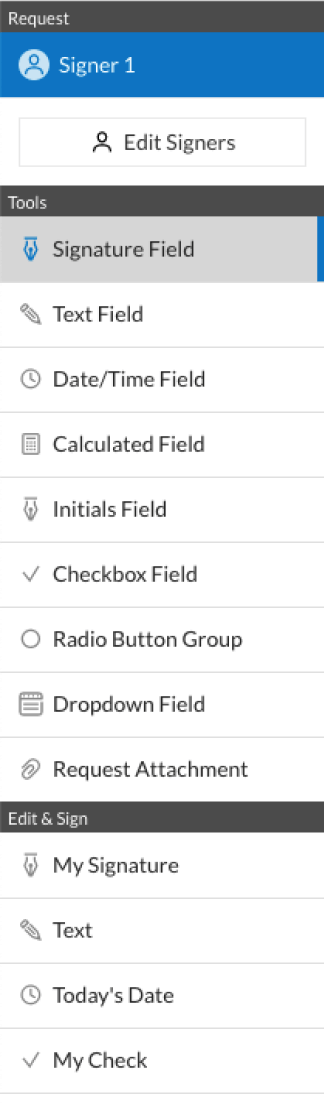
  • 3.Click on the document name to open it in the editor and utilize the left-side toolbar to fill out all the empty areas accordingly.
  • 4.Place the My Signature field where you need to eSign your form. Type your name, draw, or upload a photo of your handwritten signature.
  • 5.Click Save and Close to finish editing your completed document.

Once your deed trust form pdf template is ready, download it to your device, save it to the cloud, or invite other individuals to electronically sign it. With airSlate SignNow, the eSigning process only takes several clicks. Use our powerful eSignature solution wherever you are to manage your paperwork effectively!

How to Sign a PDF Using Google Chrome How to Sign a PDF Using Google Chrome

How to fill out and sign documents in Google Chrome

Completing and signing documents is easy with the airSlate SignNow extension for Google Chrome. Adding it to your browser is a quick and efficient way to deal with your forms online. Sign your deed trust form pdf sample with a legally-binding eSignature in a couple of clicks without switching between tools and tabs.

Follow the step-by-step guide to eSign your deed trust form pdf template in Google Chrome:

  • 1.Go to the Chrome Web Store, search for the airSlate SignNow extension for Chrome, and add it to your browser.
  • 2.Right-click on the link to a document you need to sign and select Open in airSlate SignNow.
  • 3.Log in to your account with your password or Google/Facebook sign-in option. If you don’t have one, you can start a free trial.
  • 4.Utilize the Edit & Sign menu on the left to complete your template, then drag and drop the My Signature option.
  • 5.Upload a picture of your handwritten signature, draw it, or simply enter your full name to eSign.
  • 6.Make sure all data is correct and click Save and Close to finish modifying your paperwork.

Now, you can save your deed trust form pdf sample to your device or cloud storage, send the copy to other individuals, or invite them to electronically sign your form with an email request or a secure Signing Link. The airSlate SignNow extension for Google Chrome improves your document workflows with minimum effort and time. Start using airSlate SignNow today!

How to Sign a PDF in Gmail How to Sign a PDF in Gmail How to Sign a PDF in Gmail

How to complete and sign forms in Gmail

Every time you receive an email with the deed trust form pdf for approval, there’s no need to print and scan a file or download and re-upload it to a different program. There’s a better solution if you use Gmail. Try the airSlate SignNow add-on to quickly eSign any documents right from your inbox.

Follow the step-by-step guidelines to eSign your deed trust form pdf in Gmail:

  • 1.Navigate to the Google Workplace Marketplace and find a airSlate SignNow add-on for Gmail.
  • 2.Set up the tool with a corresponding button and grant the tool access to your Google account.
  • 3.Open an email containing an attachment that needs approval and use the S symbol on the right panel to launch the add-on.
  • 4.Log in to your airSlate SignNow account. Select Send to Sign to forward the file to other parties for approval or click Upload to open it in the editor.
  • 5.Put the My Signature option where you need to eSign: type, draw, or import your signature.

This eSigning process saves efforts and only takes a few clicks. Use the airSlate SignNow add-on for Gmail to adjust your deed trust form pdf with fillable fields, sign forms legally, and invite other parties to eSign them al without leaving your mailbox. Improve your signature workflows now!

How to Sign a PDF on a Mobile Device How to Sign a PDF on a Mobile Device How to Sign a PDF on a Mobile Device

How to fill out and sign paperwork in a mobile browser

Need to quickly complete and sign your deed trust form pdf on a mobile phone while working on the go? airSlate SignNow can help without the need to set up extra software programs. Open our airSlate SignNow solution from any browser on your mobile device and add legally-binding electronic signatures on the go, 24/7.

Follow the step-by-step guide to eSign your deed trust form pdf in a browser:

  • 1.Open any browser on your device and go to the www.signnow.com
  • 2.Sign up for an account with a free trial or log in with your password credentials or SSO option.
  • 3.Click Upload or Create and import a file that needs to be completed from a cloud, your device, or our form library with ready-made templates.
  • 4.Open the form and fill out the empty fields with tools from Edit & Sign menu on the left.
  • 5.Place the My Signature field to the sample, then type in your name, draw, or upload your signature.

In a few easy clicks, your deed trust form pdf is completed from wherever you are. When you're done with editing, you can save the document on your device, build a reusable template for it, email it to other people, or ask them to electronically sign it. Make your paperwork on the go prompt and productive with airSlate SignNow!


How to Sign a PDF on iPhone How to Sign a PDF on iPhone

How to fill out and sign paperwork on iOS

In today’s business world, tasks must be done rapidly even when you’re away from your computer. With the airSlate SignNow mobile app, you can organize your paperwork and approve your deed trust form pdf with a legally-binding eSignature right on your iPhone or iPad. Install it on your device to conclude agreements and manage forms from anywhere 24/7.

Follow the step-by-step guide to eSign your deed trust form pdf on iOS devices:

  • 1.Open the App Store, search for the airSlate SignNow app by airSlate, and install it on your device.
  • 2.Launch the application, tap Create to add a form, and select Myself.
  • 3.Opt for Signature at the bottom toolbar and simply draw your signature with a finger or stylus to eSign the form.
  • 4.Tap Done -> Save after signing the sample.
  • 5.Tap Save or take advantage of the Make Template option to re-use this document later on.

This method is so easy your deed trust form pdf is completed and signed in just a few taps. The airSlate SignNow app works in the cloud so all the forms on your mobile device remain in your account and are available any time you need them. Use airSlate SignNow for iOS to boost your document management and eSignature workflows!


How to Sign a PDF on Android How to Sign a PDF on Android

How to complete and sign forms on Android

With airSlate SignNow, it’s easy to sign your deed trust form pdf on the go. Set up its mobile app for Android OS on your device and start enhancing eSignature workflows right on your smartphone or tablet.

Follow the step-by-step guidelines to eSign your deed trust form pdf on Android:

  • 1.Open Google Play, search for the airSlate SignNow application from airSlate, and install it on your device.
  • 2.Log in to your account or register it with a free trial, then add a file with a ➕ key on the bottom of you screen.
  • 3.Tap on the imported document and choose Open in Editor from the dropdown menu.
  • 4.Tap on Tools tab -> Signature, then draw or type your name to electronically sign the sample. Complete empty fields with other tools on the bottom if necessary.
  • 5.Use the ✔ key, then tap on the Save option to end up with editing.

With a user-friendly interface and full compliance with primary eSignature standards, the airSlate SignNow application is the best tool for signing your deed trust form pdf. It even operates offline and updates all document changes once your internet connection is restored and the tool is synced. Fill out and eSign documents, send them for approval, and generate multi-usable templates whenever you need and from anywhere with airSlate SignNow.

Sign up and try Deed trust form pdf
  • Close deals faster
  • Improve productivity
  • Delight customers
  • Increase revenue
  • Save time & money
  • Reduce payment cycles