Establishing secure connection… Loading editor… Preparing document…
Navigation

Fill and Sign the Dialdata S Form
Fill and Sign the Dialdata S Form

How it works

Open the document and fill out all its fields.
Apply your legally-binding eSignature.
Save and invite other recipients to sign it.

Rate template

4.7
34 votes
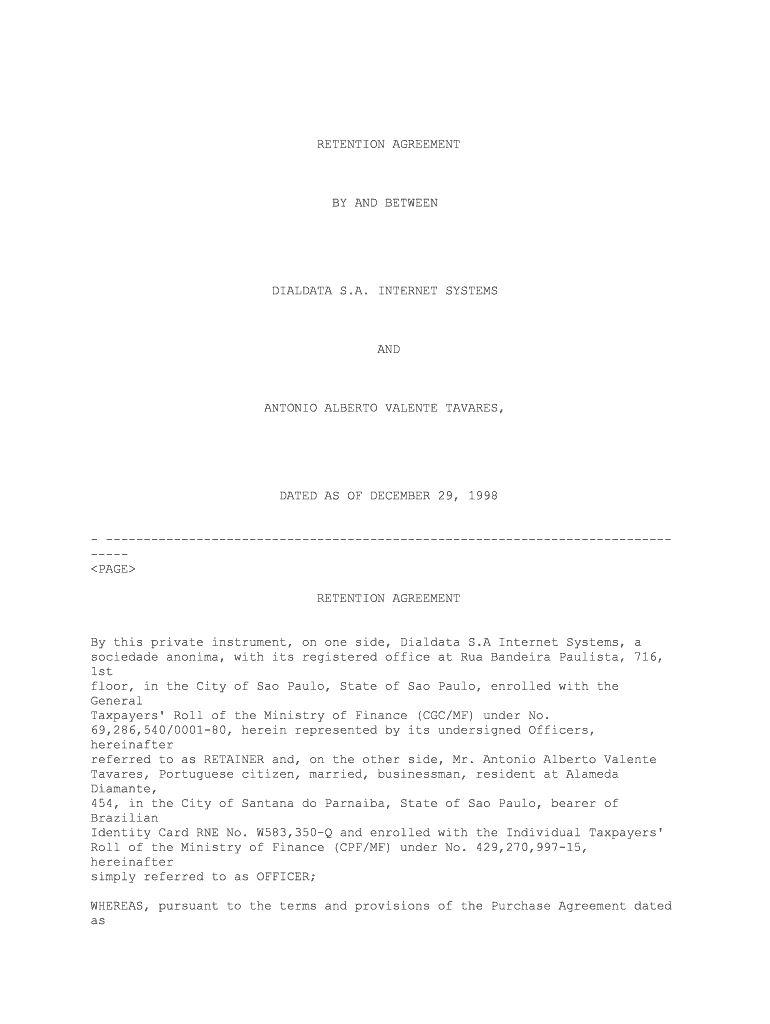
RETENTION AGREEMENT BY AND BETWEEN DIALDATA S.A. INTERNET SYSTEMS AND ANTONIO ALBERTO VALENTE TAVARES, DATED AS OF DECEMBER 29, 1998 - --------------------------------------------------------------------------- ----- RETENTION AGREEMENT By this private instrument, on one side, Dialdata S.A Internet Systems, a sociedade anonima, with its registered office at Rua Bandeira Paulista, 716, 1st floor, in the City of Sao Paulo, State of Sao Paulo, enrolled with the General Taxpayers' Roll of the Ministry of Finance (CGC/MF) under No. 69,286,540/0001-80, herein represented by its undersigned Officers, hereinafter referred to as RETAINER and, on the other side, Mr. Antonio Alberto Valente Tavares, Portuguese citizen, married, businessman, resident at Alameda Diamante, 454, in the City of Santana do Parnaiba, State of Sao Paulo, bearer of Brazilian Identity Card RNE No. W583,350-Q and enrolled with the Individual Taxpayers' Roll of the Ministry of Finance (CPF/MF) under No. 429,270,997-15, hereinafter simply referred to as OFFICER; WHEREAS, pursuant to the terms and provisions of the Purchase Agreement dated as of December 29, 1998, V-I-A Internet Brasil Holdings Ltda. ("V-I-A Brazil") is purchasing from the OFFICER and other shareholders of RETAINER a portion of the common shares that they own in RETAINER's capital stock and also subscribing common shares of RETAINER's capital stock; WHEREAS, the OFFICER was appointed Chief Executive Officer of RETAINER, pursuant to resolution of the General Shareholders' Meeting of RETAINER held on the datehereof; NOW, THEREFORE, in consideration of the agreements contained herein, the parties hereto agree as follows: SECTION 01. The OFFICER is hired to render services to RETAINER in - ---------- the capacity of Chief Executive Officer, pursuant to RETAINER's Bylaws. The OFFICER shall thus perform, on an exclusive basis, the duties of Chief Executive Officer and shall comply with the tasks compatible with such duties, abiding by the principles and guidelines set forth in the Brazilian Corporation Law (Law No. 6,404/76, as amended), in RETAINER's Bylaws and established by the General Shareholders' Meetings of RETAINER held from time to time. 2 [Retention Agreement Chief Executive Officer] Sole Paragraph. As set forth in the Bylaws of RETAINER, the OFFICER shall be responsible for overall operations and strategic planning of RETAINER, as well as marketing and sales operations of RETAINER SECTION 02. The OFFICER is retained by RETAINER for a two (2) year period as - ---------- of the date hereof, in accordance with the General Shareholders' Meeting of even date, renewable by mutual agreement of the parties. First Paragraph. The OFFICER may resign at any time from his position of Chief Executive Officer, provided that a ten (10) day prior written notice is forwarded to RETAINER to that effect. Second Paragraph. The shareholders may at any time replace the OFFICER or declare his position vacant at any RETAINER's Shareholders' Meeting, duly convened and in accordance with the requirements of the Brazilian Corporation Law. The OFFICER shall be advised of his replacement or his dismissal by means of written notice given to that effect, provided that for all purposes, including those of Section 04 below, the replacement shall be considered effective as of the date of the Shareholders' Meeting at which decision on such replacement is made. SECTION 03. The OFFICER, in consideration of the services hereby agreed - ---------- upon, shall be entitled to an annual compensation of one hundred seventy two thousand five hundred reais (R$ 172,500.00), payable in twelve (12) installments of fourteen thousand three hundred seventy-five reais (R$ 14,375.00) each. First Paragraph. The OFFICER shall further be entitled to a thirty (30) day vacation period every twelve (12) month period, without any increase or reduction of the compensation set forth in this Section. Second Paragraph. The OFFICER shall be eligible for an annual bonus of up to sixty per cent (60%) of his annual compensation as set forth in this Section 03. The bonus award shall be granted at discretion of the Ordinary General Shareholders' Meeting of RETAINER and depend upon the OFFICER's overall performance of his duties hereunder during the term of this Agreement, as per goals and 3 [Retention Agreement Chief Executive Officer] objectives attained in compliance with those established by the General Shareholders' Meeting. SECTION 04. The OFFICER shall be entitled to the compensation set forth in - ---------- Section 03 above and to the amounts corresponding to the benefits provided for in its second paragraph, in each case calculated pro rata temporis, if, for any reason whatsoever pursuant to such Section 02, he ceases to be the Chief Executive Officer of RETAINER. Such payments shall be made by RETAINER to the OFFICER within 10 (ten) days as from the date on which his resignation notice is received by RETAINER or that of the Shareholders' Meeting at which his replacement is decided, as the case may be. Sole Paragraph. The Officer shall be entitled to the annual bonus provided for in the Second Paragraph of Section 03 above in case a favorable resolution in this direction is taken by the Ordinary Shareholders' Meeting, even if this Agreement is terminated during the period between the date of such resolution and the termination hereof. SECTION 05. The OFFICER hereby undertakes not to render services of any - ---------- type related to the object of this Agreement or the activities of RETAINER to third parties, except if RETAINER agrees, in writing, with such rendering ofservices. SECTION 06. The OFFICER shall be liable for any acts or decisions that - ---------- violate the provisions of the applicable Brazilian legislation, RETAINER's Bylaws, the resolutions taken at the Shareholders' Meetings of RETAINER and thisAgreement. SECTION 07. The OFFICER agrees that all the business, technical, financial, - ---------- personnel and other information related to present or future businesses of RETAINER, of related or holding companies thereof, or holding companies, subsidiaries, affiliates or companies subject to the common control of any of them ("Related Companies") are valuable trade secrets and confidential information of RETAINER. 4 [Retention Agreement Chief Executive Officer] For the purpose of this agreement, the term "trade secrets and confidential information" shall also include, without limitation, operating processes, software and computer files related to RETAINER, or Related Companies, and to the business and prospects and strategies thereof, and information such as sales and pricing data and procedures, client lists, business plans and marketing, research and development plans, present and future, as well as the financial statements thereof, and confidential information delivered to RETAINER or Related Companies by the respective clients, suppliers, or agents thereof. The following information is also considered as "trade secrets and confidential information": (This list includes but does not exclude otherexamples). (a) Any information related to the particular clients, members/participants, businessmen or groups of RETAINER or Related Companies. (b) Any information related to pricing, new products, promotions, sales strategies, or marketing information. (c) All training material, oral or written. (d) Any information on products, sales techniques or methods. (e) Financial information of any kind and nature relating to RETAINER or Related Companies. (f) Group or Trader Information, notwithstanding it source of origin, i.e., telephone directory, social connection, or newspapers, after the group, person or trader engages in a relationship with RETAINER or Related Companies. (g) Any information related to software and computer systems. (h) Any information relating to the business or corporate development strategies of RETAINER or Related Companies. The OFFICER agrees to keep confidential all trade secrets and confidential information for the benefit of RETAINER and he shall not use nor disclose any of such information for any purpose other than RETAINER's business. 5 [Retention Agreement Chief Executive Officer] SECTION 08. The OFFICER hereby acknowledges that all registrations, reports, - ---------- notes, compilations and other processed materials, as well as the respective copies or reproductions, in connection with the operations, activities or businesses of RETAINER, its controlled companies, affiliates and subsidiaries, made or received by the OFFICER during the validity of this Agreement with RETAINER are and shall be exclusively owned by the latter, and the OFFICER shall keep those materials always under his safekeeping and control and, upon termination of his term of office, such materials shall be promptly returned toRETAINER. SECTION 09. From the date hereof until eighteen (18) months following the - ---------- date on which the OFFICER ceases to be an officer of RETAINER (the "Restriction Period"), neither OFFICER, nor any of his relatives up to second degree or any entity with respect to which OFFICER, directly or indirectly, individually or collectively, owns more than (thirty percent) 30% of the total voting securities or other ownership interests (each a "Subsidiary"), shall: (a) directly, or indirectly through any other individual or Subsidiary: (i) own, (ii) manage (as an employee, consultant or otherwise), (iii) operate, (iv) render services to, (v) become interested in or associated with, (vi) join in, (vii) control (by virtue of ownership of voting securities, contract or otherwise), (viii) participate in, or (ix) otherwise carry on any Competing Business as hereinafter defined. For purposes of this Agreement, a "Competing Business" shall include any entity, person, individual or business other than RETAINER engaged in the activity of providing internet connectivity and value added services, including, but not limited to, internet access, domain registration, web hosting, web site management, intranet, extranet, electronic commerce and virtual private network services in Brazil; (b) directly, or indirectly through any other individual or Subsidiary, enter into any employment agreement or contractual relationship of any nature with or related to any Competing Business, except with any entity of RETAINER; (c) directly, or indirectly through any other individual or Subsidiary, solicit, entice, persuade or induce any Employee, as hereinafter defined, to: (i) terminate or refrain from renewing or extending his or her employment with RETAINER; or (ii) enter into any contractual relationship with any Competing Business. For purposes of this Agreement, "Employee" shall mean and include all persons employed by Dialdata on the date hereof or at the time of taking of any of the actions prohibited by this Section 1(c); 6 [Retention Agreement Chief Executive Officer] (d) directly, or indirectly through any other individual or Subsidiary, solicit, entice, or induce any Customer or Supplier, as hereinafter defined, to terminate, reduce or refrain from renewing or extending its contractual or other relationship with RETAINER, to become a customer of or to enter into any contractual or other relationship with any Competing Business. For purposes of this Agreement, "Customer" shall mean and include all individuals or entities that acquire services from RETAINER during the Restriction Period, and "Supplier" shall mean and include all entities from whom Dialdata purchased or leased services, goods or other supplies during the Restriction Period. Sole Paragraph. In case of early termination of this Agreement by the RETAINER the non competition obligation set forth in this Section may only be valid and in full force, if so requested by RETAINER and against monthly payment to the OFFICER in an amount equal to fifty (50%) percent of the balance of the base consideration (and not any bonus) set forth in Section 03, payable in monthly installments. SECTION 10. The OFFICER hereby represents that he is not under any - ---------- confidentiality obligation or other commitments that may conflict with this Agreement or which may limit or restrict in any way the scope of his activity or which is incompatible with the obligations assumed herein. SECTION 11. This agreement is irrevocable, binding upon the parties hereto, - ---------- and may only be amended by written document signed and executed on the basis of mutual consent. SECTION 12. This Agreement shall supersede all other prior agreements, - ---------- whether written or oral, in connection with the rendering of the services or the conditions herein set forth. This agreement does not amend or replace any other agreement made by and between the OFFICER, on one side, and V-I-A Brazil and/or its controlling quotaholders and/or RETAINER on the other side, including, but not limited to, shareholders' agreements and non-competition and confidentiality agreements, which shall be valid and continue in full force and effect for their respective period of validity. 7 [Retention Agreement Chief Executive Officer] SECTION 13. This Agreement is subject to specific performance as set forth - ---------- in articles 642 et seq of the Brazilian Civil Code of Procedure. SECTION 14. The parties hereby elect the Courts sitting in the City of Sao - ---------- Paulo, State of Sao Paulo to settle any disputes arising out of this agreement, with express waiver of any other however privileged. * * * * * * 8 [Retention Agreement Chief Executive Officer] IN WITNESS WHEREOF, the parties hereto cause this Agreement in two counterparts of same content and for the same purpose, in the presence of the 2 (two) undersigned witnesses. Sao Paulo, December 29, 1998. DIALDATA S.A. INTERNET SYSTEMS By: /s/ Rubens Mau ------------------------------------- Name: Rubens Mau -------------------------------- Title: Chief Operation Officer ------------------------------- By: /s/ Joaquim Jose Rodrigues Torres ------------------------------------- Name: Joaquim Jose Rodrigues Torres ------------------------------- Title: Chief Technology Officer ------------------------------ /s/ ANTONIO TAVARES ----------------------------------------- ANTONIO ALBERTO VALENTE TAVARES Witnesses: 1. /s/ DANILO MARQUES DIAS LOMBARDI ----------------------------------Name:CPF: 2. /s/ SERGIO BRONSTEIN ----------------------------------Name:CPF: 9 [Retention Agreement Chief Executive Officer]

Valuable instructions for preparing your ‘Dialdata S’ online

Are you fed up with the complexities of handling paperwork? Look no further than airSlate SignNow, the premier electronic signature solution for individuals and organizations. Bid farewell to the monotonous task of printing and scanning documents. With airSlate SignNow, you can effortlessly finalize and sign documents online. Utilize the extensive features integrated into this user-friendly and affordable platform and transform your document management process. Whether you need to endorse forms or gather electronic signatures, airSlate SignNow simplifies it all, requiring just a few clicks.

Adhere to this comprehensive guide:

  1. Sign in to your account or initiate a free trial with our service.
  2. Click +Create to upload a file from your device, cloud storage, or our template library.
  3. Open your ‘Dialdata S’ in the editor.
  4. Click Me (Fill Out Now) to prepare the document on your end.
  5. Add and designate fillable fields for others (if required).
  6. Proceed with the Send Invite options to request eSignatures from additional parties.
  7. Download, print your copy, or convert it into a multi-use template.

Don’t stress if you need to collaborate with others on your Dialdata S or send it for notarization—our platform provides everything you require to accomplish these tasks. Create an account with airSlate SignNow today and elevate your document management to another level!

Here is a list of the most common customer questions. If you can’t find an answer to your question, please don’t hesitate to reach out to us.

Need help? Contact Support

The best way to complete and sign your dialdata s form

Save time on document management with airSlate SignNow and get your dialdata s form eSigned quickly from anywhere with our fully compliant eSignature tool.

How to Sign a PDF Online How to Sign a PDF Online

How to complete and sign forms online

Previously, working with paperwork took pretty much time and effort. But with airSlate SignNow, document management is quick and simple. Our robust and user-friendly eSignature solution enables you to effortlessly fill out and eSign your dialdata s form online from any internet-connected device.

Follow the step-by-step guidelines to eSign your dialdata s form template online:

  • 1.Sign up for a free trial with airSlate SignNow or log in to your account with password credentials or SSO authorization option.
  • 2.Click Upload or Create and import a form for eSigning from your device, the cloud, or our form collection.
  • 3.Click on the document name to open it in the editor and utilize the left-side toolbar to fill out all the empty areas properly.
  • 4.Drop the My Signature field where you need to approve your form. Provide your name, draw, or upload an image of your regular signature.
  • 5.Click Save and Close to finish editing your completed document.

Once your dialdata s form template is ready, download it to your device, export it to the cloud, or invite other parties to electronically sign it. With airSlate SignNow, the eSigning process only takes a few clicks. Use our powerful eSignature solution wherever you are to manage your paperwork efficiently!


How to Sign a PDF Using Google Chrome How to Sign a PDF Using Google Chrome

How to fill out and sign documents in Google Chrome

Completing and signing documents is simple with the airSlate SignNow extension for Google Chrome. Adding it to your browser is a quick and productive way to manage your forms online. Sign your dialdata s form sample with a legally-binding electronic signature in just a few clicks without switching between applications and tabs.

Follow the step-by-step guide to eSign your dialdata s form template in Google Chrome:

  • 1.Navigate to the Chrome Web Store, locate the airSlate SignNow extension for Chrome, and install it to your browser.
  • 2.Right-click on the link to a document you need to sign and select Open in airSlate SignNow.
  • 3.Log in to your account with your credentials or Google/Facebook sign-in option. If you don’t have one, you can start a free trial.
  • 4.Utilize the Edit & Sign menu on the left to fill out your template, then drag and drop the My Signature option.
  • 5.Add an image of your handwritten signature, draw it, or simply enter your full name to eSign.
  • 6.Verify all information is correct and click Save and Close to finish editing your form.

Now, you can save your dialdata s form sample to your device or cloud storage, email the copy to other people, or invite them to eSign your form with an email request or a protected Signing Link. The airSlate SignNow extension for Google Chrome enhances your document workflows with minimum time and effort. Try airSlate SignNow today!


How to Sign a PDF in Gmail How to Sign a PDF in Gmail How to Sign a PDF in Gmail

How to complete and sign forms in Gmail

When you receive an email containing the dialdata s form for signing, there’s no need to print and scan a file or save and re-upload it to another program. There’s a much better solution if you use Gmail. Try the airSlate SignNow add-on to quickly eSign any paperwork right from your inbox.

Follow the step-by-step guidelines to eSign your dialdata s form in Gmail:

  • 1.Go to the Google Workplace Marketplace and look for a airSlate SignNow add-on for Gmail.
  • 2.Install the tool with a corresponding button and grant the tool access to your Google account.
  • 3.Open an email containing an attachment that needs approval and use the S key on the right panel to launch the add-on.
  • 4.Log in to your airSlate SignNow account. Choose Send to Sign to forward the file to other parties for approval or click Upload to open it in the editor.
  • 5.Place the My Signature field where you need to eSign: type, draw, or upload your signature.

This eSigning process saves efforts and only takes a couple of clicks. Use the airSlate SignNow add-on for Gmail to adjust your dialdata s form with fillable fields, sign paperwork legally, and invite other parties to eSign them al without leaving your inbox. Enhance your signature workflows now!


How to Sign a PDF on a Mobile Device How to Sign a PDF on a Mobile Device How to Sign a PDF on a Mobile Device

How to complete and sign documents in a mobile browser

Need to rapidly fill out and sign your dialdata s form on a smartphone while working on the go? airSlate SignNow can help without the need to set up additional software programs. Open our airSlate SignNow tool from any browser on your mobile device and create legally-binding electronic signatures on the go, 24/7.

Follow the step-by-step guide to eSign your dialdata s form in a browser:

  • 1.Open any browser on your device and go to the www.signnow.com
  • 2.Sign up for an account with a free trial or log in with your password credentials or SSO option.
  • 3.Click Upload or Create and add a file that needs to be completed from a cloud, your device, or our form library with ready-made templates.
  • 4.Open the form and complete the blank fields with tools from Edit & Sign menu on the left.
  • 5.Place the My Signature area to the form, then type in your name, draw, or upload your signature.

In a few simple clicks, your dialdata s form is completed from wherever you are. Once you're finished editing, you can save the file on your device, build a reusable template for it, email it to other individuals, or ask them to electronically sign it. Make your paperwork on the go fast and efficient with airSlate SignNow!


How to Sign a PDF on iPhone How to Sign a PDF on iPhone

How to fill out and sign forms on iOS

In today’s corporate environment, tasks must be completed rapidly even when you’re away from your computer. With the airSlate SignNow mobile app, you can organize your paperwork and sign your dialdata s form with a legally-binding eSignature right on your iPhone or iPad. Set it up on your device to conclude contracts and manage forms from anyplace 24/7.

Follow the step-by-step guide to eSign your dialdata s form on iOS devices:

  • 1.Go to the App Store, search for the airSlate SignNow app by airSlate, and install it on your device.
  • 2.Launch the application, tap Create to add a form, and select Myself.
  • 3.Select Signature at the bottom toolbar and simply draw your autograph with a finger or stylus to eSign the form.
  • 4.Tap Done -> Save right after signing the sample.
  • 5.Tap Save or take advantage of the Make Template option to re-use this document later on.

This method is so straightforward your dialdata s form is completed and signed in just a couple of taps. The airSlate SignNow application works in the cloud so all the forms on your mobile device are kept in your account and are available any time you need them. Use airSlate SignNow for iOS to boost your document management and eSignature workflows!


How to Sign a PDF on Android How to Sign a PDF on Android

How to complete and sign forms on Android

With airSlate SignNow, it’s simple to sign your dialdata s form on the go. Set up its mobile app for Android OS on your device and start boosting eSignature workflows right on your smartphone or tablet.

Follow the step-by-step guide to eSign your dialdata s form on Android:

  • 1.Open Google Play, find the airSlate SignNow app from airSlate, and install it on your device.
  • 2.Sign in to your account or create it with a free trial, then upload a file with a ➕ key on the bottom of you screen.
  • 3.Tap on the uploaded file and choose Open in Editor from the dropdown menu.
  • 4.Tap on Tools tab -> Signature, then draw or type your name to electronically sign the template. Complete empty fields with other tools on the bottom if required.
  • 5.Utilize the ✔ key, then tap on the Save option to end up with editing.

With a user-friendly interface and total compliance with main eSignature standards, the airSlate SignNow application is the perfect tool for signing your dialdata s form. It even works without internet and updates all record modifications when your internet connection is restored and the tool is synced. Complete and eSign documents, send them for eSigning, and generate re-usable templates whenever you need and from anyplace with airSlate SignNow.

Sign up and try Dialdata s form
  • Close deals faster
  • Improve productivity
  • Delight customers
  • Increase revenue
  • Save time & money
  • Reduce payment cycles


