Establishing secure connection…Loading editor…Preparing document…

New York Corporate Notices and Resolutions

This template is fully customizable. Edit the text, fill out the fields, and send it for signature. Give it a try!
New York Corporate Notices and Resolutions

What the New York Corporate Notices and Resolutions cover

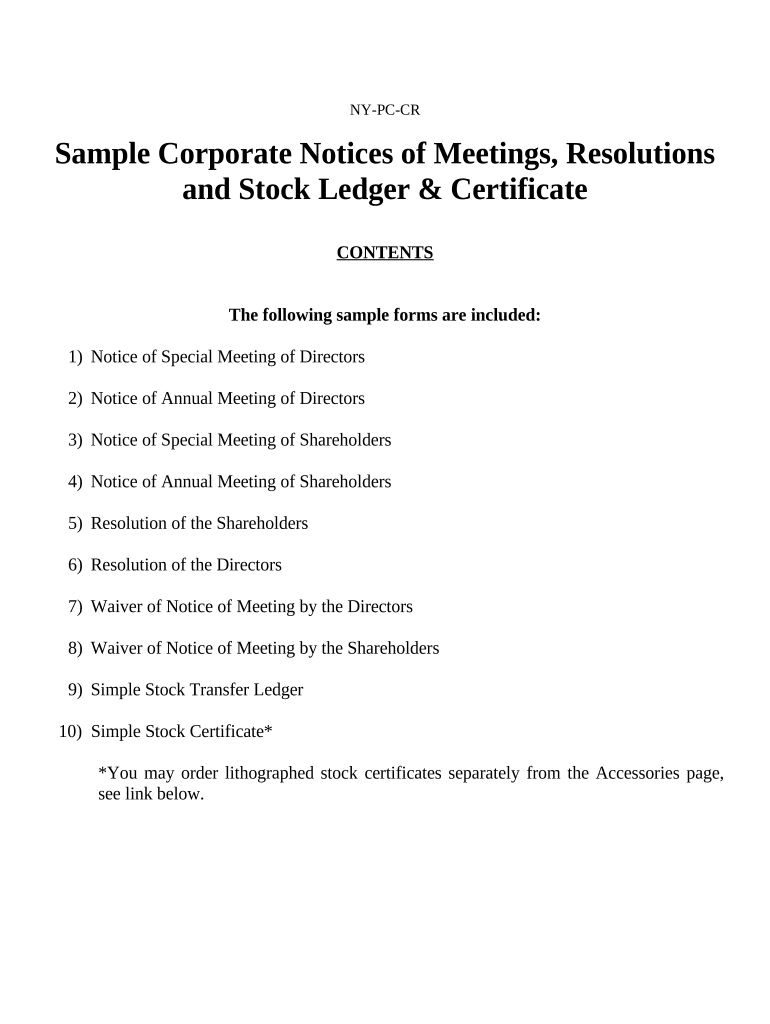
New York Corporate Notices and Resolutions are formal documentary records used by corporations and their boards to give legal notice, record decisions, and authorize corporate actions. They typically include board resolutions, shareholder notices, meeting minutes, and attestations that memorialize corporate approvals required under governing documents and New York law. These records support internal governance, third-party reliance, and statutory filings where required. Where electronic signatures are used, the ESIGN Act (15 U.S.C. ch. 96) and New York’s Electronic Signatures and Records Act (NY State Tech Law §301–309) govern enforceability.

Why clear notices and resolutions matter for New York corporations

Accurate notices and resolutions create a clear legal record of corporate action, reduce disputes over authority, and demonstrate compliance with charter and statutory requirements. Well-drafted documents protect directors and officers, enable third-party transactions, and support regulatory or audit requests.

Why clear notices and resolutions matter for New York corporations

Who prepares and relies on these notices and resolutions

Corporate secretaries, general counsel, board members, and outside counsel typically draft and approve notices and resolutions.

  • Corporate secretary or corporate governance team responsible for minute books and filings.
  • General counsel or outside counsel drafting legally precise authorizations and attestations.
  • Finance and compliance teams using resolutions to support bank signatories and transactional authority.

Core elements to include in a professional notice or resolution

A complete corporate notice or resolution should be concise, unambiguous, and reference the corporate authority, meeting context, actions authorized, and effective dates. Include signature and attestation blocks and document control metadata for recordkeeping.

Caption

Identify corporation, jurisdiction, resolution title, and meeting or written consent reference.
Recitals

Brief background facts that explain why the action is proposed and authorized.

Resolved Clauses

Clear operative language stating the authority granted and any limits or conditions.

Effective Date

State the date/time the resolution takes effect and any retroactive language.

Signatures

Authorized signers, titles, dates, and secretary attestation where required.

Document Control

Document ID, version, distribution list, and retention instructions for the corporate record.

Step-by-step: preparing and finalizing a notice or resolution

Follow these sequential steps to draft, approve, and record a valid corporate notice or resolution.

  • 01
    Draft: Prepare operative language and supporting recitals consistent with bylaws.
  • 02
    Review: Circulate to counsel and designate reviewers for legal and financial checks.
  • 03
    Authorize: Obtain board or shareholder approval per corporate governance rules.
  • 04
    Record: Place the signed resolution in the minute book and update corporate registers.

Typical digital workflow settings for notices and resolutions

Configure a consistent e‑workflow to reduce errors and maintain an auditable trail for governance documents.

Field Configuration
Signer Order Sequential: corporate secretary then authorized officers.
Authentication Email + SMS code or enterprise SSO for higher assurance.
Templates Use approved template with locked resolved clauses where appropriate.
Retention Policy Automate retention tag consistent with corporate recordkeeping rules.

Where notices and resolutions are filed and how they circulate

Understand common destinations for signed corporate documents and the routing steps to complete processing.

  • Internal Record: Minute book or secure document repository retained by the corporate secretary.
  • Banks and Counterparties: Provide signed resolutions to financial institutions to confirm authority.
  • State Filings: Submit required forms to the Secretary of State when statutory filings are triggered.
  • Auditors and Regulators: Supply certified copies on request during audits or regulatory reviews.

Technical considerations for digital completion and e‑signing

Choose a platform that supports secure file formats, audit trails, and enterprise authentication to preserve legal validity.

  • File Formats: PDF, DOCX, and PDF/A are commonly supported.
  • Integrations: Salesforce, NetSuite, Google Workspace, Box are typical integrations.
  • Authentication: SSO, SMS code, or knowledge-based verification options.

Representative eSignature vendor pricing and capabilities

Compare basic pricing and core capabilities relevant to executing corporate notices and resolutions; signNow is listed first per platform placement rules.

signNow DocuSign Adobe Sign PandaDoc HelloSign
Starting Price $8/user/mo $15/user/mo $14/user/mo $19/user/mo $15/user/mo
Free Trial 7-day free trial No No Yes, limited Yes, limited
Bulk Send Yes Yes Yes Yes No
Audit Trail Yes Yes Yes Yes Yes
HIPAA Compliant Yes Yes Yes No No

Key penalties and legal risks from incorrect or missing records

IRS Information Returns: Penalties under IRC §6721 for incorrect filings
I-9 Violations: Civil fines for paperwork failures (8 CFR §274a.2)
Invalid Authority: Contracts executed without proper resolution may be voidable
Notarization Defects: Improper notarization can impair evidentiary weight
Shareholder Challenges: Procedural lapses can lead to disputes or injunctions
Intentional Misconduct: Fraudulent acts carry civil and criminal exposure

Typical timing expectations for adoption and distribution

Adopt and record resolutions promptly; distribute executed copies to affected parties and update corporate registers within the same operational cycle.

Adoption:

Resolutions usually take effect on the stated effective date.

Distribution:

Provide signed copies to banks, counsel, and registries within days.

Board Minutes:

Include and file minutes in the minute book immediately after meetings.

Third-Party Reliance:

Counterparties commonly request certified copies within 1–2 weeks.

State Filings:

File any triggered statutory forms per the Secretary of State timetable.

Key milestones from draft to recorded corporate action

A typical milestone sequence tracks drafting through final storage and any external filings.

01

Draft and Legal Review

Prepare resolution text and complete internal legal review.

02

Board Approval

Hold meeting or obtain written consent to adopt the action.

03

Execution

Obtain signatures, notarization or attestation as required.

04

Record and Distribute

Place in minute book and send certified copies where needed.

Security and compliance checkpoints for electronic notices

Encryption: TLS 1.2/1.3 in transit; AES-256 at rest
Audit Trail: Detailed logs with timestamps and IP addresses
Certifications: SOC 2 Type II and ISO 27001 available
HIPAA: BAA required for protected health information
21 CFR Part 11: Compliant options for FDA-regulated records
Access Controls: Role-based permissions and SSO support

Practical tips for accurate and efficient completion

Adopt consistent templates, clear approval paths, and version controls to reduce rework and ensure legal defensibility.

Use Standard Templates
Lock core language to reduce drafting errors and maintain consistency across resolutions.
Record Approval Chains
Document who reviewed and approved each action for auditability.
Keep Certified Copies
Maintain a certified copy for external reliance and a secure master record.
Validate Signer Identity
Use strong authentication when signatures affect banking or statutory authority.

Representative examples of corporate resolution use

These brief examples show how organizations use resolutions to enable common corporate actions and reliance by third parties.

Optica Ventures LLC

Optica documented officer authority for investment transactions

  • resolution authorized fund transfers and signer changes
  • the resolution provided the bank with a certified copy to open and operate investment accounts without further in-person verification.

Martin Properties

Martin Properties used a board resolution to authorize property closings

  • the board appointed a closing agent and signatory limits
  • a certified, signed resolution satisfied the title company’s requirement for corporate authority at closing.

Frequently asked questions about New York notices and resolutions

Answers to common legal, procedural, and technical questions when preparing corporate notices and resolutions in New York.


Need help? Contact support

be ready to get more
Join over 28 million airSlate SignNow users