Letter Requesting Entry of Default Judgment
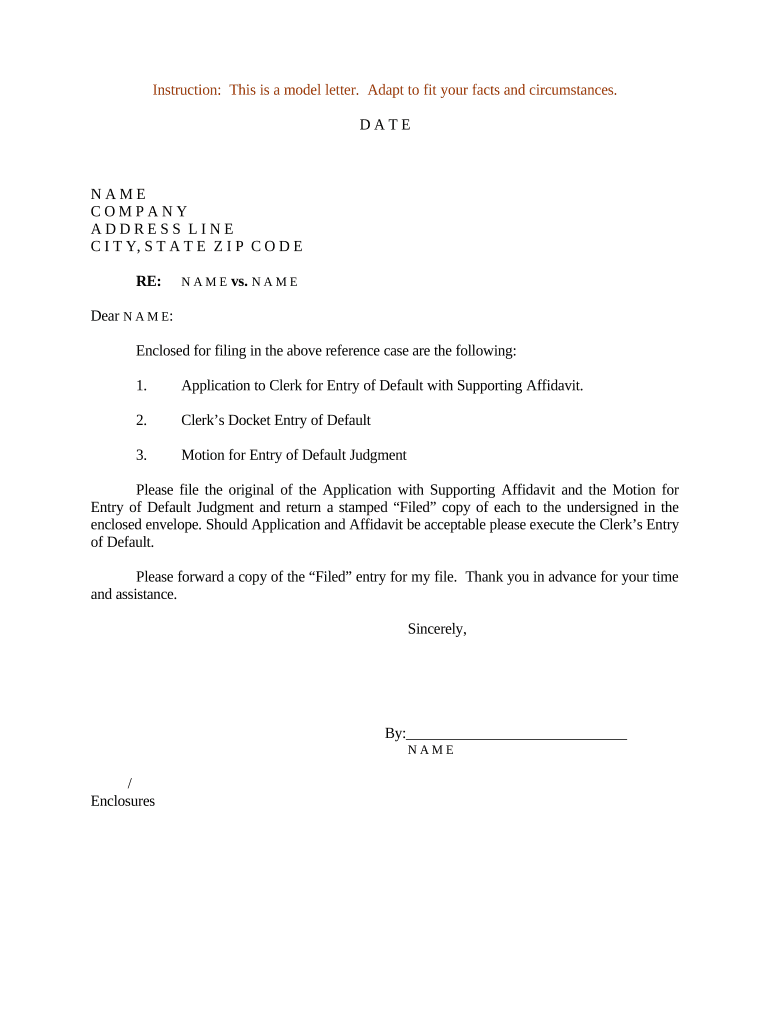
What the Letter Requesting Entry of Default Judgment Is
Why this Letter Matters
A clear, correctly supported letter helps secure an enforceable judgment when a party fails to respond, shortens case resolution time, and documents the record for collection or enforcement steps while demonstrating compliance with court procedures.

Who Typically Prepares This Letter
Regardless of preparer, the filing must comply with local court rules, include required affidavits or declarations, and clearly state the relief sought to avoid delays.
- Plaintiff's counsel or law firm handling litigation and judgment enforcement.
- In-house legal teams or collections departments pursuing unpaid debts or contractual remedies.
- Pro se plaintiffs who must follow local rules and attach proof of service and damages.
Typical Signatories and Preparers
Plaintiff's Attorney
An attorney of record usually signs and submits the letter, certifying service, attaching necessary affidavits, and proposing the judgment form; the attorney ensures local civil rules and clerk procedures are followed.
Authorized Agent
An authorized company officer or collections agent may prepare or sign if allowed by court rules and power-of-attorney documentation, with clear evidence of authority attached to the filing.
Step-by-step: Prepare and File the Letter
-
01Confirm Service: Verify proof of service or waiver exists and meets court standards.
-
02Assemble Evidence: Attach complaint, affidavit of service, and supporting damage calculations.
-
03Draft Letter: State procedural history, default facts, relief requested, and attach proposed judgment.
-
04File and Serve: File with clerk per local e-filing rules and serve the defaulting party as required.
Configure an Online Workflow for the Letter
| Field | Configuration |
|---|---|
| Template | Pre-fill caption, case number, and exhibit labels for reuse. |
| Signer | Assign attorney or agent as signer with contact info. |
| Attachments | Require upload of proof of service and affidavits before sending. |
| Authentication | Enable email or SMS verification and preserve audit trail. |
Where to File and How Documents Move Through the Court
-
Clerk Filing: Submit through court e-filing system or clerk's office per local rules.
-
Proposed Judgment: Attach a proposed form of judgment for clerk or judge to sign.
-
Service on Defendant: Serve the defaulting party as required after filing or as ordered by the court.
-
Notice to Other Parties: Serve all parties and docket proof of service to establish the record.
Electronic Filing and eSignature Considerations
Preserve a complete audit trail and retain exported copies in the format required by the clerk and for your records.
- Accepted Formats: PDF/A or searchable PDF is commonly required.
- Authentication: Court e-filing may require specific signer authentication methods.
- Integrations: Connectors like Salesforce or NetSuite can streamline document assembly.
Typical Deadlines and Timing to Watch
Answer Deadline:
Federal rule: 21 days after service to respond, shorter if waiver requested.
Move for Default:
File for entry of default promptly after the answer period expires, per local rule.
Default Judgment Motion:
Hearing or submission dates depend on judge and docket; schedules vary widely.
Service of Judgment:
Serve entered judgment on defendant as required for enforcement and appeal timelines.
Appeal Window:
Defendant's time to move to set aside or appeal is governed by local and federal rules.
Key Milestones from Complaint to Judgment
Complaint Filed
Plaintiff files the complaint and begins service process.
Service Complete
Defendant is formally served and the answer deadline is triggered.
Clerk Enters Default
If no timely response, the clerk may enter default per local procedures.
Judgment Entered
File letter with proposed judgment and supporting affidavits for clerk or judge.
Common Pitfalls to Avoid
- Failing to attach a valid proof of service is a leading cause of denial or vacatur of a default judgment and allows the defendant to challenge jurisdiction.
- Submitting a damages statement without itemized support or calculations invites clerk rejection and may require supplemental briefing or a hearing.
- Using an incorrect caption, wrong case number, or mismatched party names can misdirect the filing and delay entry of judgment.
- Relying on electronic signatures without confirming court acceptance or required authentication can result in the filing being rejected or stricken.
Consequences of an Incorrect or Incomplete Letter
Practical Tips for a Clean Submission
Realistic Use Scenarios
Commercial Debt Collection
A small supplier files suit for unpaid invoices and serves the defendant.
- Defendant fails to answer within the deadline.
- The supplier attaches the complaint, proof of service, and itemized invoices; the clerk enters default and a money judgment that the supplier later enforces via wage garnishment and bank levy.
Breach of Contract
A contractor sues for breach and properly effects service by mail and certified process.
- Defendant ignores the summons and complaint.
- The contractor submits a letter with sworn cost declarations and a proposed judgment; the court grants default judgment for contract damages plus attorney fees under the contract.
eSignature Pricing Snapshot for Preparing and Submitting Letters
| signNow | DocuSign | Adobe Sign | PandaDoc | HelloSign | |
|---|---|---|---|---|---|
| Starting Price | $8/user/mo | $15/user/mo | $14/user/mo | $19/user/mo | $15/user/mo |
| Free Trial | 7-day trial | Varies by vendor | Varies by vendor | Varies by vendor | Varies by vendor |
| Bulk Send | Yes | Yes | Yes | Yes | No |
| Audit Trail | Yes | Yes | Yes | Yes | Yes |
| HIPAA Compliant | Yes | Yes | Yes | No | No |
Frequently Asked Questions about the Letter Requesting Entry of Default Judgment
-
What if service was defective?
A defective proof of service can prevent entry of default judgment. Courts may deny the motion or set aside a default if service does not meet statutory or local requirements; consider re-serving properly and refiling with corrected proof.
-
Can a default judgment be set aside?
Yes; defendants can move to set aside under federal and state rules (for example, FRCP 55(c) and analogous state rules) for excusable neglect, lack of proper service, or other equitable reasons. Timeliness and good cause affect outcomes.
-
May the letter be electronically signed?
Electronic signatures are generally valid under ESIGN (15 U.S.C. §7001) and UETA, but court filing rules vary and some jurisdictions treat court orders and filings separately; confirm local e-filing and signature acceptance policies before submitting electronically.
-
What supporting documents are required?
Common attachments include the complaint, proof of service, affidavit of non-response or affidavit of damages, and a proposed judgment. Provide itemized calculations and any contract provisions supporting fees or interest.
-
How long until the judgment is enforceable?
Timing depends on the clerk and whether the judgment is entered by clerk or judge; after entry, enforcement steps may proceed, subject to any statutory stay or appeal period under local rules.
-
Who should sign the letter?
An attorney of record usually signs and certifies service and supporting facts. An authorized company representative may sign if authority documentation is attached and local rules permit non-attorney filings.