Establishing secure connection…Loading editor…Preparing document…

Letter Regarding Dog Leash Violation

This template is fully customizable. Edit the text, fill out the fields, and send it for signature. Give it a try!
Letter Regarding Dog Leash Violation

What a Letter Regarding Dog Leash Violation Is

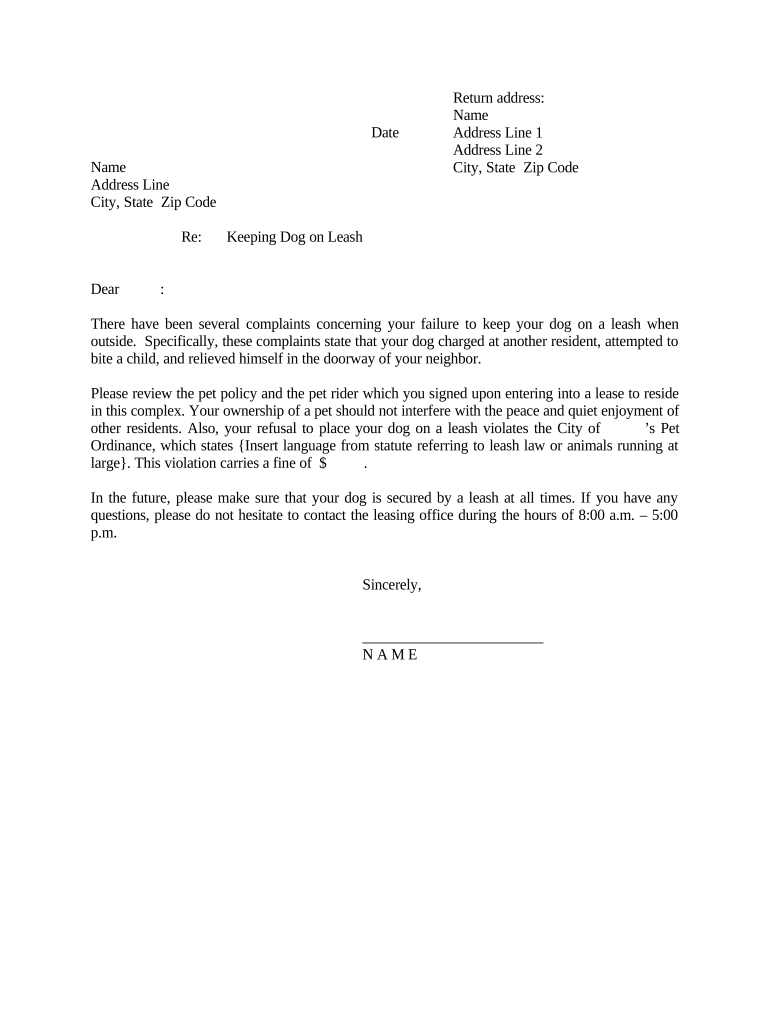
A Letter Regarding Dog Leash Violation is a formal written notice used to document an observed failure to keep a dog on a leash in an area governed by local ordinance, lease terms, or homeowners association rules. The letter records incident specifics (date, time, location), identifies the animal and owner where known, cites the controlling ordinance or covenant, and sets a clear remediation deadline and required corrective actions. It creates a documented record for enforcement, appeals, and any subsequent administrative or legal proceedings, and may be delivered electronically or in hard copy.

Why a Clear, Documented Notice Matters

A properly prepared letter establishes a factual record, communicates expectations and deadlines, and supports consistent enforcement. It reduces ambiguity, helps protect public safety, and creates documentary evidence useful for administrative proceedings or court actions if noncompliance continues.

Why a Clear, Documented Notice Matters

Typical Users and Recipients

Common users include animal control agencies, homeowners associations, landlords, and property managers issuing formal notices to pet owners.

  • Animal control officers notifying owners about ordinance violations and required corrective actions.
  • Homeowners association representatives enforcing community rules and documenting repeated violations for fines.
  • Landlords and property managers addressing tenant obligations under lease or property rules.

Who Signs These Letters

Animal Control Officer

An animal control officer documents observed leash violations, creates official incident reports, and issues letters or citations on behalf of a municipality. Their letter typically includes ordinance citation, incident details, contact information for appeals, and instructions for remediation or next steps under local code.

HOA Manager

A homeowners association manager enforces community pet rules, sends formal warning letters to owners, and tracks compliance for board records. The manager's letter will reference governing covenants, specify corrective actions and deadlines, and note possible fines or escalation procedures if the violation persists.

Core Elements to Include in the Letter

A professional Letter Regarding Dog Leash Violation combines clear facts, a legal citation, corrective instructions, and recordkeeping details so the recipient understands the allegation and next steps.

Incident Details

Record date, time, and precise location of the observed event, include observer name or badge number, and give a concise factual description of the dog and behavior to minimize ambiguity.
Ordinance Reference

Cite the exact municipal code section, HOA covenant, or lease clause alleged to be violated, including section or paragraph numbers where possible for clarity.

Corrective Action

State required remediation such as immediate leashing, proof of control, registration, or removal, and provide a clear deadline for compliance tailored to local policy.

Consequences

Explain potential outcomes for noncompliance such as fines, citations, escalation to administrative hearings, or other remedies authorized by the governing rules.

Appeals Process

Describe how to contest the allegation, the timeline for submitting an appeal, required supporting information, and contact details for the reviewing authority.

Recordkeeping

Note that the letter and supporting evidence will be retained in enforcement records and explain how the recipient may request copies if necessary.

Data and Security Considerations

Encryption: TLS 1.2/1.3 in transit; AES-256 at rest.
Audit Trail: Timestamps, IP addresses, and action logs retained.
Access Control: Role-based permissions and SSO supported.
HIPAA: BAA required when protected health data present.
Legal Acts: Complies with ESIGN and UETA standards.
Certifications: SOC 2 Type II and ISO 27001 available.

How to Prepare and Send the Letter

Follow these steps to prepare and issue a compliant Letter Regarding Dog Leash Violation to an owner or tenant.

  • 01
    Gather Facts: Confirm date, time, location, and witness details.
  • 02
    Identify Rule: Locate the municipal code, HOA covenant, or lease clause cited.
  • 03
    Draft Letter: State facts, reference the rule, and set remediation and deadline.
  • 04
    Deliver & Record: Send by permitted method and save proof of delivery.

Process Flow from Incident to Resolution

Typical process for issuing and tracking a leash violation letter, from observation through final resolution and record closure.

  • Observation: Incident observed and documented by officer or witness.
  • Review: Complaint verified against ordinance, lease, or covenant terms.
  • Notice: Letter drafted, signed, and delivered to recipient with proof.
  • Follow-up: Compliance monitored and enforcement actions taken if necessary.

Setting Up an Electronic Workflow

Configure an online workflow to generate, sign, deliver, and archive leash violation letters securely and consistently.

Field Configuration
Template Name Create a standard letter template with placeholders for facts, citations, and deadlines.
Signer Roles Assign sender and recipient roles; enable email or SMS authentication for signers.
Delivery Method Select email, certified mail, or personal service and capture proof of delivery fields.
Retention Policy Set automatic archival and retention duration consistent with local records rules.

Technical Requirements for Electronic Handling

Ensure the signing and storage platform supports secure delivery, audit trails, and common document formats.

  • Formats: PDF and DOCX formats supported.
  • Integrations: Integrates with case and file systems.
  • Authentication: Supports email, SMS, or SSO options.

Typical Dates and Deadlines to Observe

Key dates and statutory timelines to include or observe when issuing a leash violation letter and managing follow-up actions.

Incident Date Recorded:

Date of the observed violation that begins the enforcement timeline.

Compliance Deadline:

Date by which the owner must correct the violation; often set 7–14 days after notice.

Fine Assessment Date:

Date fines are assessed if the owner fails to comply after the deadline.

Appeal Submission Deadline:

Last date for submitting a written appeal or requesting administrative review.

Record Retention Start:

Date when the retention period begins for the enforcement record, typically the incident date or notice date.

Milestones: Observation to Closure

Sequential milestones from observation to case closure help ensure the matter proceeds through required steps without procedural gaps.

01

Observation Logged

Officer documents incident and assigns a case number.

02

Notice Issued

Letter is sent and proof of delivery recorded.

03

Compliance Review

Officer verifies remedial action by the stated deadline.

04

Escalation

Impose fines or initiate legal action if noncompliance continues.

Common Pitfalls to Avoid

  • Vague or incomplete incident descriptions weaken enforcement and create grounds for disputes; include precise times, locations, and identifiable witnesses to strengthen the record and reduce challenges.
  • Missing or mismatched recipient names or addresses can invalidate service; confirm legal names, tenant status, and preferred service addresses before sending any notice.
  • Failure to cite the correct municipal code or lease clause provides procedural defenses; include exact section numbers and the ordinance text when possible to avoid ambiguity.
  • Relying only on oral notices without written follow-up limits enforceability and complicates appeals; always issue a dated written notice with retained proof of delivery.

Potential Penalties and Risks

Fines: Monetary penalties per ordinance.
Citations: Official tickets filed with the court.
Civil Action: Possible court enforcement or injunctions.
Animal Seizure: Temporary impoundment is a potential outcome.
Lease Remedies: Lease violations may trigger fines or eviction.
Reputational Risk: Public complaints and record retention.

Real-World Examples

Two scenarios show how municipal and private entities use a Letter Regarding Dog Leash Violation to document facts and pursue compliance.

Municipal Notice

An animal control officer observed an unleashed dog repeatedly in a public park and recorded dates and witness statements.

  • The officer issued a formal written notice with a seven-day compliance deadline.
  • When the owner failed to comply, the village used the dated letter and witness statements to justify a citation and administrative hearing, demonstrating procedural fairness and preserving the record for possible court review.

HOA Enforcement

A homeowners association received multiple complaints about a tenant's loose dog in shared walkways and verified incidents with photo evidence.

  • The HOA sent a warning letter outlining required actions and a fine schedule.
  • After noncompliance, the HOA referenced the letter and covenant clause to impose fines and pursue collections while maintaining a clear file for any future disputes.

Practical Tips to Improve Outcomes

Applying these practical tips will make notices clearer, reduce disputes, and strengthen enforcement records.

Use clear, objective language
Describe only observable facts rather than conclusions, avoid emotive language, and cite the precise ordinance or covenant language to prevent misunderstandings or procedural challenges.
Attach supporting evidence
Include photos, incident reports, witness statements, and timestamps as attachments or exhibit references to substantiate the factual assertions in the letter.
Document delivery and proof
Record the delivery method used (email with read receipt, certified mail, personal service) and retain proof to demonstrate proper service during any appeal or hearing.
Follow published timelines
Set compliance deadlines consistent with local ordinance or HOA rules, allow reasonable cure periods where required, and follow escalation steps in the prescribed order to ensure enforceability.

eSignature Pricing and Feature Comparison

Basic pricing and capability contrasts across common eSignature vendors help organizations choose a platform to prepare, sign, and archive leash violation letters electronically.

signNow DocuSign Adobe Sign PandaDoc HelloSign
Starting Price $8/user/mo $15/user/mo $14/user/mo $19/user/mo $15/user/mo
Free Trial 7-day free trial No No Yes, limited Yes, limited
Bulk Send Yes Yes Yes Yes No
Audit Trail Yes Yes Yes Yes Yes
HIPAA Compliant Yes Yes Yes No No

Frequently Asked Questions

Answers to common questions about preparing, delivering, and enforcing a Letter Regarding Dog Leash Violation.


Need help? Contact support

be ready to get more
Join over 28 million airSlate SignNow users