Establishing secure connection…Loading editor…Preparing document…

Employee Complaint

This template is fully customizable. Edit the text, fill out the fields, and send it for signature. Give it a try!
Employee Complaint

What an Employee Complaint Is and When it’s Used

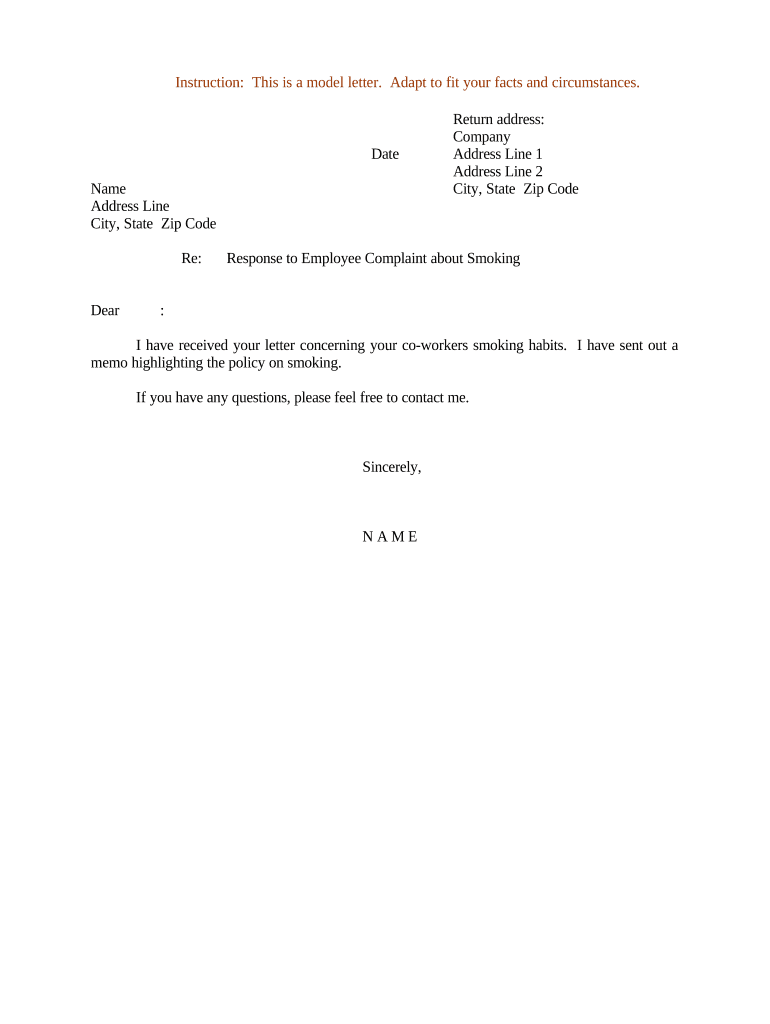
An Employee Complaint documents a worker’s report of workplace concerns such as harassment, discrimination, safety hazards, policy violations, retaliation, or payroll disputes. It records the complainant’s account, dates, witnesses, and requested remedies so employers can investigate, track corrective steps, and preserve evidence. Employee Complaints may be used internally under company policy, submitted to a designated HR representative or manager, and in some cases provided to external agencies (EEOC, state fair employment agencies). Properly completed complaints support timely investigations and reduce exposure to procedural challenges.

Why a Clear Employee Complaint Matters

A well‑structured Employee Complaint creates an auditable record that preserves facts, demonstrates timeliness, and supports consistent investigation. It helps protect both employee and employer rights, satisfies internal policy requirements, and establishes a foundation for any subsequent legal or administrative filings under statutes such as Title VII or state fair employment laws.

Why a Clear Employee Complaint Matters

Who Prepares and Receives Employee Complaints

Employees, HR representatives, supervisors, and compliance officers commonly prepare or receive complaints as part of workplace reporting and investigation workflows.

  • Employees filing complaints to report incidents or request remedies. They provide facts, dates, and preferred outcomes.
  • Human Resources and compliance staff who intake, triage, and document investigations and corrective actions.
  • Supervisors and managers who receive initial reports and forward them per company policy and escalation rules.

Step-by-Step: Filing an Employee Complaint

Follow these steps to submit a complete, legible report that preserves evidence and meets policy timelines.

  • 01
    Step 1: Gather dates, witnesses, and any supporting documents.
  • 02
    Step 2: Complete all required fields in the complaint form.
  • 03
    Step 3: Attach supporting files (emails, photos) and label them clearly.
  • 04
    Step 4: Submit to designated HR or manager and retain a copy.

Typical Intake and Routing Workflow

A clear routing process ensures timely action and a documented audit trail for every complaint.

  • Intake: Employee submits complaint electronically or on paper.
  • Triage: HR reviews urgency and assigns an investigator.
  • Investigation: Interviews, evidence collection, and analysis occur.
  • Resolution: Findings documented and corrective actions recorded.

Configuring an Electronic Complaint Workflow

Configure fields and routing rules so electronic complaints flow to the right people without delay.

Field Configuration
Required Fields Complainant name, date, incident description, desired outcome
Routing Rule Auto‑route to HR inbox + assigned investigator
Notifications Email/SMS alerts to HR and complainant on status change
Retention Policy Set document retention per legal and company requirements

Technology Considerations for eSubmission and Tracking

Choose a platform that preserves an audit trail, supports attachments, and provides secure access controls.

  • Authentication: Email, SMS code, or SSO
  • Attachments: Support PDF, JPEG, DOCX
  • Audit Trail: Capture timestamps and user actions

Essential Components of a Professional Employee Complaint

A complete complaint balances factual detail with clear formatting so investigators can act without delay or ambiguity.

Complainant Details

Full name, job title, contact details, and preferred confidentiality level so HR can follow up and honor privacy preferences.
Incident Narrative

A chronological, factual description with direct quotations where possible; avoid speculation and character judgments to preserve credibility.

Date and Location

Exact dates and locations for each incident, including shift times if relevant, to support witness identification and evidence collection.

Witness Information

Names and contact information for witnesses and others present; note whether they are coworkers, supervisors, or third parties.

Supporting Evidence

Attach emails, texts, screenshots, photos, or payroll records and label each file with a short description and date.

Requested Remedy

State the outcome you seek—transfer, mediation, discipline, or policy change—so HR can consider proportional remedies.

Saving, Exporting, and Supporting Documents

Preserve originals and maintain a clear file structure for investigation and potential external reporting.

File Formats

Save complaints and attachments as PDF/A when possible to preserve formatting and ensure long-term readability across systems.

Document Naming

Use consistent names: YYYYMMDD_Complainant_Lastname_Type (e.g., 20260701_Smith_Complaint) to simplify retrieval and audit.

Evidence Index

Maintain an indexed exhibit list referencing each attachment by filename and a short description for the investigation record.

Chain of Custody

Log who accessed or downloaded materials and when to protect evidentiary integrity and meet discovery expectations.

Practical Tips for Accurate and Efficient Complaints

Follow these practices to improve clarity, preserve evidence, and reduce unnecessary delays during investigation.

Be Specific and Factual
Describe incidents with dates, times, locations, and direct statements where possible. Specifics reduce follow-up and help investigators assess credibility quickly.
Attach Originals
Upload original emails, screenshots, or payroll records rather than pasting images into the narrative to preserve metadata and provenance.
Use Secure Channels
Submit complaints through the designated HR intake system or secured email to maintain confidentiality and the integrity of the record.
Preserve Evidence
Avoid deleting messages, altering files, or sharing sensitive attachments widely; notify HR if you fear retaliation or tampering.

Common Mistakes to Avoid When Preparing a Complaint

  • Omitting exact dates or times that could otherwise narrow investigative scope and lead to inconclusive findings.
  • Relying on hearsay without documenting who reported secondhand information and when that account was received.
  • Submitting unsigned or incomplete forms that delay intake and may reset internal timelines for response.
  • Failing to attach supporting documents or to label exhibits, which increases administrative follow-up and prolongs resolution.

Risks if the Complaint Is Incomplete or Untimely

Loss of Remedies: May forfeit administrative claim
Weakened Evidence: Older evidence becomes less probative
Investigation Delay: Longer resolution timelines
Retaliation Risk: Unreported incidents may continue
Legal Exposure: Incomplete records hamper defense
Policy Noncompliance: May violate internal procedures

Comparing eSignature Providers for Employee Complaint Workflows

This comparison highlights common plan and compliance features relevant to HR complaint intake and secure recordkeeping. signNow is listed first per evaluation format.

signNow DocuSign Adobe Sign PandaDoc HelloSign
Starting Price $8/user/mo $15/user/mo $14/user/mo $19/user/mo $15/user/mo
Free Trial Yes, 7-day free trial Varies by plan Varies by plan Yes, limited Yes, limited
Bulk Send Yes Yes Yes Yes No
Audit Trail Yes Yes Yes Yes Yes
HIPAA Compliant Yes Yes Yes No No

Frequently Asked Questions About Employee Complaints

Common questions and concise answers addressing legal validity, confidentiality, and electronic submission are provided below.


Need help? Contact support

be ready to get more
Join over 28 million airSlate SignNow users