Establishing secure connection…Loading editor…Preparing document…

Employee Handbook

This template is fully customizable. Edit the text, fill out the fields, and send it for signature. Give it a try!
Employee Handbook

What an Employee Handbook Is and Why it Matters

An Employee Handbook is a consolidated written resource that states an employer’s workplace policies, rules, expectations, and employee rights. It typically covers topics such as conduct, attendance, benefits, leave, safety, disciplinary procedures, and complaint processes. While not required by federal law, a clear handbook helps set consistent standards, informs new hires, and can serve as evidence of communicated policies in disputes or regulatory reviews.

Primary Purpose and Practical Benefits

A handbook clarifies employer expectations, reduces inconsistent enforcement, supports compliance with federal and state obligations, and documents notice of policies. It also standardizes onboarding, can lower legal risk by showing communicated rules, and helps employees find answers without repeatedly involving managers.

Primary Purpose and Practical Benefits

Who Prepares and Who Uses the Handbook

The handbook is typically created by HR with input from legal or compliance teams and distributed to all employees at hire and after material updates.

  • HR teams and people managers responsible for drafting, updating, and communicating policies to staff.
  • New hires and existing employees who must review and acknowledge receipt for recordkeeping.
  • Legal, compliance, and executive leadership who approve substantive policy changes and dispute responses.

Maintain a single authoritative version and a signed or electronically acknowledged record for each employee to support consistent application and legal defensibility.

Typical Roles That Sign or Maintain the Handbook

HR Director — Jordan Lee

Owns handbook maintenance and distribution, coordinates policy reviews, and ensures that acknowledgements are collected and retained per retention policy. Works with legal counsel on risk areas like leave and discipline.

General Counsel — Priya Singh

Reviews legal language, ensures compliance with statutes and regulations, and provides guidance on sensitive topics such as discrimination, wage-and-hour, and privacy obligations.

Essential Sections to Include in a Professional Handbook

A well-organized Employee Handbook covers operational policies, benefits, conduct expectations, leave rules, safety, and complaint procedures—each written clearly and consistently to avoid conflicting interpretations.

Employment Terms

Define employment relationship, classification (exempt/nonexempt), eligibility, and at-will language where applicable to reduce ambiguity about termination and status.
Compensation & Hours

Explain pay schedules, overtime rules, timekeeping expectations, meal and rest breaks, and exempt employee duties to support FLSA compliance.

Leave & Benefits

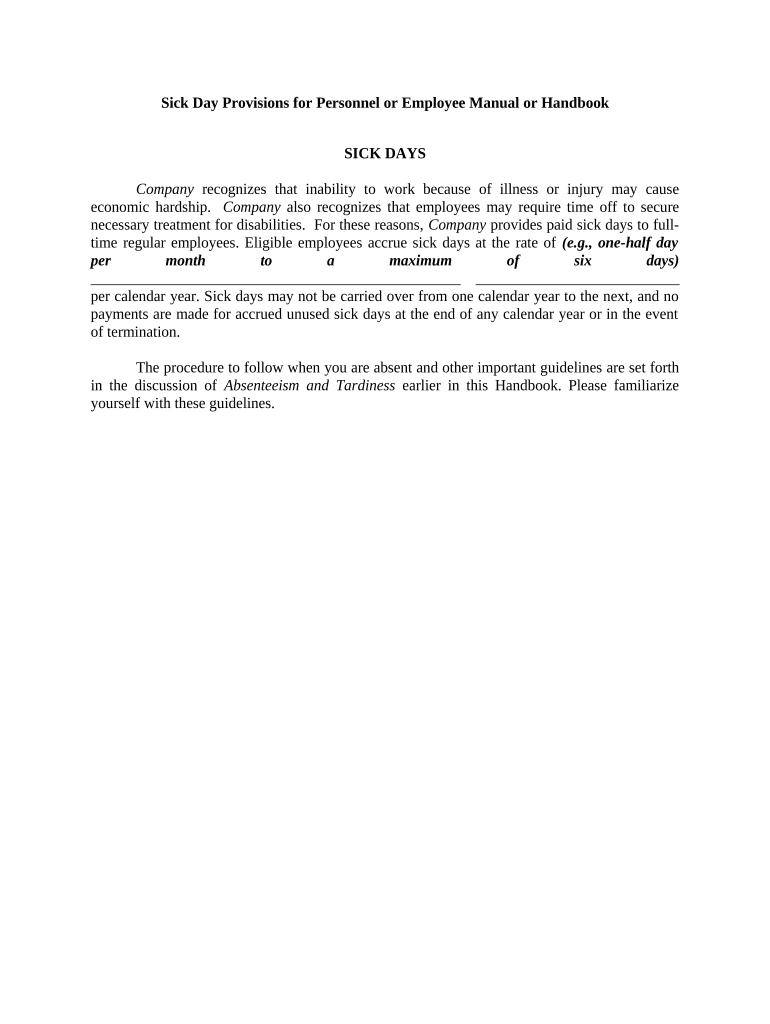
Summarize paid time off, sick leave, FMLA eligibility, bereavement, and health benefits; clarify leave request and documentation procedures.

Conduct & Discipline

Outline standards of conduct, progressive discipline steps, investigation processes, and examples of prohibited behavior such as harassment or theft.

Safety & Privacy

Describe workplace safety procedures, reporting obligations, data privacy practices and any industry-specific protections (for example HIPAA in healthcare).

Acknowledgement

Include an employee acknowledgement page stating receipt, review, and agreement to comply; note the method for contesting or submitting questions.

Core Data Elements to Collect and Record

Employee Name: Full legal name
Hire Date: MM/DD/YYYY
Job Title: Official position
Supervisor: Direct manager
Acknowledgement: Signed/dated receipt
Policy Version: Effective date

Step-by-Step: Issue a Handbook to a New Hire

Follow a consistent sequence to prepare, distribute, and document handbook receipt so records are defensible and accessible for audits or disputes.

  • 01
    Prepare Final Draft: Confirm legal review and approval.
  • 02
    Publish Official Version: Lock the master file and note effective date.
  • 03
    Distribute to Employee: Provide digital or printed copy at hire.
  • 04
    Collect Acknowledgement: Obtain signed or e‑signed receipt and store it.

Configure an Online Acknowledgement Workflow

Set up digital distribution and automated reminders so acknowledgements are collected and stored consistently across hires and policy updates.

Field Configuration
Acknowledgement Signature Required field; signer must enter signature
Date Field Auto-fill on signature or require manual date
Employee Email Pre-populate from HRIS for delivery
Reminder Schedule Send reminders at 3 and 7 days

Where Signed Handbooks Are Stored and Who Receives Copies

Clarify routing and storage locations to ensure access controls, retention, and auditability for HR, legal, and the employee.

  • Employee Copy: Provide a downloadable PDF to the signer
  • HR Record: Store signed PDF in HRIS or document repository
  • Legal Archive: Retain an immutable copy for dispute defense
  • Audit Trail: Preserve metadata, timestamps, and IP

Technical Requirements for eSigning and Secure Storage

Choose a platform that supports common file types, strong encryption, and integrations with your HRIS or document storage systems.

  • File Formats: PDF, DOCX supported
  • Encryption: TLS in transit; AES-256 at rest
  • Integrations: HRIS and cloud storage

Key Timelines and Notice Requirements

Set clear internal deadlines for distribution, acknowledgement, and reviews so the handbook remains current and defensible.

Issue at Hire:

Provide handbook on or before first day

Acknowledgement Due:

Request signed receipt within 7 business days

Annual Review:

Review policies at least every 12 months

Policy Change Notice:

Notify employees of material changes 30 days prior

Record Retention Start:

Retention begins on effective date of signed copy

Common Mistakes When Preparing a Handbook

  • Using inconsistent language across sections leads to conflicting obligations and ambiguous enforcement.
  • Failing to require or track signed acknowledgements leaves the employer without proof an employee received policies.
  • Including overly prescriptive discipline rules that contradict at‑will employment statements or state law.
  • Neglecting to update the handbook after law changes, exposing the employer to compliance gaps and liability.

Risks and Consequences of an Inaccurate Handbook

Employment Claims: Inconsistent policies increase wrongful-termination risk
Wage Violations: Improper pay rules may trigger FLSA penalties
Regulatory Fines: Missing notices can violate state statutes
Reputational Harm: Employee distrust and turnover may rise
Recordkeeping Gaps: Lack of acknowledgements weakens defenses
Data Exposure: Poor storage practices risk privacy breaches

eSignature Vendor Comparison for Employee Handbook Distribution

Basic vendor characteristics and pricing models affect cost and suitability for handbook distribution; signNow is listed first for direct comparison of core features and costs.

signNow DocuSign Adobe Sign PandaDoc HelloSign
Starting Price $8/user/mo $15/user/mo $14/user/mo $19/user/mo $15/user/mo
Free Trial 7-day free trial Varies by plan Varies by plan Varies by plan Varies by plan
Bulk Send Yes Yes Yes Yes No
Audit Trail Yes Yes Yes Yes Yes
HIPAA Compliant Yes Yes Yes No No

Real-World Examples of Digital Acknowledgement Workflows

Organizations of different sizes use digital signing to collect policy acknowledgements and centralize records for HR and legal review.

Xerox — NetSuite Operations

Xerox integrated eSignature into its NetSuite workflows to standardize documents and approvals.

  • The integration ensured role-based routing for signatures.
  • This reduced processing time and provided a single auditable source for signed acknowledgements and related HR documents.

Fertility Centers of Illinois

A healthcare provider adopted digital signatures to secure patient and staff acknowledgements.

  • The platform supported HIPAA workflows and access controls.
  • Retaining signed acknowledgements digitally helped the organization demonstrate training and policy distribution during compliance reviews.

Practical Tips for Accurate and Efficient Handbook Management

Follow consistent drafting, approval, and distribution processes to reduce risk and administrative overhead.

Centralize the Master Copy
Store a single authorized handbook with version control. Mark drafts clearly and prohibit unofficial copies to avoid conflict.
Automate Acknowledgements
Use an eSignature workflow with automatic reminders and retention to ensure timely receipt and proof of delivery.
Document Changes
Log revisions and effective dates; inform employees of material changes and collect new acknowledgements.
Coordinate Legal Review
Have counsel review policies that affect wages, leave, discrimination, privacy, and multistate operations.

Frequently Asked Questions About Employee Handbooks and eSignatures

Answers to common operational and legal questions about issuing, signing, storing, and updating handbooks using electronic workflows.


Need help? Contact support

be ready to get more
Join over 28 million airSlate SignNow users