Establishing secure connection…Loading editor…Preparing document…

Employee Intellectual Property Agreement

This template is fully customizable. Edit the text, fill out the fields, and send it for signature. Give it a try!
Employee Intellectual Property Agreement

What an Employee Intellectual Property Agreement is

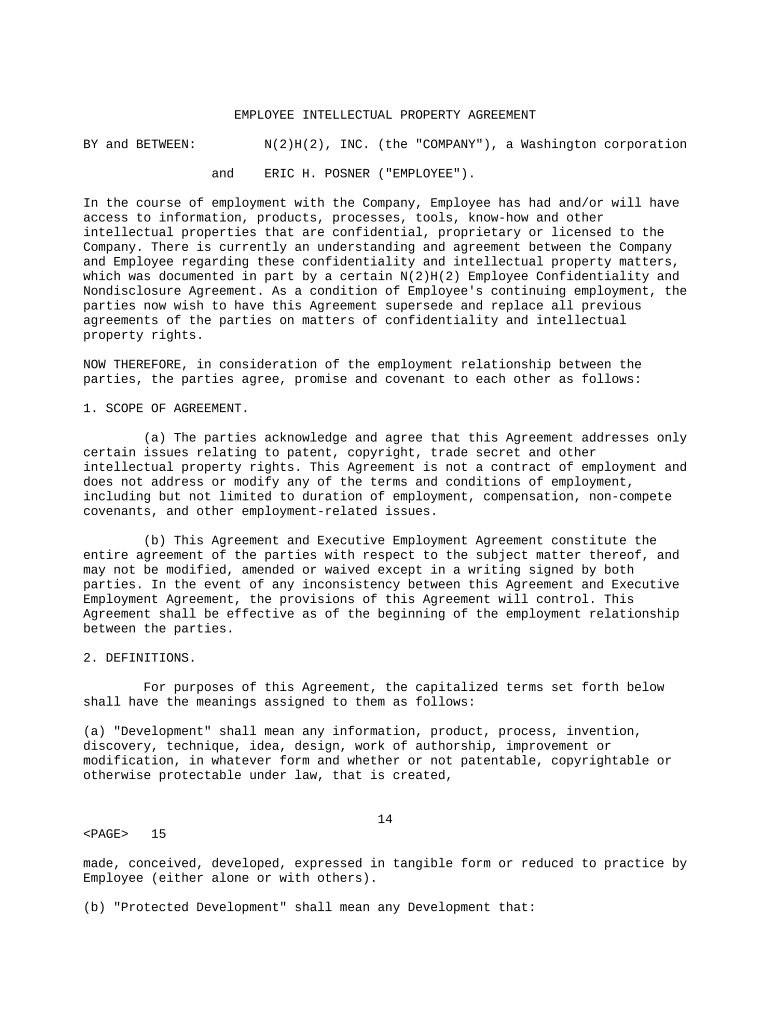
An Employee Intellectual Property Agreement is a contract between an employer and an employee that sets out ownership and use rights for inventions, copyrights, trade secrets, and other intellectual property created during employment. It typically clarifies assignment of rights, disclosure duties, confidentiality obligations, and license arrangements. The agreement defines what constitutes work made for hire and the scope of employer rights for work performed on company time or using company resources. Including narrow carve-outs for preexisting inventions and future permitted activities reduces disputes. Employers use the document to protect business assets; employees use it to understand obligations and retained rights.

Why this agreement matters for employers and employees

An Employee Intellectual Property Agreement clarifies ownership, reduces litigation risk, and preserves company trade secrets while defining employee obligations. It helps recruiters, managers, and creators understand rights, avoid disputes, and ensure inventions developed with company resources transfer to the employer.

Why this agreement matters for employers and employees

Who typically signs and manages the agreement

Employers, HR teams, hiring managers, and employees use this agreement to assign IP rights and protect confidential work created on the job.

  • Startups and tech firms: require broad assignment for software and inventions.
  • Research institutions: carve-outs for academic publication and sponsored research obligations.
  • Healthcare and biotech: include confidentiality, patent cooperation, and inventor recognition clauses.

Typical signatory roles

General Counsel

Drafts and negotiates agreement to ensure ownership of employee-created IP, defines disclosure process and scope of assignment, and advises on state law variations and retention obligations while coordinating onboarding and enforcement with HR.

Software Engineer

Reviews assignment scope, confirms exclusions for prior inventions, negotiates reasonable definitions of 'work made for hire' and side projects, and seeks clarity on compensation, inventor recognition, and post-employment license limits.

Core clauses to include in a professional agreement

A complete Employee Intellectual Property Agreement addresses ownership, disclosure, and confidentiality while balancing enforceability and employee expectations.

Assignment Clause

Clear, written assignment of inventions and works created within the scope of employment, including an explicit transfer of copyrights and related rights to the employer and a process for signing assignment documents.
Invention Disclosure

Procedures requiring timely written disclosure of inventions to the employer, with defined content and deadlines so the company can evaluate patentability and coordinate filings if needed.

Confidentiality

Non-disclosure obligations that protect trade secrets and confidential information during and after employment, with narrowly tailored exceptions for required disclosures to government or legal counsel.

Preexisting Inventions

A schedule or mechanism for listing prior inventions that remain the employee's property, including certification language and a process to add items with employer notice.

Cooperation on Filings

A cooperation clause obligating the employee to assist with patent or copyright filings and to execute documents needed to perfect ownership, including after termination.

Limited Licenses and Remedies

When appropriate, narrow retained license language for employees and defined remedies for breach, including injunctive relief and recovery of legal costs in the event of misappropriation.

Step-by-step: completing and executing the agreement

Follow these sequential steps to complete, sign, and store an Employee Intellectual Property Agreement accurately and in compliance with company policy.

  • 01
    Prepare draft: Identify employee, employer, and effective date.
  • 02
    Define scope: Specify covered inventions, works, and resource usage.
  • 03
    Negotiate terms: Clarify exclusions, compensation, and post-employment rights.
  • 04
    Execute: Signatures, dates, and witness or notary if required.

Configuring the online workflow for this agreement

Standardize field placement and routing so assignments, disclosures, and signatures follow a predictable, auditable process.

Field Configuration
Signature Field Required; capture timestamp and signer name.
Initials Field Optional; use to confirm section-by-section acceptance.
Attachment Field Allow upload for prior invention lists or exhibits.
Routing Order Send first to employee, then HR, then legal for archival.

Technical and integration considerations

Verify format, authentication, and integrations before e-signature deployment to meet compliance needs.

  • Integrations: Supports Salesforce, NetSuite, Microsoft 365, Google Workspace.
  • Document Formats: Accepts PDF, DOCX, and HTML inputs and outputs.
  • Authentication: Use email, SMS code, or advanced signer authentication.

Where to send signed copies and how routing works

A clear routing plan ensures copies reach the right teams and create an auditable record for compliance and enforcement.

  • To HR: Store signed agreement in the employee personnel file.
  • To Legal: Retain a copy for IP enforcement and patent filings.
  • To Employee: Provide a fully executed copy to the signer.
  • To Records: Archive in document management system with audit trail.

Key timing and event deadlines

Certain events and deadlines affect enforceability, disclosure obligations, and downstream filings—schedule and document them.

At Hire:

Present and sign agreement on or before start date.

Before Disclosure:

Require disclosure before sharing confidential materials outside employer.

Invention Notice:

Employee should disclose inventions promptly upon creation.

Patent Filings:

Coordinate employee cooperation before patent priority dates.

Record Retention:

Retain executed agreements per company retention schedule.

Common mistakes to avoid when preparing the agreement

  • Using overly broad assignment language that extends beyond employment scope and may be unenforceable in some states.
  • Failing to list preexisting inventions, creating disputes over ownership during patent prosecution or litigation.
  • Omitting a cooperation clause for patent filings, which delays prosecution and harms company rights.
  • Not capturing clear evidence of employee intent and consent to electronic signing and record retention.

Security and compliance considerations

Encryption in transit: TLS 1.2/1.3
Encryption at rest: AES-256
Audit trail: IP, timestamps, and action logs
HIPAA support: BAA required
Regulatory standards: SOC 2 Type II available
Accessibility: WCAG 2.0 Level AA

Risks and consequences of poorly drafted agreements

Loss of rights: Employer may lose patent claims
Litigation costs: High legal fees and discovery
Trade secret loss: Insufficient confidentiality protections
Enforceability risk: State law may limit scope
Employee disputes: Claims over compensation
Operational delays: Missing cooperation slows filings

Comparing common eSignature vendors for IP agreement workflows

Vendor pricing and core features differ; table summarizes starting prices, trial availability, bulk send, audit trail, HIPAA support, and envelope caps.

signNow DocuSign Adobe Sign PandaDoc HelloSign
Starting Price $8/user/mo $15/user/mo $14/user/mo $19/user/mo $15/user/mo
Free Trial 7-day free trial Varies Varies Varies Varies
Bulk Send Yes Yes Yes Yes No
Audit Trail Yes Yes Yes Yes Yes
HIPAA Compliant Yes Yes Yes No No

Practical drafting and process tips

Follow these best practices to improve enforceability and reduce administrative friction.

Be specific
Define 'invention' clearly and limit assignment to work performed within employment scope.
List exclusions
Require employees to disclose prior inventions and attach a schedule when applicable.
Capture intent
Use checkboxes and signature blocks that clearly show consent to assignment and electronic execution.
Record retention
Store executed agreements with audit trails and follow retention schedules tied to legal requirements.

Real-world examples of IP assignment workflows

Two representative organizational use cases showing how signed IP agreements streamline assignments and recordkeeping.

Optica Ventures — Brian Fitzgibbons

Optica Ventures implemented an Employee Intellectual Property Agreement workflow with signNow to collect signed assignments and confidentiality acknowledgements from distributed contractors and staff.

  • Reduced friction in getting executed agreements.
  • According to COO Brian Fitzgibbons, the straightforward signing experience increased return rates and eliminated paper handling; legal and HR teams centralized signed IP assignments and maintained auditable records for compliance and future disputes.

Tech Data — Bob Dutkowsky

Tech Data used a standardized Employee Intellectual Property Agreement to ensure invention assignments and secure signatures across multiple departments and external vendors.

  • Unified the signing process across teams and vendors.
  • CEO Bob Dutkowsky reported improved internal and external document turnaround; the standardized workflow helped maintain consistent assignment language and reduced delays in legal review before product launches.

Frequently asked questions about Employee Intellectual Property Agreements

Answers to common legal and operational questions about drafting, signing, and enforcing Employee Intellectual Property Agreements.


Need help? Contact support

be ready to get more
Join over 28 million airSlate SignNow users