Establishing secure connection…Loading editor…Preparing document…

Fair Labor Act

This template is fully customizable. Edit the text, fill out the fields, and send it for signature. Give it a try!
Fair Labor Act

What the Fair Labor Act covers and why it matters

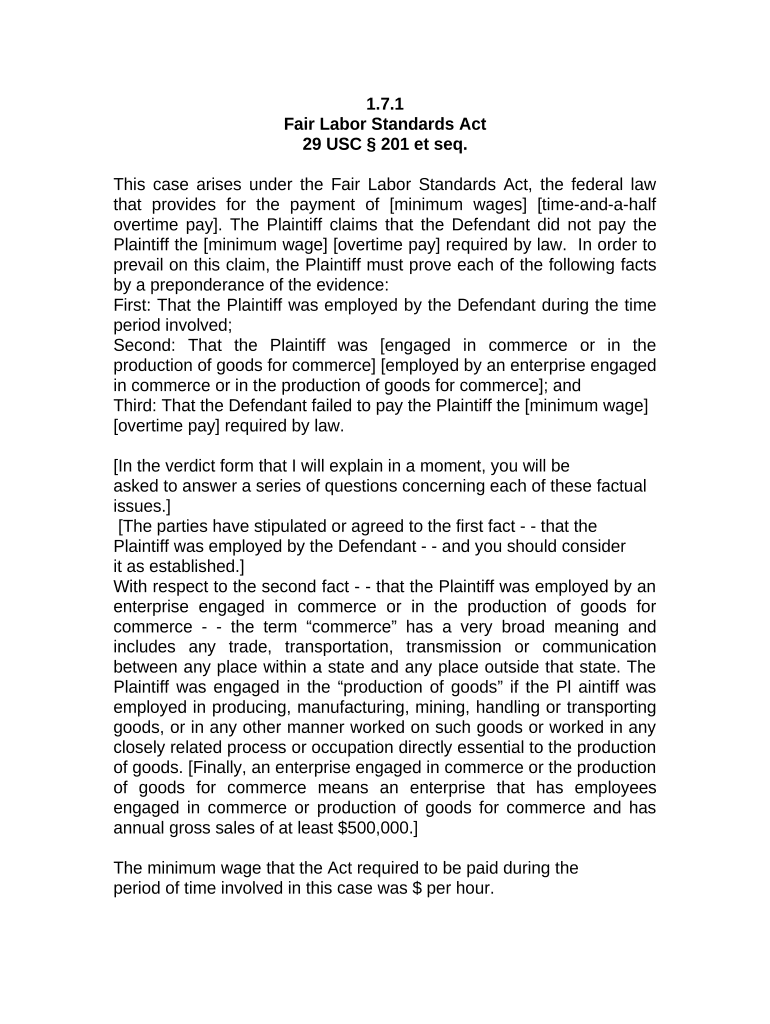
The Fair Labor Act (commonly referenced as the Fair Labor Standards Act or FLSA) sets federal standards for minimum wage, overtime pay, recordkeeping, and youth employment for most private and public sector employees in the United States. Enforced by the U.S. Department of Labor, the law defines exempt and nonexempt classifications, establishes overtime calculation methods, and requires employers to maintain payroll and time records. Understanding the Act helps employers comply with statutory obligations and helps employees assert wage and hour rights under federal law.

Why compliance with the Fair Labor Act matters

Compliance reduces exposure to wage claims, back-pay liability, and civil penalties while ensuring lawful pay practices for employees. The Act supports consistent treatment across jurisdictions and provides legal mechanisms to resolve disputes.

Why compliance with the Fair Labor Act matters

Who needs to know and act on the Fair Labor Act

Employers, HR teams, payroll administrators, and labor counsel routinely use FLSA guidance to set pay practices and classify employees.

  • Small business owners reviewing exempt versus nonexempt status for salaried staff.
  • Human resources and payroll teams managing timekeeping, overtime calculations, and record retention.
  • Labor and employment attorneys advising on wage claims, audits, and settlement negotiations.

Workers and employee representatives also refer to the Act when reviewing pay stubs or initiating wage-and-hour complaints with the DOL.

Core elements of the Fair Labor Act employers should track

These components form the backbone of FLSA compliance; employers should document policies and processes to address each area clearly.

Minimum Wage

Sets federal floor; states may require higher rates and prevail where applicable.
Overtime Pay

Time-and-a-half after 40 hours per workweek for nonexempt employees; state rules can add requirements.

Exemption Rules

Salary basis, salary level, and job duties tests determine exempt status under 29 CFR guidance.

Recordkeeping

Employers must retain payroll and time records as required by regulation.

Youth Employment

Hours and permitted occupations for minors are restricted to protect education and safety.

Enforcement

DOL Wage and Hour Division enforces compliance and may recover back wages and damages.

Step-by-step checklist for meeting FLSA obligations

Follow these practical steps to establish and maintain compliant wage-and-hour processes.

  • 01
    Define Workweek: Set and document a fixed workweek for payroll calculations.
  • 02
    Classify Roles: Apply salary and duties tests to determine exempt status.
  • 03
    Track Time: Use reliable timekeeping to capture hours and overtime.
  • 04
    Retain Records: Store payroll records per regulatory retention requirements.

How employer compliance processes typically flow

A structured workflow reduces errors and ensures evidence is available if an audit occurs.

  • Policy Setup: Draft pay and overtime policies for distribution and training.
  • Time Collection: Employees record time via electronic or paper systems.
  • Payroll Processing: Calculate regular and overtime pay, apply deductions, and reconcile.
  • Audit & Correction: Review records regularly and correct discovered errors promptly.

Configuring digital workflows for wage and hour management

Map system settings to FLSA rules to automate accurate calculations and audit trails.

Field Configuration
Workweek Start Set a fixed weekday/time to anchor overtime thresholds
Rounding Rules Specify rounding policy consistent with legal guidance
Overtime Multiplier Configure 1.5x for hours over 40 per workweek
Audit Trail Enable timestamped edits and exportable logs for audits

Technical considerations for e-records and signatures

Use platforms that support secure records, audit trails, and lawful e-signatures.

  • Authentication: Email, SMS, or stronger MFA
  • Audit Logs: IP, timestamp, and action history
  • Document Formats: PDF and exportable CSV for payroll data

Ensure any eSignature vendor you use complies with ESIGN (15 U.S.C. ch. 96) and UETA where applicable and offers retention and export capabilities for audits.

Key deadlines and timing employers should track

Timely actions and retention reduce regulatory exposure and support defense in disputes.

Timekeeping Retention:

Keep payroll and time records at least 3 years (29 CFR §516.5).

Payroll Frequency:

Follow federal and state pay-frequency rules; states may require shorter intervals.

FLSA Claims:

Statute of limitations typically 2 years; 3 years for willful violations (29 U.S.C. §255).

Record Accessibility:

Make records available promptly for DOL audits and investigations.

Policy Updates:

Review classification and pay policies annually or when duties change.

Milestones in establishing and maintaining compliance

Sequence these stages to operationalize FLSA requirements across the organization.

01

Policy Adoption

Create written pay and overtime policies and communicate them company-wide.

02

System Configuration

Implement timekeeping and payroll rules aligned with the defined workweek.

03

Ongoing Monitoring

Run regular reconciliations and manager reviews to detect and correct errors.

04

Audit Response

Prepare documentation, respond to DOL requests, and remediate findings quickly.

Common pitfalls employers encounter under the Fair Labor Act

  • Misclassifying employees as exempt based only on job title rather than duties and salary.
  • Inadequate timekeeping that omits nonproductive hours or fails to capture overtime.
  • Using improper salary-basis deductions that cause loss of exempt status under DOL guidance.
  • Failing to retain complete payroll and time records for the required statutory period.

Potential consequences of noncompliance

Back Wages: Employer liability to pay unpaid wages
Liquidated Damages: May match back wages in many cases
Civil Penalties: Monetary fines and compliance orders
Criminal Exposure: Willful violations can carry criminal sanctions
Reputational Risk: Negative press and employee distrust
Injunctions: Court-ordered corrective measures

How common eSignature vendors compare for payroll and compliance workflows

Vendor selection affects cost, compliance features, HIPAA capability, and envelope or usage limits; signNow is listed first for comparison.

signNow DocuSign Adobe Sign PandaDoc HelloSign
Starting Price $8/user/mo $15/user/mo $14/user/mo $19/user/mo $15/user/mo
Free Trial 7-day free trial Varies by plan Varies by plan Varies by plan Varies by plan
Bulk Send Yes (Business Premium) Yes Yes Yes No
Audit Trail Yes Yes Yes Yes Yes
Envelope Cap No envelope cap 100 envelopes/user/year limit Varies by plan Varies by plan Varies by plan

Examples: how organizations managed wage-and-hour paperwork more effectively

Real-world examples show practical benefits from reliable e-records and streamlined signature workflows.

Optica Ventures LLC

Optica used digital signing to streamline client and vendor approvals.

  • Reduced physical paperwork and processing time.
  • The firm reported simpler document handling while preserving audit trails and ensuring records were available quickly for internal and regulatory review.

Martin Properties

A real estate operator moved lease and payroll acknowledgements online.

  • Enabled remote completion and recordkeeping.
  • The company processed authorizations and employee acknowledgements more consistently, improving access to historical records during audits and tenant disputes.

Frequently asked questions about the Fair Labor Act

Answers to common employer and employee questions about classification, recordkeeping, and enforcement.


Need help? Contact support

be ready to get more
Join over 28 million airSlate SignNow users